

Do these 3 things before closing this tab:
1Fix the driver behind crashes, sound loss and screen glitches2Repair Windows errors before they cause bigger problems3Scan for outdated or missing drivers - takes under a minuteiTechGuides is reader-supported. When you buy through links on our site, we may earn an affiliate commission. As an Amazon Associate I earn from qualifying purchases. Learn more
Like most of us, you probably need some information about Windows 10 21H1 – the next semi-annual Windows 10 update. In this Itechguide, I will discuss Windows 10 21H1 release date, features, and how you can download the update.
Windows 10 21H1 Update: Release Date
Before I discuss the next major Windows 10 semi-annual update, I will like to highlight the changes to the naming convention introduced with the last update.
Before the last update – Windows 10 20H2, Microsoft named the semi-annual updates according to the release month and year. For example, the update released before 20H2 was called 2004.
The Tool Desk
Outbyte PC Repair FREERepair Windows errors before they cause bigger problemsFix Now →Outbyte Driver Updater FREEScan for outdated or missing drivers - takes under a minuteDriver Scan →Windows 10 2004 was released on 27th May 2020. Before this update, 1909 was released on 12th November 2019. So, before 20H2 was released, the first Windows feature update for the year was named – YY03 – except 2004 which took “04” to avoid name conflict with Windows Server 2003.
Popular on Amazon

- 10 Pack USB Sticks: 10 pieces of USB flash drives are fit for a variety of scenarios. Whether the flash drives USB are used as school supplies for high school students to backup data storaged in USB jump drives or music USB flash drive for car, zip drive can meet the basic storage needs. USB drive pack of 10 has a higher cost performance. USB flash drive pack of 10 is suitable for ordinary users with appropriate needs, but also for special groups such as companies, schools or other organizations that need a large number of U disks. In short, thumb drives can meet the needs of different customers.
- Swivel Design: With the 360° swivel design, all the ports of the thumb drives 10 pack can be hidden inside the metal casing. When needed, simply swivel the casing gently and the ports will automatically expose, making it convenient for you to insert and remove. This design is not only fashionable and beautiful but also more user-friendly, whether you'd like your flash drive for photos, flash drive for video storage, or memory sticks for computers. In addition, the swivel design can effectively protect the interface from damage and pollution, increasing the service life of the flash USB drive.
- Portability: The small hole on the thumbdrive USB is designed for lanyards, which is convenient to carry. Besides, the USB flash drive keychain can also be tied through the small hole to prevent loss. This design is very thoughtful and reflects the humanized design concept of the memorias USB flash drive.
- Plug and Play: You can use the computer storage flash drive immediately for data storage or backup without any additional installation after inserting it into the computer. This plug and play feature makes the laptop storage drive a very convenient external ssd. You can copy the required data files to the external drive at any time without worrying about computer system compatibility issues. In addition, the design of the external flash drive enables it to be quickly recognized by the system after being inserted into the computer. (NOTE: Please check if your device has a USB-A port before purchasing. If not, a USB-C hub is needed.)
- FAT32 format: The default system format for 8GB flash drive is FAT32. FAT32 USB flash drive is widely applicable, such as in televisions, DVD players, vehicles, printers, embroidery machines, etc. Be patient if you have problems with system recognition. It may take some time for initial recognition, but it will happen.
Additionally, the Windows 10 update released in the last quarter of the year was named – YY09. So, the 2019 update released in November of that year was called Windows 10 1909.
“19” stands for 2019, while 09 stands for the release cycle – usually 09.
As I mentioned earlier, from October 2020 update, Microsoft changed the naming convention for Windows semi-annual updates. The name now follows the YYH1 or YYH2 naming convention.
Also popular on Amazon
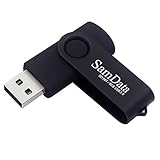
- [Package Offer]: 1 Pack USB Flash Drive 8GB Available in black.
- [Plug and Play]: No need to install any software, Just plug in and use it. The metal clip rotates 360° round the ABS plastic body which. The capless design can avoid lossing of cap, and providing efficient protection to the USB port.
- [Compatibilty and Interface]: Supports Windows 7 / 8 / 10 / Vista / XP / 2000 / ME / NT Linux and Mac OS. Compatible with USB 2.0 and below. High speed USB 2.0, LED Indicator - Transfer status at a glance.
- [Suitable for All Uses and Data]: Suitable for storing digital data for school, business or daily usage. Apply to data storage of music, photos, movies, software, and other files.
- [Warranty Policy]: 12-month warranty, our products are of good quality and we promise that any problem about the product within one year since you buy, it will be guaranteed for free.
YY represents the second part of the year and H1 or H2 represents the update release cycle. H1 is used for Windows semi-annual updates released around March and May.
H2 is used for feature updates released between September and November. So, the next Windows 10 update – Windows 10 21H1 is expected in the first half of 2021.
Specifically, Microsoft announced that this update will be released by Spring 2021. Based on previous feature updates, Windows 10 21H1 update should be expected between March and May 2021.
Also popular on Amazon

- Bulk Flash Drives: 20 pack 8GB USB flash drive with 20 lanyards. MECHEER thumb drive with flexible storage and color options! Perfect for business needs, events, giveaways, or personal use. These versatile storage solutions work great whether you're handling corporate projects, or just organizing your digital life.
- Durable & Portable: This pocket-sized flash drive(2.27" x 0.75") travels effortlessly with you. USB drive featuring a 360-degree metal swivel cap that safeguards the USB port, the pen drive rugged aluminum casing withstands daily wear & tear. USB memory stick is equipped with a detachable lanyard and easily attach to your key chain or bags to avoid from losing and for easy carrying.
- Zero-Setup Convenience: Plug and play thumbdrive, no need to install any software - even your grandma can use it. USB memory stick can instantly works on any device - just plug in and start transferring files. USB flash drive universal compatibility with windows: XP, Vista, 7, 8, 10 & 11. USB 2.0 flash drive backwardly compatible with 1.1 ports, perfect for older laptops and car stereos.
- FAT32 Format: The default file system for 8GB flash drives is FAT32, providing read/write compatibility with both Windows and macOS. This format is ideal for storing music, photos, videos, software installers and general document files. Pro Tip: Maximize performance by reformatting to your optimal file system.(FAT32: Universal compatibility (files under 4GB); exFAT: Cross-platform large file support; NTFS: Advanced Windows features (encryption/compression))
- LED Indicator: The end of the USB storage flash drive is designed with an indicator. The LED indicator lights up when you plug the zip drive usb into the devices, the light blinks while write/read activities are in process. In this case, do not remove the USB drive pack. Otherwise, data integrity and the service life of the USB drives are affected.
Windows 10 21H1 Update: Features
The table below highlights the major features of Windows 10 21H1 Update:
Quick wins for a faster PC:
Scan for outdated or missing drivers - takes under a minuteDriver Scan →Clear out junk files and repair common Windows errorsFree Scan →Fix the driver behind crashes, sound loss and screen glitchesFind Drivers →| S/N | Feature Info | Feature Details |
|---|---|---|
| 1 | Improvements to Windows Hello multicamera support | In the 21H1 update, Microsoft is introducing improvements to Windows Hello. Specifically, if an internal and an external camera are present, Windows Hellow now sets the external camera as default. |
| 2 | End of Support for the legacy version of Microsoft Edge | Support for the legacy version of Microsoft Edge will end with update 21H2. The support ends on March 9th, 2021. Microsoft has released a new Microsoft Edge. |
| 3 | Improvements to Windows Defender Application Guard | Windows Defender will receive general improvements. Most notably, it is now optimized to support faster document opening. |
| 4 | Improvements to Windows Management Instrumentation (WMI) Group Policy Service (GPSVC) | The primary focus of the improvements to WMI is in remote work scenarios. This is likely Microsoft’s way of recognizing changes to how we work now. |
Windows 10 21H1 Update: Download
This is the part you are most likely more interested in – how do I download and/or install Windows 10 21H1 Update? That depends on when you want to install the update.
If you are very keen and wish to install the update now – that is, before the update is released to the general public – join the Windows Insider program. When you join this program, you should be able to download the update as soon as possible.
Also popular on Amazon
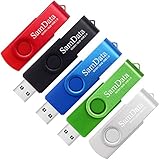
- [Package Offer]: 5 Pack USB 2.0 Flash Drive 8GB Available in 5 different colors - Black Blue Green Red Silver. The different colors can help you to store different content.
- [Plug and Play]: No need to install any software, Just plug in and use it. The metal clip rotates 360° round the ABS plastic body which. The capless design can avoid lossing of cap, and providing efficient protection to the USB port.
- [Compatibilty and Interface]: Supports Windows 7 / 8 / 10 / Vista / XP / 2000 / ME / NT Linux and Mac OS. Compatible with USB 2.0 and below. High speed USB 2.0, LED Indicator - Transfer status at a glance.
- [Suitable for All Uses and Data]: Suitable for storing digital data for school, business or daily usage. Apply to data storage of music, photos, movies, software, and other files.
- [Warranty Policy]: 12-month warranty, our products are of good quality and we promise that any problem about the product within one year since you buy, it will be guaranteed for free.
Microsoft started releasing 21H1 via the Windows Insiders in the Beta channel from February 17, 2021. So, if you join Windows Insider now, you may be able to download and install update 21H1 immediately.
However, if you want to wait until the update is released to everyone, you have to get it when it becomes available via Windows update. According to Microsoft, the release will begin “later in the first half of this calendar year (2021)”.
Furthermore, to make it easy for you to receive the update, we strongly recommend that you update your Windows 10 PC to 20H2. According to Microsoft, if your PC is updated to version 2004 or 20H2, you will have a faster installation experience of update 21H1.
Also popular on Amazon

- Ultra-compact and portable contoured styling
- Share your photos, videos, songs and other files between computers with ease
- Protect your private files with included SanDisk SecureAccess software (Password protection uses 128-bit AES encryption and is supported by Windows Vista, Windows 7, Windows 8, Windows 10 and Mac OS X v10.6+ (Software download required for Mac, see official SanDisk Secure Access website for more details.))
- Store more with capacities up to 8GB (1 gigabyte (GB) = 1 billion bytes. Some capacity not available for data storage.)
Conclusion
I hope you found this Windows 10 guide helpful. If you did, kindly spare two minutes to share your experience by responding to the “Was this page helpful?” question below.
Finally, for more Windows 10 Itechguides, visit our Windows 10 How-To page.
Quick Recap
Product prices and availability are accurate as of the date/time indicated and are subject to change. Any price and availability information displayed on Amazon at the time of purchase will apply.
Free tools Windows power users keep installed
One-click scans. No signup required.



what changes need to be made in the SCCM SUP to enable patch downloads for this new os? thanks