Free tools Windows power users keep installed
One-click scans. No signup required.
iTechGuides is reader-supported. When you buy through links on our site, we may earn an affiliate commission. As an Amazon Associate I earn from qualifying purchases. Learn more
Consider a SaaS company that has run product demos through the same video host for three years. Nobody has questioned it. Then a prospect’s security team asks, mid-procurement, whether the platform supports domain restriction and single sign-on. If the marketing lead cannot answer, the deal can stall while someone finds out.
That scenario is more common in 2026 than most comparison articles admit, because most of them still treat “secure” as a single checkbox next to a platform’s name. It is not one feature. It is four separate layers, and which ones a business actually needs depends entirely on what the video is doing: selling, training, running the product, or gating paid content.


This article breaks business video hosting into those four jobs, walks through what seven platforms: Gumlet, Vimeo, Wistia, Vidyard, Brightcove, Kaltura, and SproutVideo, actually deliver at each security layer and at each price point, and ends with a checklist for testing a platform before signing a contract instead of after a security review catches you flat-footed.
Key Takeaways
- The right video host depends on which job the video does. Marketing, product, and gated content each pull toward a different platform.
- Video security breaks into four layers: basic access control, link-level control, traceability, and encrypted playback. Most platforms gate the later layers behind higher tiers or a separate contract.
- “Unlimited” hosting does not necessarily mean unlimited usage at a fixed price. Check fair-use terms, included allowances, and overage charges.
- DRM earns its cost for paid or licensed video. For public marketing content, domain restriction and signed URLs solve most of the actual risk at a fraction of the price.
- Published, per-tier pricing is itself a useful signal. A platform that hides its security tier behind “contact sales” is asking you to negotiate blind.
- Migrating an existing video library is the most underestimated cost in switching platforms. Embed codes, analytics IDs, and access rules typically need manual reconfiguration.
What Makes a Video Host Built for Business
A business video host is a platform that gives a company control over distribution, branding, analytics, and access, the four things a consumer platform like YouTube was never built to hand over.
#1 Best Overall
YouTube optimizes for reach and discovery, which means every embed on a business’s own site still competes with autoplay recommendations for a competitor’s product.
A video hosting platform built for businesses optimizes for the opposite: keeping the viewer on the brand’s own page, under the brand’s own access rules, with the data flowing back to the brand’s own systems.
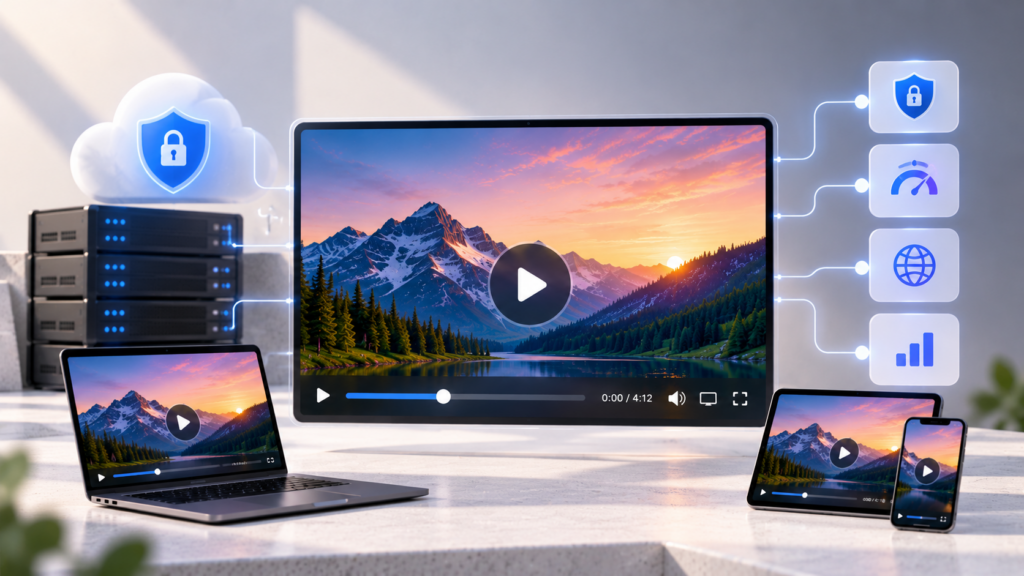
Gumlet is one platform built specifically for this job: an all-in-one video hosting platform that combines encoding, adaptive delivery, layered security, and analytics in one dashboard rather than requiring a business to stitch those functions together from separate vendors. The comparison below evaluates it alongside six other platforms that take different approaches to the same problem.
The Tool Desk
Outbyte PC Repair FREERepair Windows errors before they cause bigger problemsFix Now →Outbyte Driver Updater FREEScan for outdated or missing drivers - takes under a minuteDriver Scan →How This Comparison Differs From a Platform Ranking
This is not a ranked list of which platform wins overall. A marketing team choosing between Wistia and Vidyard is answering a different question than a course platform choosing between Gumlet and Brightcove, and collapsing both into a single leaderboard hides the answer either of them actually needs.
The sections below are organized by what the video is doing, not by platform. Skip to the use case that matches the job the video does, and use the four-layer framework to check whether the platform on the shortlist actually covers it.
The Four Layers of Video Security, and Which One You Actually Need
Video security splits into four layers that answer two entirely different questions: who can access the video, and what can they do once they have access. A platform can be strong on the first and weak on the second, and a buyer who only checks “does it have security features” never finds out which.
Layer 1: Basic Access Control
This is password protection, domain restriction, and geographic blocking, the controls that stop a video from being publicly indexed or embedded somewhere it was never meant to appear.
Every platform in this comparison offers at least password protection on a paid tier, though where that protection sits on the pricing ladder varies more than most buyers expect.
Wistia includes password protection on every plan, including Free, but reserves SSO and Video Playback Protection for its custom Enterprise tier. SproutVideo includes domain restriction from its Seed plan at $12 a month billed annually; IP and geographic restrictions are on Forest. Gumlet includes password protection and geo-blocking on its Free plan, with domain restriction opening on the Creator tier at $6 a month billed annually.
Layer 1 alone stops the casual leak, an employee forwarding a link, a course video getting embedded on a random blog. It does nothing against someone who was given legitimate access and chooses to misuse it. That is a Layer 2 and Layer 3 problem.
Layer 2: Link-Level Control
Signed URLs generate a viewer-specific, time-limited link so a copied URL stops working after it expires or after a set number of plays.
Quick wins for a faster PC:
Fix the driver behind crashes, sound loss and screen glitchesFind Drivers →Clear out junk files and repair common Windows errorsFree Scan →This is what actually closes the “unlisted YouTube link in a group chat” hole, because a static, non-expiring URL works forever once it exists.
Gumlet and SproutVideo both support signed URLs with expiration, SproutVideo implements them as signed embed codes rather than raw stream links, available on its $72 a month Tree plan and above. Gumlet offers signed URLs with expiration from its $19 a month Growth plan and above.
Vidyard and Vimeo support link-level restriction at their business tiers, though neither publishes the same granular expiration controls as a security-first platform.
Rank #2
Tokenized delivery is the more precise term for this mechanism: a cryptographically signed, viewer-specific URL rather than a fixed, guessable one. For a course platform, that means a leaked link expires before it can be reshared past the first viewer.
Recommended Free Tools
Layer 3: Traceability
Dynamic watermarking overlays a viewer-specific identifier, typically a viewer’s email, IP, or session ID, directly onto the video frame. It does not stop a screen recording. What it does is make a leaked recording traceable back to the specific viewer who made it, which changes the incentive calculus for anyone tempted to reshare paid content.
SproutVideo offers session-level dynamic watermarking on its higher tiers, tied to email, IP, or session ID. Gumlet offers the same capability, also session-level, starting on its $99 a month Business plan.
Do not confuse watermarking with prevention. Any vendor who describes watermarking as something that “blocks” screen recording is overstating what the mechanism does. It deters and it traces. It does not physically prevent the recording from happening.
Layer 4: Encrypted Playback
Digital rights management, or DRM, encrypts the video file itself and controls playback through a license server rather than a simple access check. Widevine covers Android, Chrome, and Edge. FairPlay covers iOS and Safari.
This is the layer that stops a downloaded file from playing anywhere except an authorized, licensed player, and it is the layer most platforms either omit entirely or price as a custom enterprise add-on.
Brightcove and Kaltura both support DRM, typically bundled into enterprise-tier contracts rather than sold as a standalone, published line item.
Gumlet offers Widevine and FairPlay DRM as a published add-on at $99 a month on any paid plan, a flat rate rather than a custom quote. The add-on includes 100,000 DRM-protected views a month before a $1-per-1,000 overage applies, activates with a one-click, no-code setup rather than a manual integration, and ships native iOS and Android SDKs for DRM playback.
SproutVideo and Wistia, by contrast, do not offer DRM at any tier, a real gap for a buyer who eventually needs this specific layer.
What’s actually slowing this PC down?
Pick the symptom - the matching free tool is one click away.
A Three-Scenario Decision Rule for When DRM is Worth Paying For
Skip DRM for public marketing content. A product demo or explainer video embedded on a public page has no viewer-access problem to solve. Domain restriction and analytics already cover the actual risk.
Consider DRM for gated training or customer-facing content that has real value if leaked, an internal training library covering proprietary processes, or a customer-only walkthrough of an unreleased feature. Layer 1 and Layer 2 controls may be enough here; DRM becomes worth evaluating once the content itself has resale or competitive value.
Treat DRM as close to mandatory for paid or licensed video, a course platform charging for access, or a media company licensing content to a paying subscriber base. This is where the cost of a leak is direct, measurable revenue, and where the $99-a-month category of pricing is trivial against what a leak actually costs.
For a reader who wants to see this four-layer model laid out in more technical depth, including how signed URLs and watermarking interact in practice, a useful next stop is a closer breakdown of how video protection actually holds together across these layers.
Comparing the Top Business Video Hosting Platforms for 2026
| Platform | Best For | Security Tier Reached Natively | Analytics Depth | Pricing Model | Starting Price (billed annually) | Key Limitation |
|---|---|---|---|---|---|---|
| Gumlet | SaaS, course platforms, product-led teams needing layered security at published prices | Layer 1 to 4, DRM as a published $99/month add-on | Real-time engagement, security event, and usage metrics | Tiered plans, published overage rates | Free; Creator at $6/month | Smaller ecosystem and integration list than legacy enterprise vendors |
| Vimeo | General business hosting, clean branded playback | Layer 1 to 2 (password, domain, some link controls) | Engagement and drop-off, moderate depth | Per-seat, tiered plans | Free; Starter at $12/seat/month | DRM and advanced access control reserved for custom Enterprise plan |
| Wistia | Marketing teams needing lead capture | Layer 1 (password protection on every plan) | Strong, built for marketing attribution | Tiered plans | Free; Business at $79/month | SSO and Video Playback Protection reserved for custom Enterprise plan |
| Vidyard | Sales teams, 1:1 video outreach | Layer 1, CRM-linked access | Strong on prospect-level engagement tracking | Per-seat, tiered | Free; Starter at $59/seat/month | Built around sales workflows, not general-purpose secure hosting |
| SproutVideo | Privacy-first hosting, granular access control | Layer 1 to 3 (no native DRM) | Deep per-viewer engagement and heatmaps | Tiered plans | Seed at $12/month | No DRM at any tier |
| Brightcove | Large-scale enterprise and OTT delivery | Layer 1 to 4, DRM included at enterprise tier | Deep, enterprise-grade | Custom quote | Custom (no public pricing) | No published pricing, security depth gated behind a sales conversation |
| Kaltura | Enterprise education, large content libraries | Layer 1 to 4, DRM available, complex setup | Deep, LMS-integrated | Custom quote | Custom (no public pricing) | Setup complexity and cost scale with customization needs |
Treat this table as a reference for matching a platform to a specific job, not a ranking. The right answer depends entirely on which of the four layers the content actually needs and which use case it serves, covered section by section below.
Choose Wistia when lead capture and marketing attribution are the deciding factor, and password-level access control is sufficient for the content in question.
Choose Brightcove or Kaltura when the organization needs multi-business-unit governance, established enterprise support relationships, and can absorb custom-quote pricing and longer setup timelines.
Choose a platform with published, flat DRM pricing, Gumlet is the clearest example here, when paid or licensed content is core to the business model and a predictable security cost matters more than an established enterprise brand name.
Windows Errors? Fix Them Before They Spread
Repair common Windows errors and clear accumulated junk for a smoother, more stable PC - no reinstall needed.Free scan · no reinstallOutdated Drivers Are Slowing You Down
One free scan finds every outdated or missing driver and matches the right update for your exact hardware.Free scan · exact hardware matchNone of these is the right call for a company that just needs simple, reliable internal video sharing at a small scale, where the overhead of any of the above outweighs the actual risk being managed.
What This Looks Like for Marketing Teams
Marketing video hits its security question at a predictable moment: a demo video embedded on a gated pricing page, or a webinar recording repurposed as a sales asset, and a prospect’s own security team asks about domain restriction or SSO during procurement.
The video did not change. The stakes attached to it did, the moment it became part of a deal.
For this use case, the priority order is usually lead capture first, security second. In-player CTAs, lead capture forms, and CRM integrations matter more day-to-day than DRM. Wistia built its entire positioning around this: heatmaps and in-video lead forms from its Business tier, with marketing automation integrations through the Signals add-on or Enterprise. Vidyard leans further into sales-specific personalization and CRM-linked tracking.
Do these 3 things before closing this tab:
1Fix the driver behind crashes, sound loss and screen glitches2Clear out junk files and repair common Windows errors3Scan for outdated or missing drivers - takes under a minuteBuilt-in video SEO, structured data that keeps a video indexed under the company’s own domain rather than a third party’s, matters here too. A marketing team that embeds video without it is quietly losing discoverability to whichever platform hosts the file.
The Layer 1 to Layer 2 range covers almost every marketing use case. A marketing team only needs to think about Layer 3 or Layer 4 once video stops being purely promotional and starts gating something with commercial value, a customer-only product walkthrough, a partner-only training series, content where a leak has a real cost attached rather than just a mild inconvenience.
What This Looks Like for Internal Training and Employee Communications
Internal training video needs permissioned delivery rather than public reach: SSO, role-based permissions, and LMS integration matter more than lead capture.
Kaltura and Brightcove are the more established names here, built for organizations that already run an LMS and need deep integration rather than a lightweight embed.
A platform that offers Layer 1 controls and straightforward LMS embedding is usually sufficient.
What This Looks Like for Paid or Licensed Video Content
For this buyer, the Layer 3 and Layer 4 controls stop being optional. A course platform charging for access has a direct, measurable cost every time a paid module ends up reshared for free, and that is exactly the scenario dynamic watermarking and DRM exist to make expensive for the person doing the leaking.
Gumlet’s DRM add-on, Widevine for Android, Chrome, and Edge, FairPlay for iOS and Safari, one-click setup, 100,000 included DRM views a month before a $1-per-1,000 overage, is a published price point in a category where most competitors, Brightcove and Kaltura included, route DRM through a custom enterprise quote instead.
Rank #4
SproutVideo does not offer DRM at all, which makes it a strong fit for privacy-focused hosting but a weaker one for a business whose revenue depends on stopping redistribution outright.
Watermarking alone is not a substitute for DRM in this use case. It traces a leak after the fact. It does not stop the leak from happening. A course platform relying on watermarking as its only Layer 3 to 4 control is accepting that some leakage will occur and betting on deterrence, not prevention.
What Business Video Hosting Actually Costs in 2026
The Hidden Cost Drivers Behind the Advertised Price
The number on a pricing page rarely resembles the number on the invoice, because bandwidth overage, storage overage, and per-seat costs sit below the fold on every platform’s pricing table.
Take a mid-sized company running 100 hosted videos averaging 10 minutes each, with 50,000 monthly plays. On Gumlet’s Growth plan at $19 a month, the 1,000-minute library fits within the included 3,000 storage minutes. Whether 50,000 plays fit within the 3,000 GB streaming allowance depends on average watch time and delivered bitrate; estimate those before assuming the base fee covers the workload.
Push past that allotment and the overage runs $0.10 per GB on Growth, dropping to $0.06 per GB on the Business tier.
What’s actually slowing this PC down?
Pick the symptom - the matching free tool is one click away.
Is “Unlimited” Video Hosting Really Unlimited?
Unlimited usage does not mean unlimited usage at the advertised price. Some services apply fair-use rules, while others permit additional usage and bill overages. SproutVideo, for example, permits uncapped bandwidth usage with per-GB charges beyond the included allowance. Ask what happens when your allowance is exceeded before signing.
How to Test a Video Hosting Platform Before You Commit
- Upload a representative video and time the encoding. Gumlet reports more than 75% of uploaded videos ready in less time than their own runtime; use that as a rough benchmark against whatever platform is being tested.
- Embed the player on an actual staging page and customize it. Check how much of the vendor’s branding can be removed and at what tier.
- Test playback on a throttled connection. Adaptive bitrate streaming should downgrade quality smoothly rather than buffering outright.
- Set up a lead form and confirm it fires into the actual CRM, not just a vendor dashboard. If a platform’s analytics stop at play count and watch time without an event reaching a CRM or ad retargeting stack, it is not attribution, it is a vanity metric.
- Run an access-control test. Restrict a video to a specific domain, then try loading it from an unauthorized page. Confirm it actually fails.
- Ask the vendor to walk through a real leak scenario. Upload a protected asset, attempt to grab the raw file, and check whether a watermark trace or signed-URL expiration actually holds up. If a vendor cannot walk through this step-by-step, the security claim is theoretical rather than demonstrated.
A company migrating from Vimeo, Ethos Watches, cited in Gumlet’s own published case study, moved more than 5,000 videos in three hours using a dedicated migration tool that pulls videos directly by URL rather than requiring a manual download-and-reupload cycle, which is the kind of benchmark worth asking any vendor to match before assuming a migration will be painless.
Independent reader supportYour contribution helps us test, update, and keep practical guides available for everyone.What Happens When You Outgrow Your Current Host
A platform switch is rarely just a content export. Embed codes scattered across a website need replacing, analytics IDs need reconfiguring, and any access rules built into the old platform, domain restrictions, signed URLs, viewer permissions, need to be rebuilt rather than carried over automatically.
The actual cost of switching video hosts is almost never the migration itself. It is the manual reconfiguration of everything the old platform quietly handled that the new one has to be told about explicitly.
Do these 3 things before closing this tab:
1Clear out junk files and repair common Windows errors2Scan for outdated or missing drivers - takes under a minute3Repair Windows errors before they cause bigger problemsBefore canceling an existing contract, three things are worth confirming in writing:
- What happens to viewer data on export.
- How long deleted content is retained before permanent removal. Gumlet, for example, keeps deleted videos in a Recycle Bin for 30 days before permanent removal; other platforms in this category range up to 90 days, so confirm the exact window in writing rather than assuming immediate deletion.
- Whether the new platform has a purpose-built migration path for the old one specifically, rather than a generic bulk-upload tool that strips metadata, chapters, and captions in the process.
Which Platform Is the Holistic Choice
Put the four-layer framework and the seven-platform comparison side-by-side, and a pattern holds. Wistia wins on marketing attribution but stops at Layer 1 security until a buyer reaches its custom Enterprise tier.
Brightcove and Kaltura reach every security layer but hide the actual cost and setup complexity behind a sales conversation, which works for a large enterprise with a dedicated procurement team and is a poor fit for a scaling SaaS or EdTech company that needs a decision in weeks, not a quarter.
SproutVideo covers Layer 1 through 3 at genuinely competitive pricing but has no answer at all for a buyer who eventually needs Layer 4.
The platforms that hold up best across this entire framework are the ones that publish their security tier structure openly rather than gating it behind a quote, and that price DRM as a flat, predictable line item instead of folding it into a custom enterprise negotiation.
Gumlet is an all-in-one video hosting platform built around exactly that structure: password protection and geo-blocking from the Free plan, domain restriction from Creator at $6 a month, dynamic watermarking from Business at $99 a month, and Widevine plus FairPlay DRM as a published $99-a-month add-on on any paid plan. That published structure is also what makes it usable as a genuine point of comparison rather than a black box.
None of this makes Gumlet the automatic right answer for every business in this comparison. A large media company already running Kaltura’s LMS integrations across a global education footprint has no reason to rip that out for a leaner, security-published alternative.
A sales team whose entire workflow runs through Vidyard’s CRM-linked personalization gets more value from staying inside that ecosystem than from a platform built around published DRM pricing it may never use.
PC Slower Than It Used to Be?
A free scan shows the junk files, broken settings and background clutter dragging Windows down - then fixes them in one click.Free scan · Windows 10 & 11Outdated Drivers Are Slowing You Down
One free scan finds every outdated or missing driver and matches the right update for your exact hardware.Free scan · exact hardware matchBut for the scaling SaaS, EdTech, or media company weighing security requirements against setup speed and pricing transparency, and this is the buyer most of this article has been written for, Gumlet’s layered, published structure is worth putting on the shortlist alongside the more established names.
Frequently Asked Questions
1. What’s the difference between password protection, signed URLs, and DRM?
Password protection is a single shared credential that gates access to a video page. Signed URLs are viewer-specific, time-limited links that expire automatically, closing the gap a static, non-expiring link leaves open.
DRM encrypts the video file itself and controls playback through a license server, restricting not just who can load the video but what they can do with it once loaded.
Each layer solves a different problem, and stacking all three closes more gaps than any one alone.
Recommended Free Tools
2. Is DRM necessary for ordinary business videos, or only for paid content?
Skip DRM for public marketing content, since domain restriction and analytics already cover the real risk there.
Consider it for gated training or proprietary content with real competitive value if leaked. Treat it as close to mandatory once video becomes the direct revenue driver, a paid course, a licensed media library, where a leak has a measurable dollar cost attached to it.
3. Is unlimited video hosting really unlimited?
Not necessarily at a fixed price. Check whether the plan uses a fair-use policy, a usage limit, or paid overages. SproutVideo allows uncapped bandwidth usage but charges for usage beyond the included allowance. Ask the vendor for its exact policy before signing.
If a vendor cannot answer that question clearly and immediately, treat the “unlimited” label as a marketing term rather than a technical spec.
4. Will switching video hosts break my existing website embeds?
Yes, in most cases. Embed codes, analytics tracking IDs, and any access rules built into the old platform typically need manual reconfiguration on the new one rather than an automatic carryover.
Before migrating, confirm whether the new platform has a purpose-built import tool for the specific platform being replaced, since a generic bulk upload often strips captions, chapters, and metadata in the process.
5. What compliance certifications should I check before an enterprise video platform buy?
Ask for SOC 2 and ISO 27001 certification status directly, along with whether the platform is GDPR compliant, rather than accepting a generic “we take security seriously” answer.
For a regulated industry, also confirm SSO and role-based access control availability, and get the certification documentation in writing before finalizing a contract, since certification status changes and self-reported claims on a marketing page are not the same as a verifiable compliance report.
Quick Recap
Product prices and availability are accurate as of the date/time indicated and are subject to change. Any price and availability information displayed on Amazon at the time of purchase will apply.