

Quick wins for a faster PC:
Fix the driver behind crashes, sound loss and screen glitchesFind Drivers →Repair Windows errors before they cause bigger problemsFix Now →Scan for outdated or missing drivers - takes under a minuteDriver Scan →iTechGuides is reader-supported. When you buy through links on our site, we may earn an affiliate commission. As an Amazon Associate I earn from qualifying purchases. Learn more
Do you want to clear the cache on your WordPress website but don’t know how? This detailed guide teaches multiple ways to accomplish that.
Option 1: Clear Cache Using a Plugin
One of the major ways to delete the cache of your WordPress site is with the help of a plugin. Moreover, there are various free plugins on WordPress for clearing cache.
However, I recommend the W3 Total Cache plugin. Thus, in the following sub-sections, I will teach you how to install this cache plugin in WordPress.
Recommended Free Tools
Then, you will learn how to use the plugin to flush the WordPress cache.
Popular on Amazon
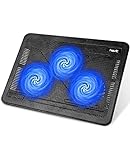
- Ultra-Portable: Slim, portable, and light weight allowing you to protect your investment wherever you go
- Ergonomic Comfort: Doubles as an ergonomic stand with two adjustable height settings
- Optimized for Laptop Carrying: The metal mesh provides your laptop with a stable laptop carrying surface
- Ultra-Quiet Fans: Three ultra-quiet fans create a noise-free environment for you
- Extra Usb Ports: Extra USB port and power switch design allows for connecting more USB devices. Warm Tips: The packaged cable is USB to USB connection. Type C connection devices need to prepare an Type C to USB adapter
Step 1: Install the W3 Total Cache Plugin
- With the aid of an admin account, log in to the backend of your WordPress website. Thereon, hover your mouse pointer on Plugins on the left pane, then select Add New from the displayed options.

- After doing that, input “W3 total cache” in the search field on the Add Plugins page.

- Next, click the Install Now button in the W3 Total Cache plugin from the search result.

- Now, click the Activate button to enable the plugin.

Step 2: Use the W3 Total Cache Plugin to Delete Cache
- Login to the WordPress backend with an admin account. Then, click Performance among the options on the left pane of the WordPress backend.

- Finally, in the W3 Total Cache dashboard, click the empty all caches button to clear the WordPress cache.


Option 2: Remove Cache Through Your Web Hosting Service
Interestingly, you can also remove your WordPress website’s cache through the file manager on your web hosting service. Follow the procedures below to accomplish that.
- First, log in to the dashboard of your web hosting service. Then select Manage Services in the Manage Services section.

- After doing that, select your WordPress website from the list of products/services.

- Now, under the Quick Shortcuts category, select File Manager.

- When File Manager opens, navigate to the location below using the folders on the left pane.
home > website name > wp-content > cache

- After that, click Select All in the cache folder to select all the cached files/data. Then, right-click any file in the folder and select Delete from the displayed options.

- Consequently, you will receive a prompt asking if you are sure you want to move the selected files to the trash. Finally, check the Skip the trash and permanently delete the files box in the prompt before clicking the Confirm button.

Frequently Asked Questions
Cached data are temporary data stored in a software or hardware component called a cache. Moreover, cached data automatically saves on your device the first time you open an app or visit a website.
This is to enable the app or website to load information faster the next time you open it or visit. To learn more about cached data, you can read our Cached Data Explained: Temporal Data For Faster Load Time article.
Also popular on Amazon

- Dual USB Hub: With a built-in dual USB hub, the laptop fan enables you to connect additional USB devices to your laptop, providing extra connectivity options for your peripherals. Warm tips: The packaged cable is a USB-to-USB connection. Type C connection devices require a Type C to USB adapter. Please plug the cooling pad's USB cable into a 5V 1A adapter for best performance; otherwise, the fans may fail to spin or run at very low speed.
- Whisper-Quiet Operation: Enjoy a noise-free and interference-free environment with super quiet fans, allowing you to focus on your work or entertainment without distractions.
- Enhanced Cooling Performance: The laptop cooling pad features 5 built-in fans (big fan: 4.72-inch, small fans: 2.76-inch), all with blue LEDs. 2 On/Off switches enable simultaneous control of all 5 fans and LEDs. Simply press the switch to select 1 fan working, 4 fans working, or all 5 working together.
- Ergonomic Design: The laptop cooling stand also serves as an ergonomic stand, offering 6 adjustable height settings that enable you to customize the angle for optimal comfort during gaming, movie watching, or working for extended periods. Ideal gift for both the back-to-school season and Father's Day.
- Secure and Universal Compatibility: Designed with 2 stoppers on the front surface, this laptop cooler prevents laptops from slipping and keeps 12-17 inch laptops—including Apple Macbook Pro Air, HP, Alienware, Dell, ASUS, and more—cool and secure during use.
Yes, it is absolutely fine to clear a cache.
There are lots of plugins for clearing cache in WordPress. These include WP Rocket, W3 Total Cache, WP Fastest Cache, and WP Super Cache.
WordPress saves cached data in the wp-content/cache folder.
Also popular on Amazon

- 👍【Triple Efficient Fans】TECKNET laptop cooling pad with 3 powerful fans works at 1200 RPM to pull in cool air from the bottom to prevent your laptop, notebook, netbook, Ultrabook, Apple MacBook Pro cool from overheating during extended use or intense gaming.
- ✌️【Easy to Use】Powered directly by your laptop's USB port, the 110mm fans operate quietly and feature a dedicated on/off switch. No external power adapter is needed.
- 👑【Double USB Ports】One USB port can power the laptop cooler, the other one can be connected to external devices, such as keyboard, mouse, audio, etc. Blue LED indicators confirm the fans are running. Note: The included cable is USB-A to USB-A.
- 👍【Ergonomic Comfort】Choose between two adjustable height settings to achieve a more comfortable viewing angle. Integrated rubber pads on the surface and base keep your laptop securely in place.
- 👌【Wide Compatibility】Compatible with various laptop sizes from 12 up to 17 inches, such as Apple MacBook Pro Air, HP, Alienware, Dell, Lenovo, ASUS, etc (USB cable included). The laptop fan can also accurately dissipate heat for your tablet, router, game console.
WordPress is an open-source and free platform for developing websites and blogs.
Conclusion
Although cached data on your WordPress site can be very useful, they have a few disadvantages. Gladly, this guide demonstrated two ways to erase WordPress cache.
Also popular on Amazon

- 【High-Speed Cooling Performance】 Equipped with two powerful fans and a precision metal mesh design, KYOLLY’s laptop cooling pad delivers optimal airflow to quickly dissipate heat, preventing overheating—even during extended use. Perfect for gaming, multitasking, or long work sessions.
- 【Slim, Lightweight & Highly Portable】 With its ultra-slim profile and lightweight build, this laptop cooler is easy to carry anywhere. A soft blue LED indicator lets you know when the fans are active, combining style with functionality.
- 【5-Level Height Adjustment & Anti-Slip Design】 Customize your typing and viewing angle with five ergonomic height settings. The built-in anti-slip baffles securely hold your laptop in place, making it both a efficient cooler and a reliable stand.
- 【Quiet Operation with Smooth Speed Control】 Enjoy focused work or gameplay thanks to virtually silent fan operation. Adjust wind speed smoothly with the rolling wheel controller to balance cooling power and noise level—ideal for office or shared environments.
- 【Universal Compatibility & Practical USB Ports】 Designed for laptops up to 15.6 inches, this cooler is perfect for home, office, or on-the-go use. Two additional USB ports offer convenient connectivity for peripherals like mice, keyboards, or phones.
Specifically, we discussed how to carry out this task using a plugin. This guide also taught us how to clear the WordPress cache through your web hosting service.
Free tools Windows power users keep installed
One-click scans. No signup required.
I hope you were able to erase the cache on your WordPress website with the methods provided in this guide. If you were, click on “Yes” beside the “Was this page helpful” question below.
Also popular on Amazon

- 9 Super Cooling Fans: The 9-core laptop cooling pad can efficiently cool your laptop down, this laptop cooler has the air vent in the top and bottom of the case, you can set different modes for the cooling fans.
- Ergonomic comfort: The gaming laptop cooling pad provides 8 heights adjustment to choose.You can adjust the suitable angle by your needs to relieve the fatigue of the back and neck effectively.
- LCD Display: The LCD of cooler pad readout shows your current fan speed.simple and intuitive.you can easily control the RGB lights and fan speed by touching the buttons.
- 10 RGB Light Modes: The RGB lights of the cooling laptop pad are pretty and it has many lighting options which can get you cool game atmosphere.you can press the botton 2-3 seconds to turn on/off the light.
- Whisper Quiet: The 9 fans of the laptop cooling stand are all added with capacitor components to reduce working noise. the gaming laptop cooler is almost quiet enough not to notice even on max setting.
You may also express your thoughts and opinions by using the “Leave a Comment” form at the bottom of this page.
Finally, visit our WordPress & Websites How-Tos page for more WordPress guides.
Quick Recap
Product prices and availability are accurate as of the date/time indicated and are subject to change. Any price and availability information displayed on Amazon at the time of purchase will apply.



