
ViiBE
ViiBE: A visual support workspace for diagnosing issues with customers, agents, and field experts. Ranked #6 of 26 in Video Customer Support Software by our editors (8.7/10); pricing: Pricing on request; best for field and expert-assisted customer support.
At a glance
- Editor score8.7 / 10
- PricingPricing on request
- Best forField and expert-assisted customer support
- Co-browsingYes
- Facts checked20 Sep 2026
Where it wins
- Real-time video with front- and rear-camera sharing
- Co-browsing, screen sharing, annotations, and file exchange
- Archived sessions with AI tagging of key moments
Where it doesn't
- Access is listed for web rather than multiple platforms
- Pricing is handled through contact sales and demo requests
- Its strongest workflows focus on visual and technical support
Our verdict on ViiBE
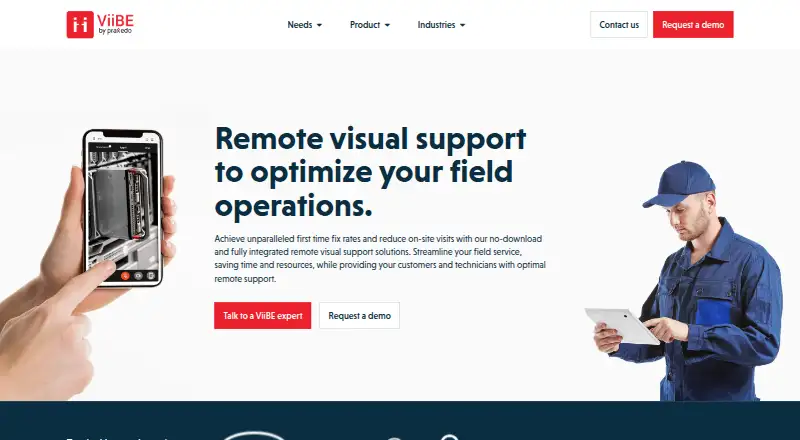
ViiBE is a browser-based remote visual support platform from Praxedo for field-service teams, contact centers, technicians, customers, and subject-matter experts. It connects participants through real-time video calls and lets them share front- or rear-camera views, screens, documents, images, and files. The product is positioned for technical support, after-sales service, incident diagnosis, and first-time-fix improvement, making it a fit for organizations where visual context can help explain or resolve a customer issue.
Its feature depth centers on guided visual assistance. Co-browsing supports browser navigation and data masking, while annotations add arrows and shapes to images and documents. Archived video assistance sessions provide a record of interactions, and AI tagging identifies key moments in those archives. Together, these capabilities give agents and experts several ways to inspect a problem, direct a customer, and preserve session context for later review. The emphasis is narrower than a general customer-service suite: ViiBE is most relevant when video, screen context, or visual documentation is central to the support process.
ViiBE also connects with CRM, ticketing, field-service, and enterprise workflow tools, including Zendesk, Praxedo, SAP, Salesforce, Infor, Outlook Email, IBM Maximo, and Microsoft Dynamics. The product is offered through a request-a-demo and contact-sales model, so organizations should expect a sales-led evaluation rather than self-serve plan selection. Choose ViiBE if field workers, agents, customers, and experts need shared visual assistance with archived sessions and workflow integrations. Consider another option if your priority is a broader support platform, a different access model, or publicly listed plan tiers.
Your product? Our editors can test ViiBE in depth and publish a review, labelled as paid · from $149/mo →
ViiBE pricing
ViiBE fact sheet
| Free plan | Not verified |
|---|---|
| Paid from | Not verified |
| Screen sharing | Yes |
| Co-browsing | Yes |
| Visual annotation | Yes |
| Video recording | Yes |
| Included agent seats | Not verified |
| Customer platforms | Web_mobile |
| Deployment | Cloud |
| Platforms | Web |
| Support | Email, Phone |
| Built for | Mid-market, Enterprise (editorial estimate) |
| Integrations | 10+ integrations: Zendesk, Praxedo, SAP, Salesforce, Infor, Outlook Email … See all → |
| Pricing | Pricing on request |
| Website | viibe.co |
| Facts checked | 20 Sep 2026 |
ViiBE integrations
ViiBE lists 10+ integrations on its own site — the 8 named here are the ones its pages call out.
- Zendesk
- Praxedo
- SAP
- Salesforce
- Infor
- Outlook Email
- IBM Maximo
- Microsoft Dynamics
Alternatives to ViiBE
- SightCall Remote Visual SupportEnterprise visual support with video, AR guidance, co-browsing, and service-system integrations.9.4
- LiveCallA capable free starting point for teams offering video and audio support.9.2
- Blitzz Visual Remote AssistanceA focused visual support platform with app-free calls, collaboration tools, and business integrations.9.0



ViiBE vs the competition
- ViiBE vs SightCall Remote Visual Support
- ViiBE vs LiveCall
- ViiBE vs Blitzz Visual Remote Assistance
- ViiBE vs Surfly
- ViiBE vs Recursive Labs Visual Engagement Platform
- ViiBE vs Cobrowse.io



Compare ViiBE with any tool side by side →
Used ViiBE? Be the first to review it
The editor score above is our own research. What this page doesn't have yet is a reader's view — what you used ViiBE for, what worked and what didn't. No stars are seeded and no review is paid for; an editor reads every one before it appears.
Write a reviewTwo minutes · verified accounts only · read by an editor before it appears
Featured on iTechGuides

ViiBE is listed in our Video Customer Support Software directory. Add the badge to your site — it links back to this page.
<a href="https://www.itechguides.com/products/viibe/"><img src="https://www.itechguides.com/best/badge/viibe.svg" alt="Featured on iTechGuides" width="230" height="46"></a>
Reviewed by iTechGuides Editors · Editorial team · Updated Oct 2026
Advertiser disclosure: iTechGuides is reader-supported. Vendors can pay for top positions in our rankings and for a place on other products' pages, and we may earn a commission when you click some links. Bought places stand at the number bought; this page and our disclosure say so. Paying vendors may get a fuller, more detailed review from our editors, and that review can change their score. How we rank.
Last updated · How we research and update