
Sortd
Sortd: Sortd adds assignments, team collaboration and visual task boards to Gmail. Ranked #7 of 30 in Shared Inbox Software by our editors (8.7/10); pricing: 7-day trial; best for gmail teams wanting visual task workflows.
At a glance
- Editor score8.7 / 10
- Pricing7-day trial
- Best forGmail teams wanting visual task workflows
- Free planNo
- Paid from$10/user/mo
- Shared mailboxes2
- Facts checked19 Sep 2026
Where it wins
- Turn email into work with ownership, assignments and internal comments.
- Switch among Kanban, table, deadline, planner and message views.
- Automate routing and monitor due dates and SLA rules.
Where it doesn't
- There is no free plan; paid plans start at $10 per user monthly with annual billing.
- Starter limits teams to 2 shared mailboxes and 5 shared boards.
- The email environment is Gmail-focused.
Our verdict on Sortd
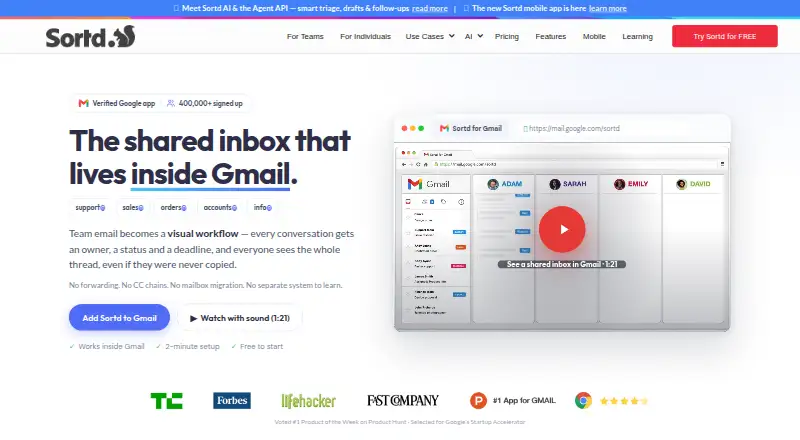
Sortd turns Gmail into a shared inbox and visual workflow workspace for teams handling support, sales, finance, operations, recruiting and other email-driven work. It adds email ownership, assignments, comments, deadlines and task views while keeping Gmail as the email environment. Teams that want to manage incoming messages as trackable work may find that combination useful; teams seeking a shared inbox independent of Gmail may want a different fit.
Its workflow tools span Kanban, table, deadline, planner and message views, with custom fields, statuses, checklists and CRM pipelines. Rules-based automations include round-robin assignment, while due dates, reminders and SLA monitoring help teams track follow-up. Internal chat, comments and @mentions support coordination around messages. Sortd also offers iOS and Android apps, plus Zapier integration. The Gmail-centered setup is a meaningful boundary for organizations using another email platform.
According to the vendor's pricing page, Sortd has no free plan and offers a 7-day trial. Annual billing is $10 per user per month for Starter, with 2 shared mailboxes, 5 shared boards and 5 automation rules; Essentials is $16 and adds 10 shared inboxes, unlimited boards, email tracking, 20 automation rules and calendar integration. Business costs $22 and adds unlimited inboxes, users and automations, AI urgency and sentiment, SLA rules, API and MCP access. Business Plus is $29, adding concierge onboarding and a success manager; its AI drafts and follow-up nudges, complaint tags and alerts are listed as planned. Gmail teams that need visual task management and routing should consider Sortd, while teams needing a free option or a non-Gmail inbox should look elsewhere.
Your product? Our editors can test Sortd in depth and publish a review, labelled as paid · from $149/mo →
Sortd pricing
All 4 Sortd plans and prices →
Sortd fact sheet
| Free plan | No |
|---|---|
| Paid from | $10/user/mo |
| Shared mailboxes | 2 |
| Internal comments | Yes |
| Collision detection | Yes |
| Assignment automation | Yes |
| Mail platforms | Gmail |
| Mobile apps | Yes |
| Free trial | 7 days |
| Deployment | Cloud, Mobile, Browser extension |
| Platforms | Web, iOS, Android, Chrome extension |
| Integrations | 5 integrations: Gmail, Google Workspace, Zapier, REST API, MCP |
| Pricing | 7-day trial (source) |
| Website | sortd.com |
| Facts checked | 19 Sep 2026 |
Sortd integrations
Sortd lists 5 integrations on its own site.
- Gmail
- Google Workspace
- Zapier
- REST API
- MCP
Alternatives to Sortd
- FrontA full-service support workspace with shared inboxes, ticketing, and omnichannel tools.9.4
- HiverHiver combines collaborative email, ticketing and helpdesk features, with a 7-day trial and paid tiers.9.2
- Help ScoutA free-to-paid support platform with strong collaboration, automation, and help-center depth.9.1



Sortd vs the competition



Compare Sortd with any tool side by side →
Also Ranked In
Sortd is ranked in 2 of our directories.
Used Sortd? Be the first to review it
The editor score above is our own research. What this page doesn't have yet is a reader's view — what you used Sortd for, what worked and what didn't. No stars are seeded and no review is paid for; an editor reads every one before it appears.
Write a reviewTwo minutes · verified accounts only · read by an editor before it appears
Featured on iTechGuides

Sortd is listed in our Shared Inbox Software directory. Add the badge to your site — it links back to this page.
<a href="https://www.itechguides.com/products/sortd/"><img src="https://www.itechguides.com/best/badge/sortd.svg" alt="Featured on iTechGuides" width="230" height="46"></a>
Reviewed by iTechGuides Editors · Editorial team · Updated Oct 2026
Advertiser disclosure: iTechGuides is reader-supported. Vendors can pay for top positions in our rankings and for a place on other products' pages, and we may earn a commission when you click some links. Bought places stand at the number bought; this page and our disclosure say so. Paying vendors may get a fuller, more detailed review from our editors, and that review can change their score. How we rank.
Last updated · How we research and update