
Salesflare
Salesflare: A focused CRM for automated prospecting, email engagement, and pipeline management. Ranked #13 of 238 in CRM Software by our editors (8.3/10); pricing: 30-day trial; best for B2B teams automating prospecting and email engagement.
At a glance
- Editor score8.3 / 10
- Pricing30-day trial
- Best forB2B teams automating prospecting and email engagement
- Free planNo
- Paid from$29/user/mo
- Facts checked20 Sep 2026
Where it wins
- Automates CRM data capture, enrichment, and email synchronization
- Combines pipelines, tracking, sequences, lead discovery, and AI assistance
- Supports web, desktop, mobile, browser, and API access
Where it doesn't
- No free plan is available
- Advanced workflows and permissions require the Pro plan
- Higher tiers cost more for dashboards, migration, and account support
Our verdict on Salesflare
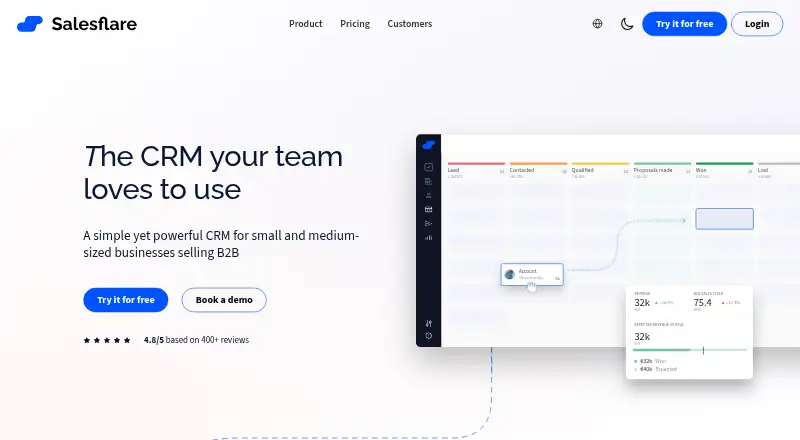
Salesflare is a cloud CRM for small and medium-sized B2B sales teams. It organizes accounts, contacts, opportunities, tasks, and visual drag-and-drop sales pipelines while automatically capturing information from email, calendars, and connected sources. Its feature set centers on prospecting and engagement: email synchronization, email and website-visit tracking, automated sequences, lead finding, relationship intelligence, AI timeline summaries, and mobile apps for iOS and Android. Teams looking to reduce manual CRM updates and keep prospect activity in one place are the clearest fit.
Pricing is paid-only, with a 30-day free trial. Growth costs $39 per user per month when billed monthly or $29 per user per month when billed annually, and includes automated CRM data input, tracking, Gmail and Outlook sidebars, mobile apps, personalized email campaigns, and 5 lead credits. Pro costs $64 monthly or $49 annually per user and adds multi-email workflows, user permissions, custom dashboards, and 100 lead credits. Enterprise costs $124 monthly or $99 annually per user, adding tailor-made training, data migration, a dedicated account manager, and 250 lead credits. The annual starting price is lower, but teams requiring a free plan should look elsewhere.
Salesflare fits teams working across Gmail, Microsoft Outlook, Google Calendar, LinkedIn, Zapier, or Make, with a REST API and third-party integrations for broader workflows. It is available on the web, Windows, macOS, iOS, Android, and as a Chrome extension, giving salespeople access across desktop and mobile contexts. The product is a better choice for teams prioritizing automated prospecting, engagement tracking, and sales activity capture than for organizations seeking a free CRM or a primarily marketing-focused system. Pro and Enterprise are the more suitable tiers when workflow complexity, permissions, dashboards, or implementation support matter.
Your product? Our editors can test Salesflare in depth and publish a review, labelled as paid · from $149/mo →
From the maker
Written by Salesflare · approved by our editors 3 Oct 2026. It does not change our score or ranking.
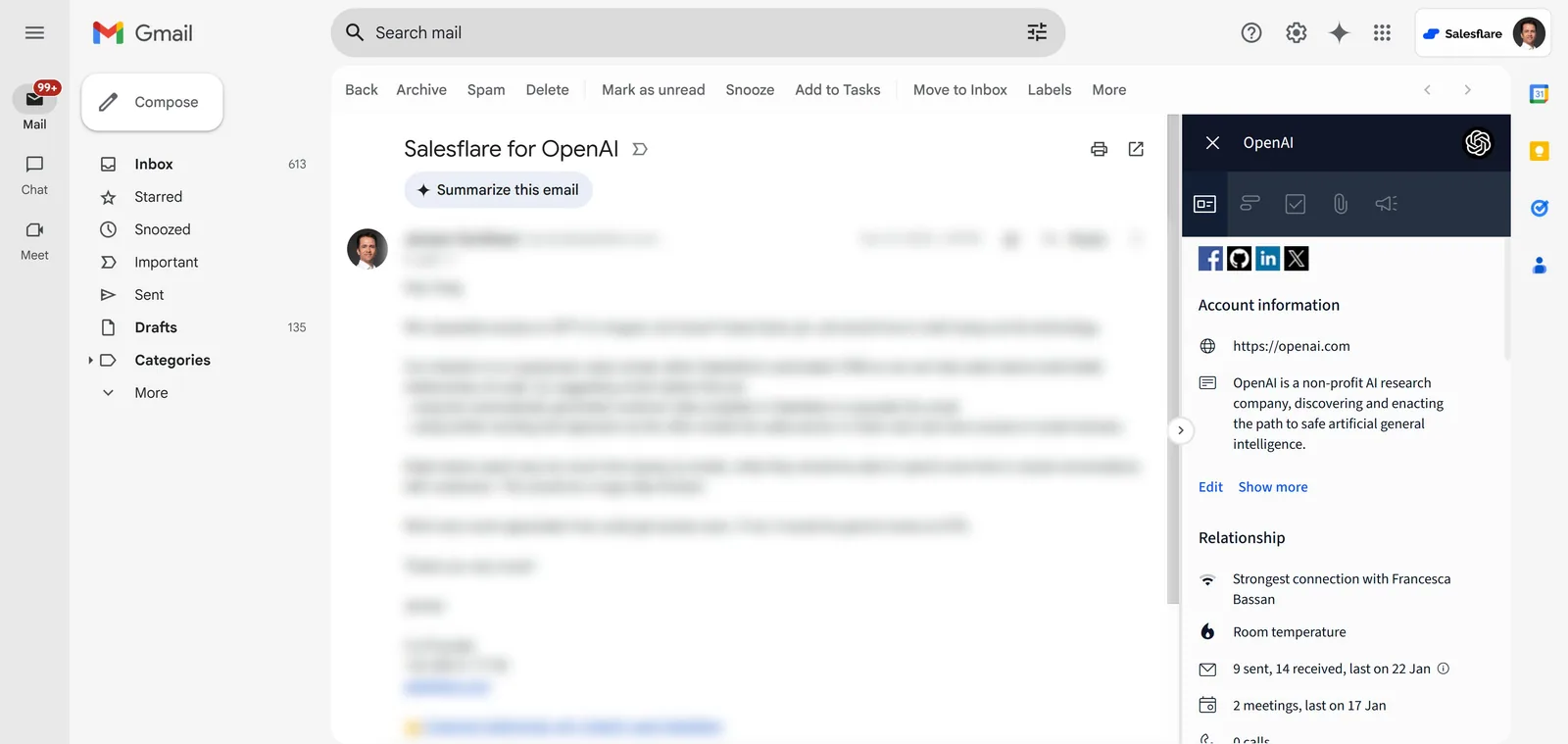
Salesflare is a B2B sales CRM for small and medium-sized businesses that reduces CRM admin through automatic data capture. It captures contacts, companies, connected email and meeting activity, and relationship history, so sales teams spend less time maintaining records and more time following up with customers.
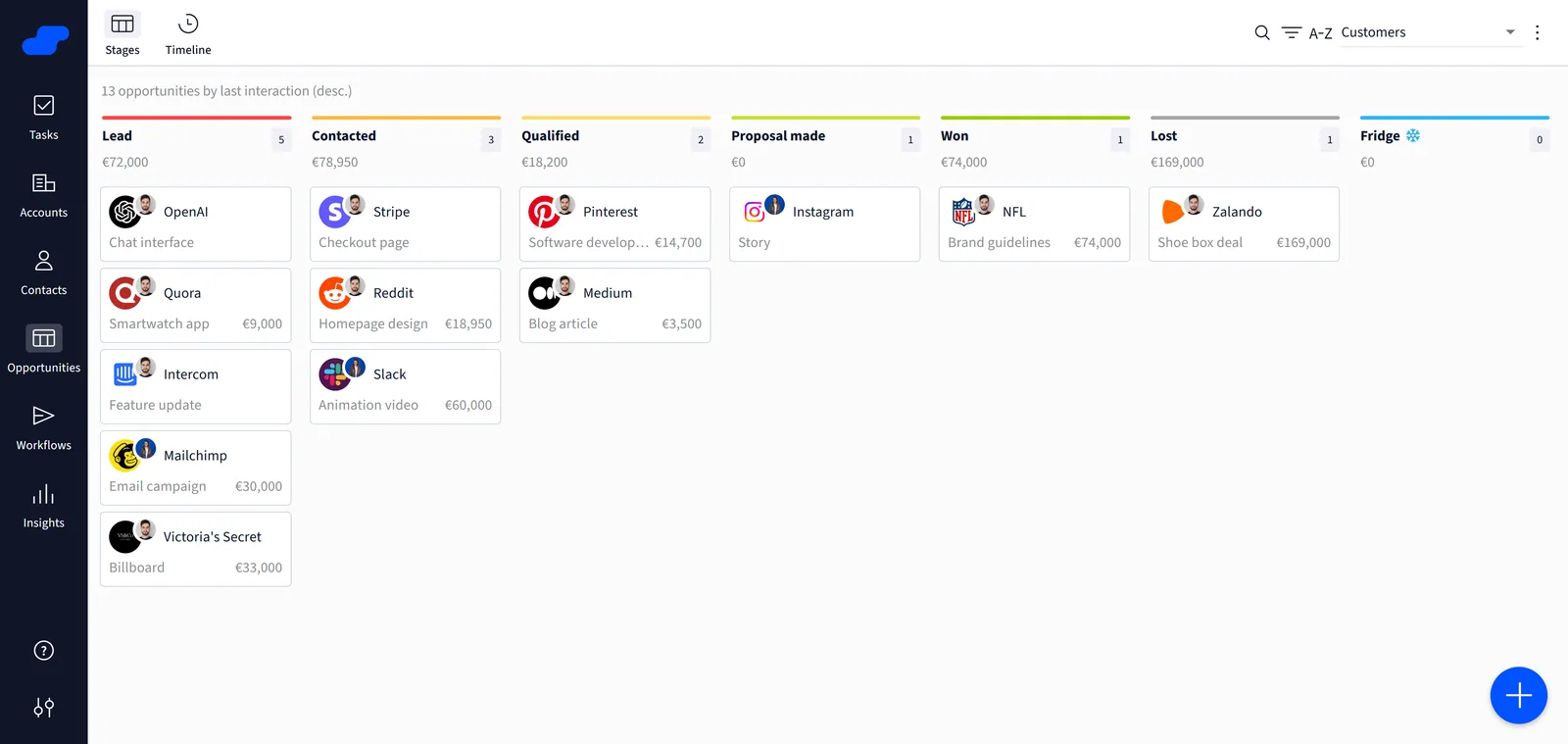
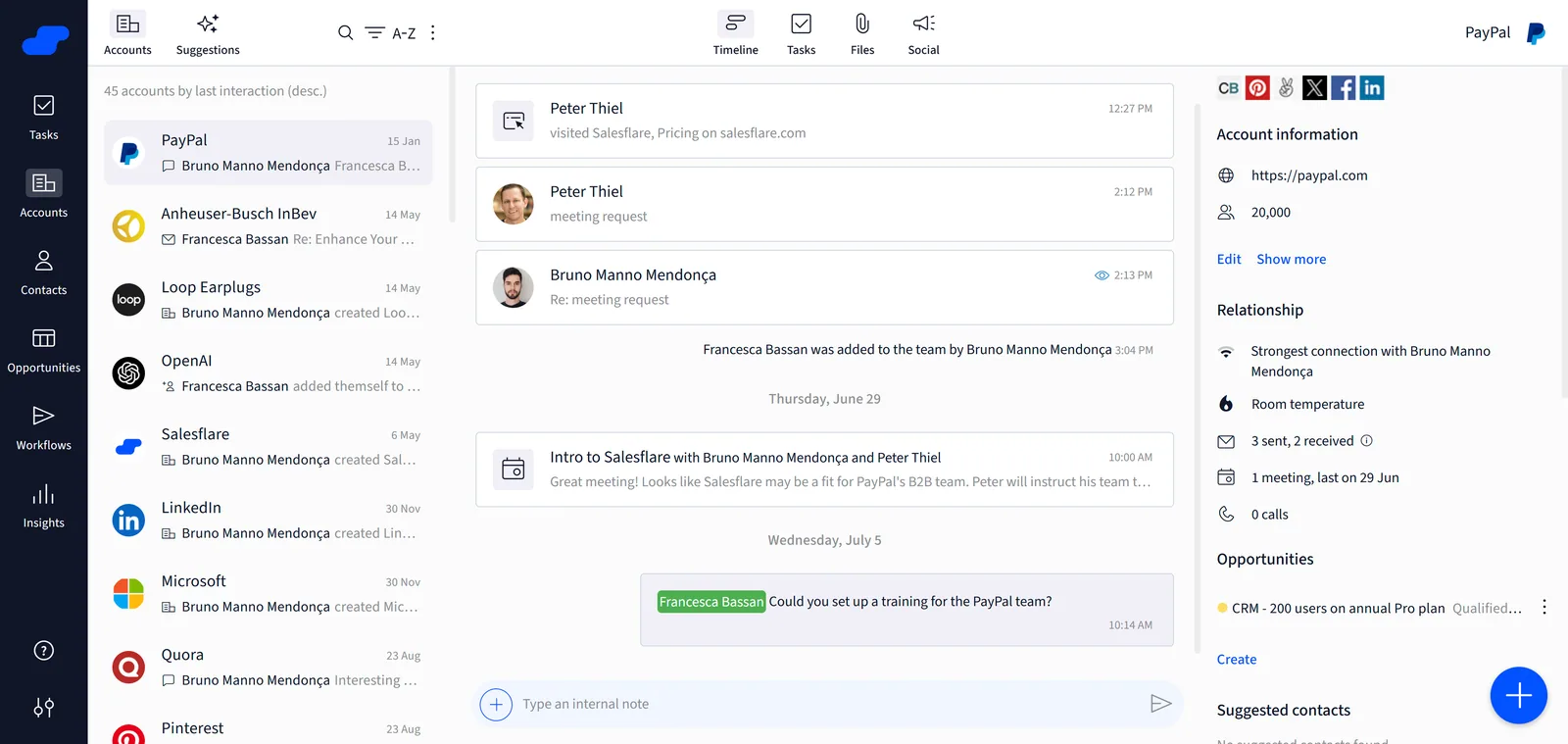
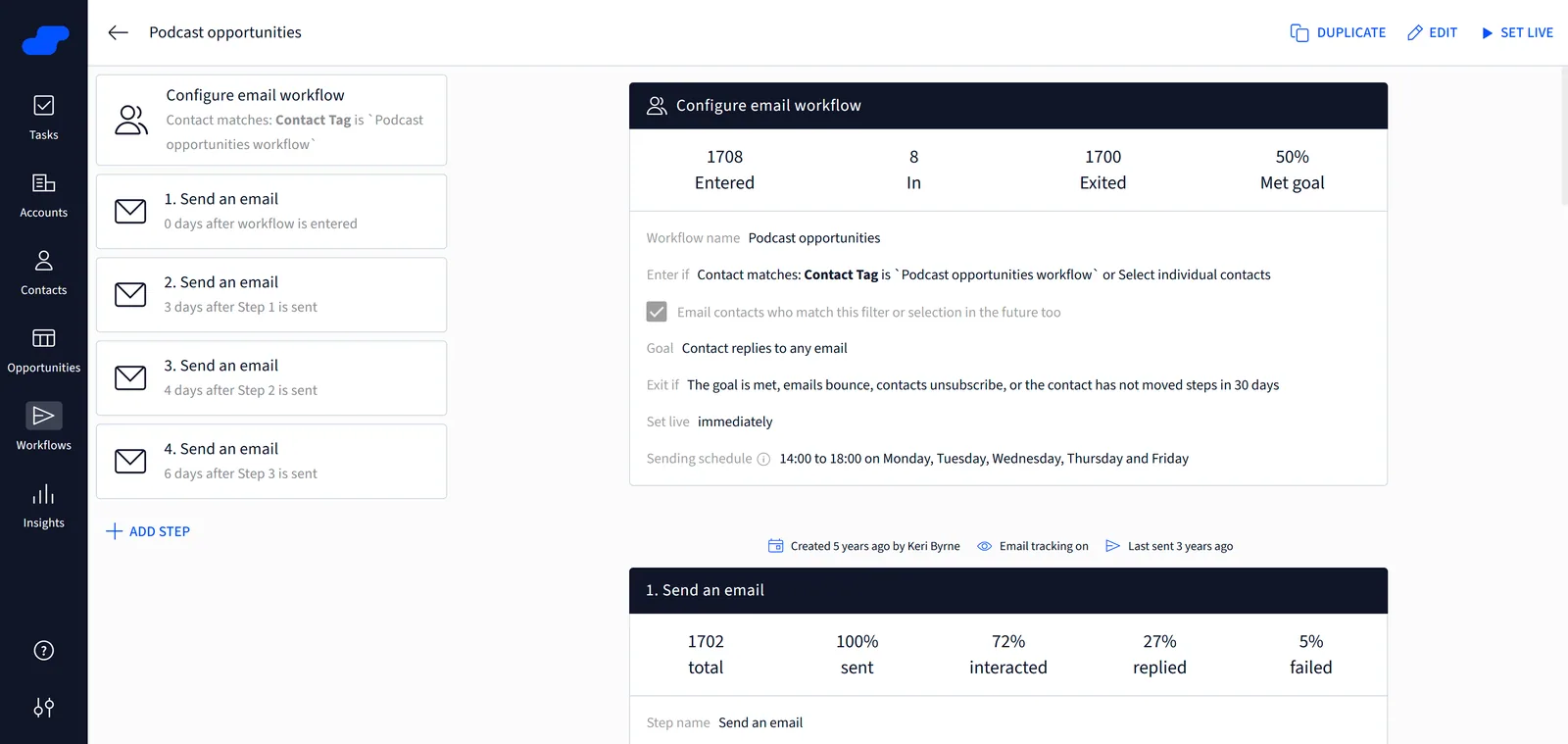
Teams can manage opportunities in visual sales pipelines, automate follow-up, send email sequences, track email and website engagement, and understand relationship strength across the team. Shared customer timelines keep conversations and next steps together, making it easier to pick up a relationship and keep deals moving.
Because Salesflare captures customer context automatically, its AI can work from richer, more up-to-date data to summarize timelines, suggest next steps, prepare meetings and help write emails.
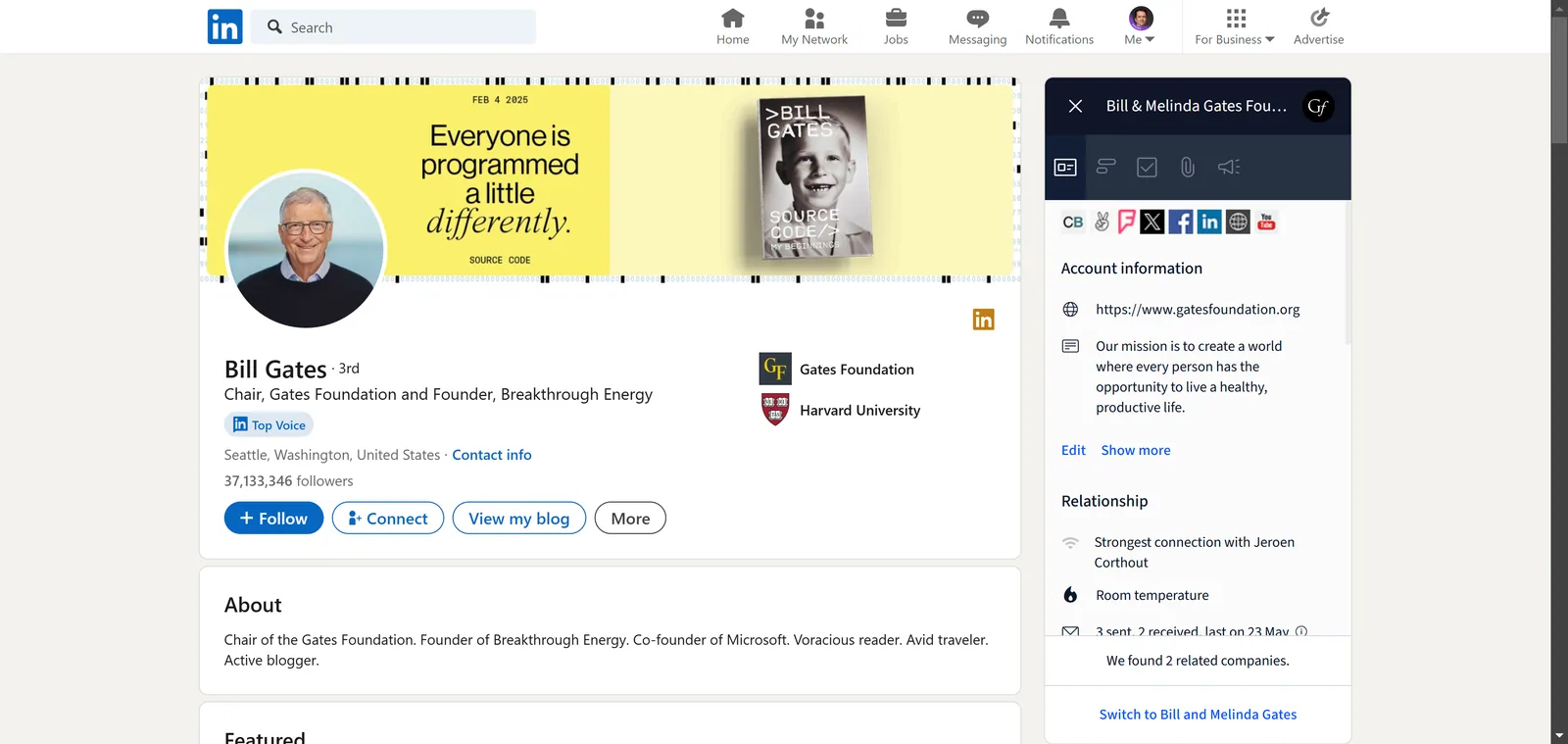
Salesflare is especially suited to relationship-driven B2B teams such as agencies, consultancies and software companies. It works with Gmail, Google Workspace, Outlook and Microsoft 365. Its browser extension connects personal LinkedIn and Sales Navigator prospecting to the CRM. Web and mobile apps keep customer information available wherever the team works, while Zapier, Make and a REST API connect Salesflare with other business tools.
AI assistants such as ChatGPT and Claude can connect through Salesflare’s MCP server. Connected calendars bring meeting context into the CRM, including meetings held through Zoom, Google Meet and Microsoft Teams.

What it does, in their words
- Automatic contact and company data capture
- Automatic email and meeting activity capture
- Shared customer timelines and relationship history
- Visual B2B sales pipelines
- Follow-up reminders and suggestions
- Personalized email campaigns
- Automated email sequences
- Email opens and link click tracking
- Website visit tracking
- Lead scoring and team relationship strength
- AI timeline summaries and suggested next steps
- AI meeting preparation and email writing
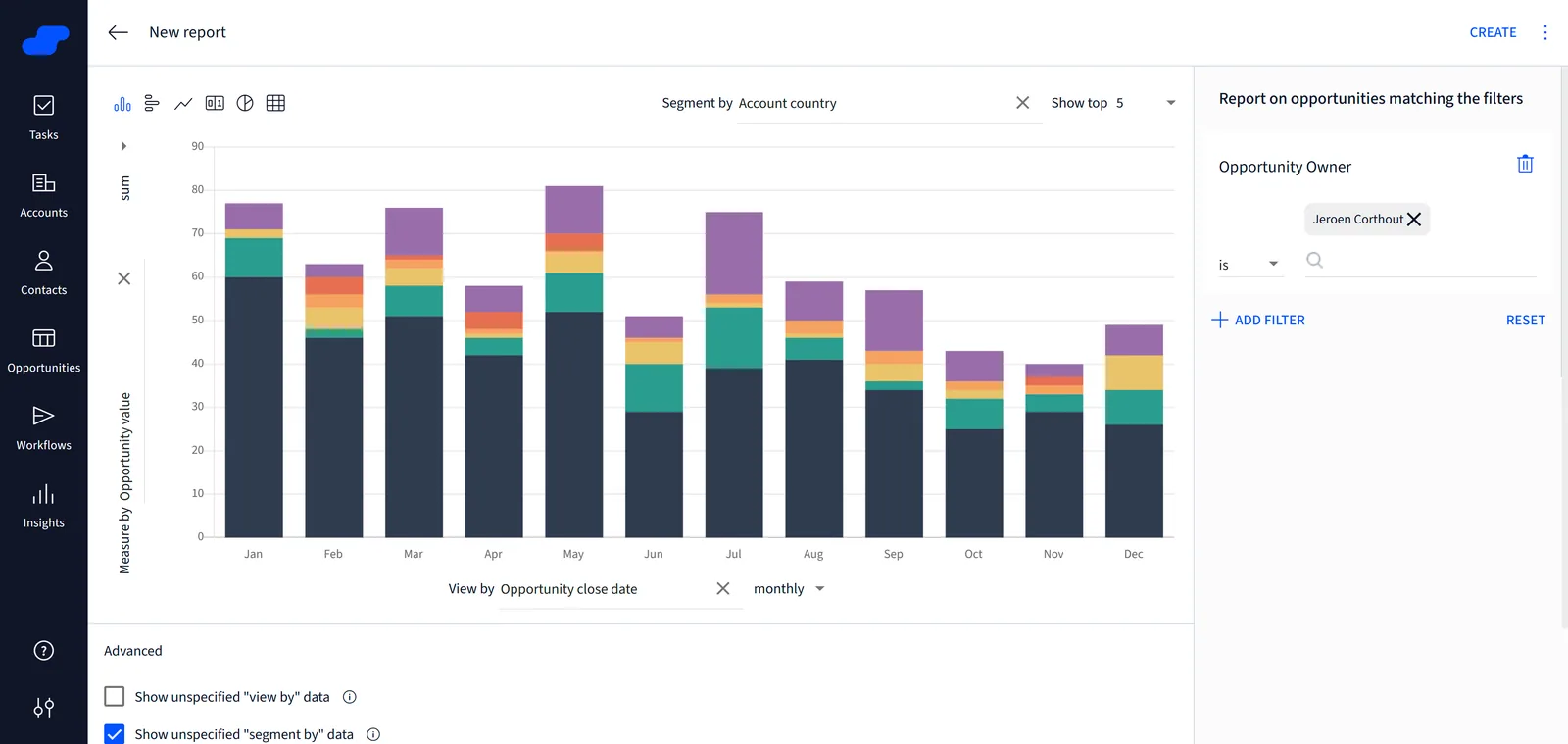
- Custom sales dashboards
- Gmail and Outlook sidebars
- LinkedIn and Sales Navigator browser extension
- Web and mobile apps
- REST API and webhooks
- MCP server for AI assistant connections
Plans as the maker lists them
| Growth | $29 / month | Per user, billed annually ($39 monthly). Automatic data capture, tracking, campaigns, side |
|---|---|---|
| Pro | $49 / month | Per user, billed annually ($64 monthly). Growth plus multi-email workflows, permissions an |
| Enterprise | $99 / month | Per user, billed annually ($124 monthly), minimum 5 users. Pro plus setup, training, migra |
- Platforms
- Web, iOS, Android, Chrome extension, API
- Integrations
- Gmail, Google Workspace, Microsoft Outlook, Microsoft 365, Google Calendar, Outlook Calendar, iCloud Calendar, LinkedIn, LinkedIn Sales Navigator, Zapier, Make, ChatGPT via MCP, Claude via MCP, Zoom via connected calendars, Google Meet via connected calendars, Microsoft Teams via connected calendars, REST API: https://api.salesflare.com/doc
- Company
- Salesflare
- Headquarters
- Antwerp, Belgium
- Founded
- 2014
- Links
- Documentation ↗ · Support ↗ · Pricing page ↗
Salesflare pricing
All 3 Salesflare plans and prices →
Salesflare fact sheet
| Free plan | No |
|---|---|
| Paid from | $29/user/mo |
| Free trial | Yes |
| Visual sales pipeline | Yes |
| Email sync | Yes |
| Marketing automation | Yes |
| AI features | Yes |
| Mobile app | Yes |
| Open source | Not verified |
| Free trial | 30 days · no card needed |
| Deployment | Cloud, Mobile, Browser extension |
| Platforms | Web, Windows, macOS, iOS, Android, Chrome extension |
| Compliance & security | SOC 2, ISO 27001, GDPR, HIPAA, PCI DSS |
| Support | Email, Live chat, Docs |
| Built for | Small business, Mid-market (editorial estimate) |
| Integrations | 11,134+ integrations: Gmail, Microsoft Outlook, Google Calendar, LinkedIn, Zapier, Make See all → |
| Pricing | 30-day trial (source) |
| Website | salesflare.com |
| Facts checked | 20 Sep 2026 |
Salesflare integrations
Salesflare lists 11,134+ integrations on its own site — the 6 named here are the ones its pages call out.
- Gmail
- Microsoft Outlook
- Google Calendar
- Zapier
- Make
See all Salesflare integrations →
Alternatives to Salesflare
- HubSpot CRMA capable free CRM with contact, deal, email, AI, mobile, and integration coverage.9.4
- Salesforce Sales CloudA broad CRM for mature sales teams that need forecasting, automation, AI, and extensibility.9.3
- Zoho CRMA broad CRM with a free plan, automation, AI, analytics, mobile apps, and APIs.9.2


See all Salesflare alternatives →
Also Ranked In
Salesflare is ranked in 11 of our directories; the 6 strongest besides CRM Software.
Used Salesflare? Be the first to review it
The editor score above is our own research. What this page doesn't have yet is a reader's view — what you used Salesflare for, what worked and what didn't. No stars are seeded and no review is paid for; an editor reads every one before it appears.
Write a reviewTwo minutes · verified accounts only · read by an editor before it appears
Featured on iTechGuides

Salesflare is listed in our CRM Software directory. Add the badge to your site — it links back to this page.
<a href="https://www.itechguides.com/products/salesflare/"><img src="https://www.itechguides.com/best/badge/salesflare.svg" alt="Featured on iTechGuides" width="230" height="46"></a>
Reviewed by iTechGuides Editors · Editorial team · Updated Oct 2026
Advertiser disclosure: iTechGuides is reader-supported. Vendors can pay for top positions in our rankings and for a place on other products' pages, and we may earn a commission when you click some links. Bought places stand at the number bought; this page and our disclosure say so. Paying vendors may get a fuller, more detailed review from our editors, and that review can change their score. How we rank.
Last updated · How we research and update