FMX
FMX: A facilities-focused CMMS with mapping, compliance workflows, and native mobile work orders. Ranked #8 of 37 in CMMS Software by our editors (8.0/10); pricing: Pricing on request; best for facilities teams needing maps and compliance workflows.
At a glance
- Editor score8.0 / 10
- PricingPricing on request
- Best forFacilities teams needing maps and compliance workflows
- Free planNo
- Preventive maintenanceYes
- Founded2012 · Columbus, Ohio, United States
- Facts checked19 Sep 2026
Where it wins
- Maps and floor plans connect assets to their facility locations.
- Recurring PM, inspections, and compliance records support routine work.
- Native iOS and Android apps support QR-based field work orders.
Where it doesn't
- Pricing requires a personalized quote based on users, features, and workflows.
- A one-time implementation fee may apply.
- Its feature set is less advanced than some CMMS alternatives.
Our verdict on FMX
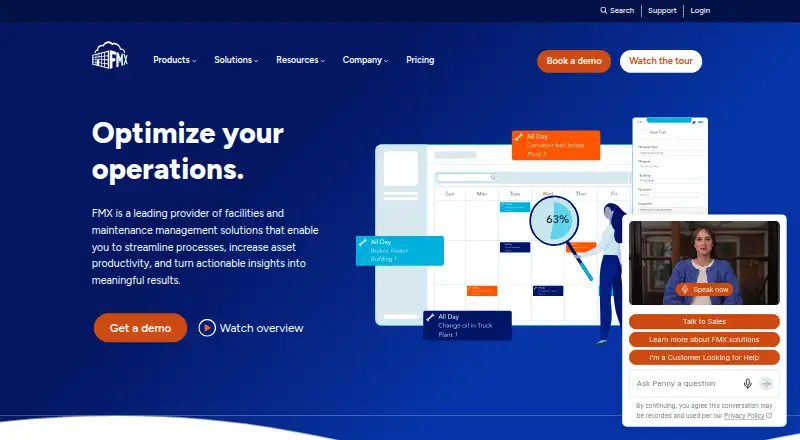
FMX is a computerized maintenance management system for facilities and maintenance teams, including schools, government, manufacturing, healthcare, property management, and nonprofits. It brings work requests, corrective and preventive maintenance, asset records, spare-parts inventory, and reporting into one system. Its facilities orientation is especially relevant for teams that need to locate equipment on interactive maps or floor plans and maintain inspection and compliance records. Native apps for iOS and Android support technicians managing work in the field, including QR scanning.
The feature set spans the maintenance workflow rather than stopping at work orders. Teams can submit, assign, prioritize, and track requests; schedule recurring preventive maintenance; manage inspection checklists; and record assets and equipment. Inventory tools cover spare parts, reorder levels, and purchase orders, while labor-hour and cost tracking give managers operational information for reports and dashboards. This breadth may suit facilities groups coordinating buildings, equipment, and compliance tasks. Buyers whose priority is a more advanced feature set should compare alternatives before choosing FMX.
FMX connects through a REST API and lists integrations including Slack, Okta Provisioning, Google Admin Console, Intune, Jamf, JD Edwards, SensorHubb, and Zonar, alongside Single Sign-On. It runs on web, iOS, and Android. According to the vendor's pricing page, the price depends on users, features, and workflows and requires a personalized quote; a one-time implementation fee may apply. The vendor advertises a free trial, but its duration is not specified here. FMX has no free plan. It is a stronger fit for facilities teams valuing mapped assets and compliance workflows than for buyers seeking published plan prices or a free tier.
Your product? Our editors can test FMX in depth and publish a review, labelled as paid · from $149/mo →
FMX pricing
FMX fact sheet
| Free plan | No |
|---|---|
| Paid from | Not verified |
| Preventive maintenance | Yes |
| Work orders | Yes |
| Spare parts inventory | Yes |
| Mobile access | Native |
| Technician time tracking | Yes |
| API access | Yes |
| Deployment | Cloud, Mobile |
| Platforms | Web, iOS, Android |
| Integrations | 10 integrations: REST API, Single Sign-On, Slack, Okta Provisioning, Google Admin Console, Intune … |
| Pricing | Pricing on request (source) |
| Website | gofmx.com |
| Facts checked | 19 Sep 2026 |
FMX integrations
FMX lists 10 integrations on its own site.
- REST API
- Single Sign-On
- Slack
- Okta Provisioning
- Google Admin Console
- Intune
- Jamf
- JD Edwards
- SensorHubb
- Zonar
Alternatives to FMX
- Asset EssentialsA broad CMMS for large asset programs, with pricing handled through sales.9.2
- MaintainXA mobile CMMS with a free plan, offline workflows, and broad integrations.8.8
- FiixFiix combines preventive maintenance, asset controls, inventory, and offline mobile work.8.7



FMX vs the competition
- FMX vs Asset Essentials
- FMX vs MaintainX
- FMX vs Fiix
- FMX vs eMaint CMMS
- FMX vs UpKeep
- FMX vs Maintenance Connection


Compare FMX with any tool side by side →
Also Ranked In
FMX is ranked in 12 of our directories; the 6 strongest besides CMMS Software.
Used FMX? Be the first to review it
The editor score above is our own research. What this page doesn't have yet is a reader's view — what you used FMX for, what worked and what didn't. No stars are seeded and no review is paid for; an editor reads every one before it appears.
Write a reviewTwo minutes · verified accounts only · read by an editor before it appears
Featured on iTechGuides

FMX is listed in our CMMS Software directory. Add the badge to your site — it links back to this page.
<a href="https://www.itechguides.com/products/fmx/"><img src="https://www.itechguides.com/best/badge/fmx.svg" alt="Featured on iTechGuides" width="230" height="46"></a>
Reviewed by iTechGuides Editors · Editorial team · Updated Oct 2026
Advertiser disclosure: iTechGuides is reader-supported. Vendors can pay for top positions in our rankings and for a place on other products' pages, and we may earn a commission when you click some links. Bought places stand at the number bought; this page and our disclosure say so. Paying vendors may get a fuller, more detailed review from our editors, and that review can change their score. How we rank.
Last updated · How we research and update