

Windows Errors? Fix Them Before They Spread
Repair common Windows errors and clear accumulated junk for a smoother, more stable PC - no reinstall needed.Free scan · no reinstallOutdated Drivers Are Slowing You Down
One free scan finds every outdated or missing driver and matches the right update for your exact hardware.Free scan · exact hardware matchiTechGuides is reader-supported. When you buy through links on our site, we may earn an affiliate commission. As an Amazon Associate I earn from qualifying purchases. Learn more
Have you been receiving loads of bot traffic from Seychelles and Czechia Republic and want to get rid of them for good? This guide will show you how to block bot traffic from Seychelles And Czechia Republic.
Sometime in August 2022, I saw a jump in traffic. Like most website owners, I was initially excited.
However, my ad revenue was dropping while my traffic was growing aggressively. So, this got me to start looking closely.
And what I discovered was cynical, to say the least. The traffic from Seychelles first showed up on my Google Analytics on Monday, August 8, but at that point, I couldn’t have noticed it.
Popular on Amazon

- 【Processor & OS】Firewall Mini PC with Intel J3710 CPU up to 2.40GHz, 4Cores4threads 2MB L2 Cache, TDP 6w, supports AES-NI/Wol. It tested with pf-sense linux ubuntu and other popular open source os. ("DEL" key to enter BIOS)
- 【Interfaces】The firewall pc has 4 * Intel I226-V lan ports(up to 2.5G), 2 * USB3.0 ports, 1 * RS232 COM port, 2 * HD port, 1 * DC port. Equipped with VESA mount, you can install the micro pc behind the monitor to save space.
- 【RAM & Storage】The firewall router equipped with 8G DDR3 RAM, max support 8GB; 240GB mSATA SSD, can be up to 512GB. Not support HDD.
- 【Fanless Design】The small firewall box is only small but powerful. Low power consumption, only 6W; fanless heat dissipation design, aluminum alloy shell, efficient and fast heat dissipation, support 24/7 hours working, no noise. Equipped with VESA mount, you can install the micro pc behind the monitor to save space.
- 【12 Months Service】You will get 1*mini pc,size:5.27 * 4.98 * 1.43 in weigh:500g. If you encounter any problems during the use, please contact us through Amazon, we have a professional and efficient team dedicated to serving you.
As you can see, on the 8th of August, the traffic from Seychelles was just 2 hits. However, once you look closer, you see a problem – Bounce Rate is 100%, Pages/Session 1, and Average Session Duration is 0!

If the bot traffic stopped here, it wouldn’t be a problem. However, the following day the bot stepped it up to 5.
By the 15th of August, the fake spam traffic had hit 58, and apart from Seychelles, I also started receiving bot traffic from the Czechia (Czech Republic)! Long story short, I got so alarmed that I had to do something about it.
Free tools Windows power users keep installed
One-click scans. No signup required.
Option 1: Block Bot Traffic on Wordfence
If you use WordPress and have WordFence, follow the steps in this section to block traffic from Seychelles and the Czechia Republic. However, if you do not publish with WordPress but you use Cloudflare, jump to the next two sections to see how to fix this problem.
Follow the steps below to block bot/spam/fake traffic from these two countries.
- Sign into your WordPress site with your admin account. Then, on the left pane, hover over Wordfence and click Firewall.

- When Wordfence Firewall opens, click Blocking.

- Then click Country on the “Create a Blocking Rule” settings page.

- On the “Countries to Block” field, start typing Seychelles, then select it from the list. Repeat for Czec Republic.
When you finish adding the countries, click “BLOCK THE SELECTED COUNTRIES.”


The blocking you just configured will now appear under “Current blocks for yoursite.com”. As time goes on, if you return here, Wordfence will display the number of traffic it has blocked from these two countries.

Option 2: Block Bot Traffic on Cloudflare
Even though you have configured country blocking in Wordfence, if you use Cloudflare, I strongly recommend configuring country blocking using the steps below.
- Sign in to your Cloudflare dashboard. Then, on the Cloudflare dashboard Homepage, click your website.

- On the left pane, expand Security, then click WAF.


- When WAF settings page opens, click Create firewall rule.

- Then, on the “Create firewall rule” page, give the new Firewall rule a name that relates it to the rule it enforces. I gave mine “Challenge traffic from Seychelles” (1).
Next, on the “When incoming requests match…” section, click the Field drop-down (2) and select Country.

- Then, on the “Operator” field, select Equals. On the “Value” field, search for Seychelles and select it from the result. Next, on the “Choose an action (Required)” drop-down, select Managed Challlenged (Recommended).
When you finish, click the “Deply firewall rule” button.

Option 3: Filter Out Traffic on Google Analytics

After I blocked traffic from Seychelles and Czechia (Czech Republic) on Wordfence and Cloudflare, I thought I was done. Initially, all the spam traffic from those two countries stopped.
Also popular on Amazon

- Quad Core J3710 Processor: F3 firewall hardware with Pentium J3710 Processor, 4 Cores 4 Threads, 2M Cache, up to 2.64 GHz, TDP 6.5 W. Compatible with pfsense, OPNsense, Linux, ESXi, Proxmox
- 4 x i225V 2.5GbE LAN: J3710 mini pc with 4 x i225V 2500Mbps LAN, can monitor network data, improve network security, powerful and widely used
- DDR3 RAM mSATA Slot: J3710 firewall pc with 1 x DDR3L SO-DIMM memory, 1 x mSATA SSD slot, 1 x SATA 3.0 slot(SATA Cable included), 1 x Mini-PCIe Slot
- HD DP Dual Display: Micro firewall appliance J3710 integrated HD Graphics, HD + DP dual display interfaces improve work efficiency
- Fanless Mini Size: Firewall appliance J3710 with aluminium alloy body, fanless quiet running without noise. Size only 11 x 10 x 3.5 cm
Then, on about the day three, traffic from Seychelles reappeared on my Google Analytics! I couldn’t wrap my head around it.
“How could I block traffic using firewall rules and yet, the bot is able to get through?” To try to get answers, I open a support cases with Cloudflare and Wordfence.
I eventually received some explanations from Wordfence. The Wordfence Customer Support Engineer sent me this explanation:
Recommended Free Tools
“Bots can use your Google Analytics tracking code on a completely different site and submit fake traffic directly to Google Analytics“
The WordFence Customer Support Engineer went further to say that “This is called ghost referrer spam and ghost referrer spam never reaches your website.”
“Thus this traffic will not be visible in your Wordfence “Live Traffic” feed and it is not possible to stop this traffic by adding any code to your website. Instead, you have to set filters in Google Analytics to filter out such traffic from your results.”
This made sense and explains why I keep seeing traffic from Seychelles even after I blocked the traffic on Wordfence and Cloudflare.
So, based on this, I decide to filter out these traffic from my Google Analytics as well. Here are the steps I used to complete this task:
Also popular on Amazon
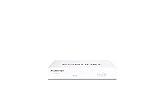
- Compact and Efficient Design: The FortiGate 40F is designed for small to mid-sized businesses and enterprise branch offices, featuring a compact, fanless desktop form factor that ensures quiet operation and minimizes space usage.
- Robust Connectivity Options: Equipped with 5 GE RJ45 ports, including 1 WAN port and 4 internal ports, this model provides essential connectivity and flexibility for various network configurations in a small-scale environment.
- High-Performance Security: Offers up to 1 Gbps IPS throughput and 600 Mbps threat protection throughput, using Fortinet’s purpose-built security processor technology to deliver industry-leading performance and protection for SSL encrypted traffic.
- Advanced Threat Protection: Integrated with Fortinet’s AI-powered FortiGuard Labs, the FortiGate 40F offers comprehensive cybersecurity, identifying and mitigating both known and unknown threats to maintain robust security across your network.
- Simplified Management and Deployment: Features a user-friendly management console that provides comprehensive network automation and visibility, coupled with Zero Touch Integration with Fortinet’s Security Fabric for easy deployment.
- Sign in to your Google Analytics. Then, on the bottom left of Google Analytics, click the Admin Settings button.

- When ADMIN settings page opens, it will display three columns – Account, Property and View. On the View column, click Filters.

- Then, click ADD FILTERS.

- When the “Add Filter to View” page opens, select Create new Filter (selected by default). Then, give the filter a name – I gave mine “Exclude traffic from Seychelles”.

- Next, on the “Filter Type” section, ensure that Custom is selected. Then, under “Exclude”, click the “Filter Field” drop-down and select Country.
Finally, on the “Filter Pattern” field, enter Seychelles. When you finish, scroll down and click the Save button.


- Before proceeding to the next optional step, repeat steps 3 to 5 and exclude Czechia traffic from your Google Analytics view.
Known Spam Websites You May Consider Blocking
In addition to the explanations I detailed in the last section, the Wordfence Customer Support Engineer also sent me this link – Stop Ghost Spam in Google Analytics with One Filter – Moz.
Although the Moz article was written in 2015, I found the information helpful. Most importantly, the article referenced another Moz article – How to Stop Spam Bots From Ruining Your Analytics Referral Data [Gammatraffic] – Moz.
This second article actually listed some known spam sites that cause trouble. Here is the list of these websites:
Quick wins for a faster PC:
Repair Windows errors before they cause bigger problemsFix Now →Fix the driver behind crashes, sound loss and screen glitchesFind Drivers →buttons-for-website.com
see-your-website-here.com
Semalt.com
Darodar.com
econom.co
ilovevitaly.com
I visited these websites to see what they look like. Needless to say that the Moz author, Jared Gardner was right.
As of when I wrote this article, see-your-website-here.com was no longer registered. However, the other websites on the list proved to be suspicious.
It is important to mention that Semalt.com appears legit, but Jared Gardner explained why you might want to block this site.
The Tool Desk
Outbyte Driver Updater FREEScan for outdated or missing drivers - takes under a minuteDriver Scan →Outbyte PC Repair FREEClear out junk files and repair common Windows errorsFree Scan →Based on the above, I decided to block the listed sites on Wordfence, Cloudflare, and Google Analytics.
Also popular on Amazon

- 【Processor & OS】Firewall Mini PC with Intel J3710 CPU up to 2.64GHz, 4Cores 4threads 2MB L2 Cache, TDP 6.5w, supports AES-NI. It tested with pf-sens/opn-sense linux ubuntu and other popular open source os. ("DEL" key to enter BIOS)
- 【ETHERNET Interfaces】4× Intel i226-V LAN ports (2.5Gbe logistics support, actual 1Gbe measured). VESA mount included for space-saving behind-monitor installation.
- 【Fanless Design】only 6.5W; fanless heat dissipation design, aluminum alloy shell, efficient and fast heat dissipation, which can withstand temperatures up to 60°C. support 24/7 hours working, no noise.
- 【RAM & Storage】The firewall router equipped with 8G DDR3 RAM, max support 8GB; 128GB mSATA SSD, up to 512GB. Not support HDD. Size:5.27 * 4.98 * 1.43 inches, Weigh:500g, small but powerful.
- 【12 Months Service】You will get a firewall pc and accessories,If you encounter any problems during the use, please contact us through Amazon, we have a professional and efficient team dedicated to serving you.
I decided to block these sites as they may be linked to the bot traffic I was receiving from Seychelles and Czechia Republic.
In addition to potentially contributing to bot traffic from Seychelles and Czechia Republic, these sites may be performing some malicious activities on my site, and I felt it is safe to stop them!
In the following subsections, I have detailed the steps I took to block the sites.
Block Known Spammy Website with Wordfence
Follow the steps in the first section of this article to open the Wordfence Firewall Blocking page. However, this time, on the “Create a Blocking Rule,” select Custom Pattern.

Then, on the “Hostname” field, enter the names of the websites as shown below – separated by commas (,).
*.buttons-for-website.com
When you finish, click BLOCK VISITORS MATCHING THIS PATTERN.

Repeat the last two steps, add each of the following on the “Hostname” field, enter a “Block Reason,” and click BLOCK VISITORS MATCHING THIS PATTERN.
*.see-your-website-here.com
*.Semalt.com
*.Darodar.com
*.econom.co
*.ilovevitaly.com
When you finish, you should have six entries in your Wordfence block list, plus the Country blocking you configured earlier (making it seven).
Also popular on Amazon

- APPLIANCE ONLY: Hardware unit sold without a service subscription — security services, firmware updates and support are NOT included and must be purchased separately to activate protection.
- PERFORMANCE: Up to 2.5 Gbps firewall inspection, 1 Gbps threat prevention and 1.2 Gbps IPSec VPN throughput driven by SonicWall's patented Reassembly-Free Deep Packet Inspection (RFDPI) engine.
- CONNECTIVITY: 8x1GbE + 2x1G SFP in a desktop form factor; zero-touch deploy and manage on-box or via cloud Network Security Manager (NSM).
- THREAT PROTECTION: SonicOS 8 delivers intrusion prevention, gateway anti-malware, application control, TLS/SSL decryption, Capture ATP multi-engine sandboxing (RTDMI) and reputation-based content & DNS filtering with an active service subscription.
- BUILT FOR SMALL BUSINESS & BRANCH: Secure SD-WAN, IPSec and SSL VPN plus Zero-Trust Network Access through Cloud Secure Edge keep distributed sites and remote workers protected.

Block Known Spammy Website with Cloudflare
You may also block these potentially spammy websites with Cloudflare. To block these sites using Cloudflare, follow the steps in the second section of this article.
Then, when you get to the “Firewall rules” page, click Create firewall rule.
Then, on the “Create firewall rule” page, set up a new rule for the site below – as shown in the screenshot below. On the Value field, add the first text below – *.buttons-for-website.com.
Do these 3 things before closing this tab:
1Scan for outdated or missing drivers - takes under a minute2Repair Windows errors before they cause bigger problems3Fix the driver behind crashes, sound loss and screen glitches*.buttons-for-website.com

After adding the first Firewall rule, click Create firewall rule and add a block rule for the following sites. Repeat for each site.
*.see-your-website-here.com
*.Semalt.com
*.Darodar.com
*.econom.co
*.ilovevitaly.com
When you finish adding the Firewall rules for each of the listed sites, you should have 6 firewall rules.

Conclusion
Bot traffic from Seychelles and Czechia (Czech Republic) has been a nightmare for most site owners since the beginning of August 2022. I have personally lost a lot of ad revenue because of this issue, and I believe I am not alone.
What made the problem most annoying is that even after blocking the traffic from Seychelles and Czechia (Czech Republic) on Wordfence and/or Cloudflare, it kept showing up on Google Analytics.
What’s actually slowing this PC down?
Pick the symptom - the matching free tool is one click away.
Thankfully, I found a way to fix this problem, and I hope my detailed guide has been of help to you too. If you found this guide helpful, click on “Yes” beside the “Was this page helpful” question below.
You may also express your thoughts and opinions by using the “Leave a Comment” form at the bottom of this page.
Quick Recap
Product prices and availability are accurate as of the date/time indicated and are subject to change. Any price and availability information displayed on Amazon at the time of purchase will apply.



