

iTechGuides is reader-supported. When you buy through links on our site, we may earn an affiliate commission. As an Amazon Associate I earn from qualifying purchases. Learn more
Do you want to add a photo widget to your WordPress site but don’t know how? You have come to the right place, as this guide offers multiple methods to accomplish that.
Option 1: Insert a Picture Widget via Widget Settings
One of the various ways you can add an image widget to your WordPress site is through the widget settings in the WordPress backend. Follow the step-by-step procedures below to learn how to do that.
- First, log into the backend dashboard of your WordPress website as an administrator. After logging in, hover your mouse cursor on Appearance among the menus on the left pane, then select Widgets.

- On the Widgets page, click the Toggle block inserter button at the top right corner.

- Afterward, input “image” in the search field.

- Now, drag and drop the Image widget from the search result to your preferred widget-ready area on your WordPress site to add it. For this demonstration, I will drag and drop the widget to our website’s footer.

- Finally, click the blue Update button at the top of the page to save the change.

Option 2: Add an Image Widget via the Theme Customizer
Another method to add a photo widget to your WordPress website is through the WordPress theme customizer. The following steps demonstrate how to accomplish that.
Free tools Windows power users keep installed
One-click scans. No signup required.
- Sign in to the WordPress backend using an administrator account. Then, hover your mouse cursor on Appearance and select Customize from the displayed option.

- In the Customize page, select Widgets among the menus on the left pane.

- After that, click the Add block button on a widget-ready area where you wish to add the photo widget. Then, type “image” in the search field and select the Image block from the search result.

- When you’ve successfully added the image widget, click the blue Publish button at the top of the page to save the change.

Frequently Asked Questions
In WordPress, a widget is a small block of functionality that can be added to the footer or other widget-ready areas of a WordPress website. Widgets are commonly used to display elements such as a search bar, navigation menu, or social media icons.
Popular on Amazon

- Camera mount tripod stand with zippered storage bag
- Adjustable height from 16.1inch to 50inch with 3-section,lever-lock legs for simple adjustments
- Folds down quickly and made of lightweight aluminum; It weighs only 1.23 lbs,lightweight and portable, easy to carry for travel,hiking,camping,etc
- 3-way head allows for tilt and swivel motion;portrait or landscape options;Built in Bubble Level,fast and accurate positioning
- Quick-release plate helps ensure fast transitions between shots
To add a widget to your WordPress website, follow the step-by-step procedures below.
a) Sign in to the WordPress backend using an administrator account.
b) Then, hover your mouse cursor on Appearance and select Customize from the displayed option.
c) In the Customize page, select Widgets among the menus on the left pane.
d) After that, click the Add block button on a widget-ready area where you wish to add the widget.
e) Then, select the widget you wish to add.
f) When you’ve successfully added your preferred widget, click the blue Publish button at the top of the page to save the change.
You need to know that the areas you can add a widget on your WordPress website depend on your theme.
Yes, widgets are totally free in WordPress.
Yes, you can add a photo widget to the sidebar of your WordPress website.
Also popular on Amazon

- 75in Extendable Camera Tripod: This tripod for camera phone can extend to a height of 75 inches by adjusting the flip locks, which can be quickly adjusted to any desired height to meet the needs of various shooting scenarios. Both the ball head and center column are equipped with level for easy real-time level calibration, ensuring perfectly level shots.Good Digital Camera Accessory Kits for you.
- 3-in-1 Detachable Center Column: The center column supports quick detachment, allowing for flexible use as a monopod or selfie stick (Max Height:43.9 in / 111.5 cm). Camera phone tripod stand can also be installed upside down for low-angle macro shooting. This 3-in-1 multi-functional design simplifies shooting equipment, saves carrying space, and enhances practicality and cost-effectiveness, making it suitable for travelers, outdoor enthusiasts, and content creators.
- 3-Level Angle Adjustment For Various Terrains: The camera tripod legs can be adjusted to three angles using the angle adjustment locks, allowing it to spread almost horizontally to achieve a minimum height of 15.35in(39cm) for low-angle shooting. Each leg adjusts independently in both angle and length, ensuring the tripod stand steadily on stairs, rocky trails, or uneven ground—making it ideal for outdoor-photographers and hikers shooting in unpredictable environments.
- Remote Control & Flexible Ball Head: Equipped with a 360° ball head, which supports free rotation in both horizontal and vertical directions. When shooting vlogs or live streams, you can flexibly switch angles and landscape/portrait modes without moving the tripod. In addition, this phone tripod has a built-in remote control with a maximum 10m control distance. Whether it's selfies, group photos, or long-distance shooting, one-button control makes shooting easier and more convenient.
- Sturdy & Stability: Constructed from aluminum alloy, this DSLR camera tripod features thickened tubes and anti-slip rubber feet that provide stronger grip on various surfaces, effectively preventing image shake. Its bottom hook allows for hanging weights, increasing counterweight and further enhancing overall stability, ensuring smooth footage even outdoors.[Max load 8kg/17.64lb (vertical) or 3kg/6.61lb(45° tilt)]
If you can’t find any widget area on your WordPress site, it is most likely because your theme doesn’t support widgets.
Conclusion
Adding a picture widget to your WordPress site is a great way to enhance your site’s visual appeal and showcase images in an engaging way. Fortunately, this guide provided two incredibly easy methods to achieve that.
Also popular on Amazon

- 【Lightweight and Portable】4 section leg can adjust tripod height from 20.4''/52cm to 64.1''/163cm; it can be folded to 15.5''/39.5cm to make it easy to put it in the carrying bag; the net weight with the ball head included is only 2.53lbs/1.15 KG.
- 【360 Degree Ball Head】36mm ball head can be rotated to any angle you want, helping to improve the range of camera activity during panning. It can withstand up to 17.6lbs/8kg.The 360-degree panning dial lets you set up precision shots to capture the beauty of landscapes.
- 【Efficient and Flexible】With powerful and quick flip leg lock, only use one hand can open and close all the buttons in a few seconds. It's very easy to use, saving you more time and can more focused on enjoying the shooting.
- 【Versatile Ability】The center column inverted installation (also with a short center column) to achieve the lowest angling shooting, archery and special photography.
- 【More Compatibility】This camera tripod with standard 1/4'' thread,which can be applied to most Arca-Swiss quick release plates; 1/4" screw is suitable for most cameras, DSLR camera, projector and telescope, etc.
To be precise, we discussed how to carry out this task through the widget settings in the WordPress backend. This guide also demonstrated how to insert an image widget in WordPress via the WordPress theme customizer.
I honestly hope this guide was able to help you add a photo widget to your WordPress website. If it were, click on “Yes” beside the “Was this page helpful” question below.
Also popular on Amazon
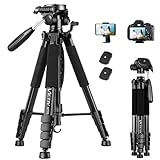
- 【74 Inch Tall Tripod and Compact Tripod】 This tall camera tripod has a height adjustment range of 19-74 inches. It can meet the needs of daily work. This compact tripod comes with a carrying bag for outdoor and indoor shooting. This compact tripod weighs 3.14 lbs / 1.4 kg and is easy to store and stow
- 【Tripod for All Camera and Phone】Standard 1/4" screw mount compatible with all cameras ( Canon, Nikon, Fujifilm, Olympus, Panasonic), DSLR, SLR, and digital cinema cameras, also spotting scopes, projector, compact camcorders, binoculars. The 360° phone mount is compatible with iPhone 17 16 15 14 13 12 11 Pro/XS/XR/MAX/8/8 Plus/X/7 Plus/7/6s Plus/6s/6 Plus/6/Samsung Galaxy S22/ S21 Series/ Galaxy Z Flip/ NOTE/ One Plus 1+Series
- 【Professional 3-Way Pan Head】VICTIV Professional camera tripod stand is equipped with a stable and smooth 3-way pan head, it allows 360° horizontal panoramic shots, 180° up and down shots, and 90° vertical portraits. Non-slip pads provide great grip. You can also hang a backpack on the weight hook for extra stability
- 【Video Tripod for Photography】The video camera tripod is suitable for outdoor and indoor shooting. It can meet the daily shooting needs of video producers, video bloggers, and youtube users. Camera tripods for Photography, food shooting, live streaming, scenery shooting, and portrait shooting, etc
- 【Complete Tripod Units】What You Get: 1X Tripod for cell phone and camera, 1X Universal Phone Holder, 1X Extra Quick Release Plate,1X 3-way Pan Head, 1X Handle, 3X Non-slip pads. Please contact us anytime if any questions
You may also express your thoughts and opinions by using the “Leave a Reply” form at the bottom of this page.
Finally, visit our WordPress & Websites How-to Guides page for more insightful guides like this.
Quick Recap
Also popular on Amazon

- Adjustable 20″–74″ Height: Easily extend from tabletop to full height for portraits, vlogs, outdoor photography, travel shots, and events — perfect for photographers and content creators of all levels.
- Heavy Duty & Stable: Durable aluminum legs support up to 8.8 lbs, so it can take DSLRs, mirrorless cameras, ring lights, GoPros, and smartphones securely without wobble.
- Multi-Device Compatibility: Includes quick release plate & phone mount — switch effortlessly between camera and phone setups for photos, live streams, podcasts or video calls.
- 360° Pan & Tilt Head: Smooth, fluid head movement lets you capture wide panoramas, dynamic video clips, and precise compositions without stiff dragging.
- Travel Ready & Lightweight: Weighing only 2.8 lbs and folding compactly for storage, this tripod is built for backpacks, road trips, hikes, and everyday use. Includes carry bag for convenience.
Product prices and availability are accurate as of the date/time indicated and are subject to change. Any price and availability information displayed on Amazon at the time of purchase will apply.



