

Do these 3 things before closing this tab:
1Repair Windows errors before they cause bigger problems2Scan for outdated or missing drivers - takes under a minute3Clear out junk files and repair common Windows errorsiTechGuides is reader-supported. When you buy through links on our site, we may earn an affiliate commission. As an Amazon Associate I earn from qualifying purchases. Learn more
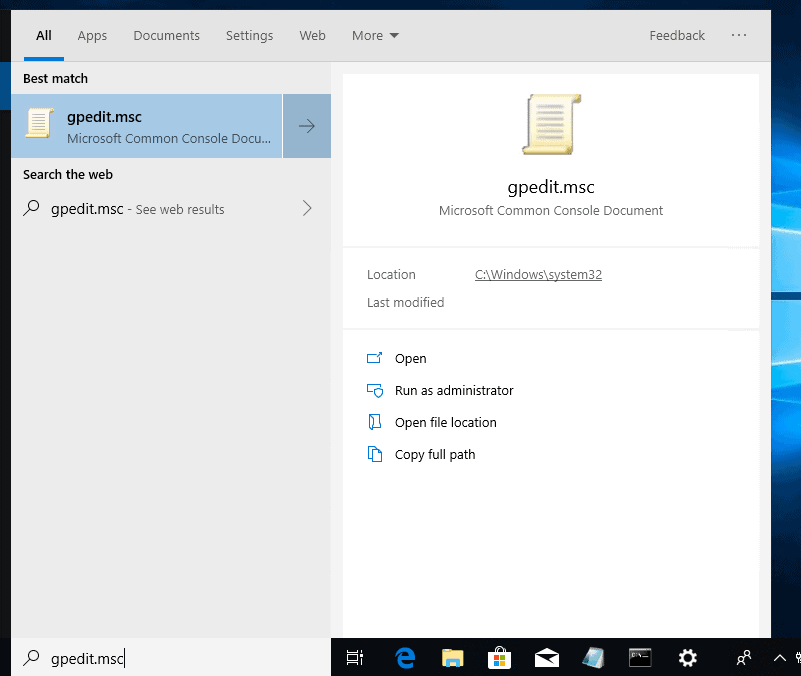
If you try opening gpedit.msc from Windows 10 Home you will receive the error message windows cannot find gpedit.msc or gpedit.msc not found.

The reason for windows cannot find gpedit.msc is because Windows 10 Home does not ship with the Group Policy editor. This guide provides a quick fix for this error message.
| # | Preview | Product | Price | |
|---|---|---|---|---|
| 1 |
|
Windows 11 Pro Upgrade, from Windows 11 Home (Digital Download) | $99.00 | Buy on Amazon |
| 2 |

|
Microsoft Windows 11 (USB) | $119.98 | Buy on Amazon |
Option 1: Install GPEdit Enabler Script
If your Windows 10 PC is the Home edition, a walk around to running the making gpedit.msc available is to install a third-party script called GPEdit Enabler.
Free tools Windows power users keep installed
One-click scans. No signup required.
Follow the steps below to install GPEdit Enabler:
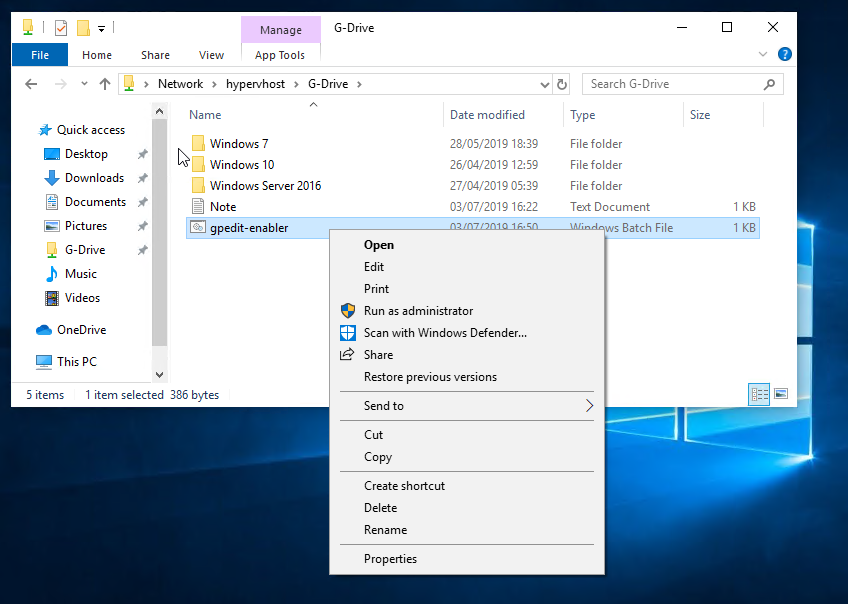
- Click GPEdit Enabler to download the the batch file. Save the file to a preferred location on your computer.


- Open the location you saved the batch file. Right-click it and select Run as Administrator.


Option 2: Upgrade to Windows 10 Pro or Enterprise
If you skipped the first option, you may have opted to install a higher edition of Windows 10 to make gpedit.msc available on your PC.
Popular on Amazon
- Instantly productive. Simpler, more intuitive UI and effortless navigation. New features like snap layouts help you manage multiple tasks with ease.
- Smarter collaboration. Have effective online meetings. Share content and mute/unmute right from the taskbar (1) Stay focused with intelligent noise cancelling and background blur.(2)
- Reassuringly consistent. Have confidence that your applications will work. Familiar deployment and update tools. Accelerate adoption with expanded deployment policies.
- Powerful security. Safeguard data and access anywhere with hardware-based isolation, encryption, and malware protection built in.
There are two steps to upgrade to Windows 10 Pro or Enterprise – the editions that include gpedit.msc tool:
- Buy a Windows 10 Pro License.
- Next, Install Windows 10. During installation, enter your Pro license key.
Conclusion
As I have mentioned several times in this quick guide,
I hope you have been able to fix Windows Cannot Find GPEDIT.MSC Error message.
Also popular on Amazon
- Less chaos, more calm. The refreshed design of Windows 11 enables you to do what you want effortlessly.
- Biometric logins. Encrypted authentication. And, of course, advanced antivirus defenses. Everything you need, plus more, to protect you against the latest cyberthreats.
- Make the most of your screen space with snap layouts, desktops, and seamless redocking.
- Widgets makes staying up-to-date with the content you love and the news you care about, simple.
- Stay in touch with friends and family with Microsoft Teams, which can be seamlessly integrated into your taskbar. (1)
If you found this article helpful, Kindly take a moment to leave your comments using the “Leave a Reply” form at the bottom of this page.
Alternatively, you can respond to the “Was this page helpful?” question below.
Quick Recap
The script I provided in this post is from itechtics.com. It was NOT written by Itechguides.com. Big thank you to the guys at itechtics.com.


Did not work.