

iTechGuides is reader-supported. When you buy through links on our site, we may earn an affiliate commission. As an Amazon Associate I earn from qualifying purchases. Learn more
Is your Windows 10 computer not waking up after it sleeps? Don’t panic; this guide shows you several ways to fix the problem.
Solution 1: Turn On and Off Hibernate
Sometimes, turning on and turning off hibernate may fix Windows 10 not waking up from sleep. Follow the steps below to perform this task.
- Click the Windows 10 search box and type “command prompt”. Then, from the search result, right-click Command Prompt and select Run as administrator.

- You will receive a User Account Control popup asking you to allow the app to make changes to your device – click Yes to proceed.

- When Command Prompt opens, input the commands below one after the other and press Enter. Basically, as soon as you input a command, press Enter on your keyboard.
powercfg –h on
powercfg –h off

- Repeat step 3 a few more times and reboot your PC.
I hope that fixes the problem. However, if the problem persists, try the solution in the subsequent section below.
Solution 2: Disabe USB Selective Suspend Setting in Power Options
Another way to fix Windows 10 not waking up from sleep is to disable the USB selective suspend setting. To perform this task, follow the steps below.
Popular on Amazon

- Extensive Compatibility - Forhelp portable monitor features 2 full-featured Type-C ports and 1 MINI HDMI port. You can easily access your favorite devices with just one USB Type-C or MINI HDMI cable. NOTE: Your device should support Thunderbolt 3.0/4.0 or USB 3.1 Type C DP ALT-MODE. It is compatible with all devices equipped with HDMI and USB Type-C ports like laptops, PS, XBOX, SWITCH game consoles.
- Full HD Portable Monitor - 15.6inch portable laptop monitor with 1920*1080 resolution, advanced IPS Matte screen support 178° full viewing angle, it renders accurate and bright color, draws you into the video or game with lifelike colors and amazing detail. It can effectively reduce blue light radiation damage, no flickering, eye-care, and make it easier to watch for a long time.
- Ultra-slim Portable Monitor - As a portable external monitor, Forhelp portable laptop monitor's body is made of aluminum alloy, the weight of the whole machine is 1.52lb, 0.3" ultra-thin profile, can easily fit into your bag, so you can carry it with you. With our magnetic smart holster, you can use and store it anytime.
- Able to Balance Work and Play - With multiple display modes [copy mode/extension mode/second screen mode]. During meetings,it can copy your laptop's content as a second screen to share with others. At work, it can be used as a second extended screen to increase productivity. In life, adjusting to HDR mode can upgrade the image to a new level, providing you with brighter highlights, more realistic colors and images. Two built-in speakers provide an amazing viewing and gaming experience.
- DURABLE SMART COVER - Comes with a scratch-proof smart cover made of durable PU leather exterior, doubles as a stand, provides comprehensive protection for this portable computer monitor. There are two grooves in the cover base to give at least some choice of viewing angle for your comfort.
- Click on the Windows 10 search field and type “control panel”. Then, from the result of your search, select Control Panel.

- When Control Panel opens, click Hardware and Sound.

- Then, select Power Options.

- When the Power Options window opens, click on Change plan settings for the Balanced power plan under the Selected plan category.

- Then, click Change advanced power settings.

- After that, double-click USB settings. Then, double-click the USB selective suspend setting.

- When you are done doing that, disable On battery and Plugged in underneath USB selective suspend settings.


- Once you are done with that, click OK to save the changes, and the problem should be resolved.

Frequently Asked Questions
Yes, sleep mode consumes your computer’s power. However, the power it consumes isn’t much at all.
To wake your Windows 10 computer from sleep with your keyboard, simply press any key on the keyboard. You can also move the mouse or trackpad of the computer to wake it up.
Also popular on Amazon
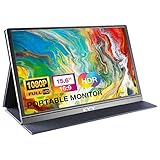
- [ FHD 1080P PORTABLE MONITOR ]: KYY using a 15.6''(8.8"x14.2") advanced IPS screen with 178° wide viewing angle, Delivers 1920*1080 breathtaking viewing quality and HDR technology, KYY portable gaming monitor has excellent color rendering ability, provide you the clearer, smooth, excellent performance in gaming/multimedia. It can effectively reduce blue light radiation damage, no flickering, eye-care, and make it easier to watch for a long time
- [ WIDE COMPATIBILITY ]: KYY portable monitor for laptop equipped with 2 Full Function Type-C ports and Mini-HDMI port, easy access to your favorite devices with 1 cable solution as long as your device support Thunderbolt 3 or 3.1 USB-Type-C, compatible with most laptop, smartphone, PC, PS4, XBOX and more.
- [ ULTRA-SLIM PORTABLE DISPLAY ]: KYY USB C portable monitor features a 0.3inch ultra-slim profile(1.7lb), it is easy to slides into your bag, allows you to carry it everywhere, ideal for a simple on-the-go dual-monitor setup or extend your phone screen for movies or games. No driver needed and equipped with 3.5mm audio inputs and 2 built-in stereo speakers to enhance entertainment experience
- [ DURABLE SMART COVER ]: Comes with a scratch-proof smart cover made of durable PU leather exterior, doubles as a stand, provides comprehensive protection and frameless magnetic design for this portable computer monitor. There are two grooves in the cover base to give at least some choice of viewing angle for your comfort for less cumbersome installation
- [ LIGHTWEIGHT BUT POWERFUL ]: KYY portable external monitor can work in both landscape and portrait mode, can be used as a gaming monitor, screen extender for laptop or phone. It has a unique designed Premium gray metal appearance, 2 built-in speakers to play audio, a friendly menu control wheel for setting, and 24/7 professional support team
Both Hibernate and sleep mode are quite similar. However, Hibernate doesn’t consume power at all compared to sleep mode.
Due to that, I would say Hibernate is better than Sleep mode.
Quick wins for a faster PC:
Clear out junk files and repair common Windows errorsFree Scan →Fix the driver behind crashes, sound loss and screen glitchesFind Drivers →Repair Windows errors before they cause bigger problemsFix Now →Although sleep mode stores files and information using your computer’s RAM, it is perfectly safe. Sleep mode doesn’t cause any damage whatsoever to your PC because 100% of your computer would be off except the RAM.
Also popular on Amazon

- 15.6" FHD Portable Monitor - Featuring a 1920*1080P resolution, 178°FULL viewing angle, HDR, and Low Blue Light Super Clear IPS A-grade screen, this Anyuse portable screen for laptop enhanced visual experience, reduces eye strain and fatigue.
- Double Type-C Port -For Plug & Play - Anyuse portable monitor features 2 full-featured Type-C ports and 1 MINI HDMI port. You can easily access your favorite devices with just one USB Type-C or MINI HDMI cable. NOTE: Your device should support Thunderbolt 3.0/4.0 or USB 3.1 Type C DP ALT-MODE.
- Portable & Light Weight - At just 1.37lbs and 0.04 inch thin, this portable laptop monitor is ultra-portable and perfect for on-the-go productivity or gaming. flexible to use anywhere you need a second screen for laptop. bringing you efficiency for meetings, work from home, and presentations.
- Able to Balance Work and Play - With multiple display modes [copy mode/extension mode/second screen mode]. During meetings,it can copy your laptop's content as a second screen to share with others.At work, it can be used as a second extended screen to increase productivity. In life, adjusting to HDR mode can upgrade the image to a new level, providing you with brighter highlights, more realistic colors and images.Two built-in speakers provide an amazing viewing and gaming experience.
- Wide Compatibility - Enjoy hassle-free plug-and-play functionality with the portable monitor. it is compatible with all devices equipped with HDMI and USB Type-C ports like laptops, PS, XBOX, SWITCH game consoles, No app or driver installation required.
Follow the steps below to put your Windows 10 computer in sleep mode.
a) Click the Windows 10 Start menu.
b) Press the Power button and select Sleep from the options that appear.
Conclusion
Having a Windows 10 computer that refuses to wake up from sleep is quite a bother. This issue goes a long way to affect your productivity.
Also popular on Amazon

- 15.6" FHD Portable Monitor - Featuring a 1920*1080P resolution, 178°FULL viewing angle, HDR, and Low Blue Light Super Clear IPS A-grade screen, this portable screen for laptop enhanced visual experience, reduces eye strain and fatigue.
- Double Type-C Port -For Plug & Play - Portable monitor features 2 full-featured Type-C ports and 1 MINI HDMI port. You can easily access your favorite devices with just one USB Type-C or MINI HDMI cable. NOTE: Your device should support Thunderbolt 3.0/4.0 or USB 3.1 Type C DP ALT-MODE.
- Portable & Light Weight - At just 1.43lbs and 0.31inch thin, this portable laptop monitor is ultra-portable and perfect for on-the-go productivity or gaming. flexible to use anywhere you need a second screen for laptop. bringing you efficiency for meetings, work from home, and presentations.
- Able to Balance Work and Play - With multiple display modes [copy mode/extension mode/second screen mode]. During meetings,it can copy your laptop's content as a second screen to share with others.At work, it can be used as a second extended screen to increase productivity. In life, adjusting to HDR mode can upgrade the image to a new level, providing you with brighter highlights, more realistic colors and images.Two built-in speakers provide an amazing viewing and gaming experience.
- Wide Compatibility - Enjoy hassle-free plug-and-play functionality with the portable monitor. it is compatible with all devices equipped with HDMI and USB Type-C ports like laptops, PS, XBOX, SWITCH game consoles, No app or driver installation required.
This is because each time you put your PC to sleep, you will have to reboot it because it doesn’t wake up. Nevertheless, this problem can be fixed with the solutions provided in this guide.
Do these 3 things before closing this tab:
1Repair Windows errors before they cause bigger problems2Fix the driver behind crashes, sound loss and screen glitches3Clear out junk files and repair common Windows errorsSpecifically, this guide showed you how to fix the problem by turning on and turning off hibernate. Also, we discussed fixing the issue by disabling the USB selective suspend setting.
Also popular on Amazon

- [Portable Monitor Laptop] InnoView laptop screen extender is no need of app and drivers! 15.6 in is a more suitable size for traveling or remote work. Suitable for traveler, student, gamer, engineer, and white-collar worker to connect HP laptop, Lenovo laptop, Dell laptop, Asus laptop, Macbook, iPhone, game console, tablet, PS, Xbox, etc. The laptop screen can expand the viewing area and be more efficient when playing games, working, meeting and studying
- [Plug and Play] The travel monitor for laptop provides 2 full-function Type-C ports and 1 HDMI port to connect most devices. Only one USB-C cable is needed to connect the external display to computer, and it supports power pass-through reverse charging. Note: Your device should support Thunderbolt 3.0/4.0 or USB 3.1 Type-C DP ALT-MODE. If not, you can connect via HDMI and power cable(NOT INCLUDE IN THE PACKAGE)
- [IPS FHD USB C Monitor] 15.6 inch portable screen with a resolution of 1920*1080P, made of A+ IPS screen, supports 178° full viewing angle, can present accurate and vivid colors. Combined with HDR, images and videos present realistic colors and amazing details. Low blue light can effectively reduce blue light radiation damage, no flicker, eye protection, making it easier for you to work and perform multiple tasks at the same time
- [Versatile Cover and Stand] Equipped with a scratch-resistant smart protective cover made of durable PU leather, it can also be used as a stand when working. Two grooves are used to adjust the angle and fix the external monitor. It can also provide all-round protection for the 1080p monitor when going out or traveling, suitable for putting in a backpack to avoid squeezing. Optional landscape and portrait modes, save more desktop space
- [Worry-free Purchase] Since the output power of each device is different, the screen may flicker or restart. You can power the laptop monitor to solve it. Provide a 30-day return policy and 18-month warranty (excluding external force damage). If you have any concerns, please let us know (displayed on the back of the monitor)
I hope you found this guide helpful. If you did, click on “Yes” beside the “Was this page helpful” question below.
You may also express your thoughts and opinions by using the “Leave a Comment” form at the bottom of this page.
Lastly, for more Windows 10 fix-it guides, visit our Windows 10 Fix-it guides page.
Quick Recap
Product prices and availability are accurate as of the date/time indicated and are subject to change. Any price and availability information displayed on Amazon at the time of purchase will apply.


