
Free tools Windows power users keep installed
One-click scans. No signup required.
iTechGuides is reader-supported. When you buy through links on our site, we may earn an affiliate commission. As an Amazon Associate I earn from qualifying purchases. Learn more
If you currently sign in to Windows 10 with a local account, you can sign in with a Microsoft account by following these steps.
Quick Steps
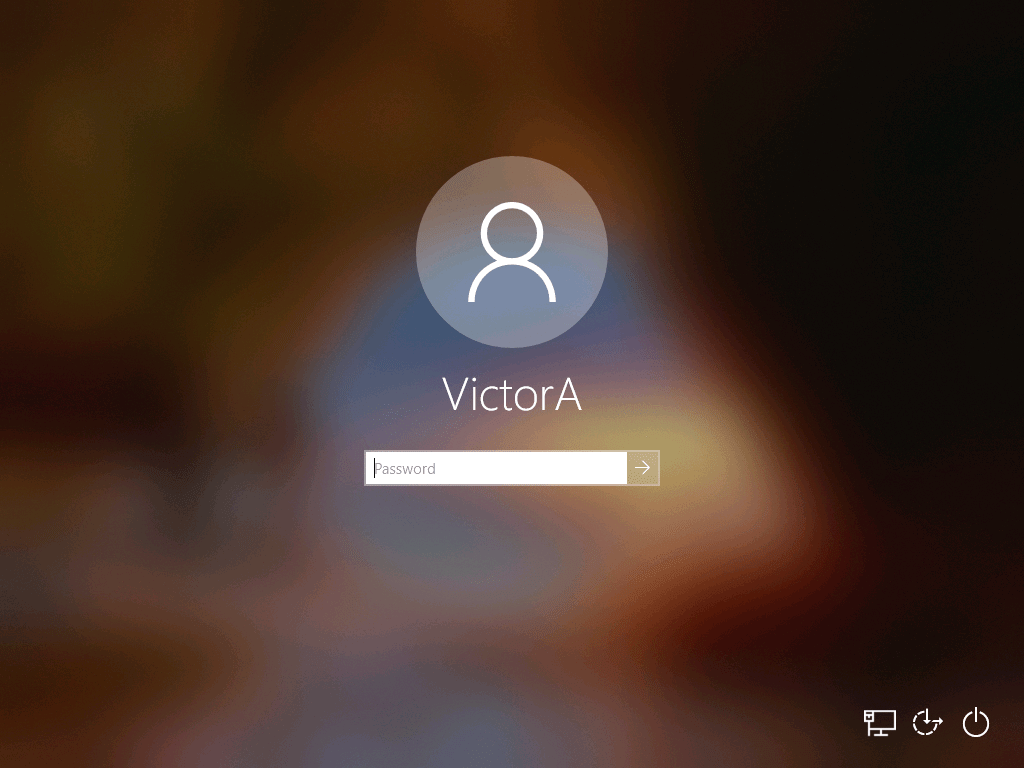
- Login to Windows 10 with your current local account.
- Then right-click the Start menu and click Settings.

- At Windows Settings, scroll down, locate, and click Accounts.

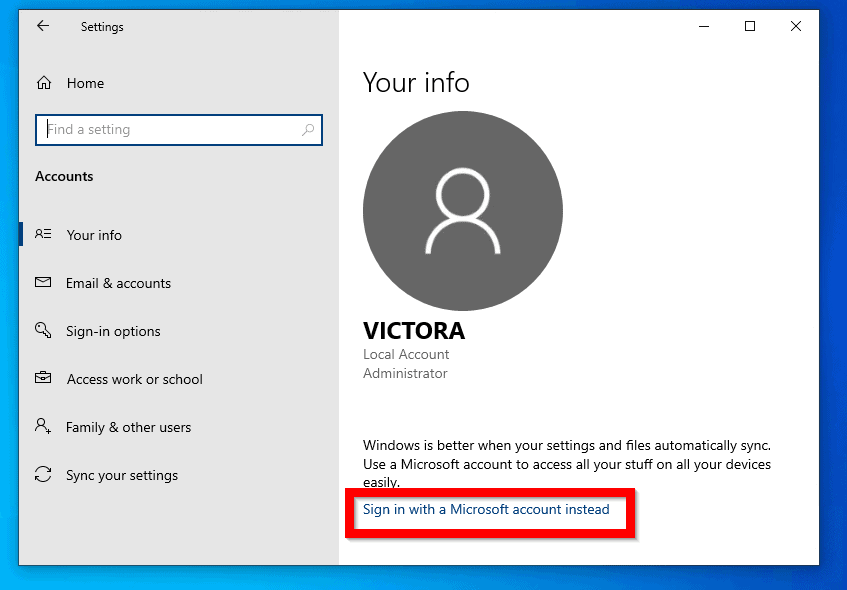
- The last step will open Your Account info page. Click Sign in with a Microsoft account instead.
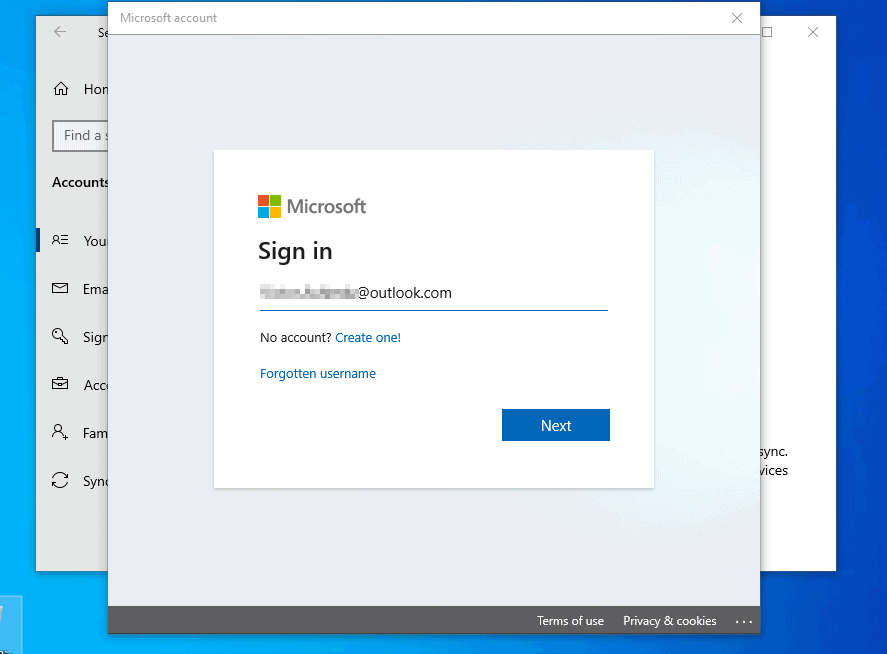
- Wait for the Microsoft Sign screen to display. If you already have a Microsoft account, enter it below. Then click Next.
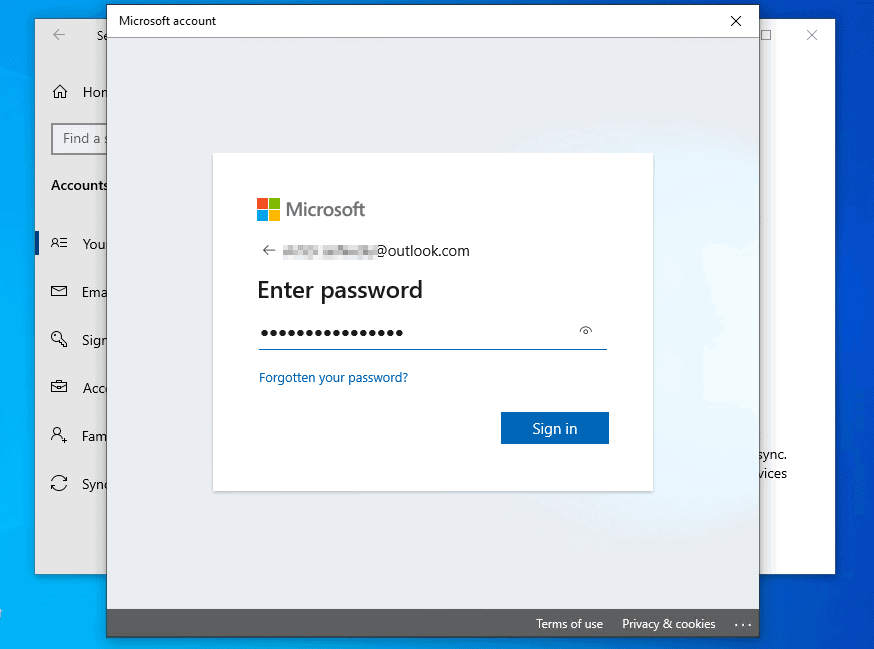
- If the account you entered earlier is valid, you will be prompted to enter the password. Type the password. Then click Sign in.
- Before you sign in with a Microsoft account, you will then be required to enter the password for your current Windows login. Type the password and click Next.
When you click next, it will take a while for the process to display the next page. Wait…


- At the Create a PIN screen, click Next. Then wait for the next screen to be displayed.


- When the Set up a PIN screen displays, enter a PIN. Then retype it and click OK. Then wait for the PIN to be set up.


When the process is completed, you will sign in with a Microsoft account automatically. See the image below. My account now displays as a Microsoft account!
Quick wins for a faster PC:
Fix the driver behind crashes, sound loss and screen glitchesFind Drivers →Clear out junk files and repair common Windows errorsFree Scan →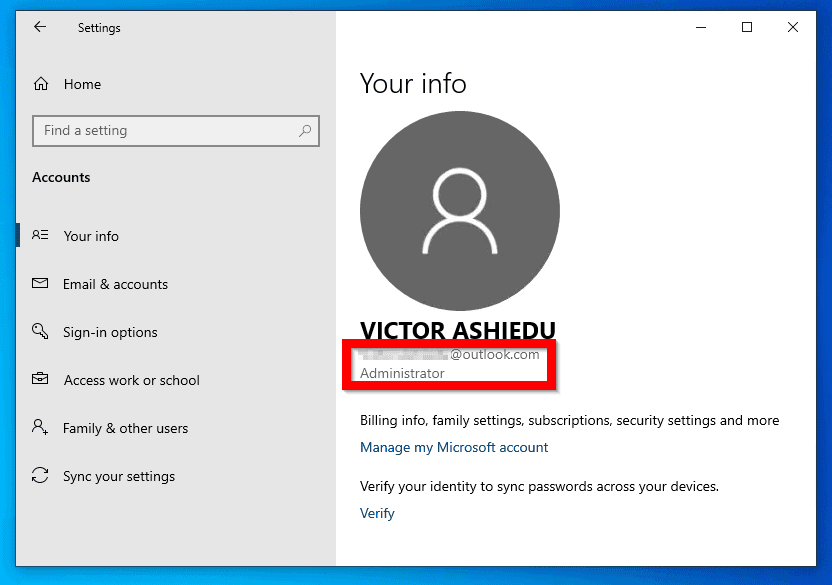
Conclusion
If you follow the steps in this guide, you will sign in with a Microsoft account to Windows 10.
Popular on Amazon

- Certified to Microsoft’s highest fingerprint security standards (ESS & SDCP) for robust, hardware-isolated authentication. Supports next-gen Windows features, including Copilot Recall and Windows Hello with ESS support.
- Windows Hello ready for fast, password free fingerprint login to Windows and Microsoft 365 accounts
- On device fingerprint storage keeps biometric data securely within the key. Supports privacy regulations (GDPR, BIPA, CCPA) through on device biometric processing; TAA compliant.
- Reliable wired USB fingerprint authentication with USB C and USB A compatibility for desktop PCs.
- Consistent, all condition 360° fingerprint recognition.
That said if this guide was helpful to you kindly spare two minutes to share your thoughts by responding to the “Was this page helpful?” question below.
For more Windows guides visit our Windows How To page.
Quick Recap
Also popular on Amazon

- 【Desktop USB Fingerprint Reader for Windows 11 Hello】Unlock your Windows 10/11/12 PC or laptop instantly with a single touch on this compact USB Fingerprint Reader. Password free login; enjoy native biometric authentication through Windows Hello without extra software, delivering fast, secure access every time. 360 degree touch One-Touch Lock with Enhanced Security
- 【360 Degree Touch USB Fingerprint Reader Plug and Play】 Featuring true Plug & Play functionality, our portable fingerprint scanner boasts over 95% system compatibility with genuine Windows devices. Just plug it into any standard USB port of your laptop or desktop to start using it immediately. For individual non-genuine system devices, a simple manual driver update can solve the adaptation problem, bringing ultra-convenient use for all Windows users.AES256 encryption /file encryption
- 【Touch Control RGB Light & 5FT Cable】USB Fingerprint Reader equip 38 Flowing RGB lighting effects, Gently touch to power on/off or effortlessly adjust the soothing breathing light, effect Elevate your desktop aesthetics. Windows Hello Fingerprint Scanner with 5FT/1.5M long usb cable, allows you to conveniently place the reader anywhere on your desk, Long Cable USB Fingerprint Reader for Desktop Computer and laptop
- 【FIDO-Certified & Multi-Purpose Security】 Beyond Windows Hello, this scanner functions as a FIDO U2F/FIDO2 certified security key. Use it to strengthen the login security for your favorite websites and applications like Google, Facebook, Dropbox, and Microsoft accounts, offering robust two-factor authentication (2FA) against phishing attacks.Desktop Wired Biometric Fingerprint Scanner FIDO2 Passkey for anywhere
- 【Microsoft-Certified Security & Accuracy USB Fingerprint Login】 Adopting professional biometric recognition technology, our USB Fingerprint Login for Windows Hello supports ultra-high-precision identification with a 0.001% false acceptance rate and 0.1% false rejection rate. It strictly follows Windows Biometric Framework standards, realizing military-level security protection for your computer login, file encryption and website password encryption to fully guard your private data. Mini Portable USB Fingerprint Dongle Windows Hello Password Free
Also popular on Amazon

- BIOMETRIC SECURITY: USB fingerprint reader provides advanced biometric authentication to secure your computer and protect sensitive data with your unique fingerprint.
- ONE-TOUCH COMPUTER LOCK: Instantly lock your Windows computer with a single touch using the Win + L shortcut, providing quick security when stepping away from your desk.
- FAST AND ACCURATE SCANNING: High-precision optical sensor delivers reliable fingerprint recognition with quick response time for seamless login and authentication.
- PLUG AND PLAY CONVENIENCE: Simple USB connection with easy setup process allows you to start using fingerprint security within minutes without complex installation.
- COMPACT DESIGN: Sleek and portable biometric scanner features a space-saving footprint that fits comfortably on any desk without cluttering your workspace.
Also popular on Amazon

- Ditch Your Passwords for Good – Seamlessly log in to Windows 10/11 (32-bit & 64-bit) with just one touch. Powered by Windows Hello, it supports up to 10 fingerprints—perfect for shared workstations or family PCs. No more resets, no more sticky notes with passwords.
- True Plug & Play – Zero Setup Hassle – Plug it into any USB port and it's recognized instantly on genuine Windows 10/11. No driver CDs, no software downloads. (Note: Not compatible with Mac, Linux, or older Windows versions. Driver manual included for custom builds.)
- 2-in-1 Power Button & Security Hub – Combines a fingerprint reader with your PC's power button via Y-split cable. Your original power button stays fully functional. (Desktop PCs only – not for laptops.)
- Walk Away, Lock It in One Click – Tap once to lock your screen instantly when you step away from your desk. Customize your workspace with 18 RGB lighting modes to match your setup vibe.
- Blazing Fast Recognition – Any Angle – Reads your fingerprint in under 1 second from any orientation. Flat placement means no swiping or angling required. 0.001% false acceptance rate and 0.1% false rejection rate for enterprise-grade security.
Product prices and availability are accurate as of the date/time indicated and are subject to change. Any price and availability information displayed on Amazon at the time of purchase will apply.



