
Recommended Free Tools
iTechGuides is reader-supported. When you buy through links on our site, we may earn an affiliate commission. As an Amazon Associate I earn from qualifying purchases. Learn more
This Itechguide teaches you how to remove Google account from Chrome. The guide has 3 sections – steps to remove Google account from Chrome from a PC, the Android App and the iPhone App.
Option 1: Remove Google Account Using a PC
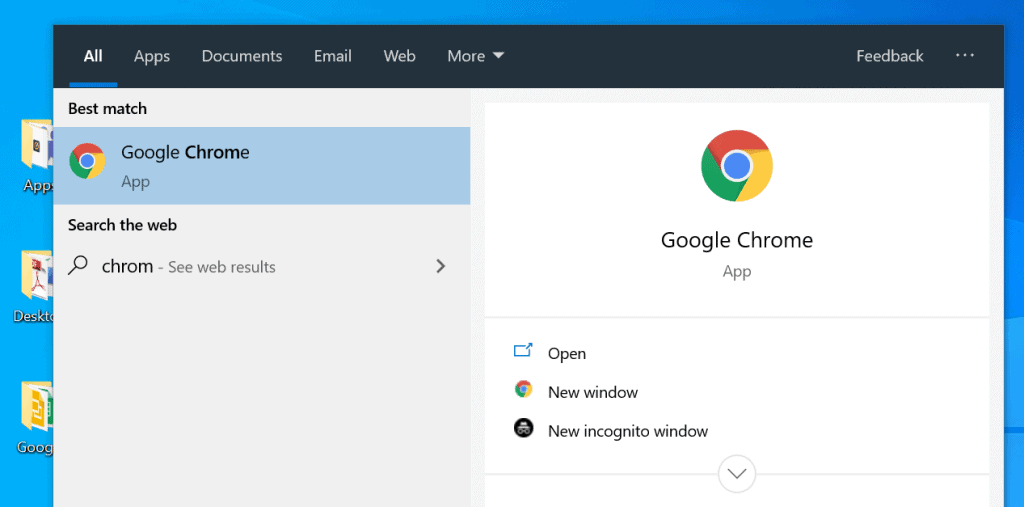
- Open Google Chrome on your PC. Then type chrome on Windows 10 search and select Google Chrome.
- When Google Chrome opens, on the top right, click the icon for your Chrome login.

- When you click the Google Chrome login icon, a set of options will be displayed. From the displayed options, click Manage people.

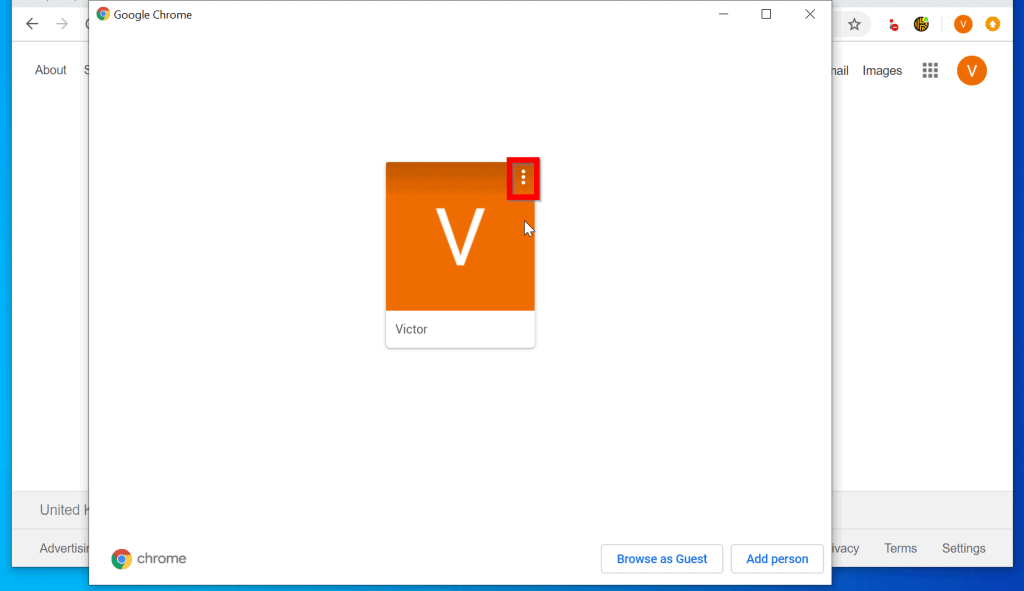
- A pop up window will be displayed – the windows contains a list of all Google accounts that are signed into Chrome.
- Hover over the account you want to remove to display 3 vertical dots. To remove the account from Chrome, click on the dots.
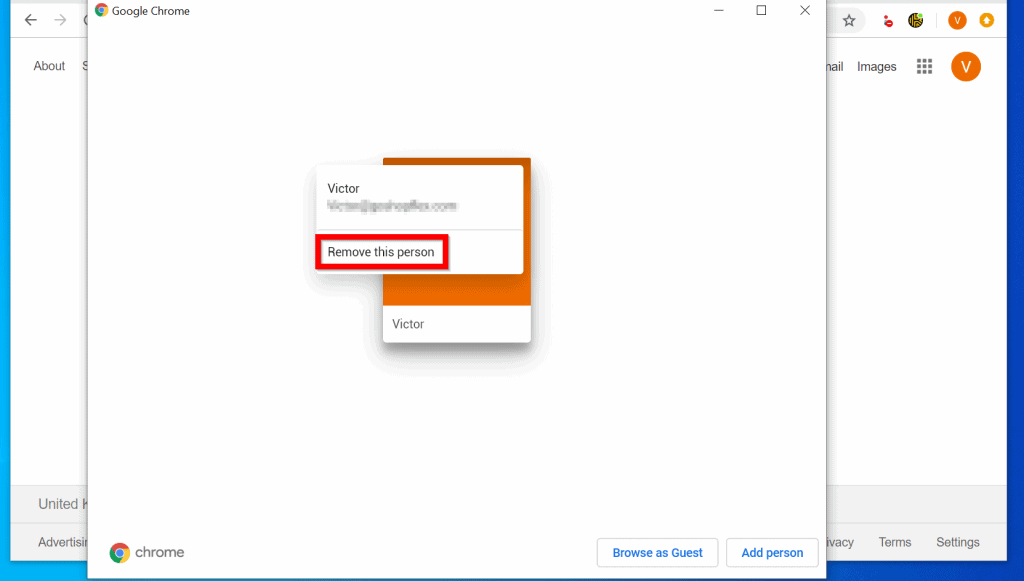
- Then select Remove this person. You will be require to confirm that you really want to remove the account. To conform removal, click Remove this person.

Option 2: Remove Google Account via the Android App
- Open Chrome App from your Android phone.
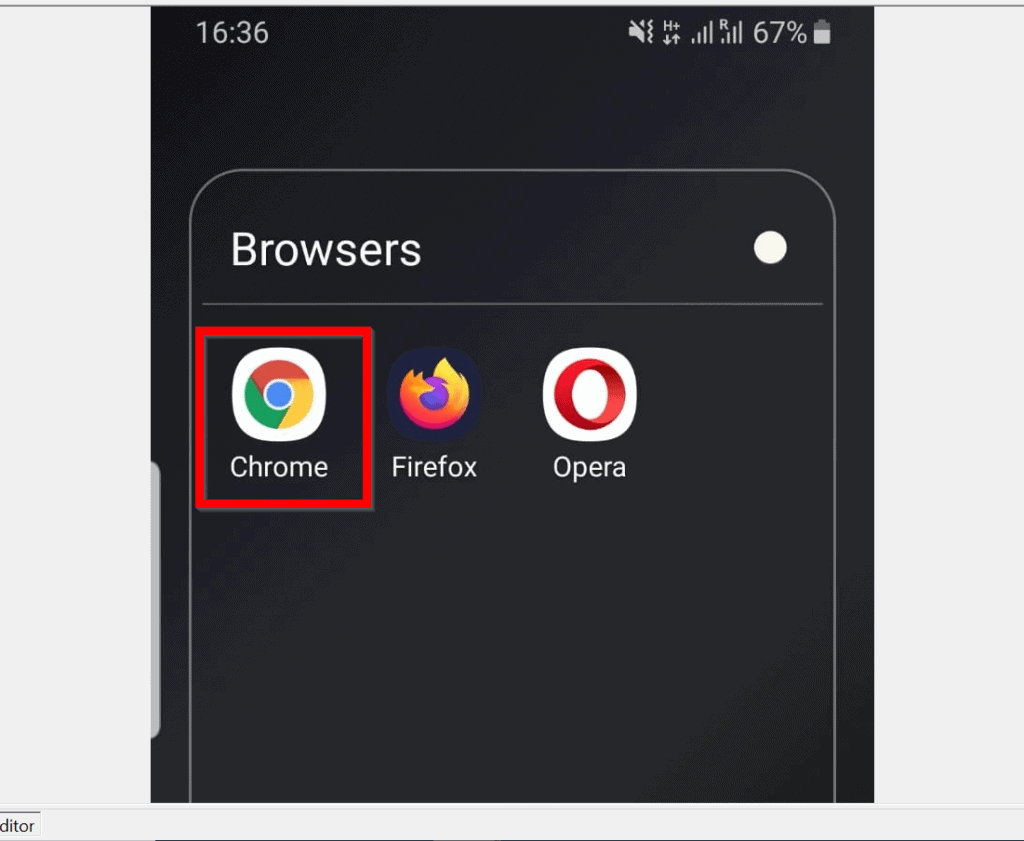
- Then open Google.com to ensure you are logged into Google. On the top right of the Chrome App, tap the icon for your Google account.

- All the Google accounts you used to sign it to the device will be listed. Look beneath the accounts and tap Manage accounts on this device.

- Then, beneath Signed in to Google as…tap one of the accounts.

- The Accounts Settings will open. Locate the Google account you want to remove and tap on it. In the image below, I have two Google accounts.
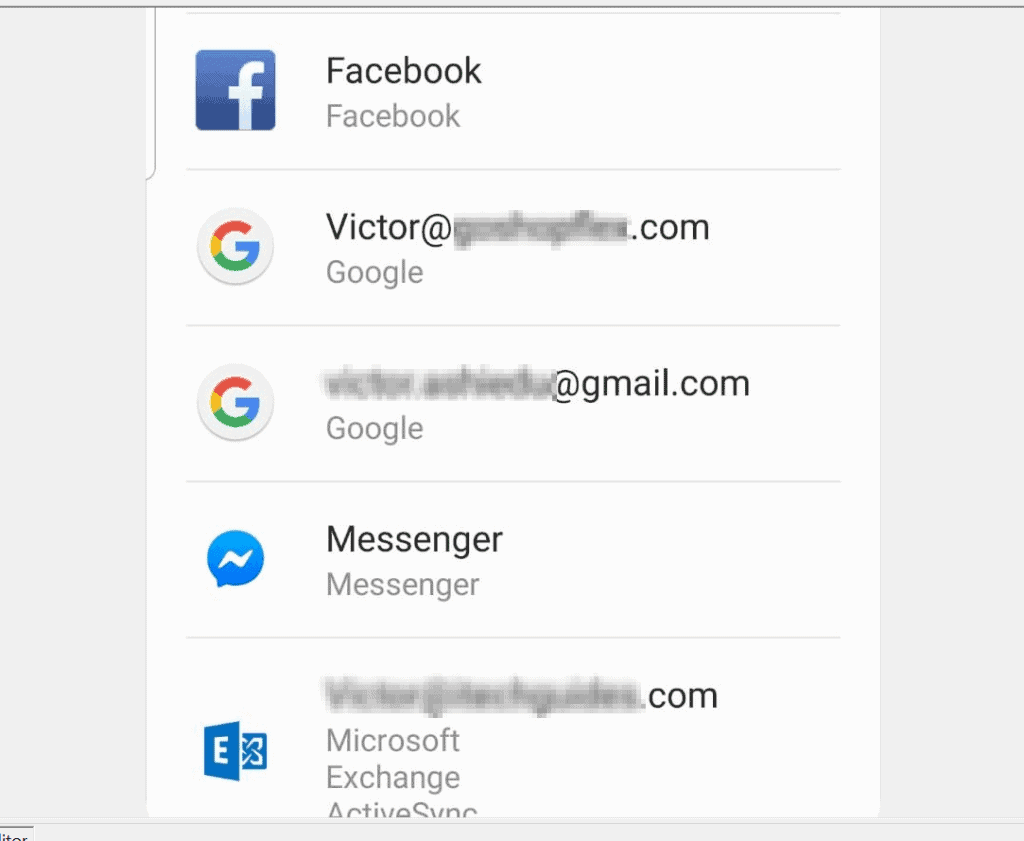
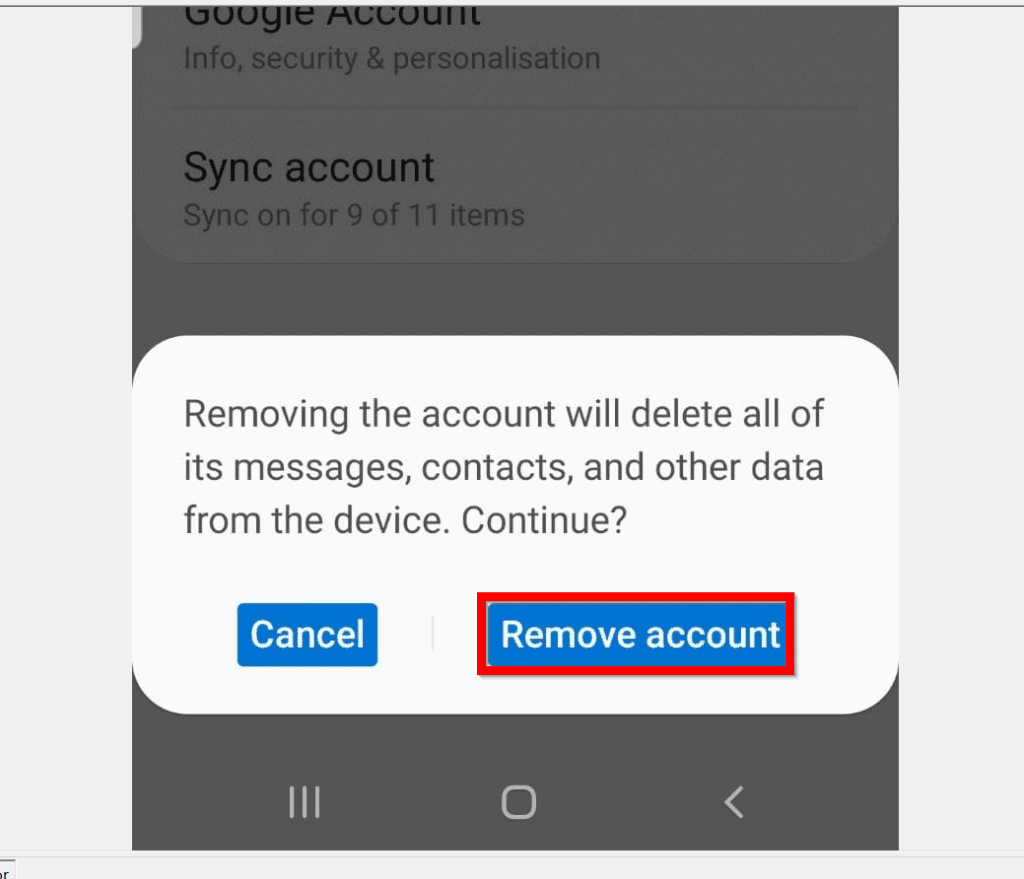
- Finally, to remove the account, tap Remove account. To confirm that you want to remove the account from the device, tap Remove account again.

Option 3: Remove Google Account Through the iPhone App
- Open Google Chrome App on your iPhone.
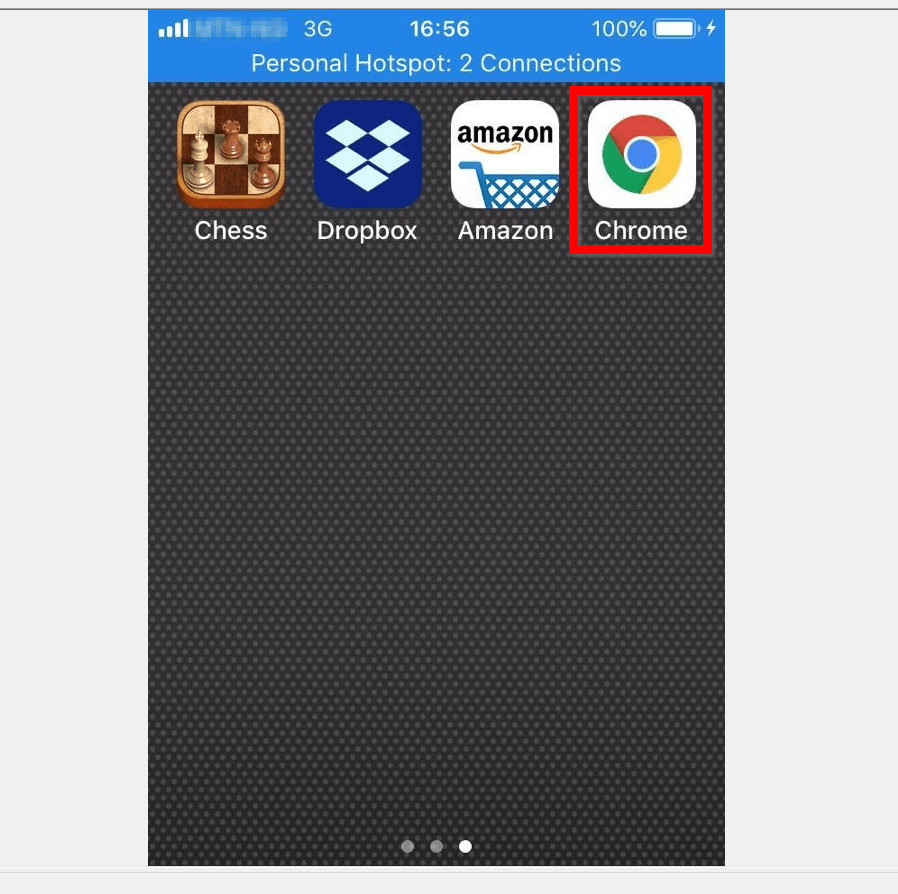
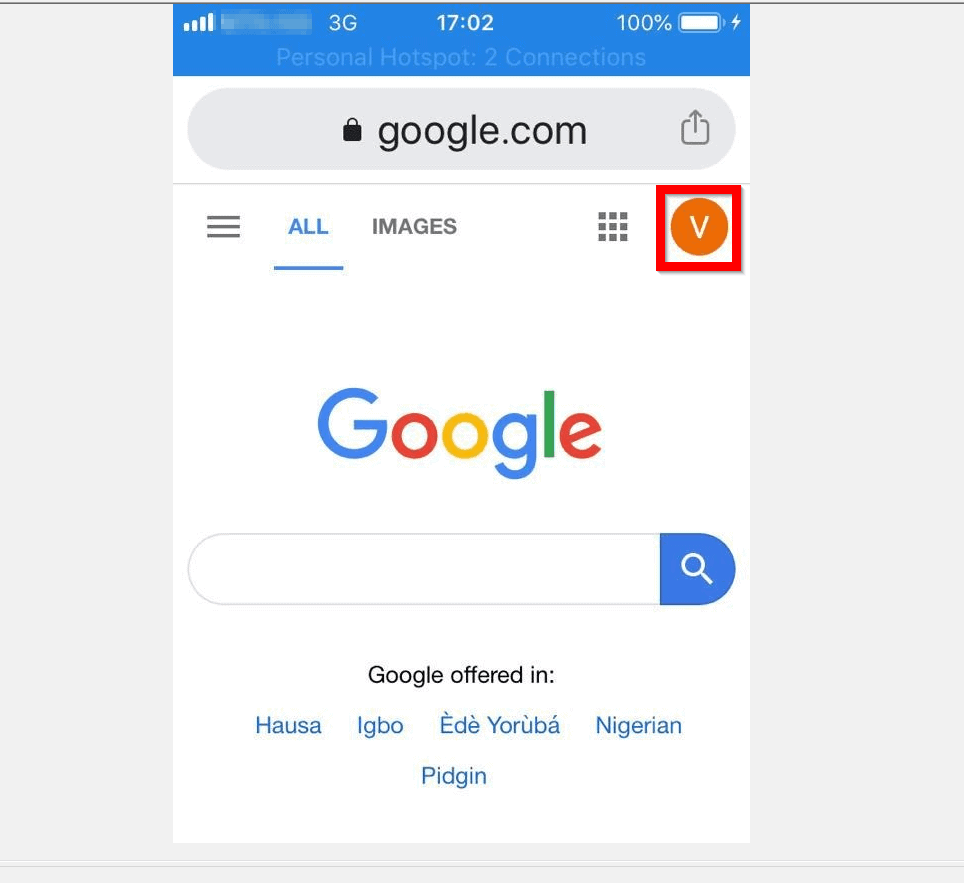
- To make it easy to access your Google accounts, open Google.com from the Chrome browser app. Then, on the top right of the App, tap your profile icon.
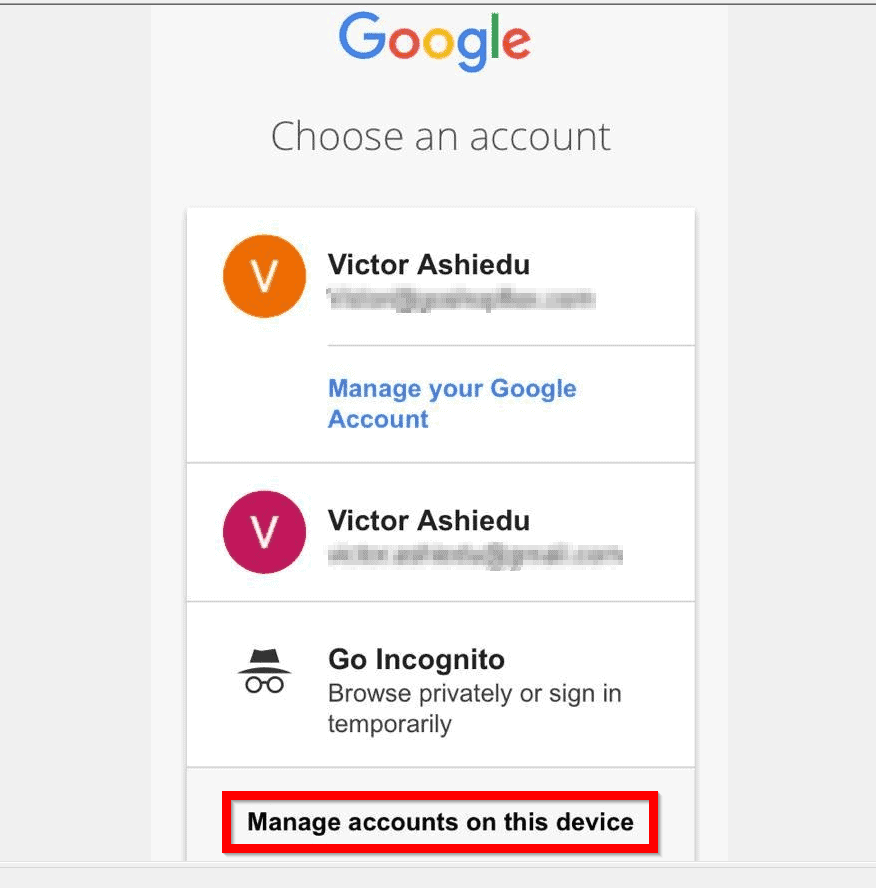
- From the Choose an account page, tap Manage accounts on this device (last item on the list).
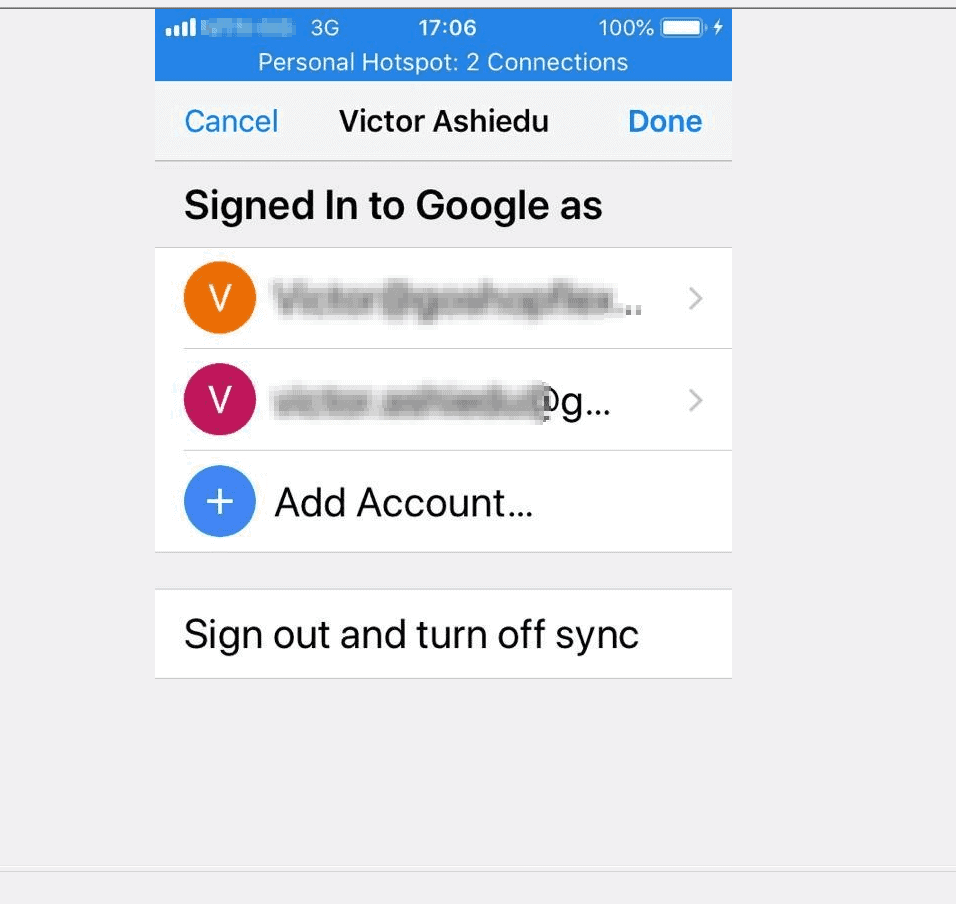
- On the Signed In to Google as…tap the Google account you want to remove from the device.
- Finally, scroll down the Google Account details page and tap Remove account from this device. To confirm that you want to remove the account, on the confirmation pop up, tap REMOVE.


That is it – all done! It is this easy to remove a Google account from Chrome browser! Whether you are using a PC or the Google Chrome Apps for Android or iPhone, I hope you found this guide useful.
If you did, click on “Yes” beside the “Was this page helpful” question below. You may also express your thoughts and opinions by using the “Leave a Comment” form at the bottom of this page.
Finally, to read more Google Itechguides, visit our Google How To page.
Quick Recap
Also popular on Amazon

- Compatible with Nintendo Switch 2’s new GameChat mode
- HD lighting adjustment and autofocus: The Logitech webcam automatically fine-tunes the lighting, producing bright, razor-sharp images even in low-light settings. This makes it a great webcam for streaming and an ideal web camera for laptop use
- Advanced capture software: Easily create and share video content with this Logitech camera that is suitable for use as a desktop computer camera or a monitor webcam
- Stereo audio with dual mics: Capture natural sound during calls and recorded videos with this 1080p webcam, great as a video conference camera or a computer webcam
- Full HD 1080p video calling and recording at 30 fps. You'll make a strong impression with this PC webcam that features crisp, clearly detailed, and vibrantly colored video
Also popular on Amazon

- 1080P Webcam with Cover for Video Calls - EMEET computer webcam provides design and Optimization for professional video streaming. Realistic 1920 x 1080p video, 5-layer anti-glare lens, providing smooth video. C960 computer camera delivers 1920x1080 video with fixed focus (11.8–118.1 inches), so as to provide a clearer image. C960 USB webcam has a cover and can be removed automatically to meet your needs for privacy. For optimal image performance, use the webcam in a well-lit environment.
- Built-in 2 Omnidirectional Mics - EMEET webcam with microphone for desktop features 2 built-in omnidirectional microphones, picking up your voice to create clear audio for communication. When installing the webcam, select EMEET C960 as the default microphone input device in your computer and video applications and select C960 as the default device in Zoom/Teams and ensure microphone permissions are enabled for proper use. Please note that C960 does not include built-in speakers.
- Automatic Light Adjustment - Automatic exposure adjustment is applied in EMEET HD webcam 1080p so that the streaming webcam can deliver stable image performance. EMEET C960 camera for computer also features color adjustment and exposure optimization to help you look your best. For optimal video quality, it is recommended to use the webcam in normal or well-lit environments and select suitable video settings in your application. Proper lighting helps achieve a clearer and more balanced image.
- Plug-and-Play & Upgraded USB Connectivity - New C960 webcam features both USB Type-A & A-to-C adapter connections for wider compatibility. For stable performance, connect the webcam directly to the computer's main USB port and ensure the device is recognized correctly. If a hub or docking station is used, please ensure it provides sufficient power and stable data transmission, as limited ports may affect performance. 90° wide-angle lens captures more participants without frequent adjustments.
- High Compatibility & Multi Application - C960 webcam for laptop is compatible with Windows 10/11, macOS 10.14+, and Android TV 7.0+. Not supported: Windows Hello, TVs, tablets, or game consoles. It works with Zoom, Teams, Facetime, Google Meet, YouTube and more. Please select C960 webcam as the default camera and microphone device in your application and ensure camera/microphone permissions are enabled, especially on macOS. (Tips: Incompatible with Windows Hello)
Also popular on Amazon

- 【Full HD 1080P Webcam】Powered by a 1080p FHD two-MP CMOS, the NexiGo N60 Webcam produces exceptionally sharp and clear videos at resolutions up to 1920 x 1080 with 30fps. The 3.6mm glass lens provides a crisp image at fixed distances and is optimized between 19.6 inches to 13 feet, making it ideal for almost any indoor use.
- 【Wide Compatibility】Works with USB 2.0/3.0, no additional drivers required. Ready to use in approximately one minute or less on any compatible device. Compatible with Mac OS X 10.7 and higher / Windows 7, 8, 10 & 11 / Android 4.0 or higher / Linux 2.6.24 / Chrome OS 29.0.1547 / Ubuntu Version 10.04 or above. Not compatible with XBOX/PS4/PS5.
- 【Built-in Noise-Cancelling Microphone】The built-in noise-canceling microphone reduces ambient noise to enhance the sound quality of your video. Great for Zoom / Facetime / Video Calling / OBS / Twitch / Facebook / YouTube / Conferencing / Gaming / Streaming / Recording / Online School.
- 【USB Webcam with Privacy Protection Cover】The privacy cover blocks the lens when the webcam is not in use. It's perfect to help provide security and peace of mind to anyone, from individuals to large companies. 【Note:】Please contact our support for firmware update if you have noticed any audio delays.
- 【Wide Compatibility】Works with USB 2.0/3.0, no additional drivers required. Ready to use in approximately one minute or less on any compatible device. Compatible with Mac OS X 10.7 and higher / Windows 7, 10 & 11, Pro / Android 4.0 or higher / Linux 2.6.24 / Chrome OS 29.0.1547 / Ubuntu Version 10.04 or above. Not compatible with XBOX/PS4/PS5.
Also popular on Amazon

- Compatible with Nintendo Switch 2’s new GameChat mode
- Crisp HD 720p/30 fps video calls with diagonal 55° field of view and auto light correction. Compatible with popular platforms including Skype and Zoom.
- The built-in noise-reducing mic makes sure your voice comes across clearly up to 1.5 meters away, even if you’re in busy surroundings.
- C270’s RightLight 2 feature adjusts to lighting conditions, producing brighter, contrasted images to help you look good in all your conference calls.
- The adjustable universal clip lets you attach the camera securely to your screen or laptop, or fold the clip and set the webcam on a shelf. You’re always ready for your next video call.
Popular on Amazon

- Compatible with Nintendo Switch 2’s new GameChat mode
- Auto-Light Balance: RightLight boosts brightness by up to 50%, reducing shadows so you look your best—compared to previous-generation Logitech webcams (1)
- Privacy with a Slide: The integrated webcam cover makes it easy to get total, reliable privacy when you're not on a video call
- Built-In Mic: The built-in microphone lets others hear you clearly during video calls
- Easy Plug-And-Play: The Brio 101 works with most video calling platforms, including Microsoft Teams, Zoom and Google Meet—no hassle; it just works
Product prices and availability are accurate as of the date/time indicated and are subject to change. Any price and availability information displayed on Amazon at the time of purchase will apply.
Independent reader supportYour contribution helps us test, update, and keep practical guides available for everyone.


