

iTechGuides is reader-supported. When you buy through links on our site, we may earn an affiliate commission. As an Amazon Associate I earn from qualifying purchases. Learn more
Do you wish to embed a video on WordPress but don’t know how? This guide features various methods to embed a video on WordPress.
Option 1: Embed a Video via the WordPress Media Library
One method to embed a video on WordPress is through the WordPress media library. However, you need to first upload the video to the WordPress media library before embedding it to a post or page.
Thus, in the first sub-section below, you will learn how to upload a video to the WordPress media library. Afterward, I will provide steps to embed the uploaded video into a WordPress post/page in the second sub-section.
Quick wins for a faster PC:
Clear out junk files and repair common Windows errorsFree Scan →Scan for outdated or missing drivers - takes under a minuteDriver Scan →Repair Windows errors before they cause bigger problemsFix Now →Step 1: Upload a Video to the WordPress Media Library
- Access the backend of your WordPress website using an admin account. Then, hover your mouse cursor on Media on the left pane of the backend and select Add New.

- Following that, click the Select Files button in the dotted box under Upload New Media.

- In the Open window, go to the location you saved the video you want to upload, select the video, and click the Open button. For instance, I want to upload the “Training” video, as shown in the screenshot below.

- Consequently, your selected video should be uploaded to the WordPress media library.

Step 2: Embed Video Uploaded to the WordPress Media Library Into a Post/Page
- Log in to the WordPress backend with admin access, then open the page/post to which you want to embed the video. Basically, click Posts or Pages on the WordPress backend’s left pane and select the title of your desired post or page.

- When the page/post opens, click the Add block button in the area of the post or page you want to embed the video. Next, input “video” in the search field and select Video from the search results.

- Consequently, the video block should activate. Hence, click the Media Library button.

- After doing that, left-click the video you want to embed, then click the blue Select button.

Option 2: Embed a Video Using the Video Block
Interestingly, you can also embed a video directly to a page/post on WordPress using the Video block. The step-by-step procedures provided below demonstrate how to accomplish that.
Popular on Amazon
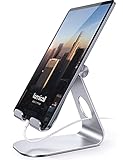
- 【 COMPATIBILITY 】 This tablet stand applies to 4 - 13 inch tablet and phone, such as iPhone Duo, new 2025 / 2024 / 2022 / 2021 iPad Pro 11 / 12.9 / 13 inch, iPad 10.9, iPad Air 5 / 6, iPad mini 6, iPad Pro 9.7 / 10.5, Kindle, Surface Pro, Galaxy Tab, iPhone Air 18 17 Pro Max, iPhone 16 , iPhone 15 Pro Max, iPhone 14 Pro Max, iPhone 13, iPhone 12. If you use a tablet larger than 12”and found it's not stable to use, you can set it horizontally, which helps maintain more stability.
- 【 Multi-Angle 】Adjustable tablet holder easily adjusts, supporting both vertical and horizontal viewing. The hook width of the stand is 18mm, please make sure the thickness of your tablet or tablet with case on is no more than 18mm (0.71 in).
- 【 STURDY CONSTRUCTION& RUBBER PADS】 Rubber pads and feet of tablet dock can protect your device from daily scratches and sliding. Great office desk accessories.
- 【 SMART LIFESTYLE】 Perfect for playing game, watching videos, viewing photos, reading, typing, video recording, and Lamicall provide you good service. Great ipad accessories.
- 【 Why Special 】Stand for Tablet was made of spaceflight Al-Ti alloy and super high strengthened alloy steel material, higher strength, lighter weight.
- Access the WordPress backend with an administrator account and open the post/page to which you want to embed the video. Practically, click Posts or Pages on the WordPress backend’s left pane, then select the title of your preferred post or page.

- Afterward, click the Add block button in the area of the post/page you want to embed the video. Next, type “video” in the search field and select Video from the search results.

- After doing that, click the blue Upload button in the File block. Thus, the Open window should automatically open.

- In the Open window, go to the location where the video you want to embed is stored, select the video, and click the Open button. Once again, I embed the “Training” video for this demonstration.

Option 3: Embed a Video Using the URL
You can also embed a video from video-sharing platforms like YouTube and Vimeo on WordPress by entering the video’s source URL. In order to accomplish that, follow the subsequent steps below.
- First, open your preferred video-sharing platform on your browser – I will be using YouTube for this demonstration. Then, copy the URL of the video you want to embed – the URL is usually located at the address bar of your web browser.

- Next, log into your WordPress backend with an admin account, then open the post/page to which you want to embed the video. Basically, click Posts or Pages on the WordPress backend’s left pane and select the title of your preferred post/page.

- Following that, click the Add block button in the area of the WordPress post/page you want to embed the video. Then, input “video” in the search field and select Video from the search result.

- In the Video block, click the Insert from URL button, then paste the URL of the video you wish to embed in the input field. Finally, press the enter key on your keyboard, and the video will be embedded in your WordPress post/page.

Frequently Asked Questions
Yes, you can embed a YouTube video in a WordPress page or post.
Also popular on Amazon

- Wide Compatibility: Our holder compatible with all phones and tablets between 4.7-11 inches and weighing less than 1.5 lb. (Please refer to the above Compatible Devices section and we recommend adding some weight to the base for stability if you are using heavy tablets or tablets with a case.)
- Free Your Hands: When you are lying sitting stand on a sofa or in a bed, our flexible tablet floor stand will free your hands and help you find the perfect view to watch movies, live streaming, Tik Tok, vlogging, play games, or read music scores when practicing guitar or piano
- Easy to Install & Good Customer Service: No tools needed, follow the steps in the installation manual, you can easily install or disassemble the stand, convenient to carry and save space. **Any defects including unbalance issues, broken or missing parts, or even you don't like it, please contact the seller ELEKPARTS directly. We promise to solve the problem in the fastest and most effective way
- Sturdy Premium material: the carbon steel and reinforced base guarantee the longer service life (Please keep the arm and base in the same direction, otherwise press the base with a heavy object)
- Flexible Floor Stand: The height can be adjusted in a range of 27.5-55 inches, the bracket is 360-degree rotatable to change any visual angle. You can also swap the positions of one upper spring and one lower spring to make heavy tablets more stable if necessary
a) Access the WordPress backend with an administrator account and open the page/post to which you want to embed the MP4.
b) Afterward, click the Add block button in the area of the post/page you want to embed the MP4.
c) Next, type “video” in the search field and select Video from the search results.
d) Subsequently, click the blue Upload button in the File block.
e) In the Open window, navigate to the location of the MP4 you want to embed, select the MP4, and click the Open button.
Recommended Free Tools
Absolutely! Embedding videos on WordPress is totally free.
Also popular on Amazon

- Portable and Durable Construction: Folds flat for travel and holds whatever angles you need, product weight 15.2 ounces /0.95pound, the bottom is equipped with a metal panel with anti-slip silicone
- Height and Angle Adjustable with Bridge Screw: Additional Gifts Bridge Screw Adjustment Truss Rod, Always Keep Extended Stable. LOCK IT TIGHT, STAYS TIGHT — Most ipad stands loosen after a few months. Our reinforced hinge + included bridge screw lets you re-tighten in 10 seconds
- Gravity-Based Secure System: Gravity-based system with no clips or magnets that relies on the back tilt to keep the tablet secure, Place the stand at its lowest angle for maximum stability when tapping or typing
- Foldable Design for Easy Portability: This foldable tablet holder can be fully folded into a pocket size, Accessory for Working Remotely. The iPad stand for desktop takes little space when storage, easy to carry in your pocket or bag, an addition in travel or business trip. Smart Phone is supported only in landscape mode, not portrait mode
- Wide Device Compatibility: Compatible With 4.0-15.6 inch 2026 iPhone Duo, iphone 18 pro max, ipad air 11 inch case ipad Mini 7 college essentials Tablet Kindle. Device Width less than 0.7inches, Heavy Duty ipad Case not supported
The best format for video on WordPress is MP4. MP4 is a widespread video format that is supported by most devices and browsers.
WordPress is a popular content management system that was released on May 27, 2003.
Also popular on Amazon
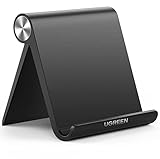
- Wide Compatibility: This tablet stand adjustable can fit for 4 to 11 inch tablet, cell phone and E-reader with Max thickness of 0.55" (including its case). Compatible for Apple iPad 9.7 inch, iPad 10.2" 2019, iPad Pro 11-inch 2020, iPad mini 2 3 4 5 Wi-Fi, iPad Air 2, iPhone 17 16 15 14 13 12 11 Pro Max, iPhone 12 mini, the new iPhone SE 2020, iPhone XR X XS 8 Plus 6 7 6S, Samsung Note20 S20 Ultra S10 S9 S8 Note 10 9 8 android phones
- Easy to Carry: With a small size of 4.7" x 4.2", the portable tablet stand can be foldable and easy to slip into your pocket for travel
- Multi-Angle Adjustable: There are multiple viewing angles to choose from 15° to 100°, you can always find one you like. This tablet holder for desk can hold your smartphone or tablet at a comfortable angle, ideal for watching videos, reading, recording, browsing, facetime call and more
- Sturdy and Stable: Premium ABS material supports this ipad pro stand holder for desk durability in usage. Silicone pads on the bottom to protect your phone or tablet from sliding and scratches
- What You Get: 1x UGREEN Ipad Holder for Desk
Conclusion
Embedding a video on your WordPress post/page is a way of enriching the value of your website. Fortunately, this guide demonstrated various methods to embed a video on WordPress.
Free tools Windows power users keep installed
One-click scans. No signup required.
To be specific, we learned how to execute this task through the WordPress media library. This comprehensive guide also taught us how to embed a video directly into a WordPress post/page using the Video block.
Also popular on Amazon

- YOUR NECK PAIN ENDS TODAY: Premium Tablet Holder Stand with 7-10" telescoping range brings screens to eye level for comfortable all-day work; this Kindle Stand can hold any device up to 4.4lb
- ROCK-SOLID STABLE: Tablet Stand For Desk features triple stability design: weighted metal base preventing tipping even on soft surfaces, EVA non-slip padding gripping any surface, and this i pad Stand has a 40% wider holding plate
- UNIVERSAL TABLET STAND HOLDER: The iPad Holder Stand For Tablet is compatible with iPad Pro 12.9, Oasis Kindle Holder, Samsung Galaxy Tab, and 15.6-17 inch Portable Monitors. Holds up to 4.4lb
- VERSATILE DESKTOP TABLET STAND: Ideal portable monitor stand, versatile iPad holder for desk Zoom calls, practical iPad stand for kitchen, kids apps, tablet holder for desk, and couch entertainment; adjustable 270° tilt for multiple angles
- THE PERFECT STAND FOR IPAD: Adjustable iPad stand holder with exclusive cooling vents, triple silicone padded holding plate, and friction-based aluminum rod on steel base tested 10,000+ times; built for years of daily use
That’s not all; a method that involves embedding a video on WordPress using a URL was also provided in this guide.
Hopefully, this guide was helpful to you. If it were, click on “Yes” beside the “Was this page helpful” question below.
You may also express your thoughts and opinions by using the “Leave a Comment” form at the bottom of this page.
What’s actually slowing this PC down?
Pick the symptom - the matching free tool is one click away.
Finally, visit our WordPress & Websites How-Tos page for more WordPress guides.
Quick Recap
Product prices and availability are accurate as of the date/time indicated and are subject to change. Any price and availability information displayed on Amazon at the time of purchase will apply.



