

iTechGuides is reader-supported. When you buy through links on our site, we may earn an affiliate commission. As an Amazon Associate I earn from qualifying purchases. Learn more
Do you wish to check the version of NPM installed on your Ubuntu Linux-based computer but have no idea how? You have arrived at the right place; this guide demonstrates how to achieve that.
Check the NPM Version Through the Terminal
A major way to check the version of NPM installed on your Ubuntu Linux-based computer is by running a certain command in the terminal. The following procedures and screenshot images will demonstrate how to accomplish that.
- Right-click any free space on your Ubuntu desktop and select Open in Terminal from the displayed options. You can also use the Ctrl + Alt + T keyboard shortcut to open the terminal on your Ubuntu computer.

- After opening the terminal, run the command below to check the version of NPM on your Ubuntu Linux-based computer.
npm --version

- Consequently, the version of NPM on your Ubuntu computer should appear in the terminal. However, if NPM isn’t installed on your computer, you will receive an error saying, “Command ‘npm’ not found” – see the second screenshot below.


If NPM isn’t installed on your Ubuntu Linux-based computer, follow the steps in the next section below to install it.
How To Install NPM In Linux
If you can’t find NPM on your Ubuntu Linux-based computer, you can easily install it using the apt command in the terminal. To achieve that, follow the step-by-step procedures and screenshot images provided below.
Popular on Amazon

- Includes Raspberry Pi 4 4GB Model B with 1.5GHz 64-bit quad-core CPU (4GB RAM)
- Includes Pre-Loaded 32GB EVO+ Micro SD Card (Class 10), USB MicroSD Card Reader
- CanaKit Premium High-Gloss Raspberry Pi 4 Case with Integrated Fan Mount, CanaKit Low Noise Bearing System Fan
- CanaKit 3.5A USB-C Raspberry Pi 4 Power Supply (US Plug) with Noise Filter, Set of Heat Sinks, Display Cable - 6 foot (Supports up to 4K60p)
- CanaKit USB-C PiSwitch (On/Off Power Switch for Raspberry Pi 4)
- Open the terminal in Ubuntu by right-clicking any free space on your Ubuntu desktop and clicking Open in Terminal from the displayed options. Alternatively, use the Ctrl + Alt + T keyboard shortcut to launch the terminal in Ubuntu.

- When the terminal opens, type the command below and press the enter key on your keyboard. Thus, you will be asked to input your computer’s password – do that and press the enter key again.
sudo apt install npm

- After doing that, a couple of information regarding the installation should appear. Then, you will be asked if you want to continue with the installation – type “y” and press the enter key to proceed.

- Consequently, NPM should begin to install on your Ubuntu Linux-based computer.

Frequently Asked Questions
To check the Node.js version on your Ubuntu Linux computer, open the terminal using the Ctrl + Alt + T keyboard shortcut. Then, input “node -v” in the terminal and press the enter key on your keyboard.
Hence, the version of Node.js on your computer should reveal.
Node Package Manager, or NPM in short, is a package manager for the JavaScript programming language. It is typically used to manage and distribute Node.js code packages, a JavaScript runtime built on the V8 JavaScript engine of Chrome.
Also popular on Amazon
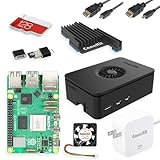
- Includes Raspberry Pi 5 with 2.4Ghz 64-bit quad-core CPU (8GB RAM)
- Includes 128GB Micro SD Card pre-loaded with 64-bit Raspberry Pi OS, USB MicroSD Card Reader
- CanaKit Turbine Black Case for the Raspberry Pi 5
- CanaKit Low Noise Bearing System Fan
- Mega Heat Sink - Black Anodized
NPM is a package manager for the Node JavaScript platform. Hence, you need Node.js to use NPM on your Linux computer.
Recommended Free Tools
Yes, using NPM on your computer is absolutely free.
Also popular on Amazon

- Includes Made in UK Raspberry Pi 3 B+ (B Plus) with 1.4 GHz 64-bit Quad-Core Processor, 1 GB RAM
- Dual Band 2.4GHz and 5GHz IEEE 802.11.b/g/n/ac Wireless LAN, Enhanced Ethernet Performance
- Includes 32 GB EVO+ Micro SD Card (Class 10) Pre-loaded with OS, USB MicroSD Card Reader
- CanaKit 2.5A USB Power Supply with Micro USB Cable and Noise Filter - Specially designed for the Raspberry Pi 3 B+ (UL Listed)
- Premium Raspberry Pi 3 B+ Case, Display Cable, 2 x Heat Sinks, GPIO Quick Reference Card, CanaKit Full Color Quick-Start Guide
You can either use the “npm –version” or “npm -v” to check the npm version on your Linux computer.
Conclusion
Checking the NPM version on your Ubuntu Linux-based computer is quite important. This is because it ensures you are using the latest NPM version and that all the node packages you are downloading are up to date.
Also popular on Amazon
- Includes Raspberry Pi 5 with 2.4Ghz 64-bit quad-core CPU (4GB RAM)
- Includes 128GB Micro SD Card pre-loaded with 64-bit Raspberry Pi OS, USB MicroSD Card Reader
- CanaKit Turbine Black Case for the Raspberry Pi 5
- CanaKit Low Noise Bearing System Fan
- CanaKit Mega Heat Sink - Black Anodized
Fortunately, this guide provided step-by-step procedures to check the NPM version on your Ubuntu Linux-based PC through the terminal. Moreover, in case NPM is missing on your Ubuntu computer, I also included steps to install it using the apt command in the terminal.
The Tool Desk
Outbyte Driver Updater FREEFix the driver behind crashes, sound loss and screen glitchesFind Drivers →Outbyte PC Repair FREERepair Windows errors before they cause bigger problemsFix Now →Thus, with this guide, checking the version of NPM or installing NPM on your Ubuntu Linux-based PC should be very easy.
Also popular on Amazon

- 5 sets of code: Python (compatible with 2&3), C, Java, Scratch and Processing (Scratch and Processing code provide graphical interfaces)
- Detailed tutorial: Can be downloaded (in English, 962-page in total) or viewed online (original in English, can be translated into other languages by browsers) (The tutorial link can be found on the product box, no paper tutorial)
- 128 projects from simple to complex: Provides step-by-step guide with electronics and components knowledge, each project has schematics, wiring diagrams, complete code and detailed explanations
- 223 items in total: This ultimate kit includes the most commonly used electronic components, modules, sensors, wires and other compatible items
- Compatible models: Raspberry Pi 5 / 500 / 400 / 4B / 3B+ / 3B / 3A+ / 2B / 1B+ / 1A+ / Zero 2 W / Zero W / Zero (NOT included in this kit)
Hopefully, you found the procedures in this guide helpful and easy to follow. If you did, click on “Yes” beside the “Was this page helpful” question below.
You may also express your thoughts and opinions by using the “Leave a Reply” form at the bottom of this page.
Finally, you can go through our Linux how-to page to get more helpful Linux guides.
PC Slower Than It Used to Be?
A free scan shows the junk files, broken settings and background clutter dragging Windows down - then fixes them in one click.Free scan · Windows 10 & 11Outdated Drivers Are Slowing You Down
One free scan finds every outdated or missing driver and matches the right update for your exact hardware.Free scan · exact hardware matchQuick Recap
Product prices and availability are accurate as of the date/time indicated and are subject to change. Any price and availability information displayed on Amazon at the time of purchase will apply.



