
iTechGuides is reader-supported. When you buy through links on our site, we may earn an affiliate commission. As an Amazon Associate I earn from qualifying purchases. Learn more
In this Itechguide, Victor teaches you how to check the motherboard model on Windows 10. The guide covers steps for 2 methods to check the motherboard model on Windows 10.
Expand “Browse Post Topics” below to go straight to a topic.
Option 1: Check Motherboard Model with CPU-Z
To check the model of the motherboard on your PC, you need to install a third-party software. There are a number of free software available but for this Itehguide, I will use a tool called CPU-Z.
Do these 3 things before closing this tab:
1Fix the driver behind crashes, sound loss and screen glitches2Clear out junk files and repair common Windows errors3Scan for outdated or missing drivers - takes under a minuteStep 1: Download CPUID CPU-Z
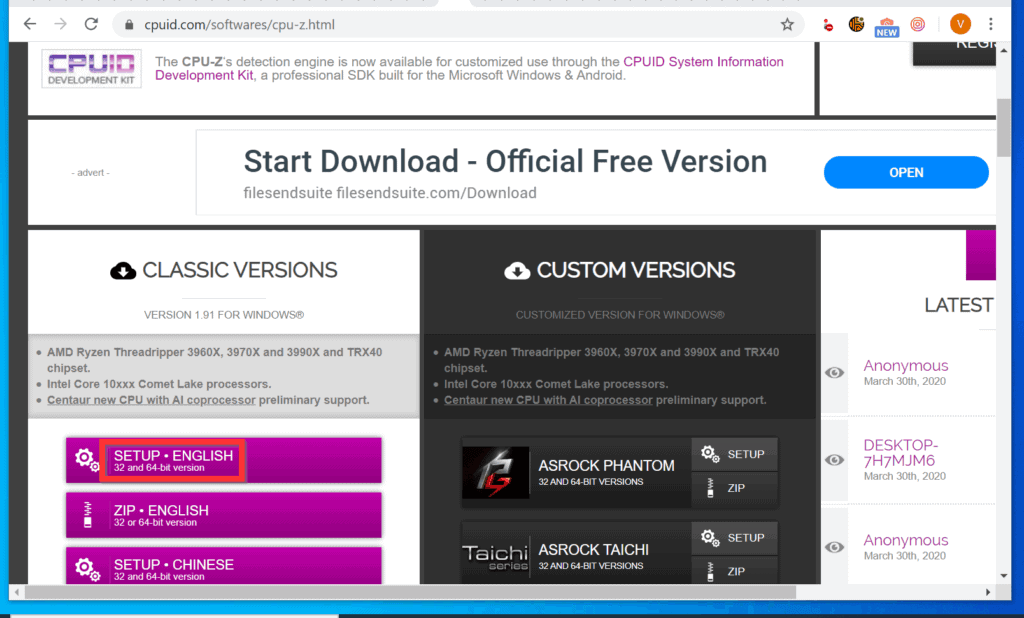
- Open CPUID.com from a browser on your PC. Then, on the bottom left of the page, below CPU-Z, click the for WINDOWS link. The page with download options will open.

- On the bottom left of the download options page, click SETUP . ENGLISH.
- Finally, on the bottom left of the download page, click the DOWNLOAD NOW! link.
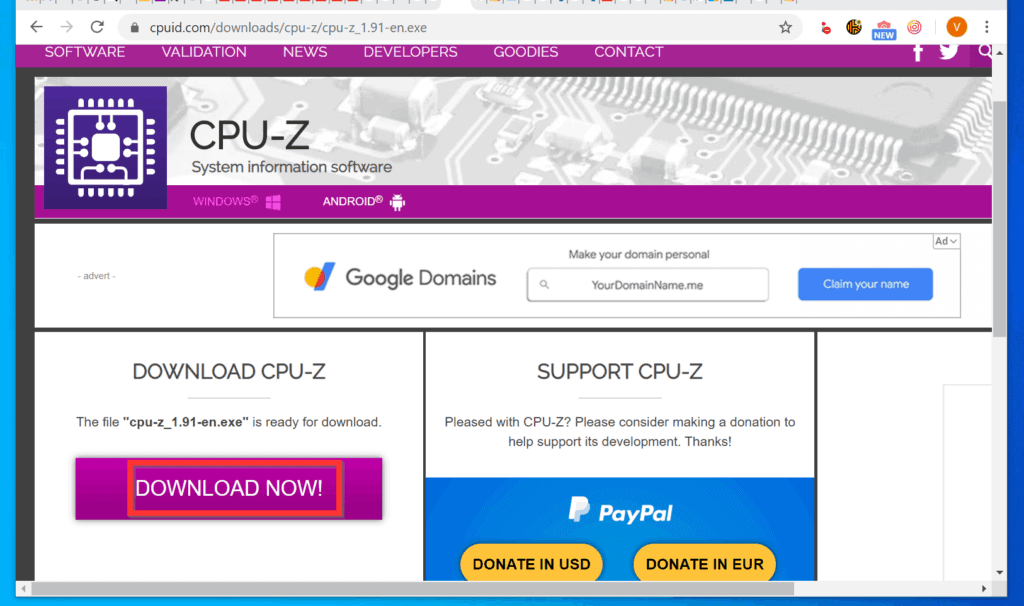
- Then, save the installation file to a folder on your PC.

Step 2: Install CPUID CPU-Z
After downloading the CPU-Z installer, you have to install it before you can use it to check motherboard model. Here are the steps to install the software.
Popular on Amazon
- ATTN : Please DO study the listing page the "Product Guides and Documents" section, the "Instructions for Use (IFU) (PDF)" guide for all manual links at the end of the PDF, to use this kit correctly and easily. 【The item PACKING】 includes the paper printout with the same Complete Instruction Folder with PDFs and APP. 【Only use the tested APP in the folder】 【BOTH 64bit for Newer Androids and 32bit Manufacturer APP】 are available, passed the Android security scan checks and Google Play pending. MUST use the Android APP to display results on the screen, NO Traditional DIGITAL Display to show the POST codes, Great Ease to save hassles of diagnostic codes lookup one by one manually.
- Easy To Use Unique USB Diagnosis with Videos and PDF Guides. 【MUST study the Guides Before Use】 New latest smartphone technology in using the USB ports ( Standard USB / micro USB / Type C ) to diagnose the computers. 【NOT just getting the electric power but RUNNING the Diagnosis Data through USB ports】. A very powerful Essential Nice Handy computer repair tool kit for quick help on diagnosing Desktop PC, Server, Laptop, All-in-one PC, Android Smartphone / Tablet, customized built miniPC and Mac machines ... etc. A great motherboard tester diagnostic kit that provides the most accuracy and effectiveness in making the computer troubleshooting and repairs much easier.
- USB Diagnosis Unique Feature - Save hassles of taking the dusty PCs or laptops apart. Follow the English PDF user guides to power on and let the Android APP to work with this new test kit to auto scan the motherboard for faulty components quickly. When testing different PCs together, make sure follow the listing User Guide(PDF) to see 【Latest Updates with PRECAUTIONs and Extra Tech Tip】 to UNPLUG the USB cable between each test and restart to clear the last cached working motherboard diagnosis data. The ONBOARD USB cable is needed to plug to the Android charger, the other dedicate USB cable connects to motherboard USB port. Connect this 2 USB cable wrongly causes the unstable connectivity.
- All-in-one Multiports support - Different complete bus connector adapter parts included. Made of quality PCB, transistors and capacitor components. Direct pinpointing the faulty motherboard components to greatly reduce the costs yet increase the effectiveness in the computer diagnostic repairs. Videos and the PDFs instructions please see the listing "Videos" section and the "Product guides and documents" section for more details.
- Tested and brought to you by 29 years IT Professionals This kit works with all machines with USB ports including New Old Desktop PC and Laptop Computers, IBM compatible, Mac machines (using USB), Android devices Smartphones and Tablet PCs. Comes with Step by Step Easy Guides, videos instructions, PDF pictorial manuals with Easy Flowcharts and Latest Updates with Precautions. Great for PC Technicians, Computer Owners, Computer Class Student Learners and PC DIY Lovers, Hardware Traders, professionals and novices . Nice Essential must have to add to our computer tool boxes.
- Open the folder you saved the installer and double-click the file.
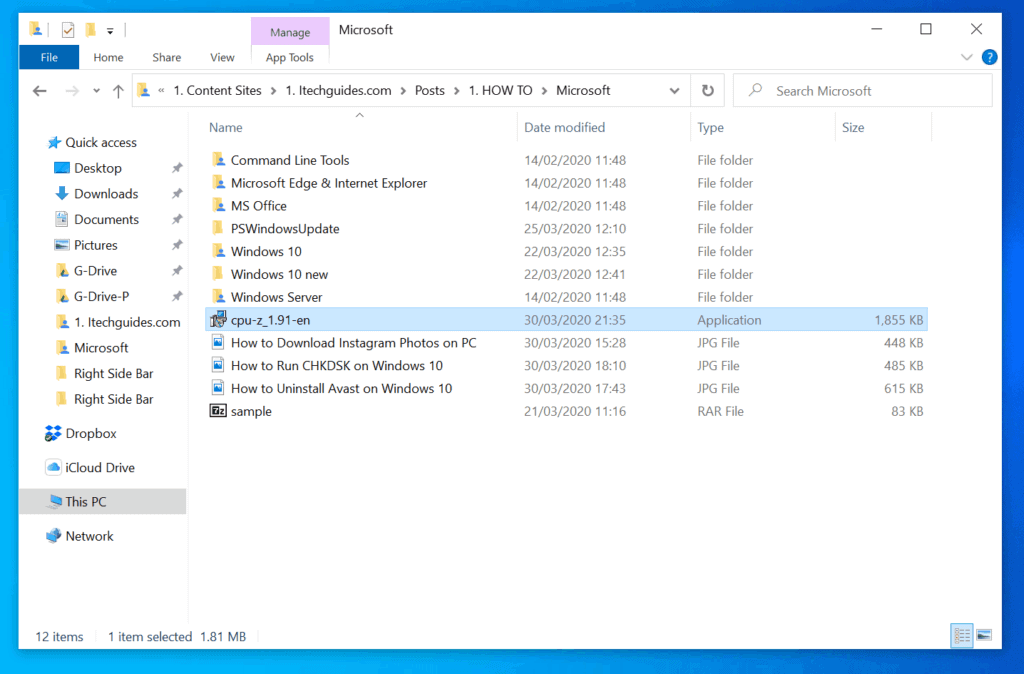
- You will receive a User Access Control requesting confirmation to allow the app to make changes to your PC. Click Yes.
- On the first screen of the installation wizard, accept the license agreement and click Next.
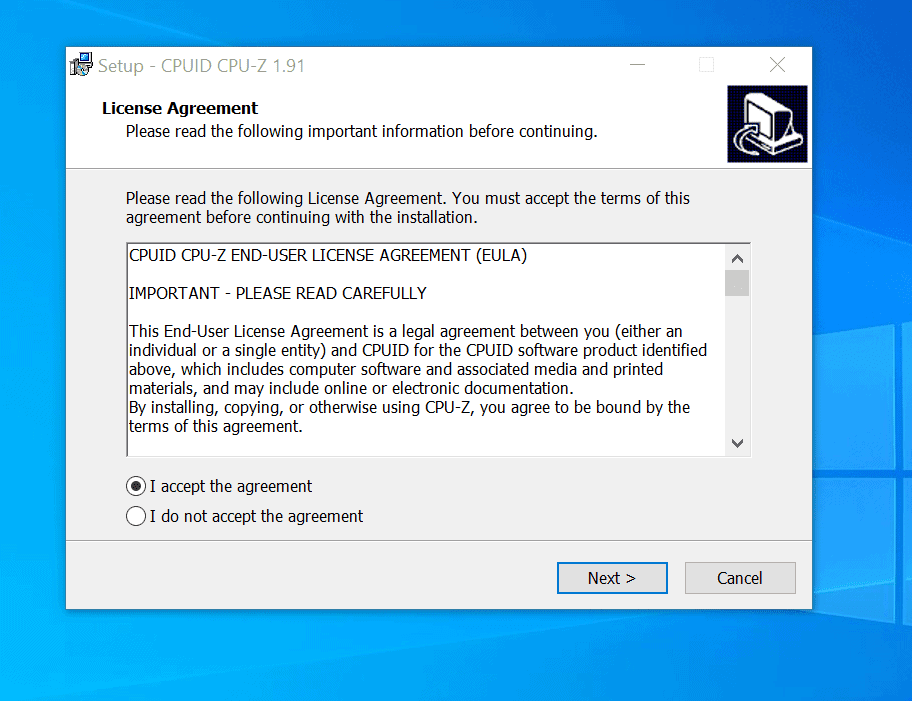
- Then, click Next 4 times until you get to the Install screen. To install the software, click Install and wait for the app to install.
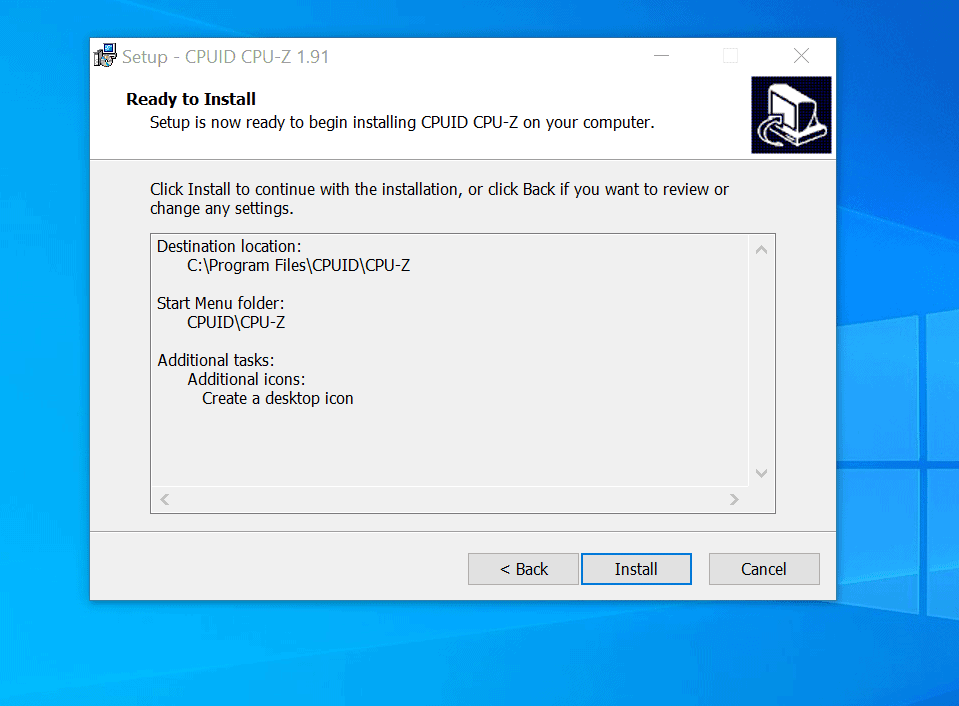
- Finally, uncheck View cpuz_readme.txt and click OK.

Step 3: Check Motherboard Model
Once the software is installed, use the steps below to use it to check the model of the motherboard on your PC.
- Double-click CPUID CPU-Z shortcut on your desktop.


- You will receive a User Access Control requesting confirmation to allow the app to make changes to your PC. Click Yes.
- Then, wait for the application to gather the required information and load.
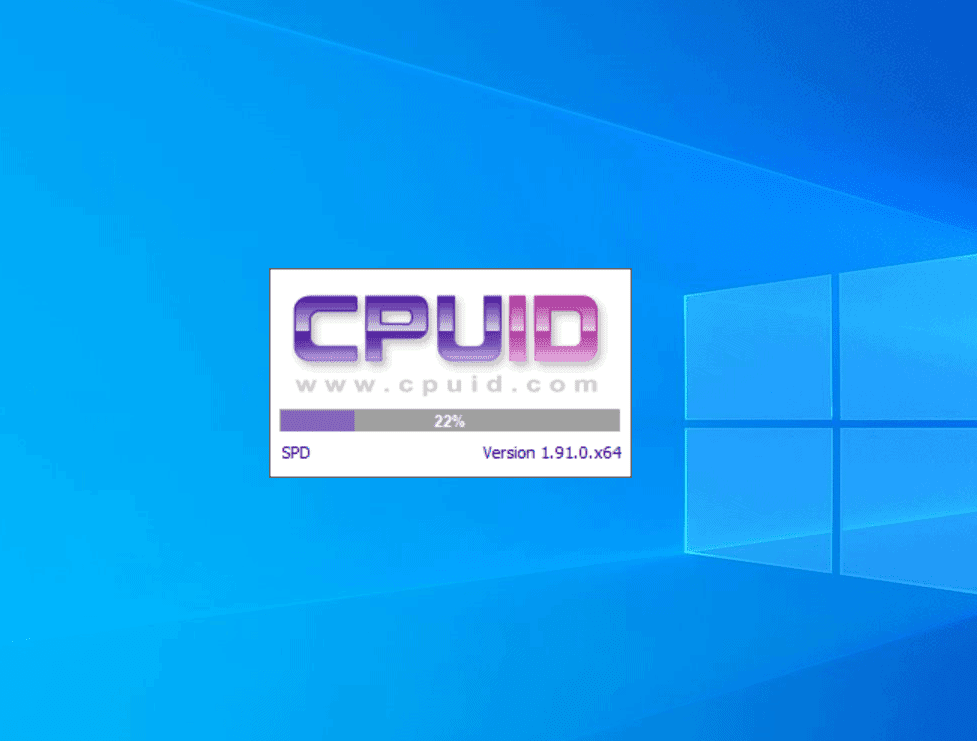
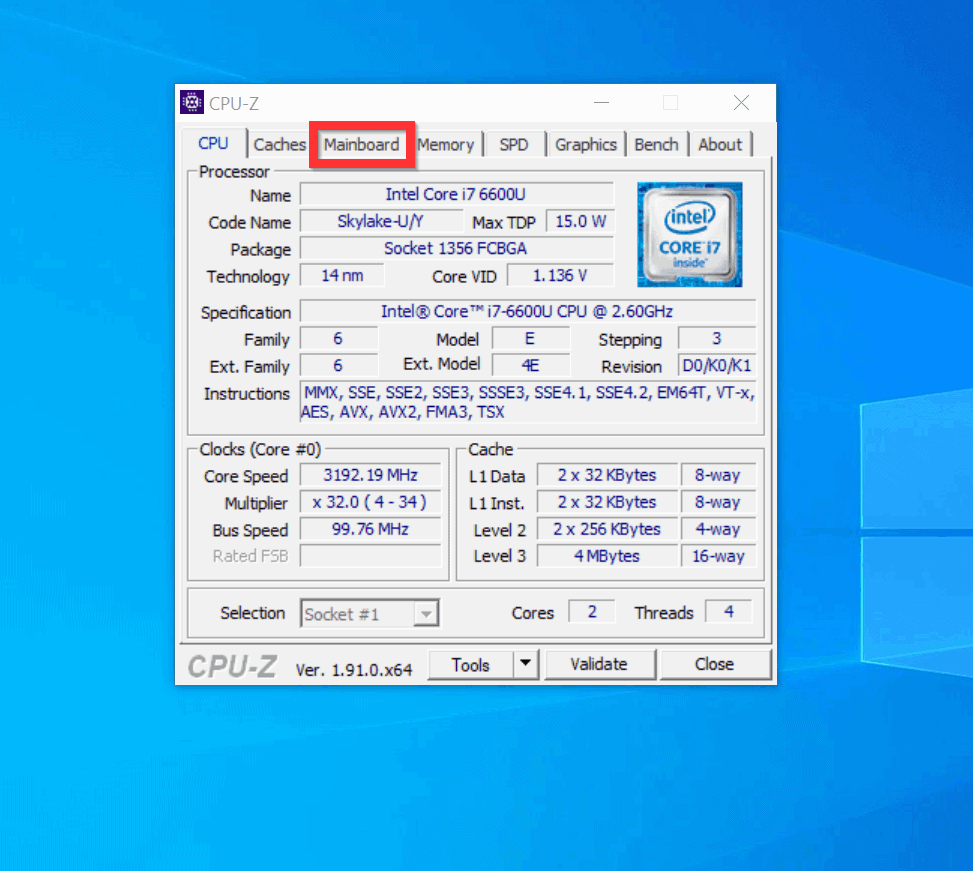
- When the application opens, click the Mainboard tab.
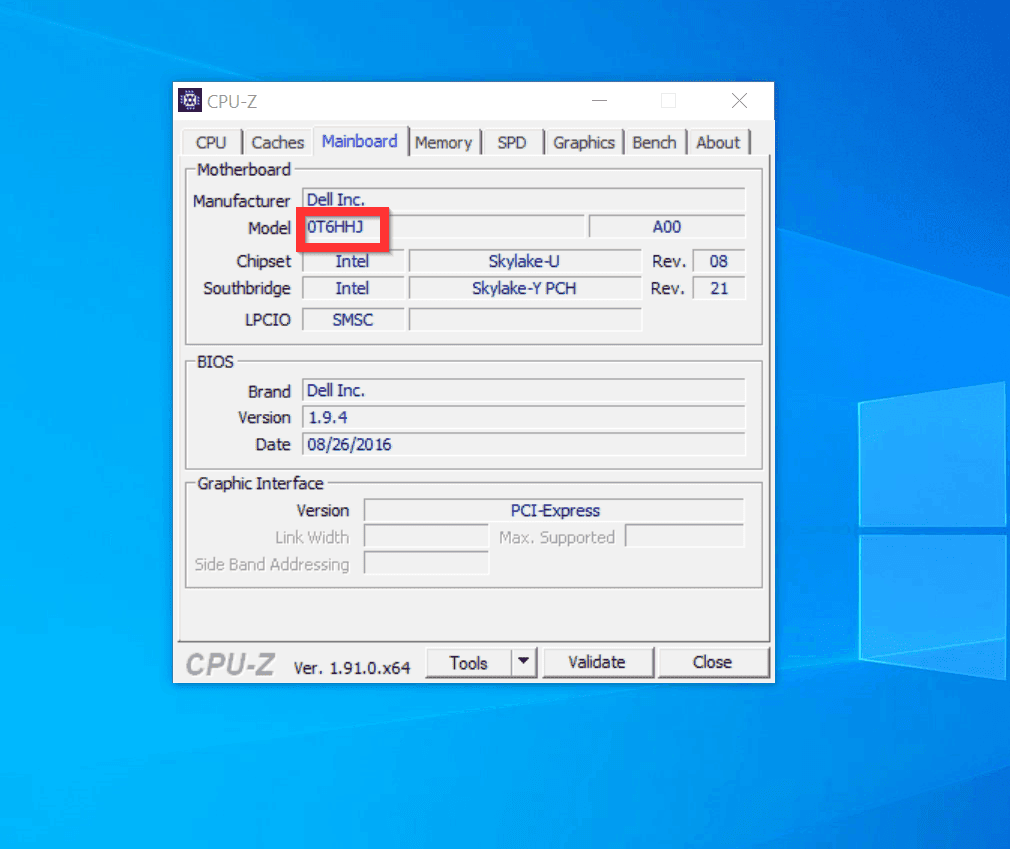
- Detailed information about the motherboard on your computer will be displayed. The displayed information includes the Model (highlighted) and the version (right of the Model).
Option 2: Check Motherboard Model with PowerShell
You can also use a very simple PowerShell command to check the model, version, and manufacturer of your computer’s motherboard. Here are the steps…
Also popular on Amazon

- 【1】*** MUST see the 3rd pictures in listing that highlights the correct PCI slots to work ***. Using this kit wrongly on motherboard other PCIe port is not the reason of "Doesn't Work". Please make sure the motherboard has PCI slot before placing the order. The Large Desktop PC motherboard diagnostic card is NOT a PCIe card but a Standard PCI card. If the PC has PCIe express slots only, please see my other listing with the "V8 PCIe Diagnostic Kit" instead. ***DO NOT push the Wrong pins with excess force to avoid issue. MUST MAKE SURE PSU 4 / 6 / 8 pin power connector pins match and fit to the tester exact same 4, 6, 8 pins CORRECTLY although the PSU tester is fault tolerant and preventive.
- 【2】This starter kit comes with 1 large PCI test board and 1 small laptop test board for the old desktop PCs and old laptops diagnosis respectively. The large test board comes with【BIOS SPEAKER】to get the desktop PC motherboard Bios beep codes. The 【motherboard power switch cable】is nice to quick check the sticky or damaged PC motherboard power switch button and cable causing no power ON issue. The【the Anti Static Wrist Strap】is a plus to help discharge static during the PC repairs. The 【ATX PSU tester】in this kit is either Blue or Black Color with EXACT same features to quick test the 20/24 pins PC ATX PSUs.
- 【3】Nice starter kit for old computers no Power On / Auto Power OFF / no POST / no Display / no Boot ...etc. diagnosis. No need to swap Known Good Parts in the computer repairs. Save time and money!! All parts are packed well and stored neatly in a nice 【Portable Carrying Storage Case】. A overall great starter kit to add to our tool boxes! Great for computer class learning and old PCs quick troubleshooting needs as well.
- 【4】Please see the listing for the instruction PDFs. *****【On the listing page】, scroll down to after the "Product Information" table the "Product guides and documents" section, BOTH the pictorial "User Guide (PDF)" and the "User Manual (PDF)" are needed. *****. ***** Besides, please DO NOT discard the ITEM PACKING Included Paper Manual Note Printout since that also contains the complete Instruction folder info!!! *****
- 【5】Online Easy Guide and Pictorial Manuals to guide step by step with complete list of codes description. Downloadable manuals to stay updated. Welcome to conact if any question or need helps. Quality Genuine Computer Hardware Diagnostic Test Starter Kit with Free Lifetime Customer Service Supports from 29 years professional computer hardware work experienced seller.
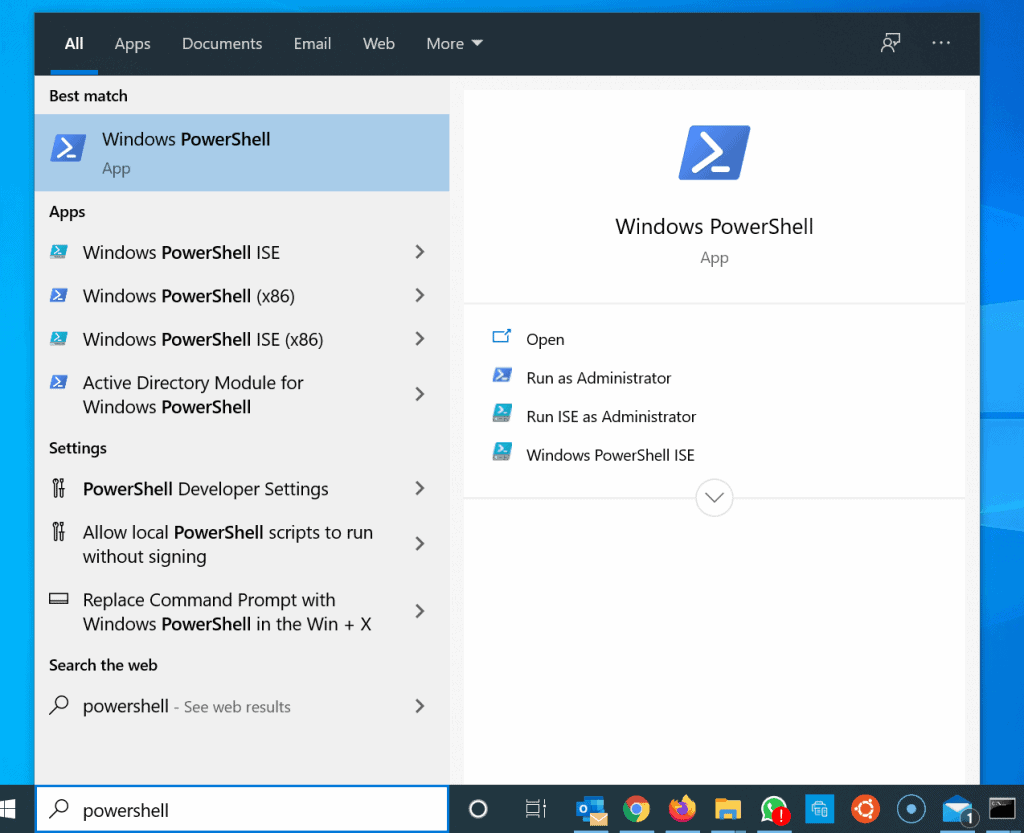
- Type powershell in the search box. Then, from the search results, click Windows PowerShell.
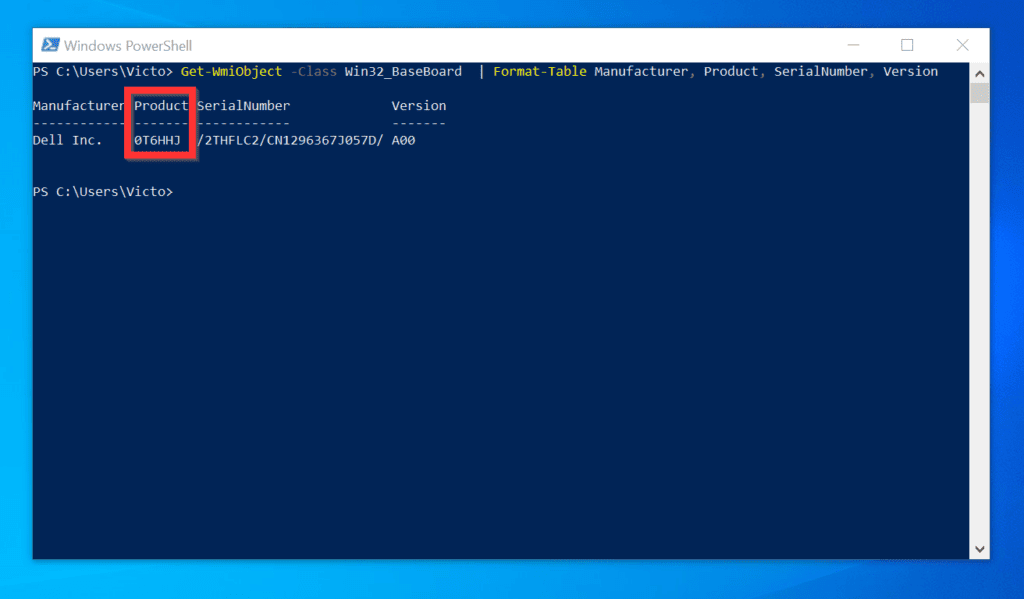
- On Windows PowerShell prompt, type the command below and press enter.
Get-WmiObject -Class Win32_BaseBoard | Format-Table Manufacturer, Product, SerialNumber, Version
- The command will display, the Manufacturer, Model (displayed as Product), SerialNumber and the Version of the motherboard on your PC.
As you can see, it is very easy to check motherboard model on Windows 10!
If you were able to check the motherboard model on your PC with the aid of the steps in this guide, click on “Yes” beside the “Was this page helpful” question below.
Also popular on Amazon

- Enhanced Vehicle Control: Take control of your car capabilities and explore new possibilities with this versatile programmer to upgrade your driving experience today
- Full Potential Unlocked: Unleash the full potential of your vehicle with this comprehensive automotive programmer designed for advanced car computer modifications
- Versatile Application Settings: Suitable for various settings such as auto repair shops, electronic labs, and car modification studios for diagnosing and fine tuning car computers
- Wide Compatibility Range: Experience efficient and reliable programming for a wide range of car models and brands with comprehensive adapter support
- Professional Grade Design: Designed for automotive professionals and enthusiasts interested in car computer programming and debugging applications
You may also express your thoughts and opinions by using the “Leave a Comment” form at the bottom of this page.
Finally, for more Windows 10 Itechguides, visit our Windows 10 How-To page.
Quick Recap
Also popular on Amazon

- PCI ISA Interface: This PC diagnostic card adopts standard PCI and ISA interface, easy access to desktop PC.
- 4 Digit Display: This PC mother board adopts 4 digit display, the first 2 digits indicate the current error code, and the last 2 digits indicate the previous error code.
- Strong Compatibility: This PC diagnostic 4 digit card is compatible with ny kind motherboards with the PCI and ISA bus slot. Suitable for all computers with PCI or ISA interface.
- Dual POST Code Display: This motherboard diagnostic card possesses self checking remote display function and dual POST code display, easy to view the POST code.
- High Reliability: The POST code display is composed of a dual dot matrixs hexadecimal read out that displays Power On Self Test (POST) status codes.
Also popular on Amazon
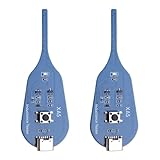
- QUICK DETECTION: USB-powered inductance tester with Type-C interface enables rapid fault detection in motherboard coils without disassembly
- LED INDICATOR: Features a green LED light that confirms normal inductance operation, providing clear visual feedback during testing
- COMPACT DESIGN: Measures 75.5 x 26.5 x 6mm, making it perfectly portable for PCB repair and diagnostic work
- SIMPLE OPERATION: Long press activation button to initiate testing, allowing for efficient fault location in mobile phone and computer motherboards
- VERSATILE APPLICATION: Compatible with various electronic devices including mobile phones and computers for comprehensive PCB coil testing
Product prices and availability are accurate as of the date/time indicated and are subject to change. Any price and availability information displayed on Amazon at the time of purchase will apply.
Quick wins for a faster PC:
Fix the driver behind crashes, sound loss and screen glitchesFind Drivers →Clear out junk files and repair common Windows errorsFree Scan →


I want to make my laptop faster and fast responded. Please suggest me which motherboard is suitable and faster. Actually I want to purchase it for PUBG and GTA V.