

Do these 3 things before closing this tab:
1Clear out junk files and repair common Windows errors2Fix the driver behind crashes, sound loss and screen glitches3Repair Windows errors before they cause bigger problemsiTechGuides is reader-supported. When you buy through links on our site, we may earn an affiliate commission. As an Amazon Associate I earn from qualifying purchases. Learn more
Possible Cause of this Stop Error
You may receive “0xc000021a (STATUS_SYSTEM_PROCESS_TERMINATED)” error after installing a new device on your Windows computer. You may also receive this error after a Windows update. Also, a new software installation may cause error 0xc000021a.
This error may also occur if some critical Operating System files are missing.
No matter why you received this error, this guide will help you fix it.
Option 1: Uninstall the Offending Driver or Software
Because your computer will not boot if it has error 0xc000021a, you need a Windows 10 disk to boot your computer to Safe mode. Once in safe mode, you can remove any driver or software causing the problem.
If you receive this Windows error message after installing a Windows update, a new driver, or new software, here is the fix (I am demonstrating with Windows 10):
Popular on Amazon

- FAT32 pre-formatted for broad compatibility: These drives work with Windows (XP through 11), macOS, Linux, Chrome OS, Smart TVs, Car Stereos, and USB-enabled printers without requiring drivers or software installation. For files larger than 4GB, reformat to exFAT using the built-in format utility on your computer.
- 31 labels included – pre-printed and blank: Each pack contains 19 pre-printed color-coded labels and 12 blank white labels for organizing drives by project, department, person, or event category. Labels attach directly to each drive for quick identification during multi-user distributions.
- Insert Windows 10 DVD into your computer. Then boot to BIOS and change the boot sequence to boot from CD.
- Reboot your computer. When you receive the message below, click any key.

- Your computer will boot as if you are reinstalling Windows 10. Click Next. Then click Repair your computer (second image below).


- On the boot option screen, click Troubleshoot.

- The next screen will present different options. If you recently installed Windows updates, click Uninstall Updates. Then follow the screen to uninstall any update that may have caused error 0xc000021a (STATUS_SYSTEM_PROCESS_TERMINATED).
Alternatively, if error 0xc000021a (STATUS_SYSTEM_PROCESS_TERMINATED) was caused by a recent driver or software update, click Command Prompt. I will show the next steps if you click Command Prompt.

- When Command Prompt opens, type the command below. Then press Enter key on your keyboard.
bcdedit /set {default} safeboot minimal
If you typed the command correctly, it should return the message “The operating completed successfully”.

- When the command completes successfully, close command prompt. Then click Continue to reboot your computer.

When you reboot your computer this time, DO NOT boot with Widows 10 DVD. Allow the computer to boot up to safe mode.
- Login to your computer as normal. Notice that your computer booted in safe mode (second image below).


How to Uninstall Device Driver or Software
From this point, you can uninstall a device driver you believe may have caused error 0xc000021a (STATUS_SYSTEM_PROCESS_TERMINATED). You may also uninstall any recently installed software.
Also popular on Amazon

- 【16GB Flash Drive】USB flash drives with 16GB capacity, meet your needs of daily use on work, school, home and travelling for photos, music, videos, files storage and transfer. IMEASON thumb drives can be used to store different files, easy to data backup.
- 【Metal Swivel Cap Design】USB thumb drive is metal swivel cover provides extra protection for the usb thumbdrive connector, no usb drive cap to lose; keychain design makes it easier to carry without worrying lose it.
- 【Wide Compatibility】USB drive supports Windows 7/8/10/11 / Vista / XP / Unix / 2000 / ME / NT Linux and Mac OS, also Supports USB 2.0 and 1.1 ports. USB Stick support TV, desktop, notebook computer, car, audio and other device. The USB Memory Stick is your great data storage and transfer companion with traveling and working.
- 【Easy to use】usb memory stick is plug and play without any software installation. Just simply plug the Flashdrive into the port of your USB-compatible devices such as computer, laptop to start data storage or transmission.
- 【What You Get】16 GB USB Flash Drive Thumb Drive, The default format of the usb storage flash drive is FAT32.
To uninstall a device driver:
- Right-click the Windows logo on the left of your task bar. Then click Device Manage.

- When device manager opens, locate the device driver you believe may have caused error 0xc000021a (STATUS_SYSTEM_PROCESS_TERMINATED). Right-click the device driver. Then click Uninstall device.

As a guide, try uninstalling any device driver(s) you installed before you experienced error 0xc000021a.
If you recently installed a software, follow the steps below to uninstall the software:
Free tools Windows power users keep installed
One-click scans. No signup required.
- Right-click the Windows logo on the left of your task bar. Then click System.

- When System opens, click Home.

- When you click Home, Systems home will open.

- Next, click Apps (highlighted in the image above). When Apps & features opens, click the software that may have caused 0xc000021a error. Then click Uninstall.

Before you reboot your computer, remove your computer from booting to safe mode. For the steps to do this click Remove Windows from Safe Mode.
Also popular on Amazon
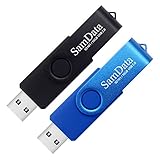
- [Package Offer]: 2 Pack USB 2.0 Flash Drive 16GB Available in 2 different colors - Black and Blue. The different colors can help you to store different content.
- [Plug and Play]: No need to install any software, Just plug in and use it. The metal clip rotates 360° round the ABS plastic body which. The capless design can avoid lossing of cap, and providing efficient protection to the USB port.
- [Compatibilty and Interface]: Supports Windows 7 / 8 / 10 / Vista / XP / 2000 / ME / NT Linux and Mac OS. Compatible with USB 2.0 and below. High speed USB 2.0, LED Indicator - Transfer status at a glance.
- [Suitable for All Uses and Data]: Suitable for storing digital data for school, business or daily usage. Apply to data storage of music, photos, movies, software, and other files.
- [Warranty Policy]: 12-month warranty, our products are of good quality and we promise that any problem about the product within one year since you buy, it will be guaranteed for free.
Except you need to apply the solution outlined in Method 2 below, you MUST remove your computer from safe mode. Otherwise, it will continue to boot to safe mode.
Option 2: Run SFC /scannow from Safe Mode
Error 0xc000021a may not be resolved by uninstalling recently installed updates. If uninstalling updates does not fix your problem, it is possible that some important windows files may be missing or corrupt.
If this is your situation, the following steps may help resolve this error message:
Also popular on Amazon

- 1-Pack 16GB USB Flash Drive in Black: Holds thousands of photos, hours of music, essential documents, and more. Great for storing and sharing files wherever you go
- Plug and Play: No software installation required. Easily save, access, and transfer files between USB-enabled devices. Suitable for work, school, or home use
- Wide Compatibility: Works with Windows 11 / 10 / 8.1 / 8 / 7 / XP/ Vista / 2000 / ME / NT, Linux and Mac OS. Compatible with laptops, desktop computers, smart TVs, car audio systems, and other USB-enabled devices. USB 2.0 interface is backward compatible with USB 1.1
- Durable Swivel Metal Cover: Features a 360° rotating metal cover designed to help protect the USB connector when not in use. The capless design prevents lost covers, and each drive is rigorously tested for reliable everyday performance
- Compact and Reliable for Everyday Carry: Lightweight memory stick with a built-in key ring hole for easy attachment to keychains, backpacks, briefcases, or lanyards, making it ideal for school, office, business, home, and travel
While still booted to safe mode and logged on to Windows:
- Right-click the Windows logo on your task bar. Then click Run.

- When Run opens, type cmd then click Ok. This will open Command Prompt.

- When command prompt opens, type the commend below and press Enter.
sfc /scannow

Remove Windows from Safe Mode
When you finish these tasks, to make sure your computer boots normally, run the following commands from the command prompt.
Also popular on Amazon
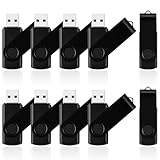
- 10 Pack Flash Drives Set: 16gb flash drive 10 pack comes with 10 USB flash drives and 10 lanyards, each USB drive capable of storing videos, large photo albums, and software installers. Every thumb drive functions as a dependable USB memory stick, making this 10 pack thumb drives perfect for bulk USB drive needs
- 360°Rotating Metal Clip & Keychain Design: Each 16gb USB flash drive features a 360°free rotating metal cover that protects the interface from dust and damage. The tail keychain design and included lanyard allow you to attach these USB sticks to backpacks or key rings, easy to carry and not easy to lose. Portable drive suitable for daily carrying, business trips, and travel
- Plug and Play & LED Indicator: Plug and play operation with this USB 2.0 flash drive, no need to install additional drivers, simple and convenient to use. The USB thumb drive works right out of the box with any usb 2.0 or usb 1.1 port on computers, car stereos, or smart TVs. The LED indicator provides transmission status confirmation during file transfers, making this USB stick easy to monitor
- Multi-Scene Application: 10 pack flash drive set is available in 4GB, 8GB, and 16GB capacity options, the USB drive pack is ideal for storing videos, pictures, documents, and backups; the flash drive pack is perfect for student data backup, photographer picture storage, business travel office, and car music playback, the zip drive USB can meets various daily storage needs
- Stable USB 2.0 Performance: The thumbdrive features a standard USB 2.0 interface and is compatible with all USB 2.0 devices, as well as Windows XP, 7, 8, 10, and 11, macOS, Linux, and Android (OTG support may vary). The pen drive comes pre-formatted as FAT32, but you can reformat it to exFAT for files larger than 4GB.Fat32 USB flash drive with approximately 14.6GB of usable space, this USB key is a versatile USB memory device
bcdedit /deletevalue {default} safeboot

Reboot your computer.
Conclusion
This guide covered ways you could fix Error 0xc000021a (STATUS_SYSTEM_PROCESS_TERMINATED). I hope you were able to fix the problem using one of the methods.
I hope you found this guide helpful. If you did, kindly spare two minutes to share your experience with our community using the comments form (“Leave a Reply”) at the bottom of this page.
Alternatively, you can respond to the “Was this page helpful?” question below.
Recommended Free Tools
Finally, visit our Windows 10 Fix-it guides page for more guides like this.
Quick Recap
Product prices and availability are accurate as of the date/time indicated and are subject to change. Any price and availability information displayed on Amazon at the time of purchase will apply.


