iTechGuides is reader-supported. When you buy through links on our site, we may earn an affiliate commission. As an Amazon Associate I earn from qualifying purchases. Learn more
Have your AirPods unexpectedly become quiet, leaving you puzzled about the cause? This article explores various potential reasons behind this issue and fixes.
Reasons Your Airpods are Not Loud
There are several reasons your AirPods may not be as loud as you anticipated. Let’s explore some potential causes.
1. Volume Settings
The most basic reason for the Airpods’ low volume could be that the volume on your device is set too low. On most devices, you can adjust the volume using physical buttons or on-screen controls.
Crashes, No Sound, or Screen Glitches?
Random freezes, missing sound and display glitches usually trace back to one bad driver. Find and replace yours safely.Free scan · under a minuteWindows Errors? Fix Them Before They Spread
Repair common Windows errors and clear accumulated junk for a smoother, more stable PC - no reinstall needed.Free scan · no reinstallSo, if the volume of the device connected to the AirPods is low, the AirPods’ volume will also be low. Besides, some AirPods also have their own volume controls.
Popular on Amazon

- Professional & Powerful: Say goodbye to dirt, grime, and earwax with our 20-in-1 keyboard cleaner Kit. The metal tip cleans small crevices, sound holes, and charging ports, while the soft brush with high-density bristles gently cleans speaker mesh. The flocking sponge is perfect for earpods charging cases. Airpods cleaning kit also includes a 15ml screen cleaner spray, microfiber cloth, and Airpod cleaning putty for thorough maintenance, preventing build-up and ensuring peak performance
- Safe for All AirPod Models & Other Brands: The earbud cleaning kit works with all AirPod models (AirPods, AirPods Pro, AirPods Max) and other tech devices like Beats, Sony, jbl, and Bose headphones. Made from ABS plastic, soft velvet, and non-abrasive metals, our keyboard cleaner kit offers a gentle, thorough clean without scratches. Durable and reliable, it's great for regular maintenance without damaging delicate components
- Multi-Function & Thoughtful Cleaning Tool: The electronics cleaning kit cleans more than just AirPods—it's perfect for headphones, iPhones, iPads, tablets, computer screens, keyboards, camera lenses, and more. Featuring a retractable large brush and two polishing cloths, this all-in-one phone screen cleaner keeps your devices in pristine condition. A refined choice for tech enthusiasts, students, and professionals alike
- Compact & Easy to Use: The 20-in-1 keyboard cleaner kit features easy tool switching and a pen-like design for lightweight, compact portability with case. The retractable components keep the cleaning tips safe when not in use. This thoughtfully designed air pod cleaner makes cleaning your AirPods, wireless earbuds, bluetooth headphones, wired ear buds, in-ear earphones, headset and other tech devices quick, electronics for college students
- Portable Design for On-the-Go: The phone cleaning kit features a compact design for easy portability. All airpod cleaning tool are neatly organized in one case, ensuring quick access and secure storage. Our portable ear bud cleaning kit fits easily in your pocket or bag, making it ideal for travel or daily cleaning. Our laptop cleaning kit lets you keep your AirPods and other devices in top condition, whether you're at home, the office, or on the go
Hence, if their volumes are set to low, the sound produced will be quiet.
2. Low Battery
In some cases, if the battery of your AirPods is low, the sound they will generate might be quiet. To give more detail, AirPods, like most electronic devices, are designed with power management features.
Hence, when the battery level of the device is low, these features might kick in to conserve power. This can result in reduced performance, including lower volume output.
What’s actually slowing this PC down?
Pick the symptom - the matching free tool is one click away.
3. Dirty or Clogged Speakers
AirPods, like any other speaker, produce sound by using a diaphragm that vibrates rapidly in response to electrical signals. These vibrations create sound waves that you can hear.
Hence, when the speakers become clogged or dirty, it can significantly affect their ability to vibrate and produce sound effectively. This can result in low sound production.
Besides, the AirPods’ design features small openings that allow air to flow through. These openings are crucial for maintaining optimal airflow for clear and balanced sound production.
Thus, if dirt, debris, or earwax block the openings, the airflow can be restricted. As a result, the sound can become distorted or muffled, and the overall volume can decrease.
The Tool Desk
Outbyte Driver Updater FREEScan for outdated or missing drivers - takes under a minuteDriver Scan →Outbyte PC Repair FREERepair Windows errors before they cause bigger problemsFix Now →4. Outdated Software or Firmware
To interact with connected devices, AirPods need communication protocols and drivers. Therefore, if the software of the connected device is not up-to-date, the AirPods may not work properly.
Also popular on Amazon
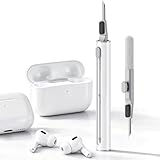
- DEEP CLEANING FOR AIRPODS & EARBUDS: Designed to help remove dust, earwax, and buildup from earbuds, charging cases, speaker meshes, and hard-to-reach gaps. Ideal for AirPods Pro, AirPods, wireless earbuds, and daily electronics cleaning.
- 3-IN-1 MULTI-FUNCTION CLEANING TOOL: Features a precision metal tip for stubborn dirt, a soft high-density brush for mesh and speaker areas, and a flocking sponge for charging cases and interior corners. One compact tool for complete cleaning care.
- SAFE FOR DAILY ELECTRONICS CLEANING: Soft-touch materials help clean delicate surfaces without scratching. Suitable for earbuds, Bluetooth headphones, phones, tablets, keyboards, cameras, smartwatches, and other small electronic devices.
- PORTABLE & EASY TO STORE: Compact pen-style design fits easily into bags, desk drawers, travel cases, or pockets. Great for office, travel, gym, commuting, and everyday use.
- CLEANER SOUND & BETTER LISTENING EXPERIENCE: Regular cleaning helps keep earbuds looking clean and supports a more comfortable listening experience. A practical accessory for AirPods users, students, commuters, travelers, and tech lovers.
This could lead to problems with audio output, including reduced volume. Moreover, outdated firmware on your AirPods can indeed lead to issues like low sound output.
Firmware is the software that runs on the internal hardware of your AirPods. It controls their various functions, including sound generation.
Additionally, firmware updates often include improvements to the algorithms and processes that control sound production in your AirPods. Hence, outdated firmware might not be optimized for efficient sound processing, leading to reduced volume or poor audio quality.
Recommended Free Tools
5. Water Damage
If water touches the internal electronics of your AirPods, it can cause short circuits because water conducts electricity. This disruption of electrical signals within the AirPods can result in reduced sound output and other problems.
Moreover, water intrusion in your AirPods can result in corrosion forming on the internal parts. Corrosion can impact the connections between components, affecting the proper operation of the speakers and other audio-related parts.
Additionally, corrosion can restrict the movement of electrical signals, resulting in quieter sound or distorted audio.
Possible Fixes for Quiet AirPods
If you’re experiencing issues with your AirPods being quiet, there are several steps you can take to troubleshoot and potentially fix the problem. These include;
Free tools Windows power users keep installed
One-click scans. No signup required.
1. Clean Your AirPods
Over time, dust, debris, earwax, and other particles can accumulate in and around the speaker openings, causing low sound production. If that’s the case, cleaning the AirPods should fix the issue.
Also popular on Amazon
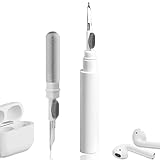
- 【NEW TECHNOLOGY】 Are you still using dirty headphones? Are you still using those bulky cleaning tools? Our cleaner kit is a pen to clean the entire set of Bluetooth earplugs, from the small hole of the earplug to the charging compartment, 360-degree cleaning without dead ends, making your earplugs more durable.
- 【SAFETY MATERIALS】Made of soft materials, cleaner will not damage the earplug components and holes.
- 【3-IN-1 DESIGN】The cleaning kit adopts a separate double-head hidden design to meet a variety of cleaning needs. The metal tip of the cleaning pen is like a pen tip, which can clean the small parts and holes of the earplugs for deep cleaning of crevices and stubborn dirt. There is a soft microfiber brush above the pen tip, which can deeply clean the tiny parts and holes of the earplugs. At the other end of the pen is a soft and lightweight brush that can clean the charging compartment.
- 【WIDE APPLICATION】Pen-shaped design, cleaning kit is lightweight and easy to carry. It can be used anytime and anywhere. Suitable for Bluetooth earbuds, headsets, mobile phone, computer, tablet, camera and other digital products.
- 【EXCELLENT GIFT IDEA】For anyone wearing headphones, this is the best accessory and gift. Help clean hard-to-reach areas or any other corners.
However, it is advisable to clean the speaker mesh inside your AirPods using a dry cotton swab. This is because any liquids may cause further damage to your AirPods.
Besides, you should also clean the small openings at the back of the AirPods, as debris and dust can be stuck there too.
2. Check Volume
Your connected device controls the volume level that is sent to your AirPods. Hence, check the volume of the connected device to ensure it isn’t low.
Increasing the volume on the device can immediately address the issue of quiet AirPods. Moreover, some AirPods also have dedicated volume controls.
So, make sure the volume level of the AirPods is not low.
3. Ensure Your AirPods Are Charged
Ensuring that your AirPods are fully charged can indeed play a role in fixing issues with quiet or low sound output. The performance of your AirPods can be impacted by their battery level, which can affect the volume and quality of sound.
Moreover, having sufficient battery power is crucial for the optimal performance of the internal components responsible for generating sound.
4. Recalibrate Sound
The connected device and your AirPods might interpret the minimum and maximum volume differently, causing low sound production. Hence, recalibrating the sound might fix the issue.
Also popular on Amazon

- DEEP ALL-AROUND CLEANING TECHNOLOGY FOR EARBUDS: Tired of grimy ear tips and hard-to-reach charging case gaps? Our Airpod cleaner kit delivers full coverage deep cleaning, clearing dust, wax and debris from tiny crevices, earplug meshes and charging compartments without dead zones. Keep your wireless earbuds spotless longer and extend their service life effectively.
- SKIN-FRIENDLY & SCRATCH-PROOF ECO MATERIALS: This earbud cleaning pen is built with premium soft eco-friendly components, which won’t scratch delicate earbud metal meshes, sound holes or charging case surfaces. Safe for frequent daily cleaning with zero damage risk to your expensive Bluetooth ear devices.
- UPGRADED 3-IN-1 HIDDEN DUAL-HEAD DESIGN: Our multi-function Airpod cleaning tool adopts an integrated hidden triple-purpose structure to meet all digital cleaning demands. The precision metal tip digs out deep gunk from micro gaps; ultra-fine microfiber brush wipes tiny mesh holes; soft fluffy brush thoroughly cleans charging case interiors.
- ULTRA PORTABLE PEN-SHAPE FOR MULTIPLE DIGITAL DEVICES: Compact lightweight pen-style design fits pockets, purses and backpacks for travel, office and daily carry. This earbud cleaner kit works universally for Airpods, all wireless Bluetooth earbuds, smartphones, cameras and other small digital gadgets for all headphone users.
- IDEAL DAILY & GIFT CHOICE WITH RELIABLE AFTER-SALES SUPPORT: Practical daily essential for anyone who wears wireless earbuds, it also serves as a thoughtful small gift for family and friends. We provide complete after-sales service for every Airpod cleaning kit you purchase, eliminating all your shopping worries.
To do that, lower the volume of the connected device to its minimum level while listening to music with your AirPods. Then, turn off Bluetooth and play music from the device with an increased volume.
Following that, lower the device’s volume to its minimum again. Finally, turn the Bluetooth back on and reconnect your AirPods.
5. Contact Apple Support
Apple’s support team is trained to assist with troubleshooting and resolving various technical problems. Hence, they should know the complexities of AirPods and their functionality.
Do these 3 things before closing this tab:
1Clear out junk files and repair common Windows errors2Fix the driver behind crashes, sound loss and screen glitches3Repair Windows errors before they cause bigger problemsAs a result, they can guide you through troubleshooting steps specific to your situation. Besides, Apple’s support staff can help diagnose the root cause of the quiet sound issue with your AirPods.
Independent reader supportYour contribution helps us test, update, and keep practical guides available for everyone.Frequently Asked Questions
Yes, earwax can cause your AirPods to produce low sound.
Apple released the first generation of AirPods on December 13, 2016.
Yes, AirPods can experience a reduction in sound quality and volume over time due to several factors. These include speaker wear, moisture and corrosion, and battery degradation.
The AirPods 3rd generation is the latest model of AirPods.
Also popular on Amazon

- WORKS WITH YOUR MULTI-DEVICES: This versatile 8-in-1 cleaning kit is perfectly compatible with AirPods Pro 1/2/3/Max, Bluetooth wireless earbuds, Samsung Galaxy Buds, iPhones, Android smartphones, tablets, laptops, keyboards, and gaming controllers.
- 81-PIECE MEGA SET WITH CLEANING PUTTY: Includes everything you need for long-term maintenance: 1x 3-in-1 pen, 48x cleaning putty squares, 25x precision swabs, 1x microfiber cloth, 5x alcohol wipes, and 1x soft brush. The putty easily presses into speaker grills and phone charging ports to lift away hidden dirt that brushes can't reach, restoring clear sound quality.
- SAFE & EFFECTIVE 3-IN-1 CLEANING PEN: Is the metal tip safe for earbuds? Yes! The metal pen tip gently picks out stubborn earwax and grime from tight crevices without scratching the mesh. The high-density soft brush sweeps away loose dust, while the flocking sponge cleans the deep charging compartment of your earbud cases.
- PRECISION SWABS FOR NARROW GAPS: Our kit includes 25 specially designed pointed cleaning swabs. They are firm and slim enough to easily reach deep into headphone speaker meshes, microphone holes, and smartphone charging ports to safely absorb oil and remove lint.
- PORTABLE DESIGN & PERFECT GIFT: Neatly packed in a compact case, this lightweight cleaner kit is easy to carry in your pocket, purse, or backpack. It’s an essential electronic maintenance gadget for students, office workers, and music lovers. Give the gift of a cleaner, better-sounding audio experience. Backed by our worry-free customer service.
Absolutely not! AirPods can also work with non-Apple devices that have Bluetooth compatibility.
Conclusion
AirPods becoming quiet can be attributed to various factors that impact their sound output. These factors range from hardware issues, like speaker blockages, to software-related problems, like outdated firmware.
To address these issues and restore the desired sound quality, a systematic approach to troubleshooting is essential. Fortunately, this article provided several tips to resolve the problem.
Overall, regular maintenance and proper handling are essential in preventing sound-related problems in AirPods.
I trust this article has been beneficial to you. Feel free to share your thoughts by utilizing the “Leave a Reply” form located at the bottom of this page.
You could also use the “Was this page helpful?” buttons below to give us your feedback.
Finally, to explore similar articles, visit our Technology Explained page.
Quick wins for a faster PC:
Fix the driver behind crashes, sound loss and screen glitchesFind Drivers →Repair Windows errors before they cause bigger problemsFix Now →Scan for outdated or missing drivers - takes under a minuteDriver Scan →