

Quick wins for a faster PC:
Scan for outdated or missing drivers - takes under a minuteDriver Scan →Clear out junk files and repair common Windows errorsFree Scan →Fix the driver behind crashes, sound loss and screen glitchesFind Drivers →iTechGuides is reader-supported. When you buy through links on our site, we may earn an affiliate commission. As an Amazon Associate I earn from qualifying purchases. Learn more
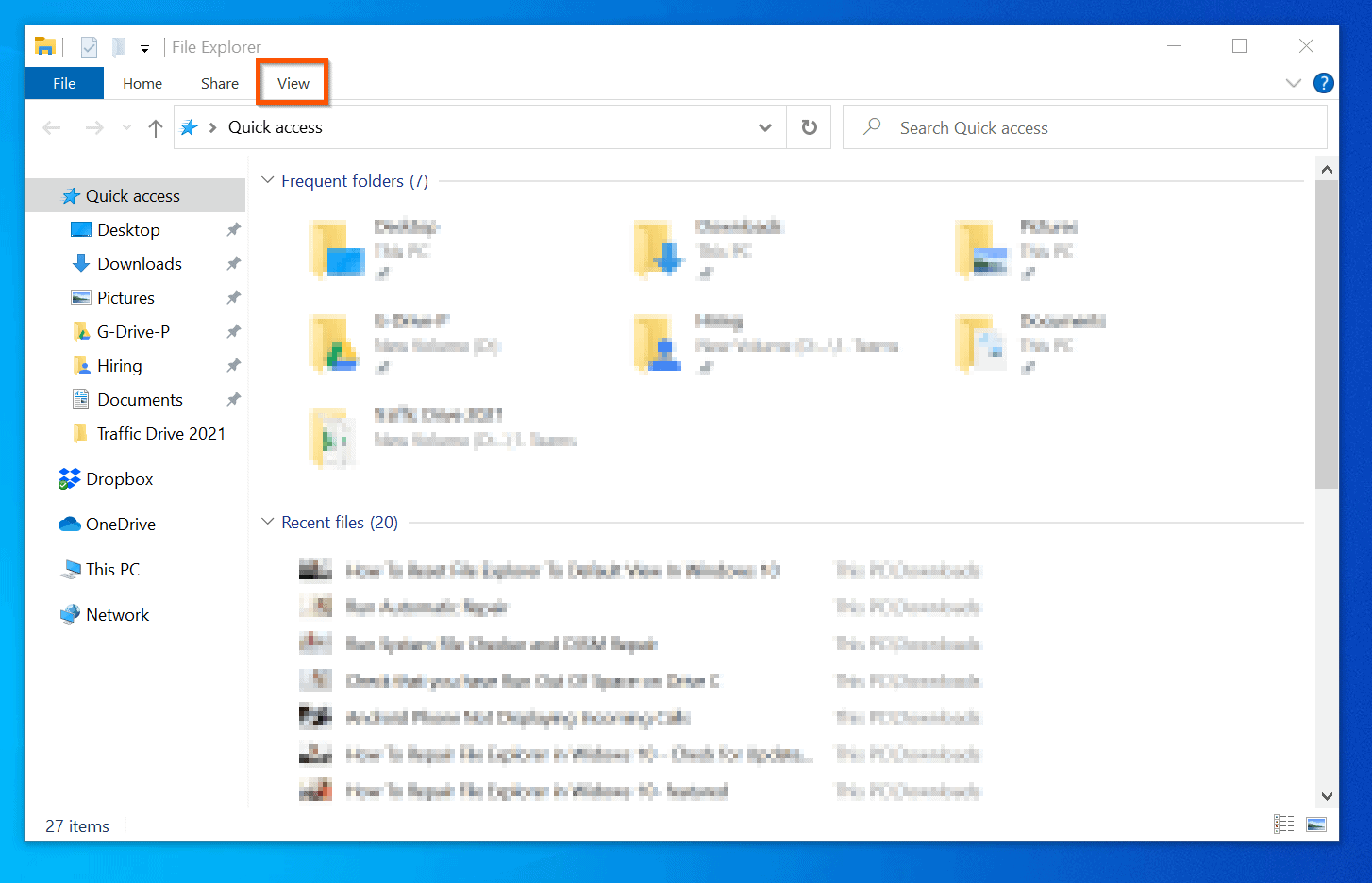
This Itechguide teaches you how to reset File Explorer to the default view in Windows 10. Resetting File Explorer to default view restores it to look like this:

Quick Steps
If your File Explorer View displays in any other style, follow the steps below to reset your Windows 10 File Explorer to look like the image above:


- Search File Explorer and open it from the search results.

- Then, on the File Explorer menu bar, click the View tab.
- On the far end of the View tab – within the Show/hide section – click Options. Then, click Change folder and search options. This opens Folder Options.
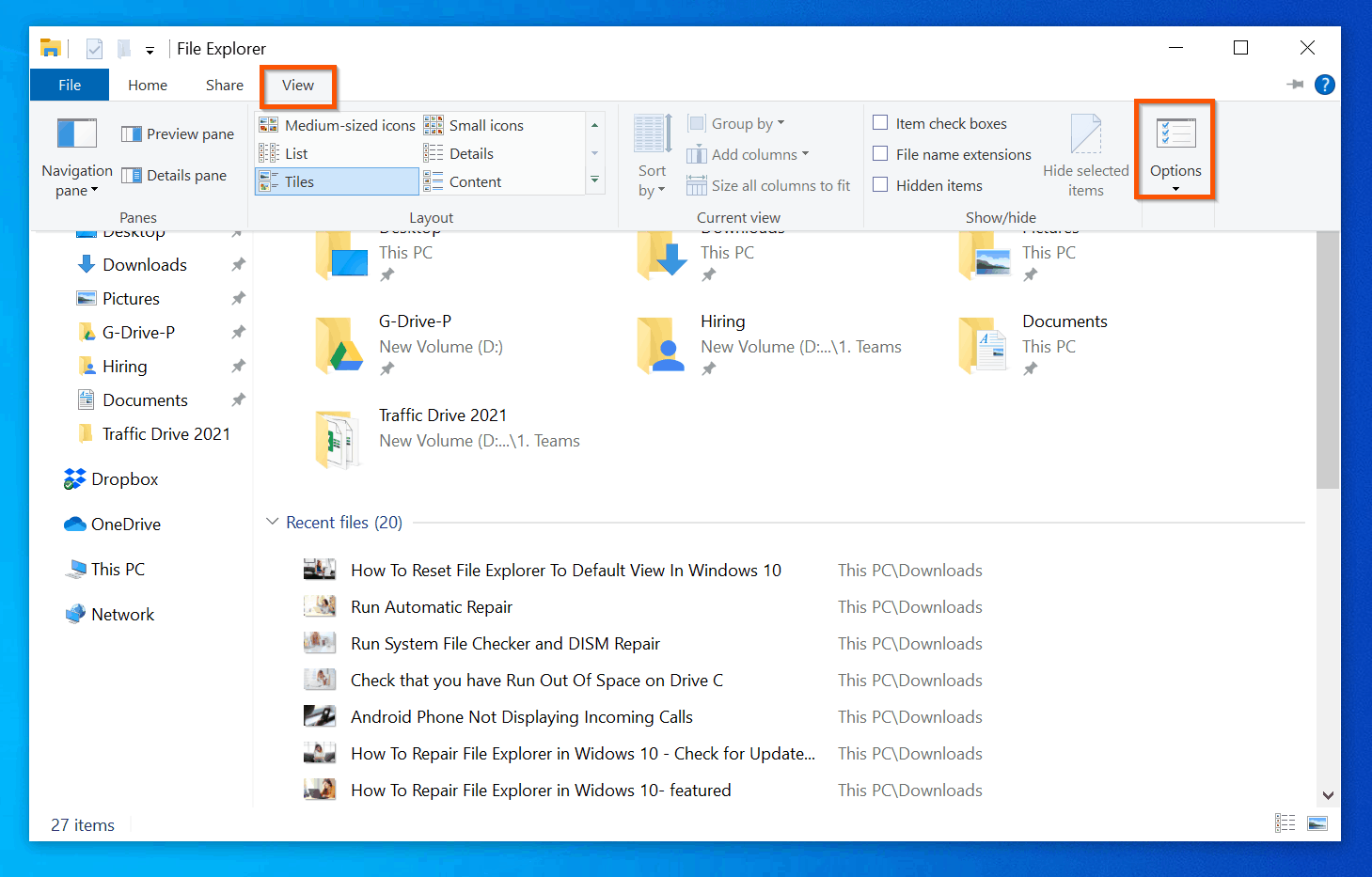
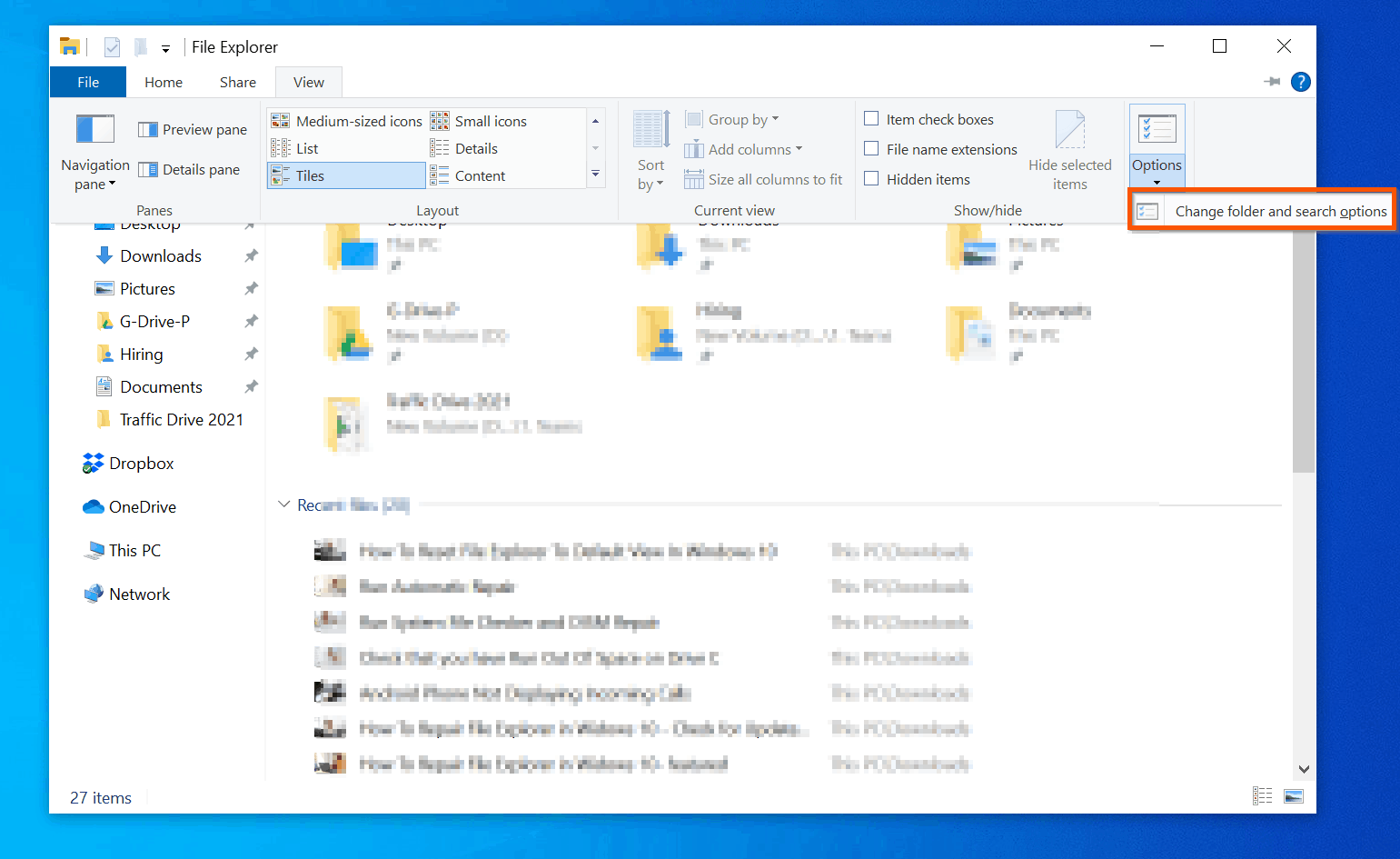
- On Folder Options, click the View tab.

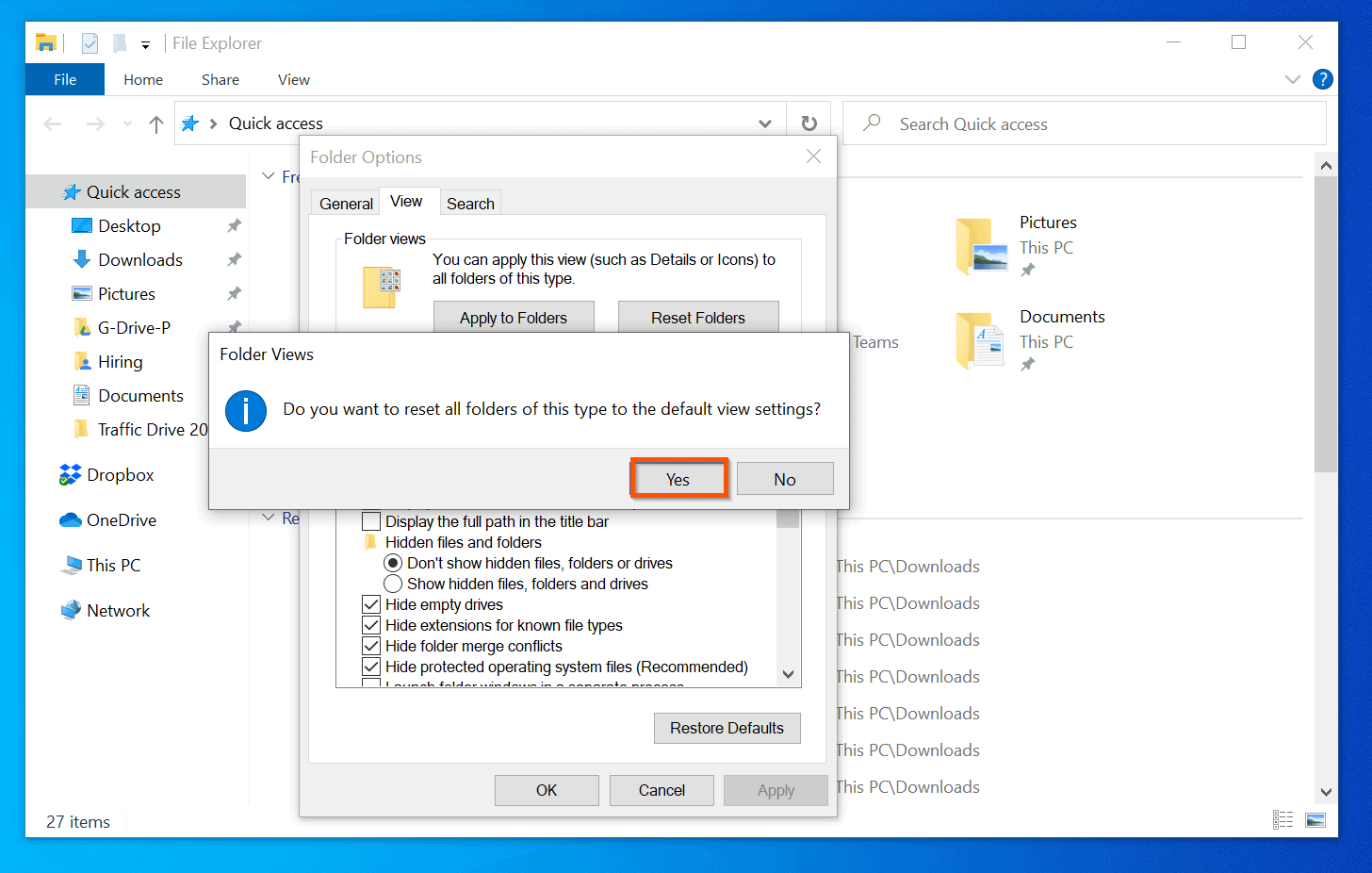
- To reset Windows 10 File Explorer to the default view – on the Folder views section of the Views tab, click Reset Folders. You will receive a confirmation pop-up.

- Finally, on the Folder Views reset confirmation pop-up, click Yes.
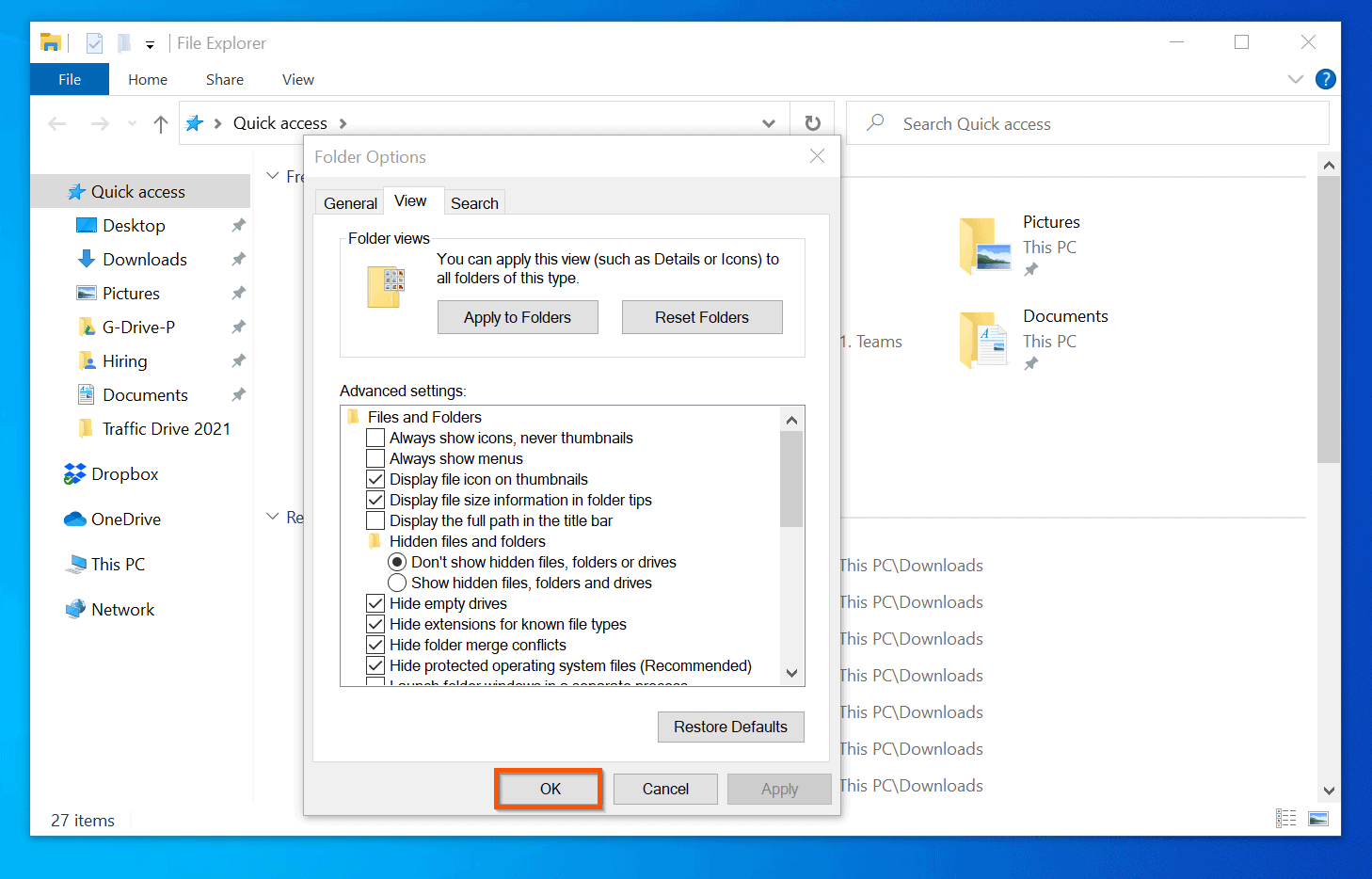
- To ensure that your change are saved, click OK. This also closes the File Explorer Options.
Conclusion
I hope you found this guide helpful. If you found it helpful, kindly spare 2 minutes to share your experience by responding to the “Was this page helpful?” question below.
Finally, for more Windows 10 Itechguides, visit our Windows 10 How-To page.
Popular on Amazon
You may also find our comprehensive File Explorer guide very helpful – Get Help With File Explorer In Windows 10: The Ultimate Guide.
Quick Recap
Also popular on Amazon
Also popular on Amazon
Also popular on Amazon
Also popular on Amazon
Product prices and availability are accurate as of the date/time indicated and are subject to change. Any price and availability information displayed on Amazon at the time of purchase will apply.



nothing changed for me
Great info simple to follow, did it on first try. Thanks