Cloud Apps Backup
Cloud Apps Backup: A focused Workspace backup service with scheduled protection and granular recovery. Ranked #13 of 19 in Google Workspace Backup Software by our editors (7.8/10); pricing: Pricing on request; best for small teams needing basic Workspace coverage.
At a glance
- Editor score7.8 / 10
- PricingPricing on request
- Best forSmall teams needing basic Workspace coverage
- Protected servicesGmail, Google Drive, Google Contacts, Google Calendar
- Facts checked20 Sep 2026
Where it wins
- Covers Gmail, Drive, Contacts, and Calendar
- Supports scheduled, on-demand, and incremental backups
- Offers full, granular, and one-click recovery
Where it doesn't
- Pricing requires contacting sales
- Web access is the listed platform
- Bring-your-own storage may require extra planning
Our verdict on Cloud Apps Backup
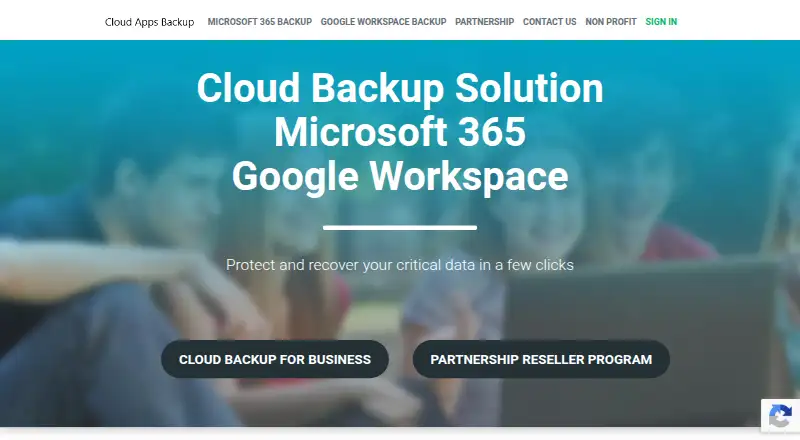
Cloud Apps Backup is an online backup service for business Google Workspace and Microsoft 365 accounts. For Google Workspace, it protects Gmail, Google Drive, Google Contacts, and Google Calendar. The product is aimed at businesses and partners, including organizations that may need reseller or white-label capabilities. Its core appeal is straightforward coverage of common Workspace data rather than a broad platform suite.
Backup workflows include scheduled automated backups, on-demand backups, incremental processing, and archiving. Recovery can be performed across a full account or at a granular level, with one-click restoration available. User permission management adds administrative control, while selectable data storage follows a bring-your-own-storage model. The vendor also documents twice-daily backup execution, which gives teams a defined operating cadence to consider when planning protection policies.
Pricing is handled through contact sales rather than a standard public plan structure, so Cloud Apps Backup is better suited to teams comfortable discussing requirements directly with the vendor. The service operates through the web, and customer support is provided by email. Choose it if your priority is focused Google Workspace coverage with multiple backup and recovery modes. Organizations seeking a wider set of platforms, a self-service public pricing experience, or a bundled storage model may prefer to evaluate other options.
Your product? Our editors can test Cloud Apps Backup in depth and publish a review, labelled as paid · from $149/mo →
Cloud Apps Backup pricing
Cloud Apps Backup fact sheet
| Free plan | Not verified |
|---|---|
| Paid from | Not verified |
| Protected services | Gmail, Google Drive, Google Contacts, Google Calendar |
| Backup frequency | Not verified |
| Retention period | Not verified |
| Restore options | full and granular recovery; one-click restoration |
| Storage model | Bring_your_own |
| Point-in-time restore | Not verified |
| Deployment | Cloud |
| Platforms | Web |
| Compliance & security | GDPR, 2FA |
| Support | |
| Built for | Small business, Mid-market, Enterprise (editorial estimate) |
| Pricing | Pricing on request |
| Website | cloudappsbackup.com |
| Facts checked | 20 Sep 2026 |
Alternatives to Cloud Apps Backup
- CloudAlly Google Workspace BackupA broad Google Workspace backup service with flexible recovery and quote-based pricing.9.4
- CubeBackupA low-cost, self-hosted backup option with frequent recovery and customer-controlled storage.9.3
- Afi.ai Google Workspace BackupA rich Google Workspace backup service with granular recovery and retention controls.9.2



See all Cloud Apps Backup alternatives →
Used Cloud Apps Backup? Be the first to review it
The editor score above is our own research. What this page doesn't have yet is a reader's view — what you used Cloud Apps Backup for, what worked and what didn't. No stars are seeded and no review is paid for; an editor reads every one before it appears.
Write a reviewTwo minutes · verified accounts only · read by an editor before it appears
Featured on iTechGuides

Cloud Apps Backup is listed in our Google Workspace Backup Software directory. Add the badge to your site — it links back to this page.
<a href="https://www.itechguides.com/products/cloud-apps-backup/"><img src="https://www.itechguides.com/best/badge/cloud-apps-backup.svg" alt="Featured on iTechGuides" width="230" height="46"></a>
Reviewed by iTechGuides Editors · Editorial team · Updated Oct 2026
Advertiser disclosure: iTechGuides is reader-supported. Vendors can pay for top positions in our rankings and for a place on other products' pages, and we may earn a commission when you click some links. Bought places stand at the number bought; this page and our disclosure say so. Paying vendors may get a fuller, more detailed review from our editors, and that review can change their score. How we rank.
Last updated · How we research and update