

The Tool Desk
Outbyte PC Repair FREEClear out junk files and repair common Windows errorsFree Scan →Outbyte Driver Updater FREEFix the driver behind crashes, sound loss and screen glitchesFind Drivers →iTechGuides is reader-supported. When you buy through links on our site, we may earn an affiliate commission. As an Amazon Associate I earn from qualifying purchases. Learn more
This Itechguide teaches you how to turn off mouse acceleration on Windows 10. The guide covers steps for 2 methods to disable mouse acceleration on your PC.
Option 1: Turn off Mouse Acceleration from Settings
- Right-click Windows 10 Start menu and click Settings.

- Then, on the Windows Settings screen, click the Devices category.

- On the left pane of the Devices settings screen, click Mouse.

- Then, on the Mouse Settings screen, scroll down to the Related settings section and click Additional mouse options. This will open the mouse settings for your PC model.

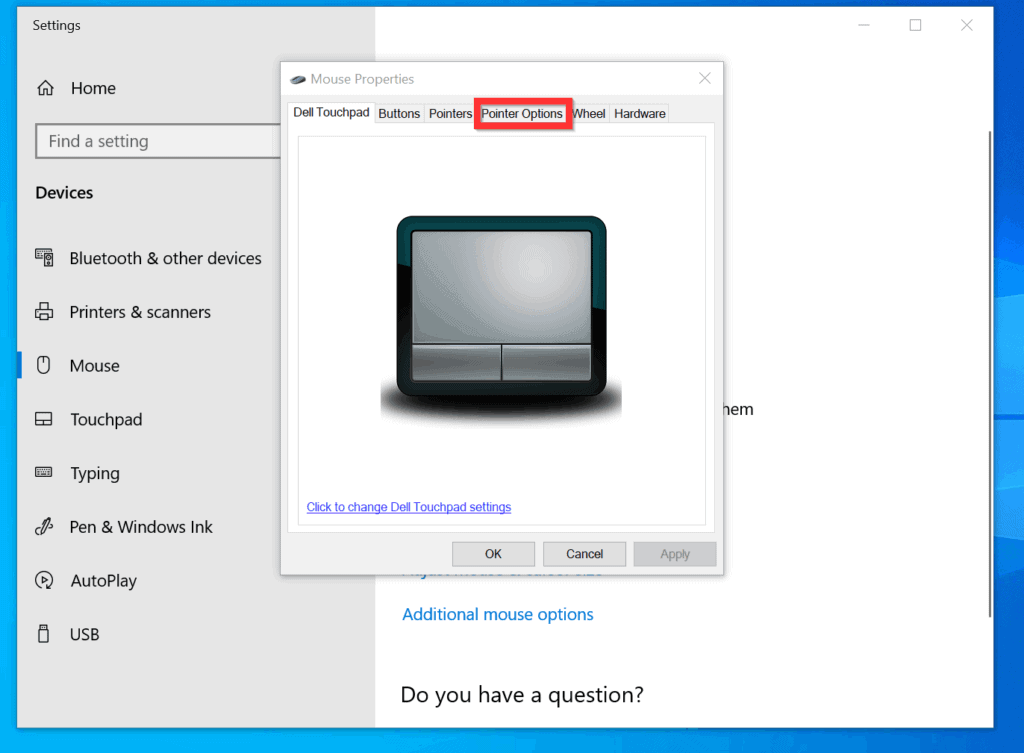
- On the Mouse Properties, click the Pointer Options tab.
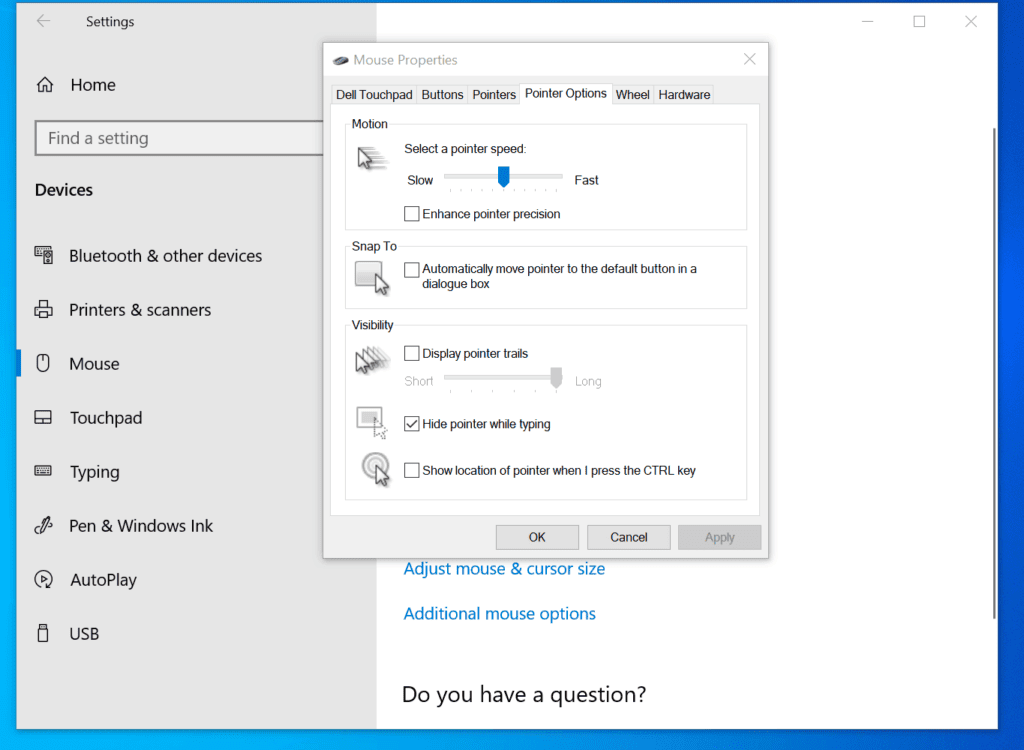
- Finally, to turn off mouse acceleration on Windows 10, uncheck the Enhance pointer precision checkbox and click OK.

- Once you uncheck Enhance pointer precision checkbox, you have turned off mouse acceleration.
Option 2: Turn off Mouse Acceleration from Control Panel
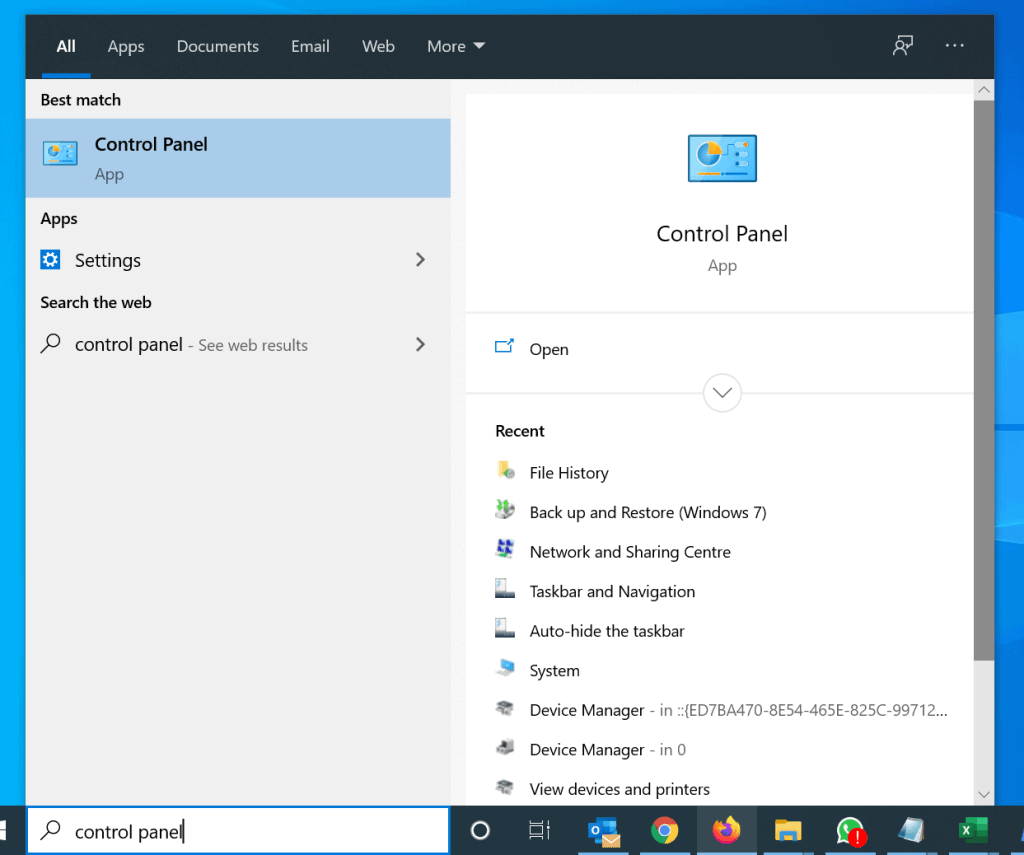
- Type control panel in the search box. Then, from the search results, click Control Panel.
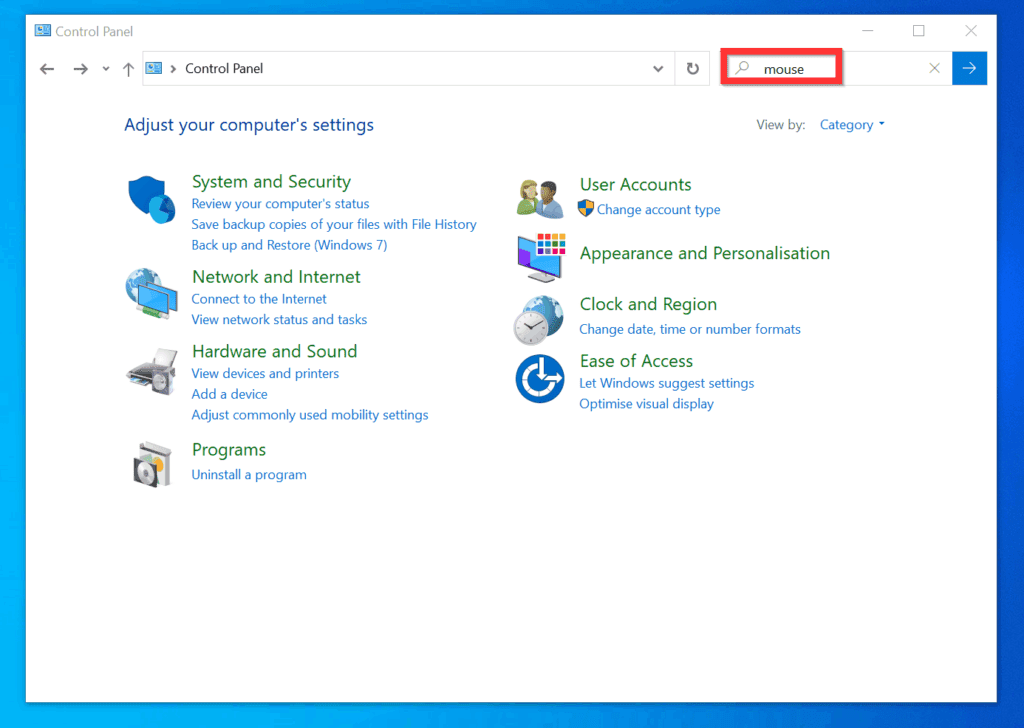
- When Control Panel opens, on the top right, type mouse and press enter. This will search for all Control Panel items related to mouse.
- On the search result screen, below Mouse, click Change the mouse pointer display or speed. The mouse properties for your device will open.

- On the Mouse Properties, click the Pointer Options tab.
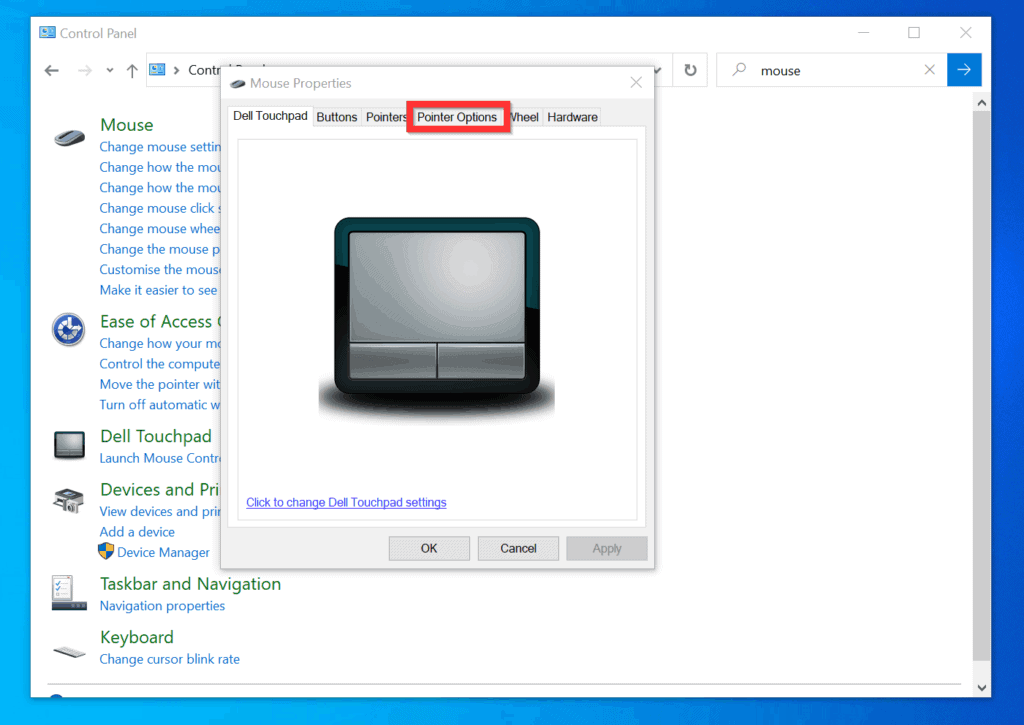
- Finally, to turn off mouse acceleration on Windows 10 from control panel uncheck Enhance pointer precision and click OK.
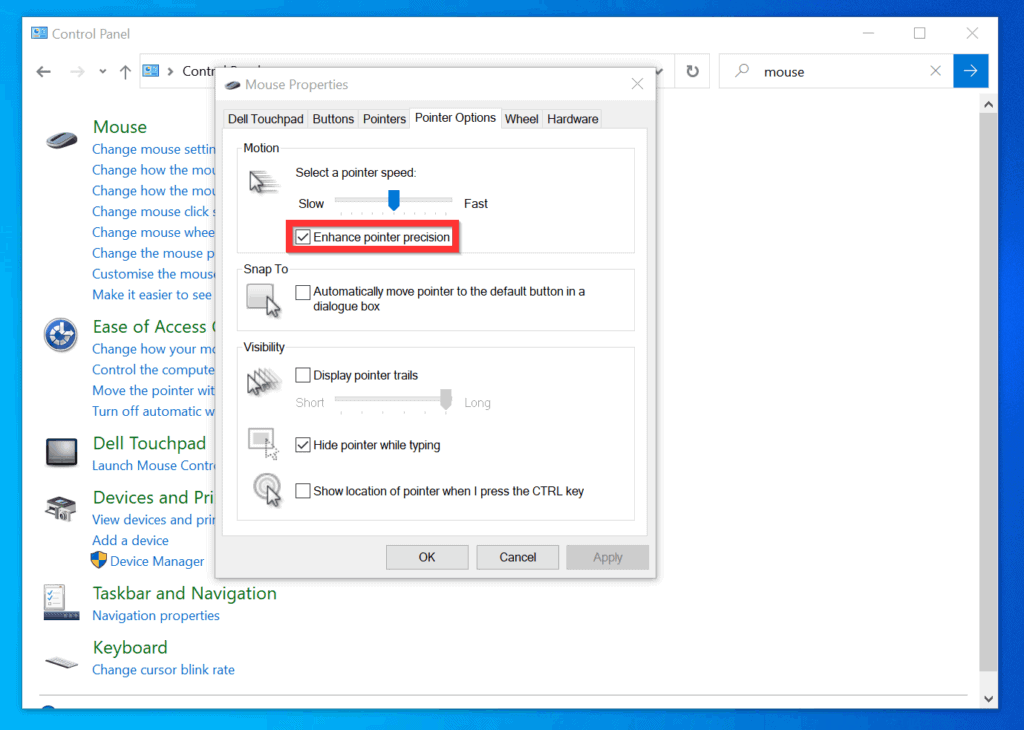
- Disabling Enhance pointer precision means turning off mouse acceleration.

I hope you found this Itechguide helpful. If you did, click on “Yes” beside the “Was this page helpful” question below.
You may also express your thoughts and opinions by using the “Leave a Comment” form at the bottom of this page.
Do these 3 things before closing this tab:
1Scan for outdated or missing drivers - takes under a minute2Repair Windows errors before they cause bigger problems3Fix the driver behind crashes, sound loss and screen glitchesFinally, for more Windows 10 guides, visit our Windows 10 How-To page.
Quick Recap
Also popular on Amazon

- Ergonomic Wired Mouse for Comfortable Hand Fit — Designed with ergonomic principles to fit the natural curve of your hand, reducing fatigue during long hours of use, making it an ideal office mouse choice.
- High-Precision 1000DPI Optical Sensor for Accurate Control — Equipped with a high-precision optical sensor that delivers smooth and responsive cursor movements, effectively boosting your work efficiency.
- USB Wired Interface with Plug-and-Play Support — Compatible with Windows and Mac systems, no driver installation required, offering stable connection for various laptops and desktops, convenient and hassle-free.
- Three-Button Design for Multitasking Efficiency — Standard three-button layout with clear feedback, made from durable materials to ensure long-lasting stable performance, perfect for multitasking work environments.
- Compact and Portable Size with Reliable After-Sales Service — Measuring only 4.61 x 2.4 x 1.57 inches, easy to carry and fit into your workspace; backed by responsive after-sales support from the brand to ensure a worry-free purchase experience.
Also popular on Amazon
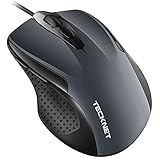
- 【High Precision and Durability】: TECKNET Tru-Wave technology wired computer mouse provides precise, intelligent cursor control and tracking on many surface types, even on smooth surfaces with glass. Tested for over 6 million keystrokes, the wired mouse ensures responsive clicks and a longer lifespan for daily use.
- 【4 Adjustable DPI and 6 Buttons】: 4-level DPI settings (1000/1600/3200/6400) to meet your needs both in home and office. 6 buttons enable superior productivity and efficiency to meet all your computer needs. Moving quickly between documents or browsing your favorite Web sites is a breeze with large, easy-to-reach Back/Forward buttons.
- 【Ergonomic Design】: The shaped design and soft rubber grips conform to the hand and are designed to be comfortable to hold. The compact size enables it to be able to be taken wherever desired for use on the computer whether at home, at work or anywhere else.
- 【Plug and Play】Effortless USB plug‑and‑play connectivity. Just connect the USB cable to your computer for instant use, no software or downloads required. The 5‑foot USB cable offers ideal length to suit most desktop and laptop setups, ensuring stable, lag‑free performance.
- 【Wide Compatibility】:Compatible with Windows 2000,2003, XP, VISTA, 7, 8, 10, 11 and Chromebook, Mac (side buttons not work on Mac).
Also popular on Amazon

- Slim and Comfortable Design: The Lenovo 100 Wired USB Mouse boasts a slim grip full-size mouse with an ambidextrous design, ensuring a comfortable fit in your hand, whether you're left or right-handed.
- Built to Last: Rest assured about durability with the Lenovo 100 Wired USB Mouse. It's engineered for a 3 million clicks button life, delivering long-lasting performance that stands the test of time.
- Reliable Wired Connection: Enjoy an easy and reliable connection to your PC via a 1.7-meter USB-A cable. No need to worry about signal drop-offs or battery replacements; this mouse is always ready for action.
- Precision and Smooth Movement: The Lenovo 100 Wired USB Mouse offers precise movement with its 1000 DPI resolution and red optical sensor. Glide smoothly from window to window, ensuring accurate and efficient navigation.
- Plug-and-Play Convenience: This hassle-free mouse is designed for productivity. It features a straightforward plug-and-play connection to PCs with a USB-A cable, making it a practical choice for users seeking a reliable and efficient pointing device.
Also popular on Amazon

- Computer mouse for easily navigating a computer interface; click, scroll, and more
- USB-A wired connection; if existing device only supports USB-C, an additional adapter will be required
- High-definition (1000 dpi) optical tracking ensures responsive cursor control for precise tracking and easy text selection
- 3 buttons offer effortless fingertip control
- Plug-and-go ready for instant use
Popular on Amazon
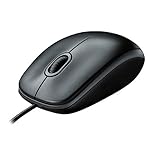
- A comfortable, ambidextrous shape feels good in either hand, so you feel more comfortable as you work-even at the end of the day
- With 800 dpi sensitivity, you'll get precise cursor control so you can edit documents and navigate the Web more efficiently
- Side-to-side scrolling plus zoom lets you instantly zoom in or out and scroll horizontally and vertically; perfect for working with spreadsheets and presentations.
- Zero setup with flexible connectivity means you just plug it into your USB or PS/2 port-it works right out of the box
- This mouse is built by Logitech-the mouse experts; it comes with the quality and design we've built into more than a billion mice, more than any other manufacturer
Product prices and availability are accurate as of the date/time indicated and are subject to change. Any price and availability information displayed on Amazon at the time of purchase will apply.
Independent reader supportYour contribution helps us test, update, and keep practical guides available for everyone.


