

The Tool Desk
Outbyte PC Repair FREEClear out junk files and repair common Windows errorsFree Scan →Outbyte Driver Updater FREEScan for outdated or missing drivers - takes under a minuteDriver Scan →iTechGuides is reader-supported. When you buy through links on our site, we may earn an affiliate commission. As an Amazon Associate I earn from qualifying purchases. Learn more
This Itechguide teaches you how to subscribe to YouTube Red (Now called YouTube Premium). We all know YouTube as a free service but it now has a paid service called YouTube Premium.
This guide covers steps to subscribe to YouTube Red from your computer browser (YouTube.com) and from the YouTube App on Android.



Option 1: Subscribe to Premium from YouTube.com
You can subscribe to YouTube Premium from your browser (YouTube.com).
Here are the steps
- Open YouTube.com on your favorite browser (I will use Google Chrome for this demo)
- If you have logged in, click your user profile icon (highlighted below)

- When you click your profile icon on the top right corner of YouTube, a pop down with more options will be displayed. From the pop down click Paid memberships.

- Then, at the Offers from YouTube page, beneath YouTube Premium or YouTube Music, click LEARN MORE. For this demo I will use Premium.

- At the Subscription page, click TRY IT FREE.


- If you have added a payment method into your Google Account, it will be available. To subscribe, simply click BUY. Alternatively, you can add a new payment method.

- When you click to add a new payment method, you will be offered options similar to the page below. Select your preferred payment method. For this demo, I will select PayPal.

- Then click BUY.

- Once you have successfully authenticated your payment you will receive a confirmation screen similar to the one below.

Option 2: Subscribe to Premium from YouTube App for Android
If you are like most people you probably use YouTube from your smartphone. You can easily subscribe to YouTube red (Premium) from your Android phone.
Popular on Amazon

- Train Smarter, Play Better Golf – Develop the strength, flexibility, and mobility needed for a more powerful, consistent swing with the GolfForever Swing Trainer Plus.
- Premium Golf Training Bar – Designed for golf-specific strength and mobility exercises to enhance your rotational power, balance, and control for improved performance on the course.
- 1-Year Digital Membership Included ($199 Value, Best Value vs. Monthly Pricing) – Access hundreds of expert-led golf fitness workouts, tailored to build core strength, increase flexibility, and optimize your swing mechanics.
- Trusted by PGA Pros – The same system used by Scottie Scheffler and top professionals to build strength and prevent injuries.
- Convenient, At-Home Golf Training – No need for a gym—train at home, in the office, or on the go with a simple and effective golf-specific training system designed to fit your lifestyle.
Here are the steps…
- Open the YouTube App on your phone. If you are signed in to your account on YouTube, you will see a profile icon (top right of the App – highlighted below). Click on the icon.

- Then click on Get YouTube Premium.

- Finally, to subscribe to YouTube Red (Premium), click TRY IT FOR FREE. Then select a payment method and click BUY.

These are the two available options to subscribe to YouTube red (Premium).
Your subscription qualifies you for a free trial period. At the end of the trial period you will be charged a monthly reoccurring fee. If you do not want to continue paying you can cancel YouTube Red (or Premium).
Also popular on Amazon
I hope that you found it helpful. If you did, click on “Yes” beside the “Was this page helpful” question below.
Do these 3 things before closing this tab:
1Repair Windows errors before they cause bigger problems2Scan for outdated or missing drivers - takes under a minute3Clear out junk files and repair common Windows errorsYou may also express your thoughts and opinions by using the “Leave a Comment” form at the bottom of this page.
Also popular on Amazon
Furthermore, for more guides like this, visit our Music & Video Streaming how-to page.
Quick Recap
Also popular on Amazon
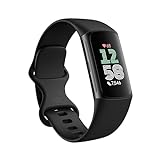
- Fitbit Charge 6 tracks key metrics from calories and Active Zone Minutes to Daily Readiness and sleep; move more with 40+ exercise modes, built-in GPS, all-day activity tracking, 24/7 heart rate, automatic exercising tracking, and more[1]
- See your heart rate in real time: Just link your Charge 6 to compatible exercise machines, like treadmills, ellipticals, and more[2]; and stay connected with YouTube Music controls[3]
- Tune into your body: Track your response to stress with a stress management score; learn about the quality of your sleep with a personalized nightly Sleep Score; and wake up more naturally with the Smart Wake alarm
- Run your routine with Google essentials: Find your way seamlessly during runs or rides with turn-by-turn directions from Google Maps on Fitbit Charge 6; and when you need a snack break on the go, just tap to pay with Google Wallet[1,4]
- Unlock more with Google Health Premium: With a premium membership, get personalized coaching that’s built with Gemini and adapts to your life[7]; get a 3-month trial at no cost to you[5] (Google Health Premium subscription sold separately)
Also popular on Amazon
Product prices and availability are accurate as of the date/time indicated and are subject to change. Any price and availability information displayed on Amazon at the time of purchase will apply.



