

iTechGuides is reader-supported. When you buy through links on our site, we may earn an affiliate commission. As an Amazon Associate I earn from qualifying purchases. Learn more
In this Itechguide, Victor teaches you how to find memories on Facebook. The guide covers steps to find memories on Facebook from Facebook.com, Android and iPhone.
Option 1: Find Memories via Facebook.com
Method 1: Find Memories on the “Old” Interface
- Open Facebook.com from a browser on your PC or Mac. Then, log in with your email and password.
- Scroll down the left pane of the current Facebook interface. Memories link is listed towards the bottom of the left pane.

- When See more expands, scroll down and click Memories.

Method 2: Find Memories on the “New” Interface
- To switch to the “New Facebook” design (2020), on the top right of your Facebook News Feed, click the menu. Then, from the displayed menu options, click Switch to new Facebook.


- Then, on the left pane of the new Facebook interface, click See More.

- Finally, scroll down and click Memories.

Option 2: Find Memories on the Android App
- Open the Facebook app on your Android device.
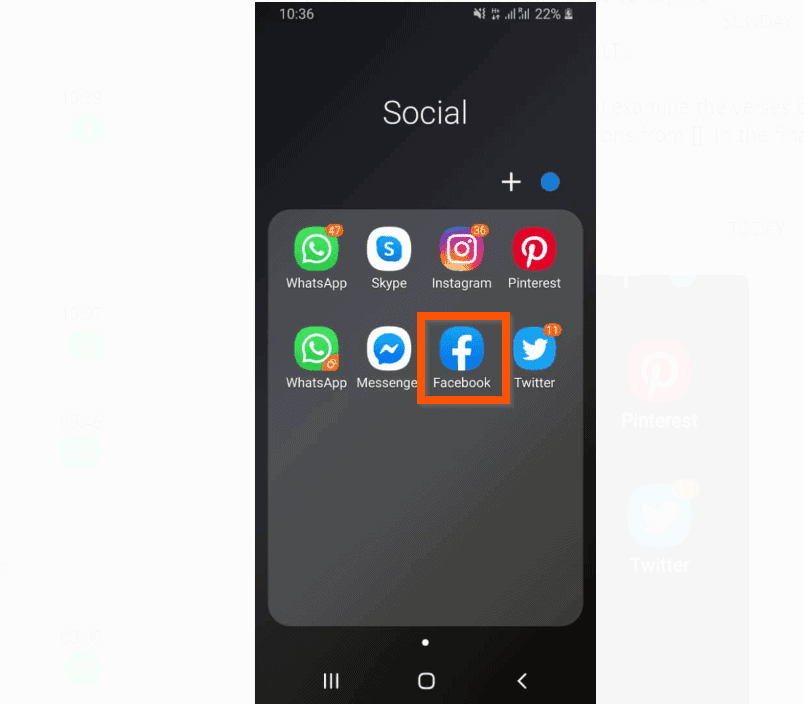
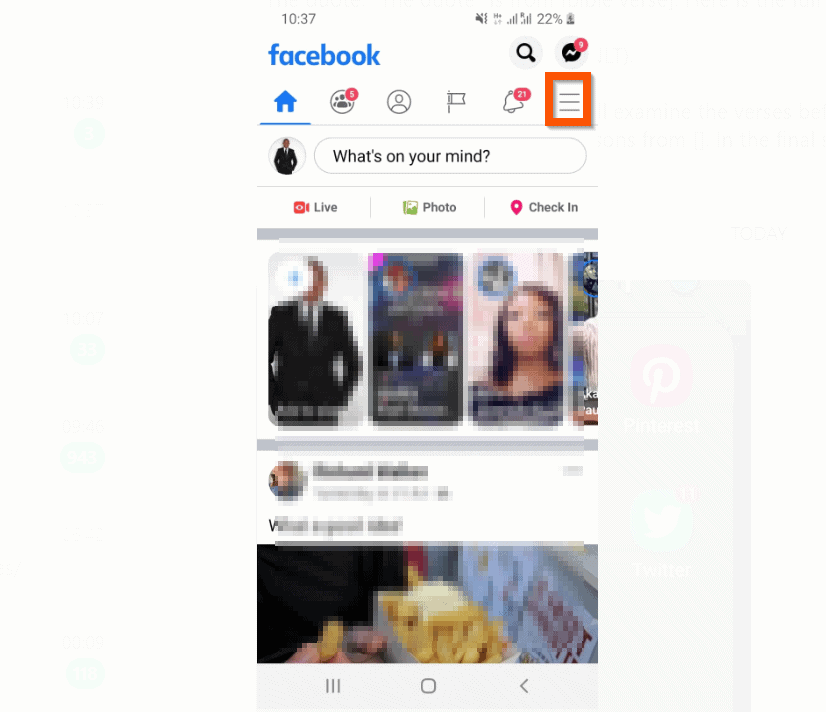
- Then, on the top right of the app, tap the app’s menu icon.
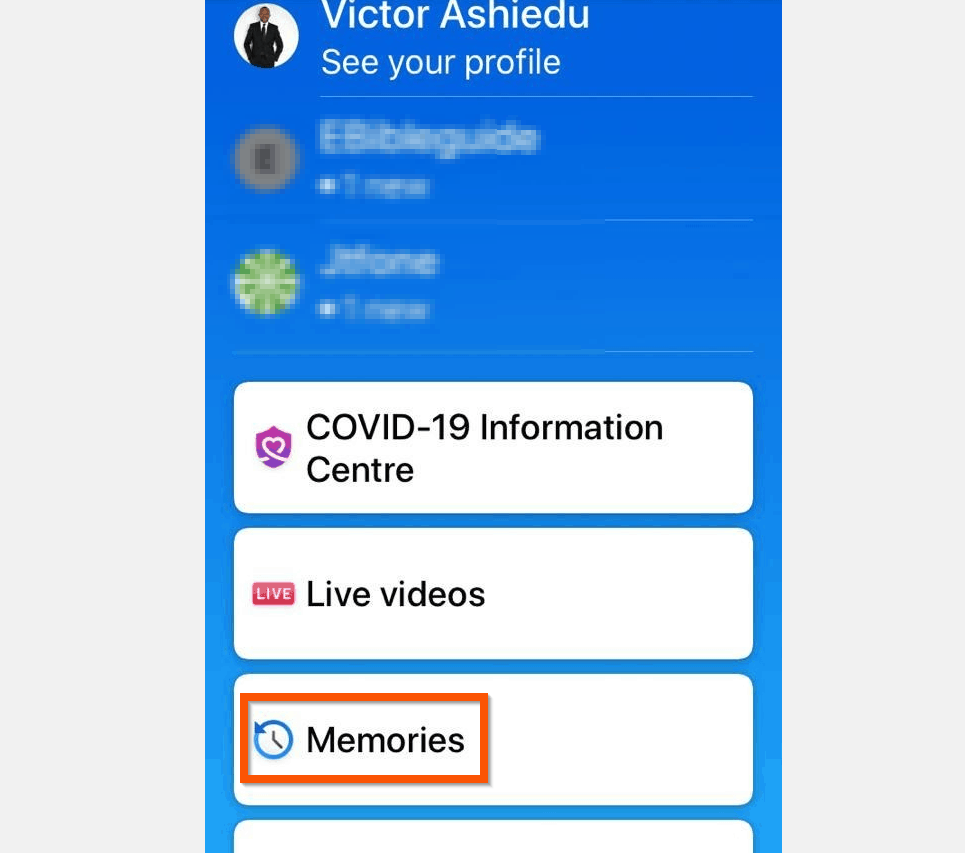
- Finally, from the displayed menu options, tap Memories (you may need to scroll down).

Option 3: Find Memories on the iPhone App
- Open the Facebook app on your iPhone.

- Then, on the bottom right of the app, tap the app’s menu.

- Finally, from the menu options, tap Memories.
I hope that you found it helpful. If you did, click on “Yes” beside the “Was this page helpful” question below.
| # | Preview | Product | Price | |
|---|---|---|---|---|
| 1 |
|
Vansuny 128GB USB C Flash Drive 2 in 1 OTG USB 3.0 + Type C Memory Stick with Keychain Dual Type C... | $22.99 | Buy on Amazon |
You may also express your thoughts and opinions by using the “Leave a Comment” form at the bottom of this page.
Finally, for more social media Itechguides, visit our Social Media page. You may also find our Work from Home page very helpful.
Quick Recap
Popular on Amazon
- 【Important】: Default format of the usb flash drive 128gb is exFAT as this is the format recognized by the smartphones and tablets. These 128gb thumb drives are only compatible with C-Port enabled mobile phones & computers only. While formatting the usb flash drive dual type c usb 3.0 OTG keep a check on the drive format
- 【Easy to Use】: Directly plug the 2-in-1 USB flash drive and play, no need to install any software. The jump drive is easy to be recognized by computer, laptop, notebook, PC, car audio, speaker, smart TV, vidoe projector etc
- 【Fast Speed】: High-speed USB 3.0 flash drive for fast data transfer, backwards compatible with USB 2.0 easy to complete the storage and transport functions. USB 3.0 and Class A chip help you transfer a 4G movie from the thumb drive to your smartphone in about 40 seconds, and reverse transfer in 2 mins to save memory for your smartphone with Type C port.Save your time
- 【Good Compatibility】: Dual connectors USB type C + USB 3.0. Support windows 7 / 8 / 10 / XP / 2000 / ME / NT Linux and Mac OS, compatible withUSB 3.0 & USB 2.0 backwards USB1.1. Support videos formats: AVI, M4V, MKV, MOV, M P4, MPG, RM, RMVB, TS, WMV, FLV, 3GP; AUDIOS: FLAC, APE, AAC, AIF, M4A, MP3, WAV
- 【OTG Function】:Support nearly all mobile phones which support OTG function,and very easy to operate
Product prices and availability are accurate as of the date/time indicated and are subject to change. Any price and availability information displayed on Amazon at the time of purchase will apply.



