

iTechGuides is reader-supported. When you buy through links on our site, we may earn an affiliate commission. As an Amazon Associate I earn from qualifying purchases. Learn more
Facebook Dark mode is available on the “New” Facebook launched in 2020. In this Itechguide, Victor teaches you how to turn on Facebook dark mode on PC.
Step 1: Switch to the New Facebook 2020 Design
Before you can turn on Facebook dark mode on Facebook.com, you have to switch to the “New” Facebook launched early 2020.
Here are the steps to switch from the current Facebook to then new Facebook.
What’s actually slowing this PC down?
Pick the symptom - the matching free tool is one click away.
- On the top right of your Facebook News Feed, click the menu. A set of menu options will be displayed.

- hen, from the displayed menu options, click Switch to new Facebook.

Step 2: Turn on Dark Mode on New Facebook
Once you have switched to the new 2020 design, follow the steps below to turn on dark mode:
Popular on Amazon

- Wired only (via USB-C cable) – provides stable connection, but is NOT compatible with Mac, Chrome, or Linux
- Windows Only: The Large Wired Trackpad for Windows10/11 is compatible with Windows 11, Windows 10, PC, laptops and desktop computers. Note: Not compatible with Mac/Chrome OS/Linux. Not recommended for use on other systems. Some touchpad gestures or functions may be missing
- Convenient Physical Buttons: The touchpad features physical left and right buttons at the bottom, functioning like mouse buttons. It also supports single-finger clicks for left-clicking and two-finger taps for right-clicking, allowing for easy text and document selection and drag-and-drop operations
- File Drag and Drop & Text Selection: Double-tap and hold with one finger, then slide to drag files or select text
- Multi-Gesture Support: The touchpad supports various gestures, recognizing up to four fingers. It offers rapid and sensitive response, providing a smoother user experience than typical laptop touchpads. It supports common functions including clicking, scrolling up and down, and pinch-to-zoom for images
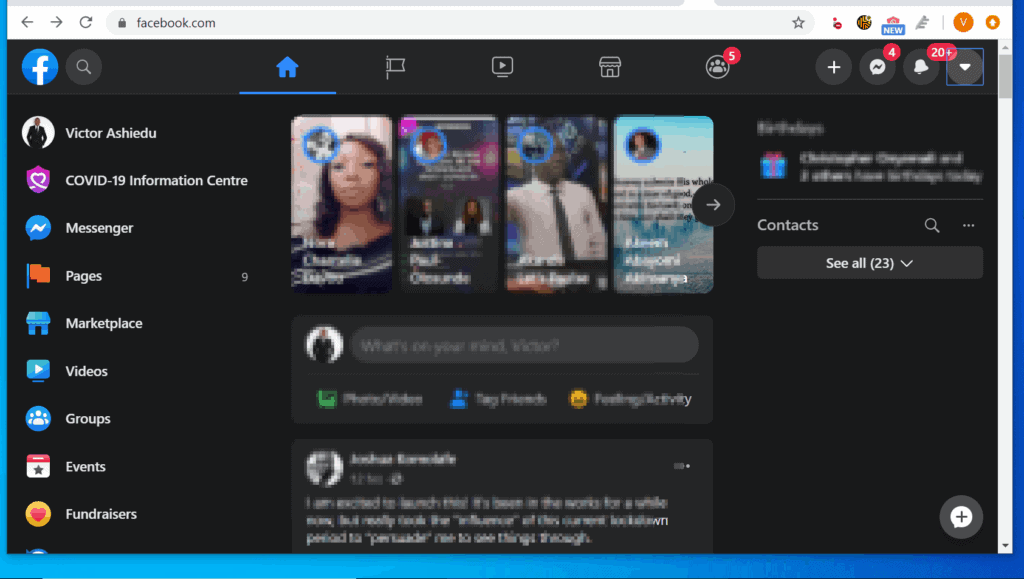
- On the top right of the new Facebook News Feed, click the new menu icon (has a gray background, compared to the blue background of the old menu). When you click the menu, a set of options will be displayed.

- Towards the bottom of the displayed options, click the Dark mode button.

- Dark mode will come alive!
Switch Back to the Previous Facebook Design
- On the top right of the New Facebook, click the menu icon. Menu options will be displayed.
- Then, from the displayed menu options, click Switch to classic Facebook.
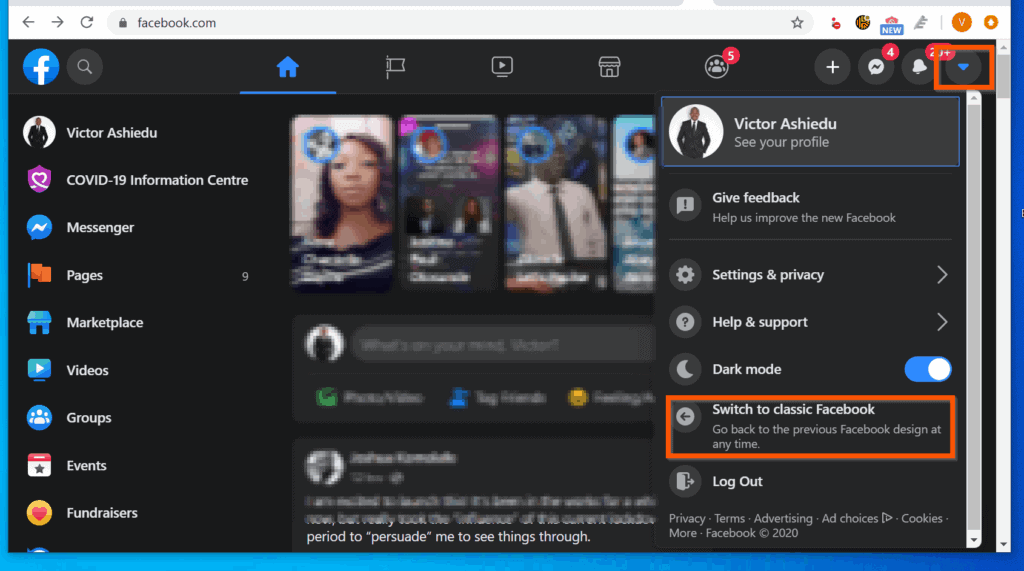
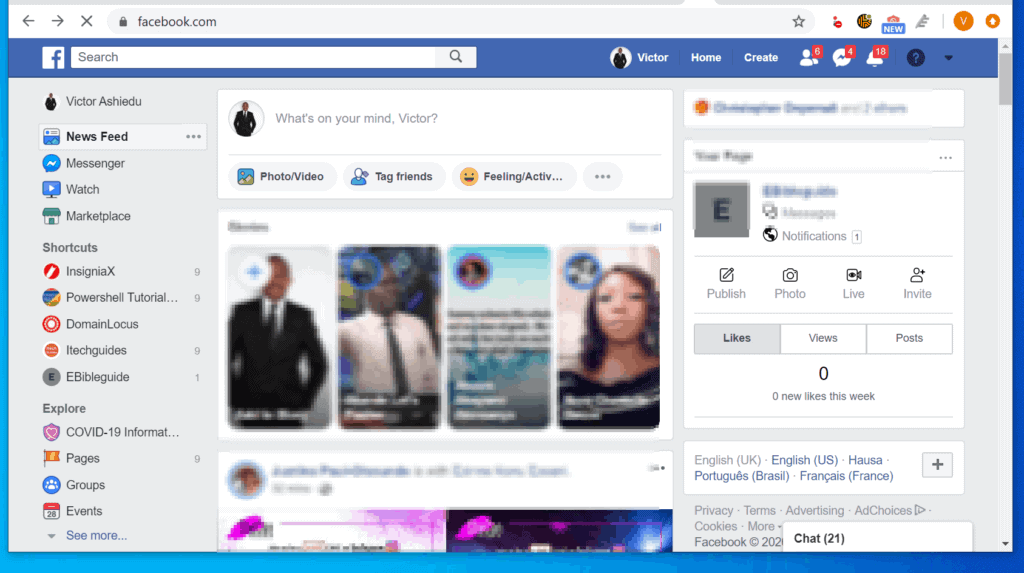
- You will be switched back to the “normal” Facebook but you will lose the Dark mode!
I hope that you found it helpful. If you did, click on “Yes” beside the “Was this page helpful” question below.
You may also express your thoughts and opinions by using the “Leave a Comment” form at the bottom of this page.
Also popular on Amazon

- MAGIC PET TOUCHPAD JIGGLER – The randomized mouse trackpad jiggler keeps your laptop touchpad active without needing a mouse. It’s good for keeping your screen awake during remote work or WFH without interruption.
- UNDETECABLE MECHANICAL MOVING DEVICE – This undetectable mechanical moving device simulates realistic fingertip movement across the touchpad. No USB, no Bluetooth, and no software—completely invisible to IT scans.
- CORDLESS DESIGN – Enjoy a clutter-free workspace with the cordless jiggler mouse mover. Magic Cat is easily portable and doesn’t require any cables or connections, making it good for remote work or office use on the go.
- SILENT OPERATION – The silent operation of this trackpad tech ensures your work environment remains quiet while keeping your computer active. The low RPM DC motor operates without disturbing your workflow.
- LONG-LASTING BATTERY – With an AA battery lasting up to 6 months, the automatic wiggler operates efficiently for 2 hours/day on average, ensuring power savings for remote work and Laptop users. Battery included. 1-year limited waranty, contact us if you have any problem.
Finally, for more social media Itechguides, visit our Social Media page. You may also find our Work from Home page very helpful.
Recommended Free Tools
Quick Recap
Also popular on Amazon
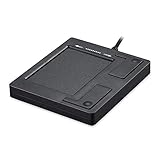
- Easy to Use: 2 Buttons external touch pad with a plug and play feature; No driver needed
- Multi-touch Gestures: with 7 features such as one finger slide, one finger touch, 2 finger tap, double click, tag and drop, vertical scroll, and zoom in/out
- Durable USB Cable: Wired touch pad with 5 foot and 3 inches long durable cable
- Compact Design: Small and Light portable touch pad with a dimension of 3.39 x 2.95 x 0.43 inch
- OS : Windows 7, 8, and 10
Product prices and availability are accurate as of the date/time indicated and are subject to change. Any price and availability information displayed on Amazon at the time of purchase will apply.



