Do these 3 things before closing this tab:
1Repair Windows errors before they cause bigger problems2Scan for outdated or missing drivers - takes under a minute3Clear out junk files and repair common Windows errorsiTechGuides is reader-supported. When you buy through links on our site, we may earn an affiliate commission. As an Amazon Associate I earn from qualifying purchases. Learn more
This Itechguide reviews the 5 best android eBook reader Apps. The best app is reviewed last – starting with the 5th on top of the list.
Scribd: Audiobooks & eBooks

Beginning at no 5 in our review of the best android eBook reader is “Scribd: Audiobooks & eBooks”.
This eBook app has a lot of cool features. The first feature that caught my attention is the massive document library. It has more than 60 million documents – study guides, medical reports, case studies and more.
It also offers audiobooks, magazines, and more – you can read eBooks or listen to audiobook offline.
Popular on Amazon
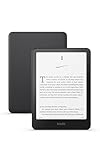
- Kindle Paperwhite – 7“ Paperwhite display with high contrast ratio and fast page turns.
- Ready for travel – The ultra-thin design has a larger glare-free screen so pages stay sharp no matter where you are.
- Escape into your books – Your Kindle doesn’t have social media, notifications, or other distracting apps.
- Battery life for your longest novel – A single charge via USB-C lasts up to 12 weeks.
- Read in any light – Adjust the display from white to amber to read in bright sunlight or in the dark.
Finally, the app offers customization – you can make notes, change font size, background color, and add bookmarks. This App has a lot to offer.
In addition, new members get 30-days free trial – this allows you to have a taste of the services the eBook app offers.
“Scribd: Audiobooks & eBooks” is subscription based with millions of books in its library. It has a 4.5 rating from more than 450,000 reviews. It also has over 10 million installations.
eReader Prestigio: Book Reader

Coming 4th in my review of review of the best android eBook reader Apps is “eReader Prestigio”.
This app has some exciting features. Firstly, the app offers text to speech reading – instead of you physically reading a book in the App, the App can read out the texts to you. This feature comes in multiple languages.
Also popular on Amazon

- Kindle Paperwhite – 7“ Paperwhite display with high contrast ratio and fast page turns.
- Ready for travel – The ultra-thin design has a larger glare-free screen so pages stay sharp no matter where you are.
- Escape into your books – Your Kindle doesn’t have social media, notifications, or other distracting apps.
- Battery life for your longest novel – A single charge via USB-C lasts up to 12 weeks.
- Read in any light – Adjust the display from white to amber to read in bright sunlight or in the dark.
Secondly, the eBook app has a library of over 50,000 books – including books for kids and adults.
Finally, the app offers theme selection – you can change the theme of your book shelf or you can add your own theme.
PC Slower Than It Used to Be?
A free scan shows the junk files, broken settings and background clutter dragging Windows down - then fixes them in one click.Free scan · Windows 10 & 11Crashes, No Sound, or Screen Glitches?
Random freezes, missing sound and display glitches usually trace back to one bad driver. Find and replace yours safely.Free scan · under a minuteFurthermore, the app offers night mode, different fonts, sizes and more features.
“eReader Prestigio” contains Ads and offers in-app purchases. It has a 4.6 rating on Google play store from over 300,000 reviews. The App has been installed over 10 million times.
ReadEra

At no 3 in my review of the best android eBook reader Apps is “ReadEra”.
Also popular on Amazon

- Kindle Paperwhite – 7“ Paperwhite display with high contrast ratio and fast page turns.
- Ready for travel – The ultra-thin design has a larger glare-free screen so pages stay sharp no matter where you are.
- Escape into your books – Your Kindle doesn’t have social media, notifications, or other distracting apps.
- Battery life for your longest novel – A single charge via USB-C lasts up to 12 weeks.
- Read in any light – Adjust the display from white to amber to read in bright sunlight or in the dark.
This eBook app supports books of various formats. This includes text, doc, docx, PDF, EPUB, and more.
Free tools Windows power users keep installed
One-click scans. No signup required.
It also has an auto detection feature – once you download a new book the App automatically detects the genre. More importantly, the app groups the book by authors and sort it by last time read, favorites and more.
Finally, this app caps it up with its kids’ mode function. With this, you can use the parental control to select the type of books your kids can read.
“ReadEra” is free from ads and in-app purchases. Amazingly, it has a 4.9 rating from over 290,000 reviews. It also have 5 million installations.
Amazon Kindle

Taking the 2nd spot in my review of the best android eBook reader Apps is “Amazon Kindle”.
Also popular on Amazon
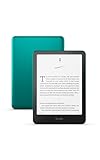
- 7“ Paperwhite display with high contrast ratio and fast page turns.
- Upgrade your reading experience – The Signature Edition features an auto-adjusting front light, wireless charging, and 32 GB storage.
- Ready for travel – The ultra-thin design has a larger glare-free screen so pages stay sharp no matter where you are.
- Escape into your books – Your Kindle doesn’t have social media, notifications, or other distracting apps.
- Adapts to your surroundings – The auto-adjusting front light lets you read in the brightest sunlight or late into the night.
The first most tantalizing feature of this app is its massive library. It has more than 6 million kindle books, audiobooks, comics, and magazines.
Next important feature of this app is the customization. With this feature, you can adjust the brightness of your background colour for day and night. You can also change the text size, or read in portrait or landscape mode.
The final feature of this app is the progress tracking. This allows you to track the hours spent on reading and estimate time to finish a book based on your reading speed. You can also bookmark, highlight or take notes.
“Amazon Kindle” is a fine android eBook app. Rates 4.1 in Google Play store from more than 900,000 reviews. It has over 100 million installations.
Google Play Books

“Google play Books” is no 1 in my review of best android eBook reader Apps.
Also popular on Amazon

- 7“ Paperwhite display with high contrast ratio and fast page turns.
- Upgrade your reading experience – The Signature Edition features an auto-adjusting front light, wireless charging, and 32 GB storage.
- Ready for travel – The ultra-thin design has a larger glare-free screen so pages stay sharp no matter where you are.
- Escape into your books – Your Kindle doesn’t have social media, notifications, or other distracting apps.
- Adapts to your surroundings – The auto-adjusting front light lets you read in the brightest sunlight or late into the night.
This eBook reader offers loads of amazing features. Firstly, the app gives you access to millions of eBooks, audiobooks, textbooks, and more. You can get the book from the best sellers.
Secondly, the app offers offline reading – this allows you to share music, videos or files without using the internet.
Finally, the app allows you to take note and sync to google drive. With this feature, you can save notes from your reading to google drive and share with friends. I think this is a great collaboration feature.
Quick wins for a faster PC:
Scan for outdated or missing drivers - takes under a minuteDriver Scan →Repair Windows errors before they cause bigger problemsFix Now →In addition, this eBook app is not subscription based – you can buy one book or many.
“Google play Books” is a popular android eBook app and commonly used. It has a 4.2 rating from over 1.5 million reviews and one billion installations.
I hope you found this Itechguide review helpful. If yes, click on “Yes” beside the “Was this page helpful” question below.
You may also express your thoughts and opinions by using the “Leave a Comment” form at the bottom of this page.
Recommended Free Tools
Finally, to read more app reviews, visit our Apps & Software review page.
Quick Recap
Product prices and availability are accurate as of the date/time indicated and are subject to change. Any price and availability information displayed on Amazon at the time of purchase will apply.