

iTechGuides is reader-supported. When you buy through links on our site, we may earn an affiliate commission. As an Amazon Associate I earn from qualifying purchases. Learn more
This Itechguide teaches you how to change your Facebook password. The guide covers steps to change your Facebook password from a PC (Facebook.com), iPhone or Android.
Option 1: Change Your Password from Facebook.com (PC)
There are 2 methods to change your password – 1, if you know your current password. 2, if you have forgotten your current password. Here are the steps for each…
Method 1: Change Password with Current Password
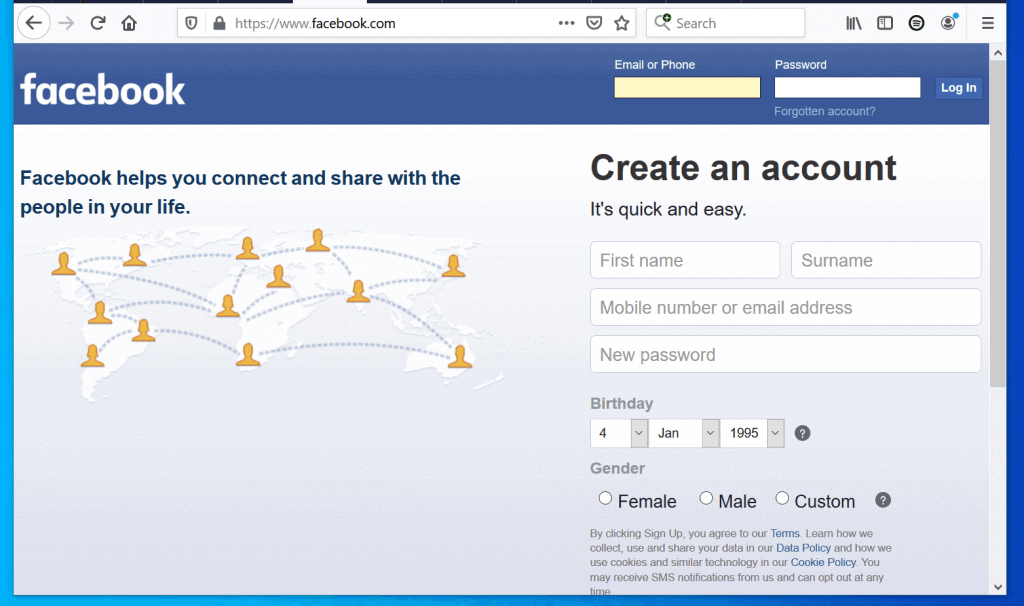
- Open Facebook.com from a browser on your PC. Then, login with your Email or Phone and Password.
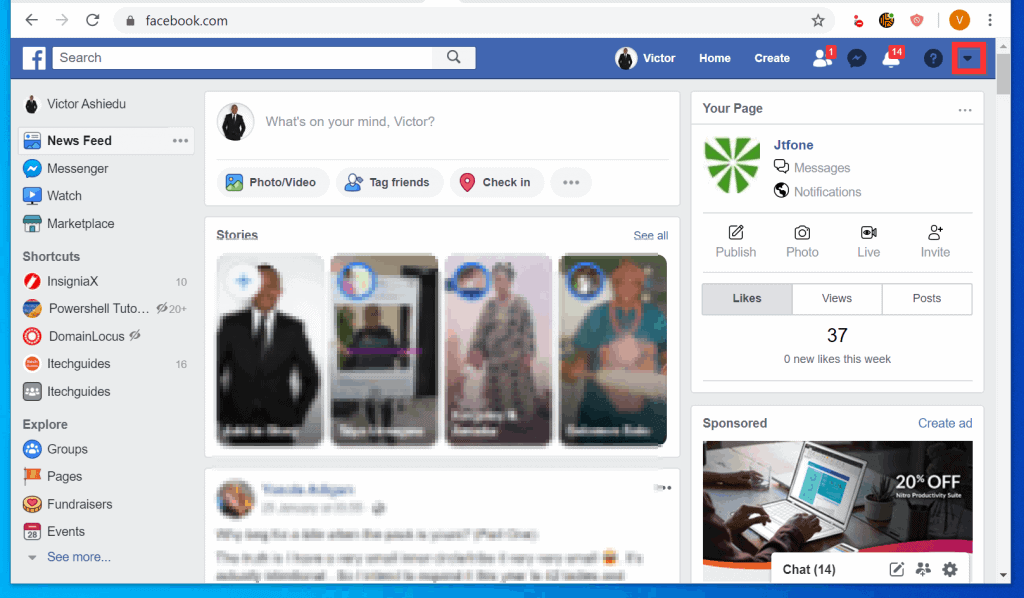
- At the top right of your Facebook News Feed, click the menu (downward arrow). The menu options will be displayed.
- Then, from the displayed menu options, click Settings.

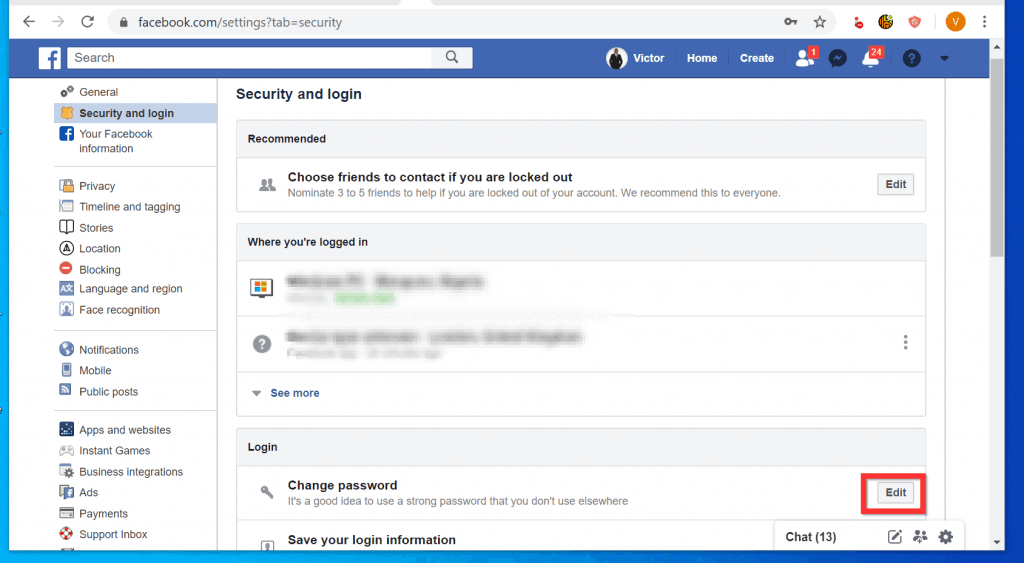
- On the left pane of Settings page, click Security and login.

- Then, at the Security and login page, scroll down to the Login section and click the Edit button beside Change password.
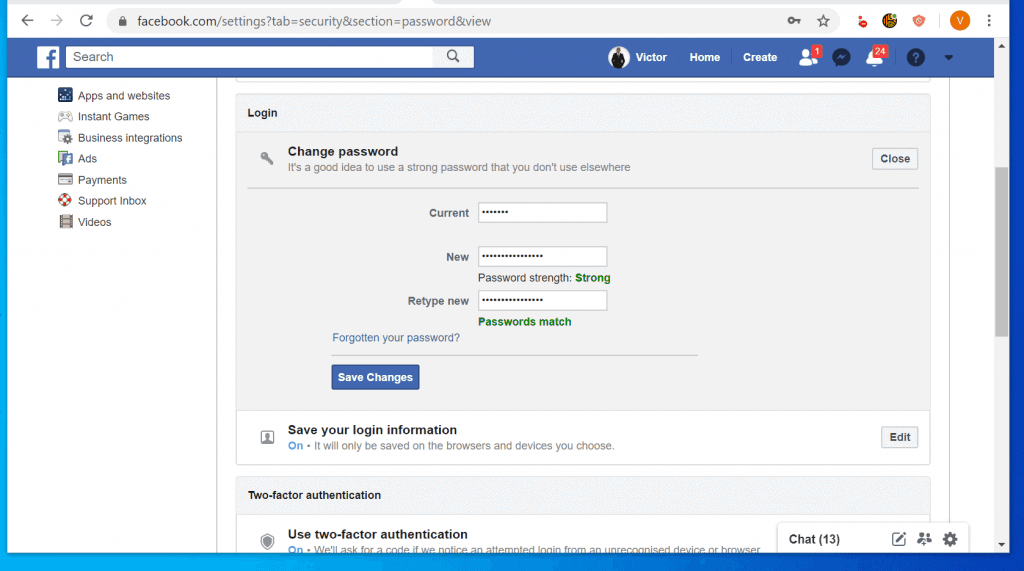
- Finally, on the displayed Change password forms, enter your existing password. Then, enter your new password and retype it.
- When you finish, to change your Facebook password, click Save Changes.
Method 2: Change Password without Current Password
If you do not remember your current password, see the steps to change it below…
Recommended Free Tools
- Follow the steps in the first subsection of this this section.
- When you get to the Change password page, click Forgot your password?

- Then, at the Leave page? pop up, click Leave this Page. The next page will display your logged in profile and prompt you to confirm the method to receive a password reset code.

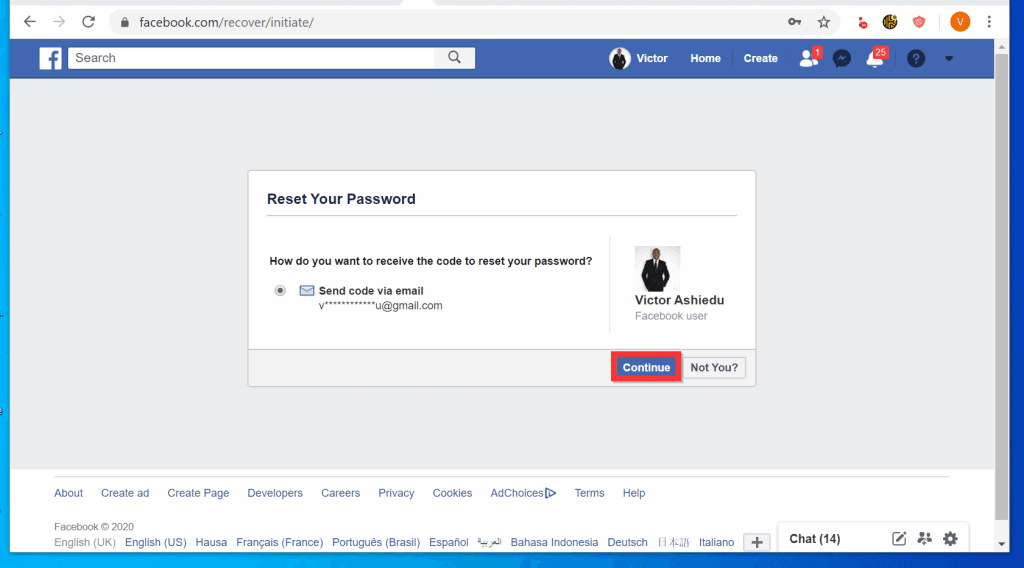
- On the Reset Your Password page, confirm that you are signed in to the right Facebook profile. Also confirm that you can receive a code with the displayed method, then click Continue.
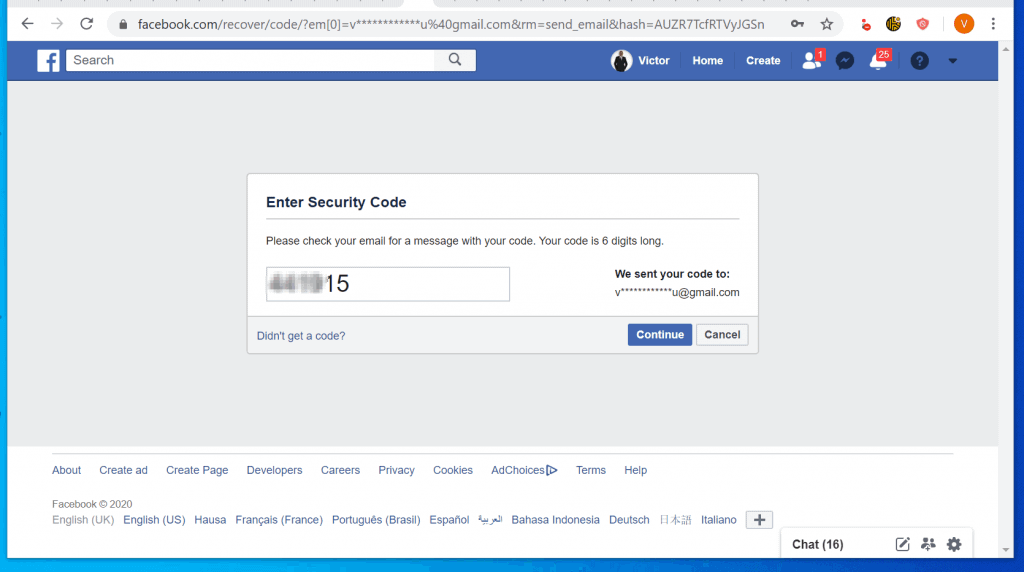
- Check the email or phone number the password recovery code was sent. Get the code and type it in the Enter Security Code page, then click Continue.
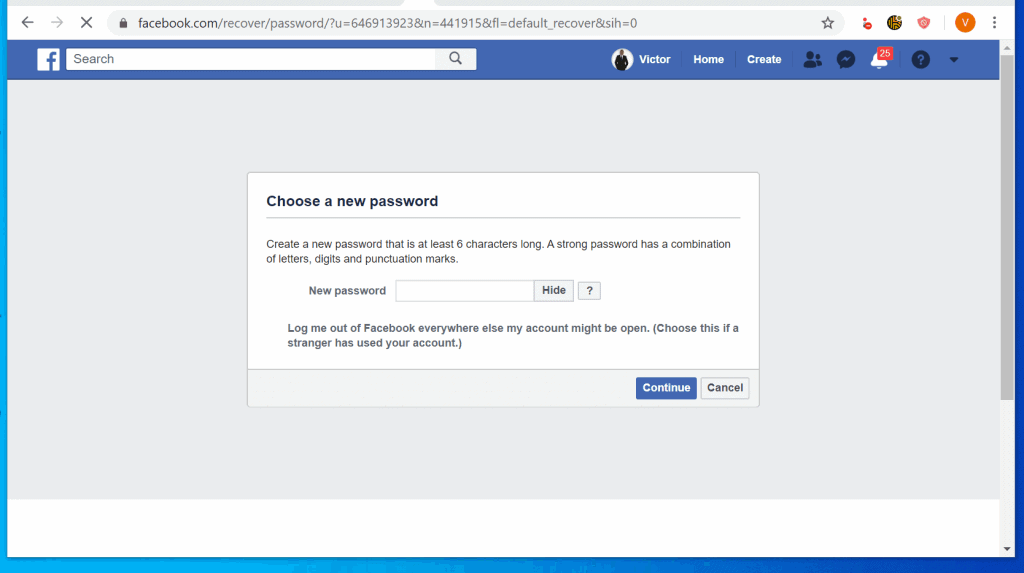
- Finally, to change your Facebook password, enter a new password and click Continue.
Option 2: Change Your Password from Android/iPhone
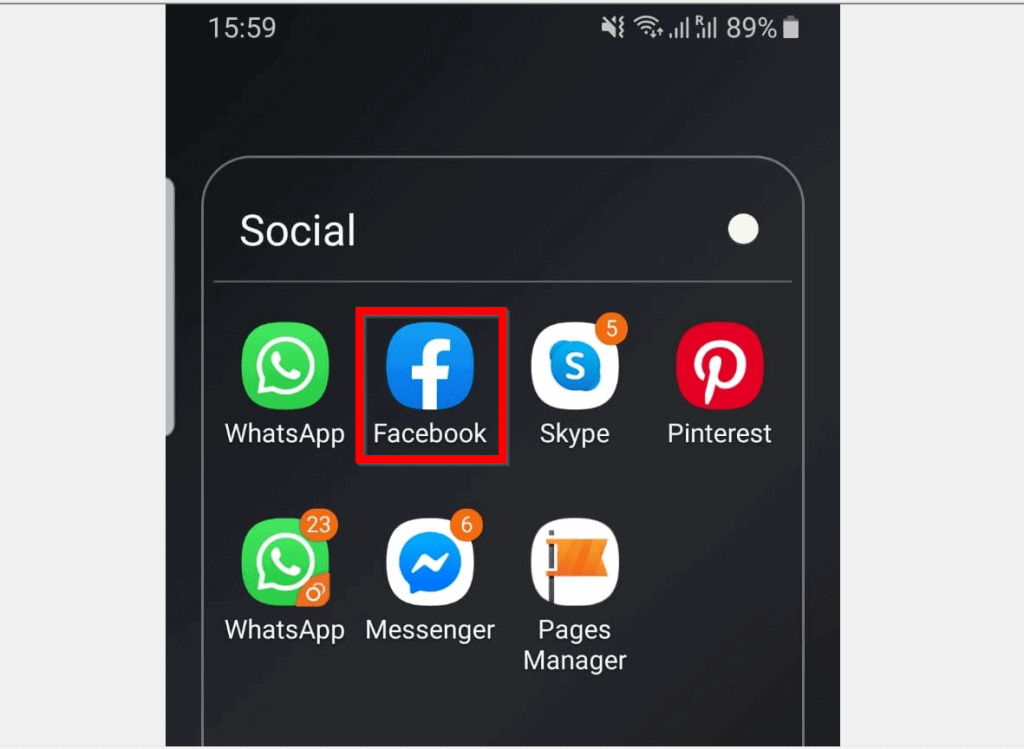
- Open the Facebook App on your phone.
- Then, at the top right of the screen, tap the App menu icon (3 lines). A set of menu options will be displayed.
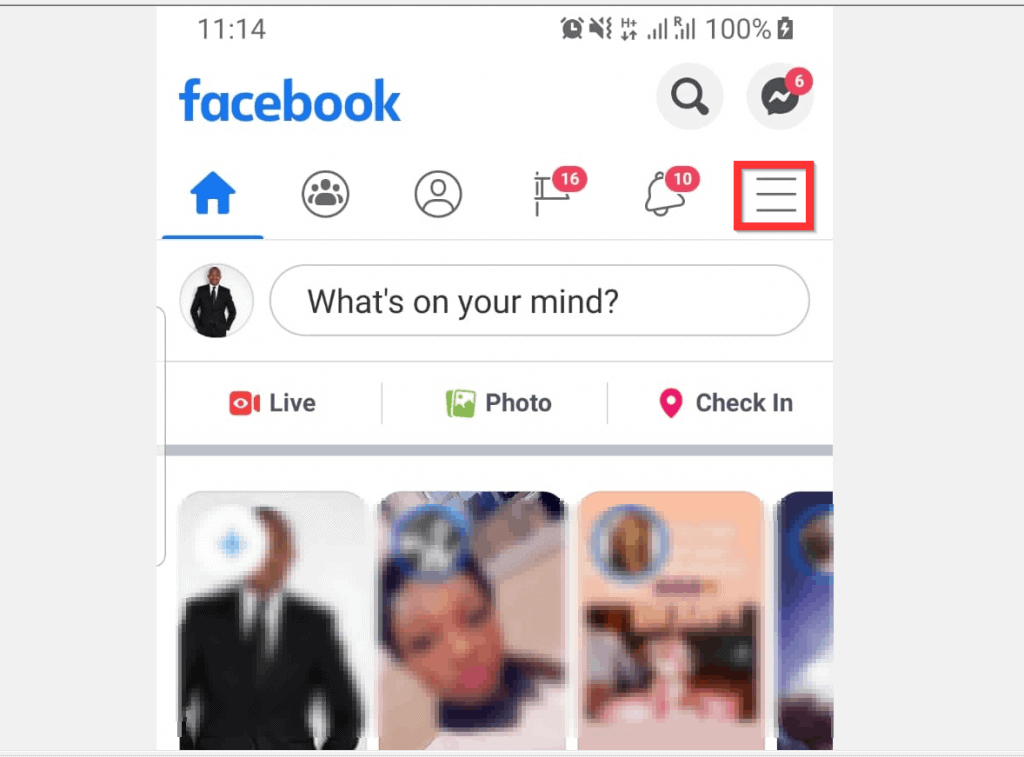
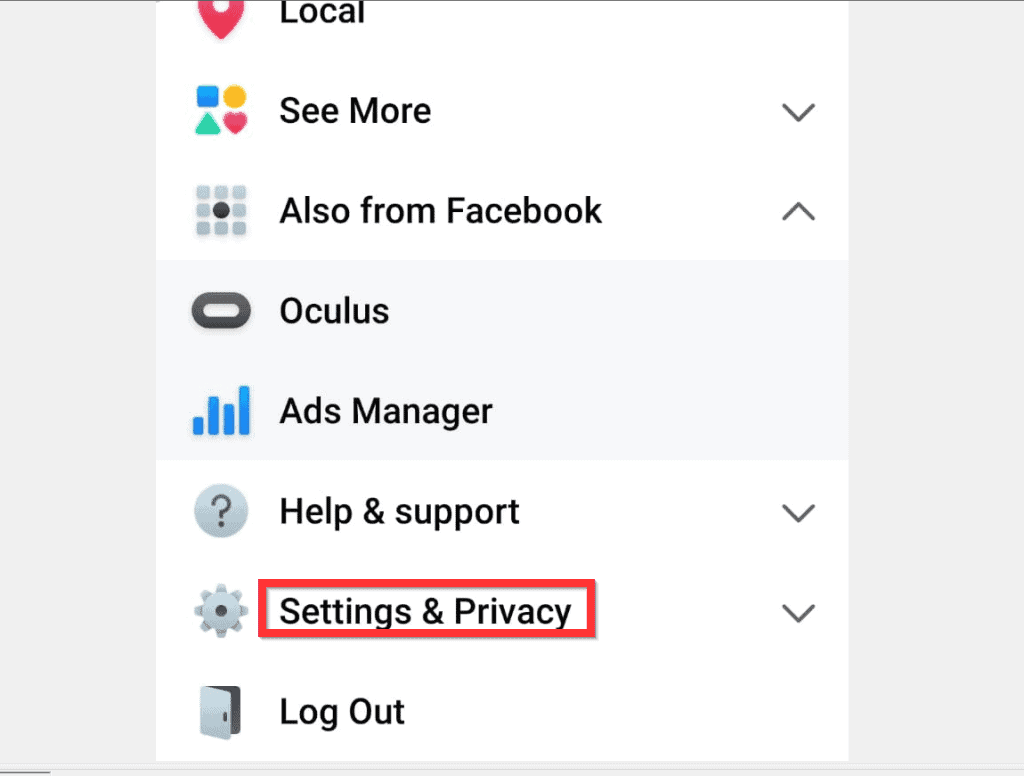
- From the displayed options, scroll down and tap Settings & Privacy.
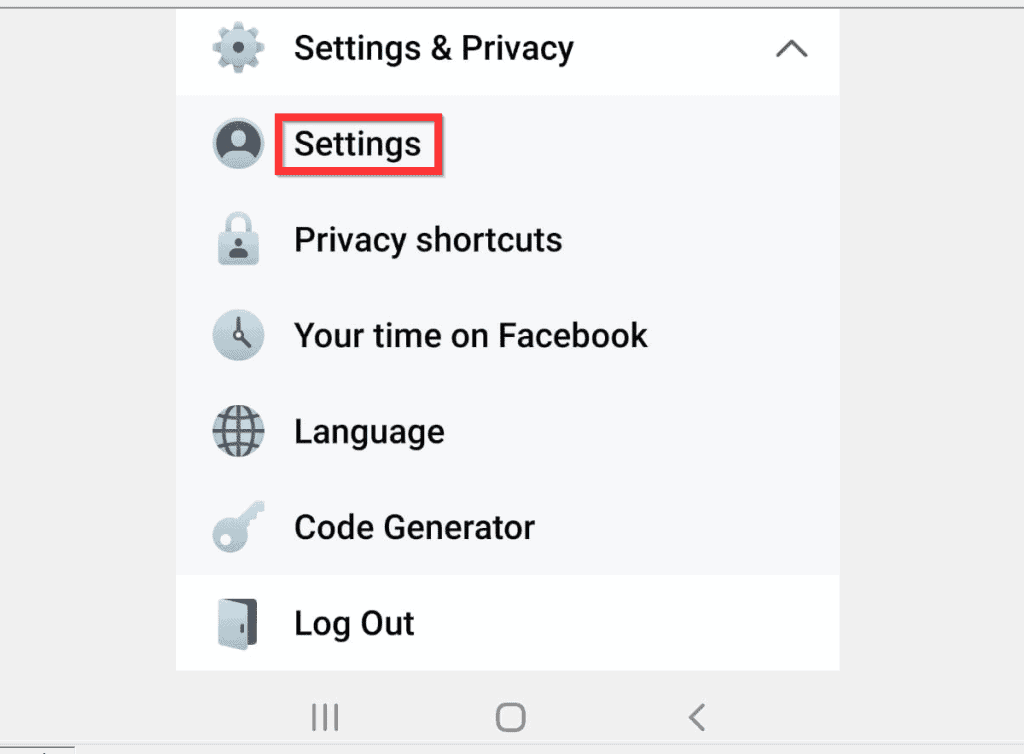
- Then, beneath Settings & Privacy, tap Settings.
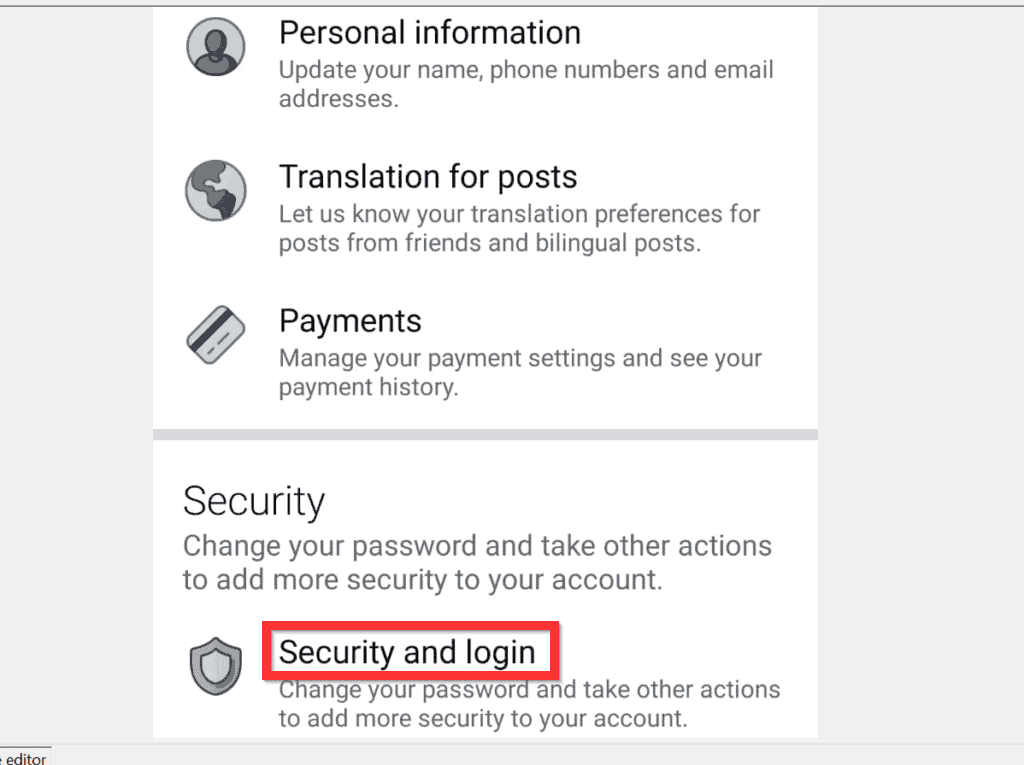
- When the Settings page opens, on the Security category, tap Security and login.
- Then, when Security and Login page opens, at the Login category, tap Change password.
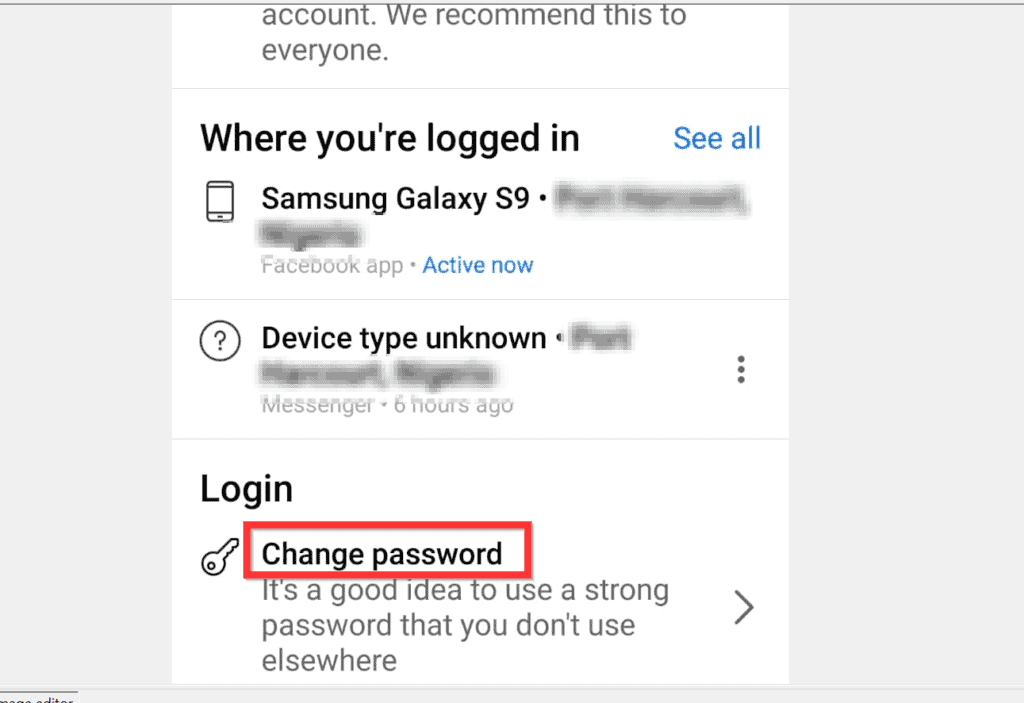
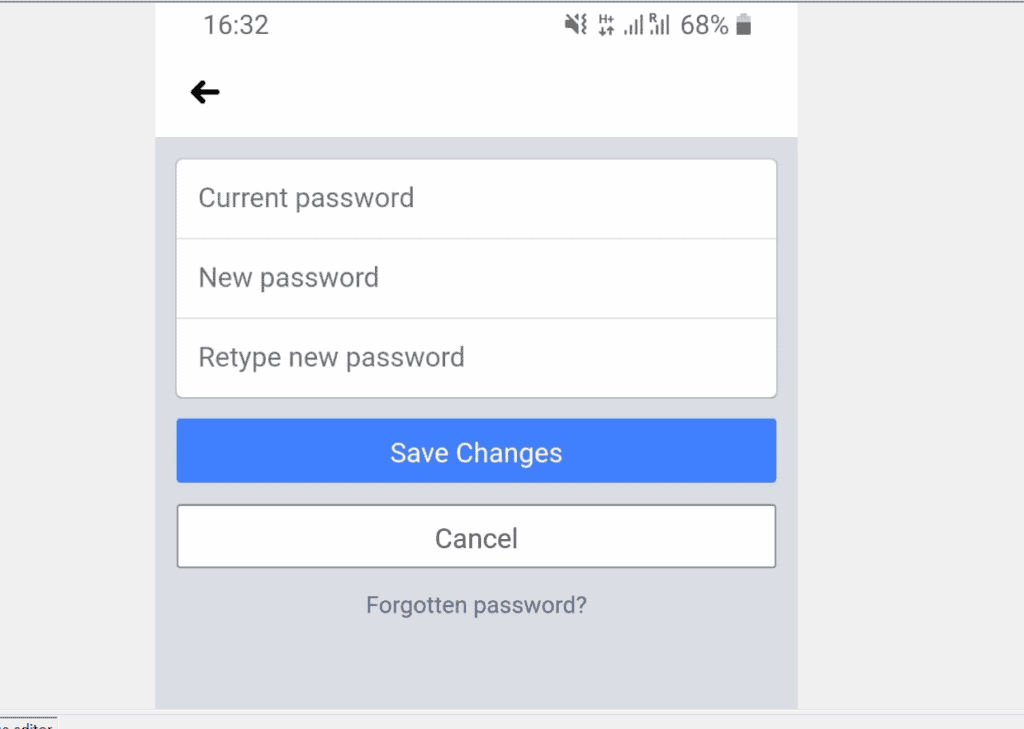
- Finally, to change your Facebook password from Android or iPhone, at the final page, enter your current password. Then, in the New password and Retype New password fields enter your new password. When you finish, tap Save Changes.
I hope that you found it helpful. If you did, click on “Yes” beside the “Was this page helpful” question below.
Popular on Amazon

- Reliable Plug and Play: The USB receiver provides a reliable wireless connection up to 33 ft (1), so you can forget about drop-outs and delays and you can take it wherever you use your computer
- Type in Comfort: The design of this keyboard creates a comfortable typing experience thanks to the low-profile, quiet keys and standard layout with full-size F-keys, number pad, and arrow keys
- Durable and Resilient: This full-size wireless keyboard features a spill-resistant design (2), durable keys and sturdy tilt legs with adjustable height
- Long Battery Life: MK270 combo features a 36-month keyboard and 12-month mouse battery life (3), along with on/off switches allowing you to go months without the hassle of changing batteries
- Easy to Use: This wireless keyboard and mouse combo features 8 multimedia hotkeys for instant access to the Internet, email, play/pause, and volume so you can easily check out your favorite sites
You may also express your thoughts and opinions by using the “Leave a Comment” form at the bottom of this page.
Finally, for more Social Media Itechguides, visit our Social Media how to page.
Quick Recap
Also popular on Amazon

- Connect in seconds: Fast, easy Bluetooth wireless technology simply connects without the need for a dongle or USB port
- Durable and reliable: Built for quality, K250 offers long-lasting keys, a spill-resistant design (2)
- Comfort is key: Deep-profile keys and an adjustable tilt-leg design make typing feel great
- Space-saving: with a compact layout that still includes number pad, arrow keys, and handy F-key shortcuts
- Made responsibly: Designed to last, K250 plastic parts are durably made with minimum 64% recycled plastic (3) to withstand everyday use
Also popular on Amazon

- 【Ergonomic Wireless Keyboard Mouse 】: Wireless ergonomic keyboard is equipped with adjustable height tilt legs to increase comfort and prevent your wrists injury when typing for a long time. The full size wireless keyboard with numeric keypad and 12 multimedia shortcut keys, such as play/ pause, volume increase and decrease, and email, to help you improve work efficiency
- 【Stable & Reliable Wireless Connection】: This wireless keyboard and mouse combo share the same USB receiver(stored in the mouse), and they can also be used separately. Plug & play, no need to download any software, 2.4 GHz wireless provides a powerful and reliable connection up to 33 feet(10m) without any delays.You can enjoy the convenience and freedom of wireless connection at home or at work
- 【Comfortable Optical Mouse】: This compact lightweight wireless mouse features a hand-friendly contoured shape for all-day comfort, and smooth, precise tracking.1600 DPI to meet your daily needs. Perfect for home & office work and entertainment
- 【Long Battery Life】: Up to 365 Days of battery life for keyboard and mouse wireless, say goodbye to the hassle of charging cables and replacing batteries. After 10 minutes of inactivity, the wireless keyboard mouse combo will automatically go into sleep mode to save energy. The wireless keyboard requires one AAA battery, and the wireless mouse requires one AA battery.
- 【Less Noise, More Quiet Keys】: Soft membrane keys provide a quiet and comfortable typing experience, So you can type with confidence on a wireless keyboard crafted for comfort, precision and fluidity. The wireless mouse adopts silent micro-motion technology, which is almost completely silent when clicked. No more concerns about disturbing others.
Also popular on Amazon

- All-day Comfort: This USB keyboard creates a comfortable and familiar typing experience thanks to the deep-profile keys and standard full-size layout with all F-keys, number pad and arrow keys
- Built to Last: The spill-proof (2) design and durable print characters keep you on track for years to come despite any on-the-job mishaps; it’s a reliable partner for your desk at home, or at work
- Long-lasting Battery Life: A 24-month battery life (4) means you can go for 2 years without the hassle of changing batteries of your wireless full-size keyboard
- Simply plug the USB receiver into a USB port on your desktop, laptop or netbook computer and start using the keyboard right away without any software installation
- Simply Wireless: Forget about drop-outs and delays thanks to a strong, reliable wireless connection with up to 33 ft range (5); K270 is compatible with Windows 7, 8, 10 or later
Also popular on Amazon
- Media-Friendly: The K400 Plus wireless touch TV keyboard gives you integrated, comfortable control of your PC-to-TV entertainment, eliminating the clutter of a separate keyboard and mouse
- Plug-and-Play: Simply plug the Unifying receiver into a USB port and the wireless touchpad keyboard is ready to go; adjust controls using the Logitech Options Software to save preferred settings
- Power-Packed: Built with laid-back control in mind, this wireless TV keyboard has a reliable and long battery life of up to 18 months (2), including an on/off button to help it go even longer
- Wireless Freedom: Designed for seamless comfort and control, this HTPC keyboard boasts a range of up to 33 ft (1) wireless connectivity, with quiet keys and a large touchpad for easy navigation
- Broad Compatibility: Designed for use with Windows 7, Windows 8, Windows 10 and later, Android 7 or later, and Chrome OS
Product prices and availability are accurate as of the date/time indicated and are subject to change. Any price and availability information displayed on Amazon at the time of purchase will apply.



First off I would like to say terrific blog! I had a quick question that I’d like to ask if you don’t mind.
I was curious to find out how you center yourself and clear your mind prior to writing.
I have had a tough time clearing my thoughts in getting
my ideas out. I do enjoy writing but it just seems like the first 10 to 15 minutes tend to be wasted just trying to figure out how to begin. Any suggestions or hints?
Many thanks!
Hi,
The way I manage this is to first develop a writing template. For every type of content, I develop a standard writing structure (template) I follow.
This way, I do not necessarily need to think of how to start or what the body of the article would look like. I just follow the template I already developed.
This method makes writing easy for me.
Good luck with your writing!
fantastic issues altogether, you simply won a new reader.
What may you recommend in regards to your put up that you
just made a few days in the past? Any positive?
Hi Judi,
Thanks for your feedback and your kind words. Glad the post fixed your problem. To see our latest posts use the following links:
1. To see latest Social Media posts, – https://www.itechguides.com/category/how-to/social-media/
2. For Buying Guides – https://www.itechguides.com/category/buying-guides/
3. For Windows 10 guides – https://www.itechguides.com/category/windows-10-how-to/
4. For Reviews – https://www.itechguides.com/category/product-reviews/