What’s actually slowing this PC down?
Pick the symptom - the matching free tool is one click away.
iTechGuides is reader-supported. When you buy through links on our site, we may earn an affiliate commission. As an Amazon Associate I earn from qualifying purchases. Learn more
Is your PS5 refusing to turn on, leaving you puzzled about the potential reasons behind it? This article provides comprehensive insights into the possible causes and offers solutions to help you resolve the issue.
Cause of PlayStation 5 Not Powering on
If your PlayStation 5 won’t turn on, it can be frustrating and concerning. Moreover, there could be several reasons why your PS5 is not powering on.
Understanding these potential causes is the first step in resolving the issue. Here, I’ll explain these possible reasons.
The Tool Desk
Outbyte PC Repair FREERepair Windows errors before they cause bigger problemsFix Now →Outbyte Driver Updater FREEScan for outdated or missing drivers - takes under a minuteDriver Scan →1. Power Supply Issues
Power supply issues encompass a range of possibilities. The power cable connecting your PS5 to the electrical outlet may have a damaged cord or a loose connection.
Popular on Amazon
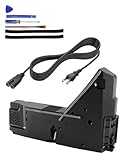
- Wide Compatibility: Internal power supply replacement compatible with PS5 ADP-400DR ADP-400ER PA-1401-JT20 power supply models, compatible with CFI-1015A CFI-1015B CFI-1115A CFI-1115B CFI-1016A CFI-1016B CFI-1116A CFI-1116B CFI-1002A CFI-1002B CFI-1102A CFI-1102B CFI-1018A CFI-1018B CFI-1118A CFI-1118B
- Power Adapter Voltage: Game console internal power supply, input voltage is 100-127V, 4.5A 50/60Hz, 200-240V, 2.3A 50/60Hz, output voltage is +12V, 31A, please confirm power supply specifications required by your console before purchasing to ensure perfect compatibility and optimal performance
- Stable Power Support: Replacement internal power supply AC adapter brick can provide stable power support for game console, enhance gaming experience, solve problems such as game lag, shutdown caused by unstable power supply, and improve gaming experience
- High Quality ABS Material: Made of high quality ABS material, has excellent wear resistance and anti-aging properties, is not easy to crack or rust, and can remain stable and reliable even after long term use, providing safer, more durable and longer-lasting power support for equipment
- Easy Installation: Internal power source replacement comes with necessary power cord and screwdriver, allowing direct replacement of original adapter, do not forcefully disassemble during installation to avoid damaging internal components of game console, can search for relevant installation videos for disassembly and installation guidance
This can render it unable to deliver the required electrical current to the console. Additionally, issues with the power outlet, such as electrical circuit problems or a tripped circuit breaker, can disrupt the power supply.
In fact, inside the PlayStation 5, the power supply unit might also encounter problems, leading to a failure to power on.
When any part of the power supply chain fails, the console won’t receive the necessary electrical energy to initiate the startup process.
PC Slower Than It Used to Be?
A free scan shows the junk files, broken settings and background clutter dragging Windows down - then fixes them in one click.Free scan · Windows 10 & 11Outdated Drivers Are Slowing You Down
One free scan finds every outdated or missing driver and matches the right update for your exact hardware.Free scan · exact hardware match2. Software Problems
Software issues can cause the PS5 to fail to turn on correctly. This can include problems with the system software, firmware, updates, or corrupted system files.
These issues may manifest as the console getting stuck in a boot loop or encountering errors during the startup process. Identifying the specific software issue causing the problem can be challenging.
Furthermore, it may involve testing various scenarios to isolate the cause.
In some cases, software glitches or bugs can prevent the PlayStation 5 from booting.
3. Overheating
Overheating is a safeguard mechanism in modern electronics, including the PS5. When the internal temperature rises above safe levels, the console may refuse to turn on to avoid damaging sensitive components.
Overheating can occur if the PlayStation 5 is placed in an environment with inadequate ventilation or obstructed airflow. Dust accumulation within the console can also contribute to overheating, as it hampers the cooling system’s efficiency.
When the console detects high temperatures, it will automatically shut down and won’t power up to prevent potential hardware damage.
Also popular on Amazon

- ps5 power supply for: CFI-1015A/B、CFI-1115A/B、CFI-1016A/B、CFI-1116A/B、CFC-1002A/B、CFI1018A/B (PS5 Digital Edition & Ultra HD game console)
- Attention! To avoid purchasing the wrong model and not being able to use it, please carefully check the model of your PS5 host!
- Power supply model: ADP 400DR&ADP 400ER&PA-1401-JT20 Both can be used
- Voltage: Game machine power supply unit adapter with input voltage of 100‑127V, 4.5A 50/60Hz, 200‑240V, 2.3A 50/60Hz, output voltage of +12V, 31A
- Easy To Install: The console power supply unit is easy to install and use, no drivers or other special settings are required.
4. Hardware Faults
Hardware faults encompass various potential issues within the PS5’s internal components. These could include problems with the motherboard, central processing unit (CPU), GPU, memory, storage, or other critical components.
Free tools Windows power users keep installed
One-click scans. No signup required.
Hardware issues are typically more complex to diagnose and require professional inspection and repair. They can result from manufacturing defects, physical damage, or gradual wear and tear.
Thus, identifying the precise hardware fault requires thoroughly examining the console’s internal components. This may require disassembly and specialized diagnostic tools.
5. Cable and Connection Problems
Cable and connection problems often manifest as a lack of power or video output. A damaged power cable can prevent the PlayStation 5 from receiving power effectively.
HDMI cables, responsible for carrying video and audio signals to your TV or monitor, may also be at fault if the screen remains blank. Moreover, loose HDMI connections or a damaged HDMI cable can disrupt this communication.
Additionally, issues with USB or other peripheral connections can lead to confusion in the startup sequence, causing the PS5 to remain unresponsive. These issues are often straightforward but may require careful inspection to ensure all cables and connections function correctly.
Proven Ways to Fix PS5 that Won’t Boot
If your PlayStation 5 won’t turn on, you can try several troubleshooting steps to diagnose and potentially resolve the issue. Here’s a step-by-step guide to help you fix a PS5 that won’t power on.
1. Check the Power Source and Outlet
It’s crucial to begin troubleshooting by verifying the integrity of the power source. Make sure that the power outlet you are using is functional.
You can do this by plugging another device into the same outlet to see if it works. If it does, then the outlet is likely not the issue.
Recommended Free Tools
Additionally, ensure that the power cable is correctly connected at both ends. Sometimes, a loose connection at either the console or the outlet can prevent the PS5 from receiving power.
Also popular on Amazon

- Compatible with PS5: Please MUST confirm your model before place the order, our photo and video could help to confirm the model!!!!!Other wise it can't work!!!! The power supply replacement compatible with PlayStation 5 PS5 ADP-400DR / ADP-400ER /PA-1401-JT20. For : CFI-1015A/B、CFI-1115A/B、CFI-1016A/B、CFI-1116A/B、CFC-1002A/B、CFI1018A/B (for PS5 Digital Edition & Ultra HD Console).Input voltage of 100‑127V, 4.5A 50/60Hz, 200‑240V, 2.3A 50/60Hz, output voltage of +12V, 31A.
- Replacement Application: When your console meet with the problem of can’t turn on/suddenly shuts down/power indicator light is abnormal/unable to charge or provide power,etc. Replace the new power supply for PS5 400DR, which will help to solve these problem and make the console normal to use.
- Quality Guarantee: For PS5 ADP-400ER internal power Source replacement was test before shipment,and the 400ER power supply are made of good quality, ABS plastic material make it use more accurately and has longer working life,resistant to wear and tear,. The controller will use as a new one after replacing for PA-1401-JT20 console power supply replacement and bring a new life.
- Convenient Installation: Comes with new power cable and set tools. The power cable could help to replace the damaged or loosed power cable, more stable to charge. And the repair tools, help to disassemble the console and install the power supply, save time and convenient to install the new one.
- Suggestion Tips: If do not have any installation experience, we suggest to find the professional to replace for PS5 ADP-400DR / ADP-400ER internal power supply. If you have any problem or need installation guide, please leave a message.
Also, check the power cable for any visible damage, such as frayed wires or bent cables. Damaged cables can hinder the flow of electricity and may need to be replaced.
2. Inspect for Overheating
Overheating is a common issue that can prevent the PlayStation 5 from turning on. Electronic devices have built-in safeguards to protect against overheating, which can lead to component damage.
Thus, ensure the PlayStation 5 is placed in a well-ventilated area with sufficient airflow. Overheating can occur if the console is placed in a confined space or if its cooling vents are blocked by dust or obstructions.
Quick wins for a faster PC:
Scan for outdated or missing drivers - takes under a minuteDriver Scan →Repair Windows errors before they cause bigger problemsFix Now →If the console feels excessively hot, let it cool down before attempting to power it on again.
3. Boot into Safe Mode
If the PS5 does not respond to normal power-on attempts, you can try booting it into Safe Mode. This is a diagnostic mode that can help identify and potentially resolve software-related issues that may be preventing the console from starting up.
To access safe mode, press and hold the power button on the console for a few seconds until you hear a second beep. Moreover, safe mode provides various options for troubleshooting, such as rebuilding the database and updating system software.
Rebuilding the database can help resolve software-related issues by rebuilding the database of game and system files. It doesn’t delete your data but can help improve system performance.
Do these 3 things before closing this tab:
1Scan for outdated or missing drivers - takes under a minute2Clear out junk files and repair common Windows errors3Fix the driver behind crashes, sound loss and screen glitches4. Power Cycle PS5
Power cycling is a common troubleshooting technique that can help resolve various issues with electronic devices, including the PlayStation 5. When you power cycle a PS5, you perform a complete console shutdown, including the internal hardware components.
This can be especially helpful if there are any temporary glitches with the hardware preventing the console from turning on. To power cycle your PlayStation 5, disconnect the power supply and leave the console for about 20 minutes.
Then, reconnect it and try turning on the system.
5. Contact Sony Support or a Professional
If none of the above steps resolve the issue, there may be a more serious hardware problem with your PS5. Hardware issues can include faults with the motherboard, power supply unit, CPU, GPU, memory, or other critical components.
Also popular on Amazon

- FOR 2-PRONG DEVICES: Works with most TVs, monitors, printers, and other devices that require a 2-pin power connector
- COMPATIBILITY: compatible with PS3, PS3 Slim, PS4, PS4 Slim, PS5, Xbox One S, Xbox One X, Xbox Series S, Xbox Series X, Apple TV, many printer, consumer electronics, and power brick models
- FEATURES: High Quality 2 Prong 10ft AC Power Cord, universal power cable is perfect for bedroom, living room office and home use.
- PACKAGE INCLUDE: 1 x High Quality 10ft AC 2 Prong Power Cord
In this situation, it’s advisable to contact Sony Support or seek assistance from a professional technician specializing in console repairs. Besides, if your PlayStation 5 is still under warranty, contact Sony for warranty service options.
Frequently Asked Questions
A PlayStation 5 can stop working or experience issues for a variety of reasons. These include software or hardware issues, power problems, and overheating.
The PlayStation 5 was released on November 12, 2020.
PlayStation 5 supports backward compatibility. As a result, physical PlayStation 4 game discs will work on the PlayStation 5.
The PlayStation 5 is a video game console developed by Sony Interactive Entertainment.
As of March 2024 when we last edited this article, the CEO of PlayStation was Jim Ryan.
Conclusion
A PlayStation 5 that won’t boot can be a frustrating and concerning issue to deal with. Moreover, there are various potential causes, each requiring different approaches to diagnose and resolve.
Throughout this discussion, we’ve explored several potential reasons why this problem might occur. I also provided tips to address the issue.
Moreover, troubleshooting a PlayStation 5 that won’t start up is a process that involves checking the hardware and software components. While many issues can be resolved through diligent troubleshooting, some may require professional assistance.
Ultimately, the goal is to identify and address the specific cause of the issue to get your PS5 up and running smoothly again.
We trust you’ve found this article to be of value. Don’t hesitate to leave your feedback by completing the “Leave a Reply” form found at the bottom of this page.
For additional articles covering similar subjects, please feel free to browse our Technology Explained section.
Quick Recap
References And Further Reading
- lifewire.com – How to Fix It When Your PS5 Won’t Turn On
- minitool.com – PS5 Not Turning on? Here Are 8 Methods to Fix the Problem
- asurion.com – What to do if your PS5 won’t turn on
- ifixit.com – PlayStation 5 Won’t Turn On