
Free tools Windows power users keep installed
One-click scans. No signup required.
iTechGuides is reader-supported. When you buy through links on our site, we may earn an affiliate commission. As an Amazon Associate I earn from qualifying purchases. Learn more
The cameras with the clearest, most complete Google Home integration are Google Nest Cam models. The best choices are the Nest Cam Indoor (wired, 3rd gen) for indoors, the Nest Cam Outdoor (wired, 2nd gen) for a wired outdoor installation, and the Nest Cam (indoor or outdoor, battery) when flexible placement matters more than continuous recording.
Google also documents limited support for older Nest cameras and has announced one notable partner option, the onn Indoor Camera Wired. However, a camera appearing in Google Home—or working with Google Assistant—does not automatically mean that it supports live video, history, alerts, two-way audio, and controls inside the Google Home app.
What “fully integrates” means
For this guide, a camera is considered fully integrated when Google Home can do substantially more than launch the manufacturer’s app or display a basic status. The important capabilities are:
- Setup and device management in the Google Home app
- Live video in Google Home and, where supported, Google Home for web
- Camera history or event clips
- Motion, person, animal, or other intelligent alerts
- Two-way audio
- Camera-related automations and controls
- Access to eligible Google Home Premium features
Google’s own compatibility guidance warns that some third-party products can appear in Google Home without exposing controls there. You may still need the manufacturer’s app for important functions. Therefore, the Works with Google Home label is useful for initial compatibility screening, but it is not proof of complete camera integration.
Best fully integrated Google Home cameras
| Camera | Best for | Video and integration highlights | Main limitation |
|---|---|---|---|
| Nest Cam Indoor (wired, 3rd gen) | Most Google Home-first indoor installations | Google Home-only setup, 2K HDR, live view, night vision, two-way audio, activity zones, and eligible history and alert features | Requires a wired indoor installation; advanced history and AI features may require a subscription |
| Nest Cam Outdoor (wired, 2nd gen) | Wired outdoor monitoring | Google Home management, 2K HDR, 152-degree diagonal field of view, night vision, live view, two-way audio, and weather-resistant outdoor design | Requires a suitable wired outdoor installation; paid features may apply |
| Nest Cam (indoor or outdoor, battery) | Flexible placement indoors or outdoors | Google Home management, 1080p HDR, 130-degree field of view, live view, event history, night vision, and two-way audio | No 24/7 history, including when connected to power for optional wired use |
| Nest Cam Indoor (wired, 2nd gen) | Existing stock or a lower-generation wired Nest option | Supported in Google Home and part of Google’s current camera documentation | Check whether the listing is new, refurbished, or legacy stock |
| Nest Cam with Floodlight (wired) | Outdoor monitoring with an integrated floodlight | Managed through Google Home and included in Google’s supported camera lineup | Availability and exact feature set can vary by region and current stock |
1. Best indoor choice: Nest Cam Indoor (wired, 3rd gen)
For a household that wants the most direct Google Home experience indoors, the Nest Cam Indoor (wired, 3rd gen) is the strongest recommendation. It requires the Google Home app and a Google Account, and it is not compatible with the older Nest app or home.nest.com.
The camera provides 2K HDR video, live viewing, night vision, two-way audio, and activity zones. Google also describes event-video previews and additional camera-history capabilities through eligible Google Home Premium plans. That makes it a better fit than a camera that merely sends a live-view command to a separate app.
Popular on Amazon
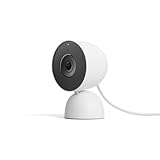
- Meet the smarter, sharper wired Google Nest Cam Indoor; with 2K HDR video and Gemini, it knows what to look out for and what to do next[1,2,3](Gemini features require a Google Home premium subscription; try it for 1 month at no cost to you)[4]
- With an Advanced subscription to Google Home Premium, know more about what’s happening with notifications like “Kids are playing soccer in the living room”[3]; and get even more detailed descriptions and tap to see a summary of what happened[3]
- Google Nest Cam Indoor keeps your data safe with encrypted video, two-step verification, and enhanced security through your Google Account; and a green LED light lets you know when it’s processing or streaming video
- Video is crisp and clear in 2K HDR, Nest Cam’s highest resolution yet[1,2]; see rich color and details, and see in the dark with night vision; and with a wider, taller field of view, you can see even more of a long hallway or large room[1]
- Search your video history with help from Gemini[3]; try something like “What happened to the vase in the living room?” to see a summary and relevant clips (subscription required)
Choose this model when the camera will remain near a power outlet and you want the simplest setup and management path. It is less suitable if you need a portable camera or cannot run a power cable.
Windows Errors? Fix Them Before They Spread
Repair common Windows errors and clear accumulated junk for a smoother, more stable PC - no reinstall needed.Free scan · no reinstallCrashes, No Sound, or Screen Glitches?
Random freezes, missing sound and display glitches usually trace back to one bad driver. Find and replace yours safely.Free scan · under a minute2. Best wired outdoor choice: Nest Cam Outdoor (wired, 2nd gen)
The Nest Cam Outdoor (wired, 2nd gen) is the clearest choice for a permanently powered outdoor camera. It is set up and managed through Google Home rather than the Nest app and supports 2K HDR video, a 152-degree diagonal field of view, night vision, live view, and two-way audio.
A wired camera is usually the better option for a location that needs frequent monitoring or continuous availability. Before buying, plan the cable route, power source, mounting position, and Wi-Fi coverage. Google Home integration does not remove those physical installation requirements.
3. Best flexible option: Nest Cam (indoor or outdoor, battery)
The Nest Cam (indoor or outdoor, battery) is the right choice when placement flexibility is more important than continuous recording. It works with Google Home and provides 1080p HDR video, a 130-degree field of view, night vision, live view, event history, and two-way audio.
There is an important distinction between battery power and wired Nest cameras: Google says battery cameras do not provide 24/7 video history. That remains true even if the camera is connected to power for optional wired installation. Battery cameras are limited to event history.
Do these 3 things before closing this tab:
1Clear out junk files and repair common Windows errors2Fix the driver behind crashes, sound loss and screen glitches3Repair Windows errors before they cause bigger problemsGoogle Home for web may also stop a live stream automatically after a period of time. This is normal behavior rather than evidence that the camera has disconnected. If you need a camera recording continuously or a live feed that stays open for long periods, choose a wired model instead.
Other current Nest options
Nest Cam Indoor (wired, 2nd gen)
Google includes the Nest Cam Indoor (wired, 2nd gen) among cameras managed in Google Home. It remains a legitimate integrated option, but buyers should check the exact generation and the seller’s stock condition. A listing may be new, refurbished, or older inventory, and features or support expectations should not be inferred from a newer model’s product description.
Nest Cam with Floodlight (wired)
The Nest Cam with Floodlight (wired) is also supported in Google Home. It is a practical option when outdoor camera coverage and a built-in floodlight are both wanted, but check current regional availability and the exact product details before ordering.
Budget partner option: onn Indoor Camera Wired
Google has identified the onn Indoor Camera Wired as a genuine Google Home-integrated partner camera rather than a Nest product. Google’s announcement says it can be set up and controlled directly from the Google Home app and supports 1080p live view, intelligent alerts, event history, and access to eligible Google Home Premium camera features alongside Nest cameras.
The Tool Desk
Outbyte PC Repair FREEClear out junk files and repair common Windows errorsFree Scan →Outbyte Driver Updater FREEFix the driver behind crashes, sound loss and screen glitchesFind Drivers →Also popular on Amazon
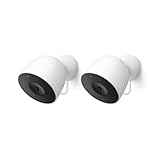
- Meet the smarter, sharper wired Google Nest Cam Outdoor; with 2K HDR video and Gemini, it knows what to look out for and what to do next[1,2,3](Gemini features require a Google Home premium subscription; try it for 1 month at no cost to you)[4]
- Stay in the know with always-on power: Nest Cam Outdoor keeps you plugged into home, day and night, with no need to recharge or replace batteries
- Google Nest Cam Outdoor keeps your data safe with encrypted video, two-step verification, and enhanced security through your Google Account; and a green LED light lets you know when it’s processing or streaming video
- With an Advanced subscription to Google Home Premium, know more about what’s happening with notifications like “Rabbits eating garden plants”[3]; get even more detailed descriptions and tap to see a summary of what happened[3]
- Video is crisp and clear in 2K HDR, Nest Cam’s highest resolution yet[1,2]; see rich color and details, and see in the dark with night vision; a wider, taller field of view means almost nothing’s out of frame[1] – even in a long driveway or big yard
Google announced U.S. availability through Walmart beginning October 1, 2025. Because this is a retailer-specific partner product, confirm that the exact model is still available and that the listing is the same wired onn Indoor Camera before purchasing. Do not treat every onn camera—or every camera sold by Walmart—as having the same Google Home support.
Older Nest cameras: compatible, but not equivalent
Some older Nest cameras can be linked or transferred from the Nest app to Google Home. Google’s documented legacy camera group includes:
- Nest Cam Indoor
- Nest Cam Outdoor
- Nest Cam IQ Indoor
- Nest Cam IQ Outdoor
Eligibility can depend on whether the camera is associated with a migrated Google Account and, in some cases, whether the account is enrolled in Public Preview. After transfer, live video is available in Google Home and Google Home for web, but the experience is not identical to using a newer Google Home-native camera.
Google specifically notes that some legacy functions can remain unavailable in Google Home, including certain clip, timelapse, livestream-sharing, sensitivity, and advanced camera features. If you already own one of these cameras, transferring it may be worthwhile. If you are buying new, a current Google Home-native model is generally the less complicated choice.
Cameras you should not count on for full Google Home integration
Dropcam and Dropcam Pro
Dropcam and Dropcam Pro are not viable Google Home camera choices. Google ended support on April 8, 2024, and these cameras can no longer connect to the app, stream, or record video.
Unverified third-party models
Do not assume that an arbitrary Arlo, Ring, Wyze, Eufy, TP-Link, or other third-party camera is fully integrated just because it:
- Works with Google Assistant voice commands
- Can be cast to a Nest display or Chromecast-compatible screen
- Appears in a Google Home device list
- Uses a “Works with Google Home” or similar compatibility claim
Those capabilities may provide only voice launching, status reporting, or a limited live view. The manufacturer’s app may still be required for recording history, alerts, settings, two-way audio, or camera controls.
Matter cameras
Matter compatibility should not automatically be treated as a complete camera solution. Google’s current Matter support information covers several smart-home, security, and sensor categories, but it does not establish universal full-featured camera support. Verify the exact camera model and the functions available in Google Home before relying on Matter as the deciding factor.
Recommended Free Tools
Google Home integration versus Google Home Premium
Buying a Google Home-compatible camera and subscribing to Google Home Premium are separate decisions. Basic integration can provide live viewing and other supported functions, but advanced capabilities may be subscription-dependent.
Also popular on Amazon

- Meet the smarter, sharper wired Google Nest Cam Indoor; with 2K HDR video and Gemini, it knows what to look out for and what to do next[1,2,3](Gemini features require a Google Home premium subscription; try it for 1 month at no cost to you)[4]
- With an Advanced subscription to Google Home Premium, know more about what’s happening with notifications like “Kids are playing soccer in the living room”[3]; and get even more detailed descriptions and tap to see a summary of what happened[3]
- Google Nest Cam Indoor keeps your data safe with encrypted video, two-step verification, and enhanced security through your Google Account; and a green LED light lets you know when it’s processing or streaming video
- Video is crisp and clear in 2K HDR, Nest Cam’s highest resolution yet[1,2]; see rich color and details, and see in the dark with night vision; and with a wider, taller field of view, you can see even more of a long hallway or large room[1]
- Search your video history with help from Gemini[3]; try something like “What happened to the vase in the living room?” to see a summary and relevant clips (subscription required)
Depending on the model, power configuration, plan, and region, Google Home Premium can affect access to longer event history, 24/7 history, intelligent alerts, video search, and other AI-assisted features. Google’s camera pages describe included event-video previews, while additional history and advanced features are associated with eligible Premium plans.
Do not assume that a battery camera gains 24/7 recording simply because you pay for Premium: the battery-camera limitation still applies. Likewise, do not assume that every Nest or partner camera receives the same features. Check the plan’s current eligibility list for the exact model.
Independent reader supportYour contribution helps us test, update, and keep practical guides available for everyone.How to choose the right camera
- Choose the power type first. Select a wired Nest Cam for continuous availability and a battery Nest Cam for flexible placement and event-based monitoring.
- Choose the location. Use the Indoor model inside, the Outdoor model for a wired exterior installation, and the battery model when one camera may move between indoor and outdoor locations.
- Confirm the generation. “Nest Cam” is not one single product. The app, video resolution, history behavior, and setup path can differ between generations.
- Separate free features from subscription features. Decide whether event previews are enough or whether you need longer history, 24/7 history, intelligent alerts, or video search.
- Check exact third-party support. For a non-Nest camera, verify setup, live view, history, alerts, two-way audio, and controls individually—not just general Google Assistant compatibility.
- Check regional availability. Product names, stock, transfer eligibility, and subscription features can vary by country and over time.
Quick recommendations
- Best overall indoor Google Home camera: Nest Cam Indoor (wired, 3rd gen).
- Best wired outdoor camera: Nest Cam Outdoor (wired, 2nd gen).
- Best for flexible placement: Nest Cam (indoor or outdoor, battery), provided event history is sufficient.
- Best partner-camera option: onn Indoor Camera Wired, subject to current U.S. availability and exact-model verification.
- Best use for an older Nest camera: Transfer it if eligible, but expect some legacy features to remain in the Nest app or be unavailable.
- Best camera to avoid: Dropcam or Dropcam Pro, because support ended in 2024.
Frequently Asked Questions
Which camera works best with the Google Home app?
The Nest Cam Indoor (wired, 3rd gen) is the strongest indoor choice because it is designed for Google Home setup and management. For outdoors, choose the Nest Cam Outdoor (wired, 2nd gen).
What’s actually slowing this PC down?
Pick the symptom - the matching free tool is one click away.
Can I use an Arlo, Ring, Wyze, Eufy, or TP-Link camera with Google Home?
Some exact models may connect to Google Home, but compatibility does not guarantee complete in-app controls. Verify whether the specific model supports live view, history, alerts, two-way audio, and settings in Google Home rather than relying only on a compatibility badge.
Does the battery Nest Cam record 24/7 when plugged in?
No. Google states that battery cameras do not provide 24/7 video history, even when connected to power for optional wired installation. They are limited to event history.
Can older Nest cameras be moved to Google Home?
Eligible Nest Cam Indoor, Nest Cam Outdoor, Nest Cam IQ Indoor, and Nest Cam IQ Outdoor models can be linked or transferred in supported situations. Eligibility may depend on a migrated Google Account and, in some cases, Public Preview enrollment. Some legacy features remain unavailable in Google Home.
Do I need Google Home Premium to use a Nest camera?
Not necessarily for basic supported functions such as live viewing. Premium can add or extend features such as event history, 24/7 history for eligible wired cameras, intelligent alerts, and video search. Exact availability depends on the model, power configuration, plan, and region.
The Bottom Line
If complete Google Home integration is the priority, stay with the current Nest Cam range. Buy the Nest Cam Indoor (wired, 3rd gen) indoors, the Nest Cam Outdoor (wired, 2nd gen) for a wired exterior installation, or the Nest Cam (indoor or outdoor, battery) when flexible placement is worth giving up 24/7 history. The onn Indoor Camera Wired is a credible partner alternative, but third-party compatibility should always be checked at the exact-model and feature level.

