
iTechGuides is reader-supported. When you buy through links on our site, we may earn an affiliate commission. As an Amazon Associate I earn from qualifying purchases. Learn more
The 3.5mm Headphone Jack is a small analog connector used for headphones, headsets, microphones, line-level audio, and some video accessories. The 3.5mm measurement identifies the plug’s approximate diameter, not its wiring. Count the insulating bands, then check whether the plug is TS, TRS, or TRRS and whether its pinout matches the device.
A plug is the male connector attached to a cable; a jack or socket is the female connector built into a phone, laptop, mixer, amplifier, controller, camera, or other equipment. The connector is also called a mini-jack or eighth-inch jack.
In ordinary headphone use, the source device’s digital-to-analog converter and headphone amplifier produce an analog electrical signal that travels through the jack to the headphone drivers. A 3.5mm socket may also be a microphone input, line input, line output, combined headset socket, or specialized audio/video connection, so the label alone does not identify its function.
Quick wins for a faster PC:
Fix the driver behind crashes, sound loss and screen glitchesFind Drivers →Clear out junk files and repair common Windows errorsFree Scan →Key takeaways
- One insulating band usually identifies a two-conductor TS plug, two bands usually identify a three-conductor TRS plug, and three bands usually identify a four-conductor TRRS plug.
- A typical TRS stereo headphone plug carries left audio on the tip, right audio on the ring, and common ground on the sleeve.
- The common CTIA/AHJ TRRS headset arrangement is tip-left, ring 1-right, ring 2-ground, and sleeve-microphone/control; OMTP swaps the ground and microphone positions.
- A TRS plug may fit a TRRS socket for stereo playback, but a TRS plug has no separate microphone contact and cannot provide headset microphone functionality.
- USB-C-to-3.5mm and Lightning-to-3.5mm adapters may contain active digital-to-analog conversion electronics; a USB-C plug’s shape alone does not guarantee analog audio compatibility.
What is the anatomy of a 3.5mm plug?
A 3.5mm plug is divided into conductive metal sections separated by insulating bands. Read the sections from the tip toward the cable: tip, ring 1, ring 2 where present, and sleeve. The plug’s strain relief supports the cable, while the outer cable jacket protects the internal conductors.
Popular on Amazon

- Universal Compatibility: Perfectly compatible with any devices with a 3. 5mm aux port. Such as Apple iPhone, iPod, iPad, Headphones, Hi-Fi, Car Stereos, Tablet, Laptop, Smartphones, MP3 Player, Speaker and any other audio-playing devices. (ATTENTION: Incompatible with Life proof Cases And Otter Box cases)
- Unparalleled Sound Quality: Polished 24K gold-plated connectors ensure reliability and eliminate signal loss and noise possible, offer clear and stereo sound to your devices.
- Ultra Durable And Tangle-Free: With an 15000+ ultra-durable bend lifespan several times longer than original audio cables. You can wind it without having to worry about knots or kinks.
- Easy Carrying And Storage: Double shielding significantly enhances protection against interference, and with the specially designed organizer, no messy or tangled cable any more.
- What You Get - Sync wire 3.3 ft. Nylon Braided Aux Cable, 3 Years Free Card, User Guide and Customer Service
TIP        RING 1       RING 2       SLEEVE       CABLE
|----------|------------|------------|-------------|=====
metal      metal        metal        metal         jacket
     insulating bands separate neighboring contacts
Count the metal sections, not merely the black bands. Each insulating band separates two adjacent conductive sections. One band normally creates two sections, two bands create three sections, and three bands create four sections.
| Appearance | Name | Conductive sections | Typical use | Important caution |
|---|---|---|---|---|
| One band | TS | 2 | Mono audio, instruments, control, or some microphone applications | Function depends on the equipment’s wiring. |
| Two bands | TRS | 3 | Unbalanced stereo headphones, balanced mono, or line-level audio | TRS does not always mean stereo. |
| Three bands | TRRS | 4 | Stereo headset with microphone, controls, or some A/V equipment | The fourth contact may carry video or another signal instead of a microphone. |
| Four bands | TRRRS | 5 | Specialized applications | Do not assume ordinary consumer headset compatibility. |
Decorative grooves, painted rings, recessed contacts, unusual plugs, and proprietary connectors can make visual identification unreliable. When compatibility matters, use the device and accessory documentation as well as the plug’s appearance.
What do TS, TRS, and TRRS mean?
TS, TRS, and TRRS describe the physical contact sections of the connector: T means Tip, R means Ring, and S means Sleeve. The repeated R in TRRS means that the plug has two rings. The labels describe geometry, not a guaranteed signal assignment.
Outdated Drivers Are Slowing You Down
One free scan finds every outdated or missing driver and matches the right update for your exact hardware.Free scan · exact hardware matchWindows Errors? Fix Them Before They Spread
Repair common Windows errors and clear accumulated junk for a smoother, more stable PC - no reinstall needed.Free scan · no reinstallA Focusrite explanation of TS, TRS, and TRRS connectors notes that TRS is commonly used for unbalanced stereo but can also carry balanced mono. That distinction matters in recording equipment: a TRS plug that looks like a stereo headphone plug may carry a completely different signal in a professional audio setup.
| Connector | Sections from tip to cable | Common headphone interpretation | Other possible interpretation |
|---|---|---|---|
| TS | Tip, Sleeve | Mono | Instrument, control, or microphone-related signal |
| TRS | Tip, Ring, Sleeve | Unbalanced stereo | Balanced mono or line-level audio |
| TRRS | Tip, Ring 1, Ring 2, Sleeve | Stereo plus microphone and/or controls | Composite A/V or manufacturer-specific signaling |
What is the standard TRS stereo headphone pinout?
A typical unbalanced stereo TRS headphone plug carries the left channel on the tip, the right channel on the ring, and a shared ground or return on the sleeve.
TIP             RING             SLEEVE
Left audio      Right audio      Common ground/return
The diagram is oriented from the plug tip toward the cable. This arrangement is typical for ordinary stereo headphones, but it is not a balanced headphone connection. In balanced mono equipment, the three TRS contacts may instead carry positive, negative, and ground/reference conductors. Never infer the signal type from the connector shape alone when working on professional or specialized equipment.
What is the TRRS headset pinout?
A four-contact TRRS headset commonly combines left and right headphone audio with a microphone and headset-control circuit. The two important wiring arrangements are CTIA/AHJ and OMTP, which differ because they swap the microphone and ground contacts.
What’s actually slowing this PC down?
Pick the symptom - the matching free tool is one click away.
CTIA/AHJ: the common modern arrangement
TIP             RING 1          RING 2          SLEEVE
Left audio      Right audio     Ground          Microphone/control
Android’s official headset specification requires the CTIA/LRGM contact order for compatible four-conductor headsets. Android also recognizes OMTP/LRMG as an optional or legacy arrangement in the relevant specifications: Android’s headset jack specification and its four-conductor plug specification.
OMTP: the alternate arrangement
TIP             RING 1          RING 2          SLEEVE
Left audio      Right audio     Microphone      Ground
CTIA/AHJ is common for modern smartphone-style headsets, but it is not a universal rule for every device or accessory. Sony’s Xperia guidance, for example, specifies that four-pole headsets should comply with CTIA: Sony’s CTIA headset support article.
A CTIA/OMTP mismatch can cause quiet playback, missing bass, hollow or center-cancelled audio, an undetected microphone, non-working remote buttons, false headset detection, or sound that changes when the plug is moved. The exact symptom depends on the jack circuitry, plug geometry, microphone biasing, and adapter design.
Also popular on Amazon

- 【Hi-Fi Sound Quality】: 24k gold-plated connector, Enameled wire core, which ensure seamlessly transmit stereo audio for premium sound experience.
- 【Copper connector】: Pure copper shell of this stereo aux cable provides reliable performance and reducing signal loss.
- 【Incredibly Durable】: 20000+ bend lifespan & double-braided nylon exterior make audio cables adding to the durability and tangle free.
- 【Universal Compatibility】: Our AUX cord works perfectly with any device with a 3.5mm aux port. Such as car stereos, speaker, iPod, headphones, etc.
- 【Plug and Play】: Tangle free design makes our 3.5mm audio cable more convienient to carry and storage. You can enjoy your music anytime and anywhere while commuting. Let the fun begin.
Why do the black bands matter?
The black or dark bands are insulating separators. They stop neighboring metal contact sections from touching. The usual visual rule is simple:
- One insulating band: usually TS, with two conductive sections.
- Two insulating bands: usually TRS, with three conductive sections.
- Three insulating bands: usually TRRS, with four conductive sections.
The band count identifies the connector structure, not necessarily its function. Three bands do not automatically mean “microphone”: a four-section plug can carry composite video, control signaling, or another manufacturer-specific assignment.
What can a 3.5mm jack carry?
A 3.5mm jack’s electrical purpose depends on the equipment, its label, and its internal circuitry. The same physical diameter can serve several unrelated roles.
| Function | What the connection does | What to check |
|---|---|---|
| Headphone output | Drives earbuds or headphones with an analog audio signal | Headphone symbol, volume control, output specifications, and supported load |
| Line output | Sends audio to another device at a relatively fixed line level | Line-out label and the receiving device’s input requirements |
| Line input | Receives audio from another source | Input label, level requirements, and whether the input is stereo |
| Microphone input | Receives a much lower-level microphone signal and may provide microphone bias | Mic symbol, plug-in-power support, and the equipment manual |
| Headset jack | Combines headphone output and microphone input, usually through TRRS | CTIA/OMTP wiring and headset-control support |
| A/V or specialized connector | May carry composite video, control data, or another proprietary signal | The exact equipment documentation |
A “3.5mm jack” label therefore does not tell you whether a socket is an input, output, bidirectional connection, or headset-compatible socket. Look for symbols, color coding, labels, and the equipment manual.
Why can a three-contact plug work in a four-contact jack?
Many TRRS sockets are mechanically designed to accept a shorter TRS plug. The TRS plug’s tip, ring, and sleeve can align with the corresponding left, right, and ground contacts, allowing stereo playback while leaving the microphone contact unused.
Mechanical fit is not a guarantee of electrical compatibility. A TRS plug has no separate microphone contact, so a TRS-only headphone plug cannot provide a headset microphone signal. A TRRS plug inserted into a TRS-only socket may also position its contacts incorrectly depending on the socket design. Android’s headset jack specification expressly addresses compatibility between four-conductor headsets and three-contact or mono plugs: Android’s accessory compatibility requirements.
| Plug | Socket | Likely result |
|---|---|---|
| TRS stereo headphones | TRRS headset socket | Usually stereo playback; microphone functionality is unavailable because the plug has no microphone contact. |
| CTIA TRRS headset | CTIA TRRS socket | Playback and microphone operation are likely if the device supports both. |
| OMTP TRRS headset | CTIA TRRS socket | Possible audio, microphone, or control problems; a CTIA/OMTP converter may help. |
| TRRS headset | TRS-only output | Playback may work or may be unreliable; microphone and controls are not guaranteed. |
How do headset buttons and microphone detection work?
Inline controls are not simply extra audio wires in every headset. Many analog headsets use resistor values on the microphone circuit to signal button presses. The device detects those electrical changes and interprets them as volume, play/pause, or other commands.
That arrangement explains why playback can work while the microphone or buttons fail. Button behavior can vary among phones, laptops, game controllers, and adapters. USB-C and Lightning adapters may contain active electronics that interpret or translate headset signals. Resistance values vary by implementation, so a universal button-resistance chart would be misleading without a device-specific standard.
What is the difference between passive and active 3.5mm adapters?
A passive adapter changes the physical connection or rearranges contacts; an active adapter contains electronics that process or convert the signal.
Free tools Windows power users keep installed
One-click scans. No signup required.
| Adapter type | Examples | What it does | Main limitation |
|---|---|---|---|
| Passive | 3.5mm-to-6.35mm adapter, extension, CTIA-to-OMTP converter, TRRS splitter | Extends, rearranges, or separates existing analog contacts | Does not convert digital audio or fix every incompatible signal assignment. |
| Active | USB-C-to-3.5mm dongle, Lightning-to-3.5mm adapter, USB audio interface, USB DAC/headphone amplifier | Uses electronics such as a DAC and amplifier to produce analog output | Device support, microphone support, controls, power, and charging compatibility vary. |
Apple documents both Lightning-to-3.5mm and USB-C-to-3.5mm adapters as connection methods for standard 3.5mm audio devices. An active adapter can be a simple playback solution, but readers needing a microphone, inline controls, charging passthrough, or difficult-to-drive headphones must verify those features for the exact adapter and device.
Also popular on Amazon
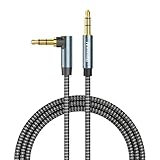
- ELIMINATE CABLE BENDING IN TIGHT SPACES: Our 90-degree right-angle design prevents stress and damage. Perfect for cramped car AUX connections or resting a gaming controller comfortably against your body without bulky, annoying interference.
- PRISTINE HI-FI STEREO SOUND WITHOUT STATIC: Engineered with pure copper cores and triple shielding for lossless audio. Enjoy your music or immersive gaming without lag, distortion, or the frustrating crackling background noise of standard cords.
- HEAVY-DUTY NYLON BRAIDING FOR MAXIMUM LIFESPAN: Built to withstand heavy daily use. This robust, tangle-free 3.5mm auxiliary cable features reinforced connectors tested for 20000+ bends, completely preventing fraying and unexpected breaks.
- FAILSAFE UNIVERSAL 3.5MM PLUG & PLAY: Seamlessly links to standard audio jacks. Instant, zero-driver setup for Car Stereos, PS5/PS4/Xbox Controllers, Home Speakers, Headphones, PCs, and Tablets. Upgrade your current audio setup effortlessly.
- CRUCIAL COMPATIBILITY NOTE & 24-MONTH SUPPORT: Designed for native 3.5mm ports. Modern devices without a jack require a separate adapter (not included). Nanxudyj stands by your purchase with 24-month dedicated support for a flawless experience.
Why is USB-C audio not automatically the same as a 3.5mm jack?
A native 3.5mm headphone jack sends analog audio directly through its contacts. USB-C is primarily a digital interface: a USB-C audio adapter commonly receives digital audio and uses an internal DAC to create the analog headphone signal.
Some devices support an analog audio accessory mode, while others require a digital USB audio adapter. A passive USB-C-to-3.5mm cable can therefore fail even though the plug fits. Check the phone, tablet, or computer documentation and confirm whether the adapter contains a DAC and supports the required microphone and control functions.
For a straightforward first-party playback option, the Apple USB-C to 3.5 mm Headphone Jack Adapter was listed at $9.00 on the U.S. Apple Store when checked for this article on August 16, 2026; regional price, availability, device support, and functions can change. Apple’s official adapter support page is the better source for compatibility than the connector shape alone.
The Tool Desk
Outbyte PC Repair FREEClear out junk files and repair common Windows errorsFree Scan →Outbyte Driver Updater FREEScan for outdated or missing drivers - takes under a minuteDriver Scan →For users who need a more capable active device, FiiO describes the KA11 as a USB DAC/headphone amplifier with USB-C and Lightning variants and a 3.5mm single-ended output. FiiO Japan lists a CS43131 DAC and up to 200mW at 32Ω in its regional specification, with an estimated market price of approximately ¥5,390 when checked on August 16, 2026. Actual regional pricing, output behavior, microphone support, and device compatibility should be verified before purchase using the FiiO product information and FiiO Japan specification page.
Greater output power does not automatically mean better sound. Performance depends on the DAC, amplifier, output impedance, noise, distortion, headphone sensitivity, headphone impedance, and listening level.
How does a 3.5mm connector compare with 6.35mm?
6.35mm, commonly called 1/4-inch, is the larger phone-connector size commonly found on studio equipment, amplifiers, instruments, and mixers. 3.5mm is common on portable and consumer equipment.
A simple 3.5mm-to-6.35mm TRS adapter can preserve an ordinary analog stereo headphone connection. The adapter does not convert balanced wiring, microphone signals, impedance, speaker output, or an incompatible pinout. A 6.35mm connector can carry different signal types just as a 3.5mm connector can; Focusrite’s connector guide explains the shared TS/TRS terminology and size relationship.
How do you choose the right 3.5mm adapter or cable?
Choose the adapter only after identifying the device port, the plug structure, the required signal, and the functions you need.
| Need | Best starting point | Main caution |
|---|---|---|
| Ordinary stereo headphones | 3.5mm TRS connection | Do not confuse ordinary stereo TRS with balanced TRS equipment. |
| Stereo headphones plus microphone | 3.5mm CTIA TRRS headset | Legacy OMTP devices may require an adapter. |
| Phone without a headphone jack | Active USB-C or Lightning audio adapter | Confirm DAC, microphone, controls, and device compatibility. |
| Studio headphones | 3.5mm-to-6.35mm adapter or native 6.35mm cable | Check the amplifier output and headphone requirements. |
| Separate computer headphone and microphone sockets | TRRS-headset splitter | Match CTIA/OMTP wiring and the splitter’s intended use. |
| Older mobile device | Device-specific CTIA/OMTP research | Visual appearance alone is insufficient. |
| Cable repair | Replacement plug with the original geometry and pinout | A plug with the right size can still be wired incorrectly. |
| Hard-to-drive headphones | USB DAC/headphone amplifier | Consider sensitivity, impedance, noise, gain, and output power together. |
For a 3.5mm-to-6.35mm adapter, choose a well-built TRS model from a reputable audio-equipment manufacturer or retailer when connecting ordinary stereo headphones to a mixer, interface, amplifier, keyboard, or other 1/4-inch headphone output. A CTIA-to-OMTP adapter is appropriate only after you establish that the headset and device use different arrangements. A TRRS splitter is appropriate for a compatible headset that must connect to separate headphone and microphone sockets, but a three-contact TRS extension can interrupt the microphone path.
Independent reader supportYour contribution helps us test, update, and keep practical guides available for everyone.How do you troubleshoot a 3.5mm connection?
What should you do when there is no sound?
- Confirm that the source device is routing audio to the wired output.
- Increase the device volume and check mute settings.
- Remove a case if it prevents the plug from fully entering the socket.
- Unplug and firmly reinsert the connector.
- Test the headphones on another device.
- Test a known-good headphone pair on the original device.
- Inspect the plug and socket for lint, corrosion, bent contacts, or visible damage.
- Try another adapter if the connection uses USB-C or Lightning.
- Check whether the accessory is TRS, CTIA TRRS, or OMTP.
- If only one channel works, test for a cable or plug break.
- If sound changes when the plug is rotated or pulled slightly outward, suspect a contact problem or wiring damage.
- Restart the device when headset detection is controlled by software.
Why does the microphone not work?
- Check that the plug has three insulating bands and is therefore likely TRRS.
- Confirm that the headset uses CTIA/AHJ rather than OMTP.
- Verify that the device’s socket supports microphone input instead of headphone output only.
- Test the microphone in an app that has microphone permission.
- Test without a TRS extension cable, because a three-contact extension may interrupt the microphone contact.
- Try a CTIA/OMTP converter if the hardware generations are mismatched.
- Verify that a USB-C or Lightning adapter supports microphone input, not only playback.
Why does audio sound thin, hollow, or phasey?
Thin, hollow, or phasey audio can result from swapped ground and microphone contacts, a partially inserted plug, a damaged sleeve or ground connection, a TRS/TRRS mismatch, a faulty splitter, or a stereo-to-mono or balanced/unbalanced wiring error. Test with a known-good CTIA headset and a plain TRS stereo pair before blaming the headphones or the jack.
Also popular on Amazon

- [PLEASE READ BEFORE BUYING - COMPATIBILITY] Flawlessly works with any device featuring a standard 3.5mm audio jack or AUX-in port, such as car stereos, Beats/Sony headphones, PCs, MP3 players, and PS4/Xbox controllers. NOTE: For newer devices without a 3.5mm jack (like iPhone 15/14/13 series, newer iPads, Samsung Galaxy S24/S23, and Pixel phones), an Apple Lightning/USB-C to 3.5mm adapter is required (NOT INCLUDED).
- [6FT PERFECT LENGTH FOR FREEDOM] The 6-foot (1.8m) length provides the ultimate flexibility for daily scenarios. It is long enough for backseat passengers to control the car stereo music, or for you to connect your desktop PC under the desk to your headphones without restricting your movement.
- [EASY-TO-CLEAN PVC & TANGLE-FREE] Upgraded with a premium, smooth PVC exterior that resists dirt, stains, and daily wear. A quick wipe keeps it looking brand new. Built to withstand over 15,000+ bends, this flexible aux cord guarantees a tangle-free experience in your bag or car console.
- [HI-FI PREMIUM SOUND QUALITY] Equipped with 24K gold-plated connectors and tinned oxygen-free copper wire. The dual-shielding design blocks radio frequency interference, ensuring reliable performance, zero static, and crystal-clear sound transmission for your music and podcasts.
- [SECURE FIT & RELIABLE SUPPORT] The step-down design ensures a firm connection, even with bulky phone cases. You will receive 1 x LDKCOK 6ft 3.5mm Male to Male Audio Cable, backed by our 24/7 responsive customer service for any troubleshooting or warranty needs.
Why do the headphones work only when the plug is held at an angle?
Audio that changes when the plug is rotated or held at an angle usually points to incomplete contact, a worn socket, contamination, or a broken conductor near the plug. Test a known-good accessory, remove any case obstruction, inspect the socket, and avoid forcing or twisting the plug because mechanical pressure can worsen the damage.
Recommended Free Tools
How can you test a plug with a multimeter?
Multimeter testing is an optional repair step for an unplugged cable. You need a digital multimeter with continuity mode, access to the cable’s far end or an exposed connector, and careful probes that do not short adjacent contacts.
- Set the multimeter to continuity or low resistance.
- Identify the tip, rings, and sleeve visually.
- Touch one probe to a plug section and trace the other end of the cable with the second probe.
- Record which section connects to left, right, ground, microphone, or shield.
- Flex the cable gently while testing to reveal an intermittent break.
- Do not apply external voltage to an unknown headset.
For a finished headphone cable, measuring between tip and sleeve or ring and sleeve can reveal an open circuit, but resistance readings alone cannot reliably identify every internal wiring function. A wiring diagram or access to the drivers and microphone may be necessary.
What is the short history of the 3.5mm connector?
The 3.5mm connector evolved from the larger telephone-style phone-connector family and became strongly associated with portable audio and consumer headphones. The connector remains common in laptops, cameras, audio interfaces, game controllers, and many other electronics even though some smartphones have removed the built-in socket.
Removing a phone’s headphone jack changes the connection path; it does not make 3.5mm audio obsolete. Users can still connect wired headphones through an active adapter, dongle, dock, or external audio interface.
Do these 3 things before closing this tab:
1Clear out junk files and repair common Windows errors2Fix the driver behind crashes, sound loss and screen glitches3Repair Windows errors before they cause bigger problemsQuick-reference chart
| Type | Band count | Contact sequence | Typical use | Compatibility warning |
|---|---|---|---|---|
| TS | 1 | Tip, Sleeve | Mono or specialized two-contact signal | Not a stereo headphone plug. |
| TRS | 2 | Tip, Ring, Sleeve | Typical unbalanced stereo headphones | Can also be balanced mono. |
| CTIA TRRS | 3 | Left, Right, Ground, Microphone/control | Modern-style stereo headset | Requires compatible headset input and control support. |
| OMTP TRRS | 3 | Left, Right, Microphone, Ground | Competing or legacy headset arrangement | Ground and microphone may be reversed relative to CTIA. |
| TRRRS | 4 | Five conductive sections | Specialized equipment | Do not assume ordinary TRRS headset compatibility. |
Frequently Asked Questions
Can I use TRS headphones in a TRRS headphone jack?
A TRS stereo headphone plug will usually provide left and right playback in a compatible TRRS socket, but the TRS plug has no separate microphone contact, so microphone and inline-control functions are unavailable.
How can I tell whether a 3.5mm headset is CTIA or OMTP?
The plug’s three bands show that the headset is likely TRRS, but they do not reveal whether the wiring is CTIA or OMTP. Check the headset or device documentation, or use a CTIA/OMTP adapter when symptoms indicate that ground and microphone contacts may be swapped.
Does a USB-C-to-3.5mm cable always work for headphones?
No. Many USB-C-to-3.5mm adapters contain a DAC and are active USB audio devices, while some passive cables require a device that supports analog audio accessory mode. Confirm the source device and adapter compatibility before buying.
What does a 3.5mm-to-6.35mm adapter change?
A simple 3.5mm-to-6.35mm adapter changes connector size while preserving a compatible analog connection. It does not convert balanced wiring, microphone signals, impedance, speaker output, or an incompatible pinout.
The Bottom Line
A 3.5mm connector identifies size, not function. Count the bands, read the contacts from tip toward the cable, distinguish TRS stereo from TRRS headset wiring, and verify CTIA/OMTP and device support before buying an adapter. Most failures are mismatched contacts, unsupported microphone functions, incomplete insertion, or damaged cables—not necessarily a defective jack.

