

iTechGuides is reader-supported. When you buy through links on our site, we may earn an affiliate commission. As an Amazon Associate I earn from qualifying purchases. Learn more
Are you in the market for a convertible Microsoft device? If you are, this Surface Book vs Surface Pro comparison will be of help to you.
Surface Book vs Surface Pro: At First Glance
The Surface Book and Surface Pro line have been the main forces spearheading Microsoft’s charge for the 2-in-1 laptop market takeover. They are proof of how long Microsoft has come since first embarking on the tablet-laptop hybrid journey.
Though the path which both series have taken to finally get to their current iterations I will be comparing here is very similar, the two Surface devices are also different.
Do these 3 things before closing this tab:
1Scan for outdated or missing drivers - takes under a minute2Clear out junk files and repair common Windows errors3Fix the driver behind crashes, sound loss and screen glitchesWhen Microsoft released the Surface Book 3, it was an innovative 2-in-1 for its $1,599.99 price. However, being the third generation of the Surface Book lineup, it’s sad that it didn’t feature any updates, and neither is there any promise of updates.
Popular on Amazon

- Intel Evo Platform Core i7 processor, 256GB SSD Drive, 16GB RAM
- 13" Touchscreen 2880 x 1920, Wi-Fi 6: 802.11ax compatible, Bluetooth 5.1
- Ports: Full-size USB 3.0; microSD card reader; Headphone jack; Mini DisplayPort; Cover port; Charging port, Camera: 5MP front-facing and 8MP rear-facing cameras with 1080p HD video recording
- 13" Touchscreen 2880 x 1920, Stereo speakers with Dolby Audio-enhanced sound
- Operating System: Windows 11 Home, Intel Iris Xe Graphics
The Surface Pro 8, on the other hand, is more of an evolutionary change of the Surface Pro line of laptops. Being the latest in Microsoft’s line of convertible 2-in-1s, it has been designed with all the upgrades that the Surface Pro lovers have been clamoring for.
To make it better, Microsoft still offers the Surface Pro 8 with its upgrades at a reasonable $929.29 price tag. With all of these in consideration, which of the two laptops will make a better choice?
Surface Book vs Surface Pro: Design, Dimension and Weight
First of all, I will give a general overview of both laptops’ designs before I go into the details of their distinctive and similar design characteristics.
As you already know, both the Surface Book 3 and Surface Pro 8 are 2-in-1 convertible laptops. This means that both laptops can switch between laptop and tablet forms.
While the Surface Book 3 has a more natural laptop form, the Surface Pro 8’s build is closer to that of a tablet than a traditional laptop. The Surface Pro 8 assumes its laptop form when you attach its special feature known as the Surface Type Cover (more about this later on).
Meanwhile, the Surface Book 3’s unique design allows it to transform from a regular laptop to a tablet by detaching its display from its deck. The simple act of pushing a button to prompt the ejection of the display sounds satisfying to the geeky part of me.
Although there are many 2-in-1 devices, there’s barely anyone of them that features the kind of unique transformation the Surface Book 3 features. Even the Surface Pro 8’s detachable keyboard transition feature can be seen on devices like Apple’s iPad Pro.
Quick wins for a faster PC:
Scan for outdated or missing drivers - takes under a minuteDriver Scan →Repair Windows errors before they cause bigger problemsFix Now →Fix the driver behind crashes, sound loss and screen glitchesFind Drivers →Truly, the information in the preceding paragraphs has begun to establish that the Surface Book 3 and Surface Pro 8 feature different designs. However, it is important to note that both laptops also have some common design features.
As you may have already known, Microsoft’s laptops usually feature high-quality builds and these two laptops are no exception. Though both laptops feature different construction materials, they are both sturdy – but the Surface Book 3 is the more solid laptop.
There’s barely any form of flexing, bending, twisting, or creaking in either laptops’ chassis. In fact, everything about the Surface Book 3 and Surface Pro 8 exudes quality.
From their rigid build to their simplistic yet luxuriously attractive design, Microsoft seduces potential buyers every step of the way. As I just hinted, the Surface Book 3 and Surface Pro 8’s align with the modern laptop design culture of simple styling.
You won’t find excessive design patterns, styling, or coloring on either convertible laptop. They both feature beautifully refined chassis with straight lines and rounded edges that are all finished in a single overall color theme.
To give you more details, the Surface Book 3’s magnesium alloy chassis is finished in Platinum color. Meanwhile, the Surface Pro 8’s anodized aluminum could either come in the regular Platinum color or a new Graphite color theme.
This Graphite color is the color of our Surface Pro 8 comparison unit. At first glance, you will think it has a black color finish, but on a closer inspection, you will notice that it is more of dark grey.
Moving on, it is only the reflective Silver Microsoft logo on both laptops’ backs that adds some sort of extra styling to their simple design and painting.
What’s actually slowing this PC down?
Pick the symptom - the matching free tool is one click away.
While it is very true that both laptops’ designs are simple, one could still say otherwise about the Surface Book 3. The main reason for this is its unique fulcrum hinge design.
If you are familiar with Surface Book laptops, I’m sure you already know what I’m talking about. Microsoft explains that it uses this design to adequately support the Surface Book 3’s heavy display that houses most of its hardware components.
To be honest, the fulcrum hinge perfectly serves all the purposes it was designed for. However, the design of this fulcrum hinge hasn’t progressed enough to satisfy the current design standards.
What we easily considered interesting and innovative when it was featured in the first model is now bulky by today’s standards. This fulcrum hinge is so big that it doesn’t allow the Surface Book 3 to close fully when its lid is closed.
PC Slower Than It Used to Be?
A free scan shows the junk files, broken settings and background clutter dragging Windows down - then fixes them in one click.Free scan · Windows 10 & 11Outdated Drivers Are Slowing You Down
One free scan finds every outdated or missing driver and matches the right update for your exact hardware.Free scan · exact hardware matchApart from this downside, it brings to the laptop’s structure, it is one of the reasons the Surface Book 3 has a larger size and weight.
To give more detail, the Surface Book 3 measures 312 x 232 x 13 – 23 mm (W x D x H) and weighs 1534 g. It could also weigh as much as 1642 g depending on its hardware configurations.
On the other hand, the Surface Pro 8 measures 287 x 208 x 9.3 mm (W x D x H) and weighs just 889 g. This makes the Surface Pro 8 more portable and compact than the Surface Book 3.
However, the Surface Book 3 gets surprisingly lighter when you use it in tablet mode. Its overall weight drastically reduces to 800 g making it portable enough for you to use it comfortably as a tablet.
Recommended Free Tools
Still, the Surface Pro 8 is generally more interesting in tablet form. This is mainly thanks to its kickstand that can help prop it up if you want to use the device in tent mode for drawing sketches or watching movies.
That brings us to the display.
Microsoft’s PixelSense displays have always been an excellent set of displays. Neither the Surface Book 3 nor the Surface Pro 8’s display is looking to tarnish this Surface family’s reputation.
Though both laptops’ PixelSense displays offer an impressive level of performance, their performance differs.
First of all, I find it necessary to make mention of the bezels surrounding their display.
Free tools Windows power users keep installed
One-click scans. No signup required.
By no means is the Surface Book 3’s slightly thick bezels impressive to look at. It becomes more displeasing when you have the Surface Pro 8 with its thinner bezels sitting right beside the Surface Book 3.
Bezels aside, there’s barely much to complain about the Surface Book 3’s display itself. To give more detail, the Surface Book 3 features a 13.5-inch display with a QHD resolution of 3000 x 2000.
Despite not being 4K, this laptop displays images and texts with sharp detail.
You can say the same for the Surface Pro 8’s 13-inch display, moreover, it features a superior display resolution. To offer more details, this laptop’s display has a 2K resolution of 2880 x 1920.
Also popular on Amazon
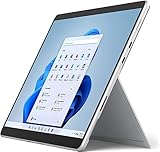
- Amazon Renewed | Microsoft Refurbished | 13" Surface Pro 8 2-in-1 Tablet PC with Windows 11 Professional
- Intel Quad-core 11th Gen Intel Core i5-1135G7 Processor | 256GB SSD | 16GB RAM | Intel Iris XE Graphics
- Versatile Design - With its lightweight and portable design, the Surface Pro 8 can easily transition from a laptop to a tablet, allowing you to work or play in various environments. The Surface Pro 8 is perfect for professionals on the go, students, or anyone who needs a powerful device that can adapt to their needs.
- Stunning Display - The Microsoft Surface Pro 8 boasts a 13-inch PixelSense touchscreen display, offering vibrant colors and sharp visuals. The high-resolution screen makes it perfect for watching movies, browsing the web, or editing photos and videos. With the Surface Pen (sold separately), you can also take notes, draw, and create directly on the screen.
- Resolution: 2880 x 1920 (267 PPI) | Up to 120Hz refresh rate (60Hz default) | Firmware TPM chip for enterprise-grade security and BitLocker support
Hence, you will absolutely enjoy viewing all sorts of content on the Surface Pro 8’s display with remarkably sharp details. The Surface Pro 8’s display also produces vibrant colors with impressive maximum brightness.
Still on their display performance comparison, let’s now discuss their brightness and contrast ratios.
With a maximum brightness of 453 nits, the Surface Pro 8’s display can get brighter than the Surface Book 3. The Surface Book 3 can only get bright enough to offer a maximum brightness of 422 nits.
However, the Surface Book 3 offers a better contrast ratio compared to the Surface Pro 8. In case you are not familiar with what contrast ratio means, I will offer a quick explanation.
The Tool Desk
Outbyte Driver Updater FREEScan for outdated or missing drivers - takes under a minuteDriver Scan →Outbyte PC Repair FREERepair Windows errors before they cause bigger problemsFix Now →Generally, contrast ratio is regarded as one of the essential criteria for judging the quality of a display. It is the ratio of the white or bright colors to the black colors a display is capable of producing.
Basically, contrast ratio determines how well a display will be able to produce dark content such as dark scenes in movies.
That being said, the Surface Book 3 has a good contrast ratio of 1600:1. The Surface Pro 8’s 1,010:1 contrast ratio is not bad either
However, it is obviously not as good as the Surface Book’s.
No matter how you look at it, the display these two laptops feature offers incredible performance.
I just wish I could say the same for their speakers. The audio on the Surface Book 3 and Surface Pro 8 isn’t mind-blowing, but they are not outrightly bad either.
Both laptops feature two front-firing speakers that are embedded in their display bezels. Their speakers are loud enough for regular movie nights in your room and for streaming occasional YouTube videos.
However, both laptops’ speakers lack enough bass. To illustrate further, at volume levels of 75% and below, you’ll enjoy good sound quality on both laptops.
Do these 3 things before closing this tab:
1Fix the driver behind crashes, sound loss and screen glitches2Clear out junk files and repair common Windows errors3Scan for outdated or missing drivers - takes under a minuteHowever, volumes above 75% produce sounds that aren’t as crisp or clear. You will need to get a pair of headphones if you want to enjoy high-quality sounds all the time.
Having compared the general design, and display of Surface Book 3 vs Surface Pro 8, it is time to compare their keyboards.
For the keyboard, the Surface Book 3 comes with a conventional one that feels fantastic. Its keyboard’s keys have plenty of travel with a clicky response but enough resistance to offer a precise and comfortable typing experience.
For those that are unfamiliar with what key travel means, it is simply the distance a key travels from its state of rest to its fully pressed position.
Key travel aside, the Surface Book 3’s keys are also properly spaced and they have a bright uniform backlighting feature.
As for the Surface Pro 8, you will have to buy a known as Type Cover, separately. This keyboard’s keys are well spaced and they have satisfyingly deep travels considering how thin the keyboard deck is.
They are also clicky and responsive enough to offer a comfortable typing experience. The Alcantara fabric covering the keyboard deck also makes the wrist area gentle on the wrist, thereby making typing on the laptop more comfortable.
However, the Surface Pro 8’s keyboard isn’t comfortable enough to use on the lap like the Surface Book 3’s. Overall, you will enjoy typing on the Surface Book 3 more than you will on the Surface Pro 8.
Quick wins for a faster PC:
Fix the driver behind crashes, sound loss and screen glitchesFind Drivers →Clear out junk files and repair common Windows errorsFree Scan →As for their touchpads, both laptops feature smooth and responsive touchpads. They are also great at executing Windows 10 multitouch gestures such as two-finger swipes.
One notable difference between both laptops’ input features is in terms of pen support.
The Surface Pro 8 supports Microsoft’s new Surface Slim Pen 2 that comes with haptic feedback. This haptic feedback feature enables the pen to offer a more realistic writing feel.
Moreover, when you are not using it, you can easily fit the pen into the Surface Pro Signature for storage and charging.
Windows Errors? Fix Them Before They Spread
Repair common Windows errors and clear accumulated junk for a smoother, more stable PC - no reinstall needed.Free scan · no reinstallOutdated Drivers Are Slowing You Down
One free scan finds every outdated or missing driver and matches the right update for your exact hardware.Free scan · exact hardware matchOn the other end, the Surface Book 3 only supports any of the usual Surface Pens. As a result, it can’t provide users with haptic feedback to enhance pen input sensitivity.
Moving on, the port connection is another aspect where both laptops vastly differ.
For specifics, the Surface Book 3 features 2 USB 3.1 Type-A ports and 1 USB 3.1 Type-C port. Meanwhile, Microsoft equips the Surface Pro 8 with 2 USB 4.0 Type-C ports that come with Thunderbolt support.
To round off, this design comparison section ends in a tie between the two laptops. It first appeared as though the Surface Pro 8 was going to take this round, but diving deeper into other areas of both laptops’ design revealed something else.
Recommended Free Tools
While the Surface Pro 8 design is exceptional in some aspects, the Surface Book 3’s design did better in some other areas.
As a result, I find it appropriate to give both laptops a score of nine in this Surface Book vs Surface Pro design comparison.
Surface Book vs Surface Pro: Processor (CPU) Performance
Both laptops have quite a lot to offer in terms of their processor configurations.
Also popular on Amazon
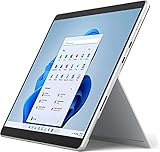
- Powerful Performance - The Microsoft Surface Pro 8 is equipped with an Intel i5-1145G7 processor, 16GB RAM, and 256GB SSD, providing you with a seamless experience whether you're using it as a tablet or a laptop. This combination of power and performance allows you to multitask effortlessly, run demanding applications, and enjoy lightning-fast load times.
- Versatile Design - The Surface Pro 8 is designed to adapt to your needs. Use it as a tablet for on-the-go productivity, or attach the optional keyboard and kickstand (sold separately) to transform it into a powerful Windows 11 laptop. The touchscreen display offers a responsive and intuitive user experience, making it perfect for both work and play.
- LTE Connectivity - Stay connected wherever you are with the Microsoft Surface Pro 8's built-in LTE support. This feature allows you to access the internet and stay productive even when Wi-Fi is unavailable. With LTE, you can work, stream, and browse from virtually anywhere, ensuring you never miss a beat
- Stunning Display - The Surface Pro 8 features a high-resolution 13-inch PixelSense touchscreen display, offering vibrant colors and sharp visuals. Whether you're watching movies, editing photos, or working on a presentation, the Surface Pro 8's display delivers an immersive and enjoyable viewing experience.
- Windows 11 - The Microsoft Surface Pro 8 comes preloaded with Windows 11, giving you access to a wide range of productivity and entertainment apps. With Windows 11, you can enjoy features like Cortana, your personal digital assistant, and Windows Ink, which allows you to take notes and draw directly on the screen with a compatible stylus (sold separately).
Microsoft offers a range of 10th generation Intel processors for the Surface Book 3. On the other hand, there’s a range of 11th generation Intel processors available to configure the Surface Pro 8 with.
To give more detail, you can equip your Surface Book 3 laptop with a quad-core Intel Core i5-1035G7 processor. You can also buy the laptop with a quad-core Intel Core i7-1065G7 processor.
If you equip your Surface Book 3 laptop with the Core i5-1035G7 processor, you will get a base frequency of 1.20 GHz. When running under maximum workload, this processor will be able to offer a maximum frequency of 3.70 GHz.
Meanwhile, the Core i7-1065G7 processor has a base frequency of 1.30 GHz and a boost frequency of 3.90 GHz.
Moving on to the Surface Pro 8, one of the processor configurations you can get for this laptop is a dual-core Intel Core i3-1115G4 processor. Another one you can get is a quad-core Intel Core i5-1145G7 processor.
The Tool Desk
Outbyte Driver Updater FREEFix the driver behind crashes, sound loss and screen glitchesFind Drivers →Outbyte PC Repair FREEClear out junk files and repair common Windows errorsFree Scan →Lastly, you can also equip the Surface Pro 8 with a quad-core Intel Core i7-1185G7 processor.
Like I did with the Surface Book 3 configuration options, I will now highlight the base and boost frequencies of the processor options that come with Surface Pro 8.
Firstly, the Core i3-1115G4 processor runs at a base frequency of 3.0 GHz and a boost frequency of 4.10 GHz. Meanwhile, the Core i5-1145G7 has a base frequency of 2.60 GHz and a boost frequency of 4.40 GHz.
Lastly, the Core i7-1185G7 offers a base frequency of 3.0 GHz and a boost frequency of 4.80 GHz.
For this comparison, our Surface Book 3 review unit features the Intel Core i7-1065G7 processor. Meanwhile, our Surface Pro 8 review unit features the Intel Core i7-1185G7.
To start with, since it is a higher-generation processor, the Surface Pro 8’s processor is faster than the Surface Book 3’s. Though the real-world processor test I considered barely showed the gap in their performance power, the benchmark test showed it clearly.
All the real-world test was able to prove and confirm was the efficiency of both laptops’ processor performance. It is without a doubt that I say the Surface Book 3 and Surface Pro 8 are absolute beasts.
These power laptops can handle almost any level of intensive computing task you throw at them talk less of the regular ones. For example, computing operations like word processing, web surfing, and sending of emails are light work for these laptops.
Free tools Windows power users keep installed
One-click scans. No signup required.
In addition to carrying out basic computing tasks, you’ll enjoy executing your creative tasks on either of these laptops. To give more details, operations like video and picture editing or even computer programming activities will run smoothly on both the Surface Book 3 and Surface Pro 8.
Discovering the extent of these laptops’ processor efficiency made me eager to find out if they maintain the same energy in benchmark tests. The benchmark test I used to confirm their performance efficiency is known as the Cinebench R20 test.
This Cinebench R20 benchmark is a popular tool that most computer enthusiasts use to test the efficiency of a laptop’s processor. Basically, this benchmark tests a processor to see how well it performs when only one of its cores is under a workload.
After completing the test, it rewards the processor with a numeric score that indicates how well it performed. This score is called the single-core test score.
What’s actually slowing this PC down?
Pick the symptom - the matching free tool is one click away.
Moreover, it performs this same test to check how well the processor can perform when more than one of its cores is subjected to a series of computing workloads. After this test, it assigns another value to indicate how well the processor performed.
This time around, it calls the score the multi-core test score.
That being said, I’m glad to say that neither the Surface Book 3 nor the Surface Pro 8 disappointed in this test. However, as I mentioned earlier, the Surface Pro 8 displayed a much better performance.
To give more detail, the Surface Book 3 achieved a score of 432 points in the single-core aspect and it got 1089 points in the multi-core aspect. Meanwhile, the Surface Pro 8 had better single and multi-core aspect scores of 578 points and 2097 points respectively.
As a result, the Surface Pro 8 wins this round hands down. Though the real-world test performance test wasn’t enough to differentiate their performance levels, the benchmark test showed that the Surface Pro 8 outperformed the Surface Book 3 in terms of processor performance.
Hence, Surface Pro 8 scores a nine in this Surface Book vs Surface Pro processor performance comparison. Meanwhile, the Surface Book 3 scores an eight.
Surface Book vs Surface Pro: Memory (RAM) Performance
Surprisingly, Surface Book 3 vs Surface Pro 8 feature the same memory configurations. Specifically, Microsoft equips both the Surface Book 3 and Surface Pro 8 with 8 GB LPDDR4X RAM.
Though both laptops have only one RAM slots, Microsoft allows you to upgrade their memory to a maximum size of 32 GB. In case you are wondering, our Surface Book 3 and Surface Pro 8 review unit both feature the 32 GB upgraded RAM.
In use, both laptops’ 32 GB RAM offer enough power to breeze through a series of multitasking workloads. On these laptops, you can easily run 20 Chrome tabs while streaming three 1080p YouTube videos along with Spotify and Twitter running in the background.
You will be surprised that you will barely notice either of the two laptops’ fans spin. The Surface Book 3 and Surface Pro 8 can smoothly handle extreme multitasking operations like the one highlighted above without encountering major issues.
If we were to simply go by what the real-world performance test results indicate, we will conclude that both laptops offer the same RAM power. However, this is not so.
Hence, to accurately differentiate both laptops’ RAM performance, we will also consider their PCMark 10 benchmark test results. If you are not familiar with the PCMark 10 benchmark, I will quickly eplain what it does.
The PCMark 10 benchmark is a tool that tests a laptop’s memory performance by simulating a few office-centric tasks. For instance, it simulates various task execution processes like word processing, video-conferencing, and web surfing.
At the end of the test, it indicates the laptop’s memory performance by assigning it a numeric score. Generally, the higher the laptop scores, the better its performance.
Also popular on Amazon
- Intel Core i5 11th Gen 1135G7 (2.40GHz) processor, 128GB SSD Drive, 8GB RAM
- 13" Touchscreen 2880 x 1920, Wi-Fi 6: 802.11ax compatible, Bluetooth 5.1
- Ports: Full-size USB 3.0; microSD card reader; Headphone jack; Mini DisplayPort; Cover port; Charging port, Camera: 5MP front-facing and 8MP rear-facing cameras with 1080p HD video recording
- 13" Touchscreen 2880 x 1920, Stereo speakers with Dolby Audio-enhanced sound
- Operating System: Windows 11 Home, Intel Iris Xe Graphics
On this test, the Surface Book 3 achieved a score of 4184 points. Meanwhile, the Surface Pro 8 did better with a score of 5041 points.
Hence, we can conclude that the Surface Pro 8 wins this round as well. The benchmark test clearly shows that it can offer a better memory performance.
With that being said, the Surface Pro 8 scores a nine in this Surface Book vs Surface Pro memory performance comparison. The Surface Book 3, on the other hand, scores an eight.
Surface Book vs Surface Pro: Storage Options and Performance
Once again, for storage, the Surface Book 3 and Surface Pro 8 feature the same configuration. Microsoft equips both laptops with 1 TB SSD storage drives.
While they share the same storage drive configurations, there’s still a difference between both laptops’ storage.
The Surface Book 3 comes with a full-size SDXC card reader in case you need an external storage expansion. On the other hand, Microsoft doesn’t offer an SD card slot with the Surface Pro 8.
What’s actually slowing this PC down?
Pick the symptom - the matching free tool is one click away.
Configurations aside, the Surface Book 3 and Surface Pro 8 offer impressive storage speeds.
On a real-world file copy test, the Surface Book 3 needed just 9 seconds to copy a 4.97 GB file at a rate of 509 MBps. The Surface Pro 8, on the other hand, copied the same file in 8 seconds at a rate of 556 MBps.
These laptops continued to impress even in the benchmark test. To give more detail, I checked for both laptops’ read and write speeds on the CrystalDiskMark test.
If you aren’t familiar with the CrystalDiskMark test, it is a benchmark test that helps to ascertain a laptop’s read and write speeds. Just to be clear “read speed” is a measure of the time it takes a device to open a file.
Crashes, No Sound, or Screen Glitches?
Random freezes, missing sound and display glitches usually trace back to one bad driver. Find and replace yours safely.Free scan · under a minutePC Slower Than It Used to Be?
A free scan shows the junk files, broken settings and background clutter dragging Windows down - then fixes them in one click.Free scan · Windows 10 & 11Meanwhile, “write speed” is the opposite of “read speed”. It is a measure of the time it takes a device to save a file on its storage disk.
With all the explanation out of the way, let’s discover what both laptops recorded on the CrystalDiskMark test. It is important to mention that, in this benchmark test, the higher the score the better the storage performance of a laptop.
As for the Surface Book 3, it recorded sequential read and write speeds of 1032 MBps and 691.3 MBps respectively. Meanwhile, the Surface Pro 8 performed better.
To be specific, it delivered sequential read and write speeds of 2332.3 MBps and 1563.3 MBps respectively.
The Tool Desk
Outbyte PC Repair FREEClear out junk files and repair common Windows errorsFree Scan →Outbyte Driver Updater FREEFix the driver behind crashes, sound loss and screen glitchesFind Drivers →In other words, the Surface Pro 8’s storage drive is faster than the Surface Book 3’s. Therefore, it is fair to say that it is superior to the Surface Book 3 in terms of storage performance.
As a result, the Surface Pro 8 scores a nine in this Surface Book vs Surface Pro comparison. Meanwhile, the Surface Book 3 scores an eight.
Independent reader supportYour contribution helps us test, update, and keep practical guides available for everyone.Surface Book vs Surface Pro: Graphics Card Performance
Microsoft offers two configuration options each for the Surface Book 3 and Surface Pro 8.
You can buy your Surface Book 3 with either an integrated Intel Iris Plus Graphics GPU or a dedicated NVIDIA GeForce GTX 1650, Max-Q GPU.
Recommended Free Tools
Note, however, that while the GTX 1650 Max-Q GPU comes with a 4 GDDR5 dedicated VRAM, the Iris Plus GPU doesn’t. This is because Intel Iris Plus Graphics is an integrated graphics card
On the other hand, the NVIDIA GeForce GTX 1650 is a dedicated graphics card.
If you’re curious, an integrated graphics card shares the system memory with the computer’s CPU. Meanwhile, a dedicated GPU has its own memory, thus the word “dedicated”.
Why does this matter? Glad you asked!
Since the integrated graphics card shares memory with the CPU, it performs less at graphics-related tasks compared to its dedicated counterpart. So, if you intend to perform graphics-intensive tasks like video editing you should go for a dedicated GPU.
Now that we’re done with breaking down all the techie stuff, let’s discuss the graphics specs of the Surface Book 3.
The GTX 1650, Max-Q GPU has a base frequency of 1020 MHz and a boost frequency of 1245 MHz.
Meanwhile, the Iris Plus GPU has a base frequency of 300 MHz and a boost frequency of 1100 MHz.
Moving on to the Surface Pro 8, you can equip the laptop with either an integrated Intel UHD Graphics card or an integrated Intel Iris Xe Graphics card. Like I did with Surface Book 3, I will also highlight the specs of the GPUs options for Surface Pro 8.
Free tools Windows power users keep installed
One-click scans. No signup required.
To start with, the Intel UHD Graphics card has a base frequency of 400 MHz and a boost frequency of 1250 MHz. Meanwhile, the Intel Iris Xe Graphics comes with a base frequency of 400 MHz and a boost frequency of 1350 MHz.
Now that we have discussed their GPU specs, let’s dive into their performances.
Even though the Surface Book 3 is not a gaming laptop, its GPU is capable of handling most AAA title games at low settings. The Surface Pro 8 is also capable of running many AAA title games at low settings.
However, the Surface Book 3 is much better at it.
Recollect my explanation of “integrated” vs “dedicated” GPUs? If you do, you will understand why Surface Book 3 is slightly better at gaming.
To justify this claim, I’ll now discuss how the Surface devices performed while playing The Witcher 3. While the Surface Pro 8 offered frame rates of 103 frames per second, the Surface Book 3 did better, offering 141.5 frames per second.
Also popular on Amazon
- Amazon Renewed | Microsoft Refurbished | 13" Surface Pro 8 LTE UNLOCKED 2-in-1 Tablet PC with Windows 11 Professional
- Intel Quad-core 11th Gen Intel Core i5-1135G7 Processor | 256GB SSD | 16GB RAM | Intel Iris XE Graphics | 4G LTE Unlocked for Mobile Use on the Go
- Versatile Design - With its lightweight and portable design, the Surface Pro 8 can easily transition from a laptop to a tablet, allowing you to work or play in various environments. The Surface Pro 8 is perfect for professionals on the go, students, or anyone who needs a powerful device that can adapt to their needs.
- Stunning Display - The Microsoft Surface Pro 8 boasts a 13-inch PixelSense touchscreen display, offering vibrant colors and sharp visuals. The high-resolution screen makes it perfect for watching movies, browsing the web, or editing photos and videos. With the Surface Pen (sold separately), you can also take notes, draw, and create directly on the screen.
- Resolution: 2880 x 1920 (267 PPI) | Up to 120Hz refresh rate (60Hz default) | Firmware TPM chip for enterprise-grade security and BitLocker support
On another game titled X-Plane 11.11, the Surface Pro 8 still performed quite well, offering frame rates of 33.6 frames per second. However, this frame rate wasn’t enough to outperform the Surface Book 3’s 83.5.
If you’re not still convinced about the superiority of the Surface Book 3’s GPU, you may be after looking at the benchmark test results.
Specifically, the Surface Book 3 still continued to outperform the Surface Pro 8 in the 3DMark 11 benchmark test. Wondering what the 3DMark 11 benchmark is?
Quick wins for a faster PC:
Scan for outdated or missing drivers - takes under a minuteDriver Scan →Clear out junk files and repair common Windows errorsFree Scan →Fix the driver behind crashes, sound loss and screen glitchesFind Drivers →It is a tool for checking a laptop’s graphics card performance capabilities.
It does this by simulating graphically intensive tasks like gaming or video rendering. Basically, the higher the laptop scores on this test, the better its performance efficiency.
On this test the Surface Book 3 scored 9665 points, outperforming the Surface Pro 8 which scored 7349 points.
Since the Surface Book 3 outperformed the Surface Pro 8 in every test I considered in this aspect, the Surface Book 3 wins this round. The Surface Book 3 scores a nine in this Surface Book vs Surface Pro graphics card performance comparison.
Do these 3 things before closing this tab:
1Scan for outdated or missing drivers - takes under a minute2Repair Windows errors before they cause bigger problems3Fix the driver behind crashes, sound loss and screen glitchesMeanwhile, the Surface Pro 8 scores an eight.
Surface Book vs Surface Pro: Battery Life and Performance
Even in terms of their batteries, both the Surface Book 3 and Surface Pro 8’s configurations differ. Microsoft ships the Surface Book 3 with either a 69 Wh or 75.3 Wh Lithium-ion battery.
Meanwhile, the Surface Pro 8 could come with either a 50.2 Wh or a 51.5 Wh battery.
In terms of performance, Microsoft claims that the Surface Book 3 will be able to last for as long as 15 hours and 30 minutes. Meanwhile, according to Microsoft, the Surface Pro 8 will be able to last for 16 hours.
Surprisingly, the continuous web surfing battery test suggested different runtimes.
To make it clear, the web surfing test checks for how long a laptop can last under continuous web surfing with medium screen brightness.
On this test, the Surface Book 3 lasted for 6 hours and 36 minutes, offering 6 minutes more than what Microsoft promised. The Surface Pro 8, on the other hand, lasted for 7 hours and 36 minutes.
This runtime is 1 hour and 30 minutes longer than what Microsoft promised.
Although both laptops’ battery runtimes are okay, the Surface Pro 8’s battery runtime is longer than the Surface Book 3’s. As a result, this round goes to the Surface Pro 8.
The Tool Desk
Outbyte PC Repair FREEClear out junk files and repair common Windows errorsFree Scan →Outbyte Driver Updater FREEScan for outdated or missing drivers - takes under a minuteDriver Scan →So, it scores an eight in this Surface Book vs Surface Pro battery performance comparison. Meanwhile, the Surface Book 3 scores a seven.
Our Rating Summary
| Rating Areas | Surface Book 3 | Surface Pro 8 | Notes/Comments |
|---|---|---|---|
| Design | 9 | 9 | To round off, this design comparison section ends in a tie between the two laptops. It first appeared as though the Surface Pro 8 was going to take this round, but diving deeper into other areas of both laptops’ design revealed some areas where the Surface Book 3 is better too. |
| Processor (CPU) | 8 | 9 | Though the real-world test performance test wasn’t enough to differentiate their performance levels, the benchmark test showed that the Surface Pro 8 outperformed the Surface Book 3. |
| Memory (RAM) | 8 | 9 | The Surface Pro 8 wins this round as well. This is because the benchmark test clearly shows us that it can offer a better memory performance. |
| Storage | 8 | 9 | The Surface Pro 8’s storage drive is faster than the Surface Book 3’s. It is superior to the Surface Book 3 in terms of storage performance. |
| Graphics Card | 9 | 8 | Since the Surface Book 3 outperformed the Surface Pro 8 in every test I considered in this aspect, the Surface Book 3 wins this round. |
| Battery Life | 7 | 8 | Although both laptops’ battery runtimes are okay, the Surface Pro 8’s battery runtime is longer than the Surface Book 3’s. |
| Our Average Rating | 8.2 | 8.7 | On average, the Surface Pro 8 wins overall. |
Frequently Asked Questions
As of May 2020, many technology enthusiasts mentioned that the Surface Laptop Studio was going to replace the Surface Book 3.
A few months later, Microsoft confirmed that the Surface Laptop Studio will truly be taking the Surface Book 3’s. Microsoft announced that the Surface Laptop will replace the Book as their flagship option for creatives.
With that being said, the Surface Book 4 might never be released unless Microsoft were to have a change of heart.
Yes, it is. The Surface Pro is a tablet that can also function as a laptop with the attachment of a Surface Pro Signature Keyboard.
Aside from the Windows operating it runs on, the Surface Pro is an excellent device that offers modern high-end tech. It offers some of the best hardware configurations that enable it to deliver superb performance.
As of the time of writing this article, you can get Surface Book 3 on Amazon at a price tag of $1,485.00. For the latest price, visit our Surface Book 3 specs page.
The Surface Pro is a device that is capable of functioning as a laptop and a tablet.
However, I believe it is more of a tablet first before it is a laptop. This is because you need to attach a Surface Pro Signature keyboard before you can use it as a laptop.
The Surface Book is a 2-in-1 convertible designed and manufactured by Microsoft.
Conclusion
Considering the test results we considered thus far, it is clear that the Surface Pro 8 offers better value for money. It comes in a more modern design and it features more up-to-date components which include Thunderbolt 4 support and a newer generation processor.
Besides, at a less expensive price of $929.29 compared to the Surface Book 3’s $1,485.00, it would be wiser to go for the Surface Pro 8.
However, you may need to weigh your needs first because the Surface Pro 8’s is naturally more of a tablet than a laptop. If you are okay with using the Surface Pro 8 mainly as a tablet then secondly as a laptop, then you won’t have any issues.
Hence, based on our comprehensive comparison of the Surface Book vs Surface Pro, we recommend:
However, if you want a 2-in-1 whose natural form is in the shape of a laptop before a tablet, then the Surface Book 3 is the right one.
I hope you found this Surface Book vs Surface Pro comparison helpful. If you found the review helpful, we would love to hear from you.
Recommended Free Tools
Kindly spare two minutes to share your thoughts with our community using the comments form below.
Alternatively, simply respond to the “Was this page helpful” question below and provide us with your feedback.
Finally, for more laptop comparison reviews, visit our Laptop Comparison Reviews page. You may also find our Laptop Specs page very helpful.
Quick Recap
Product prices and availability are accurate as of the date/time indicated and are subject to change. Any price and availability information displayed on Amazon at the time of purchase will apply.
Do these 3 things before closing this tab:
1Scan for outdated or missing drivers - takes under a minute2Repair Windows errors before they cause bigger problems3Fix the driver behind crashes, sound loss and screen glitches


