
XMonad
XMonad: A free, open-source Linux window manager for keyboard-driven, Haskell-configurable layouts. Ranked #5 of 65 in Window Management Software by our editors (9.0/10); pricing: Free plan; best for linux users wanting extensible Haskell layouts.
At a glance
- Editor score9.0 / 10
- PricingFree plan
- Best forLinux users wanting extensible Haskell layouts
- Free planYes
- Paid fromFree
- Facts checked19 Sep 2026
Where it wins
- Configurable Haskell layouts can vary by virtual workspace.
- Supports floating, tabbed, decorated, and automatically tiled windows.
- Reload configuration on the fly; extend it with xmonad-contrib.
Where it doesn't
- Configuration in Haskell is a poor fit for users who want a graphical editor.
- Designed for X11, not a general-purpose window manager across platforms.
- Multi-monitor support relies on Xinerama.
Our verdict on XMonad
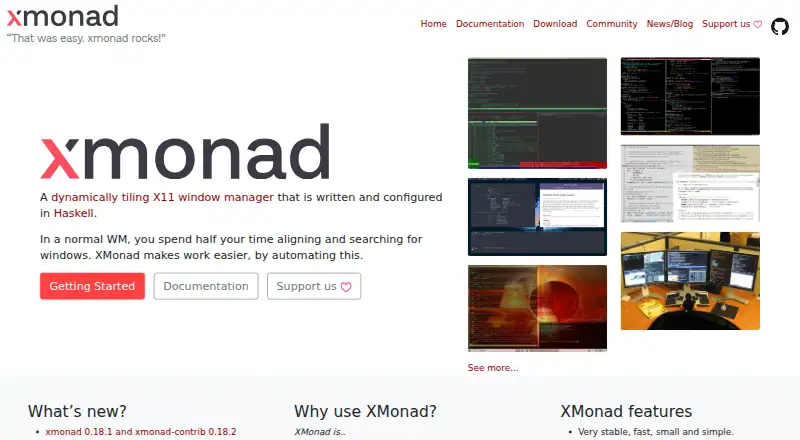
XMonad is a dynamically tiling window manager for X11, written and configured in Haskell. It is aimed at Linux users who want predictable, keyboard-driven control and are comfortable shaping their desktop through configuration. Windows can be tiled automatically or managed as floating, tabbed, or decorated windows, while virtual workspaces provide separate spaces for different tasks. Its open-source distribution makes it a no-cost option for people who want control over how their desktop is arranged rather than a fixed set of defaults.
The defining trade-off is configuration depth. Layouts are expressed in Haskell, can differ by workspace, and can be reloaded while the window manager is running. The xmonad-contrib extension library adds another route to tailoring behavior. That flexibility suits users willing to edit configuration and explore companion modules; it is less appropriate for someone seeking a point-and-click setup or a small set of preset layouts. Keyboard-driven control is central to the design, so users who prefer managing windows primarily with a mouse may find the approach less fitting.
XMonad supports multiple monitors through Xinerama, and it can work alongside tools including dmenu, rofi, xmobar, polybar, trayer, and stalonetray. It is distributed for Unix-like systems through operating-system package repositories and source installation, while its documented platform focus is Linux. Choose it if Haskell-based customization, workspace-specific layouts, and extensibility matter more than a graphical configuration experience. Look elsewhere if you need a window manager for another platform or want setup and layout changes without editing code.
Your product? Our editors can test XMonad in depth and publish a review, labelled as paid · from $149/mo →
XMonad pricing
XMonad fact sheet
| Free plan | Yes |
|---|---|
| Paid from | Free |
| Platforms | linux |
| Maximum displays | Not verified |
| Layout presets | Not verified |
| Application rules | Not verified |
| Window grouping | Yes |
| Virtual desktop controls | Yes |
| Deployment | Desktop |
| Platforms | Linux |
| Integrations | 6 integrations: dmenu, rofi, xmobar, polybar, trayer, stalonetray |
| Pricing | Free plan |
| Website | xmonad.org |
| Facts checked | 19 Sep 2026 |
XMonad integrations
XMonad lists 6 integrations on its own site.
- dmenu
- rofi
- xmobar
- polybar
- trayer
- stalonetray
Alternatives to XMonad
- i3A configurable X11 window manager for Linux users who want precise tiling and workspace control.9.4
- SwayA free, open-source Wayland compositor for configurable window layouts and i3 users.9.3
- HyprlandA flexible Linux building block for users who want to configure their own desktop.9.2



XMonad vs the competition
Compare XMonad with any tool side by side →
Used XMonad? Be the first to review it
The editor score above is our own research. What this page doesn't have yet is a reader's view — what you used XMonad for, what worked and what didn't. No stars are seeded and no review is paid for; an editor reads every one before it appears.
Write a reviewTwo minutes · verified accounts only · read by an editor before it appears
Featured on iTechGuides

XMonad is listed in our Window Management Software directory. Add the badge to your site — it links back to this page.
<a href="https://www.itechguides.com/products/xmonad/"><img src="https://www.itechguides.com/best/badge/xmonad.svg" alt="Featured on iTechGuides" width="230" height="46"></a>
Reviewed by iTechGuides Editors · Editorial team · Updated Oct 2026
Advertiser disclosure: iTechGuides is reader-supported. Vendors can pay for top positions in our rankings and for a place on other products' pages, and we may earn a commission when you click some links. Bought places stand at the number bought; this page and our disclosure say so. Paying vendors may get a fuller, more detailed review from our editors, and that review can change their score. How we rank.
Last updated · How we research and update