
Visual Assistance
Visual Assistance: A focused visual support tool for small teams handling mobile customer calls. Ranked #21 of 26 in Video Customer Support Software by our editors (6.9/10); pricing: 10-day trial; best for small teams needing basic mobile visual calls.
At a glance
- Editor score6.9 / 10
- Pricing10-day trial
- Best forSmall teams needing basic mobile visual calls
- Free planNo
- Paid from800 NZD/yr
- Facts checked20 Sep 2026
Where it wins
- Customers join from a smartphone browser without installing an app.
- Combines video, screen sharing, voice, chat, screenshots, and annotations.
- Runs across web, Windows, macOS, iOS, and Android.
Where it doesn't
- No free plan is available.
- Session recording is an Enterprise feature.
- Enterprise access is project-based and sales-led.
Our verdict on Visual Assistance
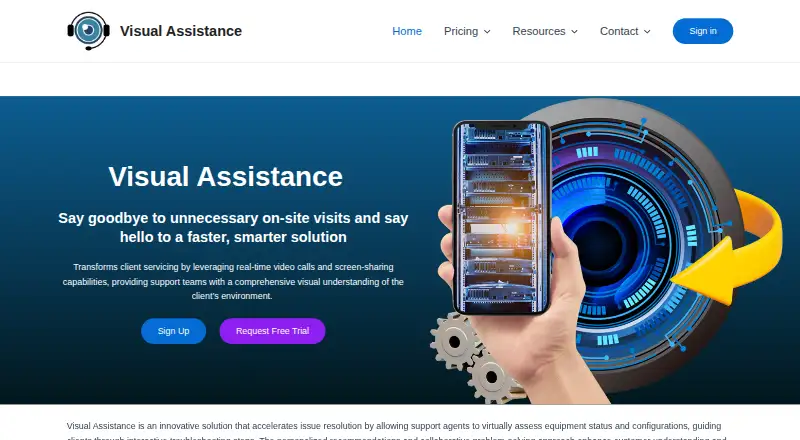
Visual Assistance is a browser-based remote support platform for teams that need real-time visual communication with customers. It fits technical support, remote inspections, equipment troubleshooting, installation guidance, and field-service work. Agents can invite customers by SMS, start live video or voice sessions, view a customer's camera stream, exchange messages, share screens, and capture annotated screenshots. Customers join from a smartphone browser without installing an app, which keeps the customer-side experience focused on the support session.
The feature set is centered on live visual assistance rather than a broad customer service suite. Alongside video calls, teams get screen sharing, SMS session invitations, live customer camera streaming, voice chat, instant messaging, screenshot capture and annotation, and a usage dashboard. That combination suits cases where seeing equipment, surroundings, or a physical installation matters more than a text-only exchange. The product runs on web, Windows, macOS, iOS, and Android, giving support staff flexibility across desktop and mobile environments.
Pricing is straightforward for the Business plan: NZD 75 per month when billed monthly, or NZD 800 per year with annual billing. A 10-day trial is available, but there is no free plan. Enterprise adds session recording, SMS customization, and on-premise deployment, with project-based, sales-led pricing. Small teams should choose Visual Assistance when they need basic mobile visual calls and practical annotation tools without requiring customers to install an app. Teams seeking a wider service platform or recording at the Business level should consider whether the Enterprise tier fits their operational needs.
Your product? Our editors can test Visual Assistance in depth and publish a review, labelled as paid · from $149/mo →
Visual Assistance pricing
All 2 Visual Assistance plans and prices →
Visual Assistance fact sheet
| Free plan | No |
|---|---|
| Paid from | 800 NZD/yr |
| Screen sharing | Yes |
| Co-browsing | Not verified |
| Visual annotation | Yes |
| Video recording | Yes |
| Included agent seats | Not verified |
| Customer platforms | Mobile |
| Free trial | 10 days |
| Deployment | Cloud, Self-hosted |
| Platforms | Web, Windows, macOS, iOS, Android |
| Compliance & security | GDPR |
| Support | Email, Docs |
| Built for | Small business, Mid-market, Enterprise (editorial estimate) |
| Pricing | 10-day trial (source) |
| Website | visual-assistance.com |
| Facts checked | 20 Sep 2026 |
Alternatives to Visual Assistance
- SightCall Remote Visual SupportEnterprise visual support with video, AR guidance, co-browsing, and service-system integrations.9.4
- LiveCallA capable free starting point for teams offering video and audio support.9.2
- Blitzz Visual Remote AssistanceA focused visual support platform with app-free calls, collaboration tools, and business integrations.9.0



See all Visual Assistance alternatives →
Also Ranked In
Visual Assistance is ranked in 2 of our directories.
Used Visual Assistance? Be the first to review it
The editor score above is our own research. What this page doesn't have yet is a reader's view — what you used Visual Assistance for, what worked and what didn't. No stars are seeded and no review is paid for; an editor reads every one before it appears.
Write a reviewTwo minutes · verified accounts only · read by an editor before it appears
Featured on iTechGuides

Visual Assistance is listed in our Video Customer Support Software directory. Add the badge to your site — it links back to this page.
<a href="https://www.itechguides.com/products/visual-assistance/"><img src="https://www.itechguides.com/best/badge/visual-assistance.svg" alt="Featured on iTechGuides" width="230" height="46"></a>
Reviewed by iTechGuides Editors · Editorial team · Updated Oct 2026
Advertiser disclosure: iTechGuides is reader-supported. Vendors can pay for top positions in our rankings and for a place on other products' pages, and we may earn a commission when you click some links. Bought places stand at the number bought; this page and our disclosure say so. Paying vendors may get a fuller, more detailed review from our editors, and that review can change their score. How we rank.
Last updated · How we research and update