
OnStage
OnStage: A full-featured worship planning workspace with free access and mobile support. Ranked #1 of 24 in Worship Planning Software by our editors (9.4/10); pricing: Free plan; best for teams needing full-featured mobile planning.
At a glance
- Editor score9.4 / 10
- PricingFree plan
- Best forTeams needing full-featured mobile planning
- Free planYes
- Paid from$10/mo
- Mobile accessBoth
- Facts checked20 Sep 2026
Where it wins
- Service templates cover setlists, people, and reminders
- Song library supports lyrics, chords, PDFs, audio, and transposition
- Web and mobile access includes offline use for live services
Where it doesn't
- Google Calendar synchronization is available on mobile platforms
- Pricing scales by member cap across monthly team plans
- Its focus is worship planning rather than broad church administration
Our verdict on OnStage
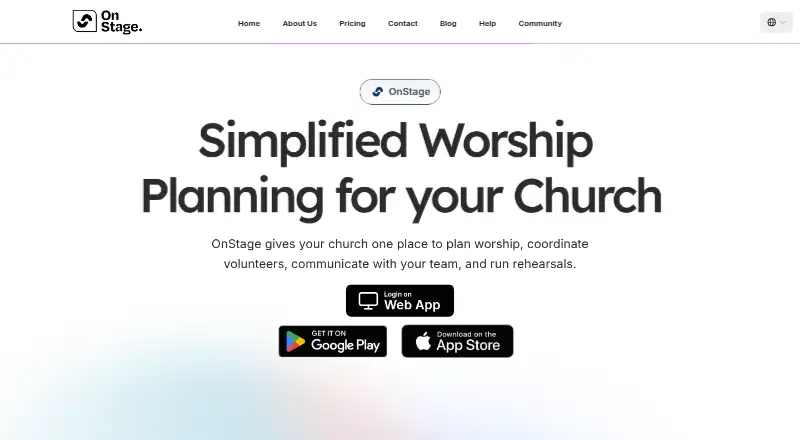
OnStage is a worship service-planning and team-management app for churches, worship teams, volunteers, and church administrators. It brings service events, setlists, reusable templates, participant assignments, volunteer availability, rehearsals, calendars, chat, reminders, and shared song resources into one workspace. Teams can manage lyrics, chords, PDFs, and audio files in the song library, then access plans through web, macOS, iOS, and Android apps. Offline access supports live use when connectivity is limited.
Pricing is organized by team size. The 5 Members plan is free and includes reminders, chat, annotations, and PDF song import. Paid monthly plans start at $10 per team per month for 20 Members, then rise to $26 for 50 Members, $50 for 85 Members, $60 for 150 Members, $100 for 400 Members, and $135 for 1,000 Members. The same listed feature set appears across these plans, so the main pricing distinction is the member capacity. This structure suits churches that want to begin with a small team and expand as volunteer participation grows.
The strongest fit is for teams that need more than a basic setlist: OnStage connects reusable event templates, role and position assignments, blockout dates, rehearsal calendars, notifications, team chat, and a song library with customizable song structures and transposition. Planning Center import and Google Calendar synchronization support ecosystem fit, with Google Calendar synchronization available on mobile platforms. The product is specialized rather than a general church administration system, so churches seeking worship-focused coordination should find its scope appropriate, while teams looking for broader administrative tools should consider a different category of software.
Your product? Our editors can test OnStage in depth and publish a review, labelled as paid · from $149/mo →
OnStage pricing
All 7 OnStage plans and prices →
OnStage fact sheet
| Free plan | Yes |
|---|---|
| Paid from | $10/mo |
| Service templates | Yes |
| Participant assignments | Yes |
| Volunteer scheduling | Yes |
| Service calendar | Yes |
| Mobile access | Both |
| Team notifications | Yes |
| Deployment | Cloud, Desktop, Mobile |
| Platforms | Web, macOS, iOS, Android |
| Support | Email, Phone, Community, Docs |
| Built for | Solo, Small business, Mid-market (editorial estimate) |
| Integrations | 2 integrations: Google Calendar, Planning Center import |
| Pricing | Free plan (source) |
| Website | getonstage.app |
| Facts checked | 20 Sep 2026 |
OnStage integrations
OnStage lists 2 integrations on its own site.
- Google Calendar
- Planning Center import
Alternatives to OnStage
- AssembleaA detailed worship planner with rotas, run sheets, attendance and church-system integrations.9.2
- Planning by WorshipToolsA connected planning hub for worship teams, with a useful free tier and mobile access.9.1
- Ministry OrderA focused planning hub for churches that need live service coordination.8.9



See all OnStage alternatives →
OnStage vs the competition
- OnStage vs Assemblea
- OnStage vs Planning by WorshipTools
- OnStage vs Ministry Order
- OnStage vs SundayHQ
- OnStage vs Planning
- OnStage vs WorshipTeam.com


Compare OnStage with any tool side by side →
Also Ranked In
OnStage is ranked in 2 of our directories.
Used OnStage? Be the first to review it
The editor score above is our own research. What this page doesn't have yet is a reader's view — what you used OnStage for, what worked and what didn't. No stars are seeded and no review is paid for; an editor reads every one before it appears.
Write a reviewTwo minutes · verified accounts only · read by an editor before it appears
Featured on iTechGuides

OnStage is listed in our Worship Planning Software directory. Add the badge to your site — it links back to this page.
<a href="https://www.itechguides.com/products/onstage/"><img src="https://www.itechguides.com/best/badge/onstage.svg" alt="Featured on iTechGuides" width="230" height="46"></a>
Reviewed by iTechGuides Editors · Editorial team · Updated Oct 2026
Advertiser disclosure: iTechGuides is reader-supported. Vendors can pay for top positions in our rankings and for a place on other products' pages, and we may earn a commission when you click some links. Bought places stand at the number bought; this page and our disclosure say so. Paying vendors may get a fuller, more detailed review from our editors, and that review can change their score. How we rank.
Last updated · How we research and update