Microsoft Quick Assist
Microsoft Quick Assist: A free, attended-only option for straightforward Windows support. Ranked #114 of 134 in Remote Desktop Software by our editors (5.4/10); pricing: Free plan; best for simple, free attended Windows assistance.
At a glance
- Editor score5.4 / 10
- PricingFree plan
- Best forSimple, free attended Windows assistance
- Free planYes
- Paid fromFree
- Access modeAttended
- Facts checked20 Sep 2026
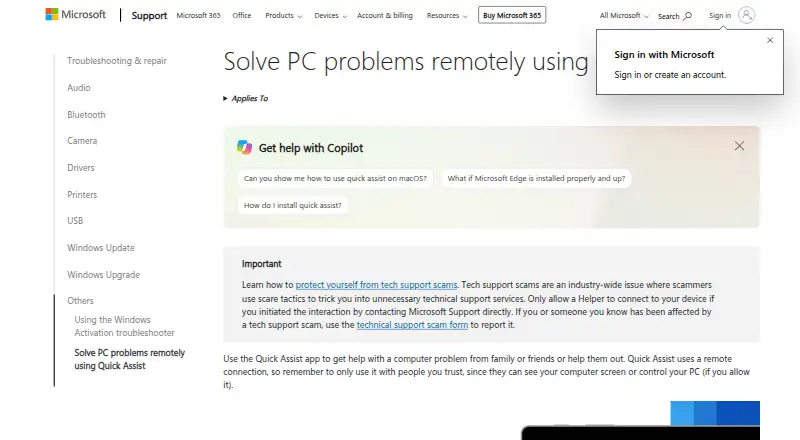
Where it wins
- Free remote screen viewing with requestable control
- Temporary six-digit codes and Microsoft account sign-in for helpers
- Annotation, chat, laser pointer, and session pause included
Where it doesn't
- Attended sessions only; it is not for unattended administration
- No file transfer or mobile apps
- macOS use is limited to Microsoft Support interactions
Our verdict on Microsoft Quick Assist
Microsoft Quick Assist is a free remote assistance tool for helping someone troubleshoot a Windows computer. A helper generates a temporary six-digit security code, and the recipient enters it and approves screen sharing. During the session, the helper can view the screen, annotate, use a laser pointer, chat by text, pause the session, and request full control. That workflow suits family members, friends, and support staff who need the other person present to approve access.
The free plan includes the core assistance features without a paid tier structure. Helpers can sign in with a Microsoft Entra ID or Microsoft account, while the recipient authorizes the connection through the temporary code and approval step. This makes the product focused on short, consent-based support sessions rather than persistent access or device administration. For a straightforward Windows help request, the feature set covers viewing, communication, guidance, and control in one session.
Quick Assist is a narrow fit across platforms and support scenarios. The published platform coverage includes Windows, macOS, and web, but macOS access is restricted to interactions with Microsoft Support rather than general peer-to-peer use. It also does not provide file transfer or mobile apps, and attended access is required. Choose it when the person receiving help can stay at the computer and the task is primarily visual troubleshooting. Choose another remote desktop product when you need unattended administration, broader peer-to-peer macOS support, file exchange, or mobile access.
Your product? Our editors can test Microsoft Quick Assist in depth and publish a review, labelled as paid · from $99/mo →
Microsoft Quick Assist pricing
Microsoft Quick Assist fact sheet
| Free plan | Yes |
|---|---|
| Paid from | Free |
| Access mode | Attended |
| Supported platforms | Windows, macOS, web |
| File transfer | No |
| Session recording | Not verified |
| Managed devices | Not verified |
| Mobile apps | No |
| Deployment | Cloud, Desktop, Browser extension |
| Platforms | Web, Windows, macOS |
| Support | Docs, Community |
| Built for | Solo, Small business, Mid-market (editorial estimate) |
| Pricing | Free plan |
| Website | support.microsoft.com |
| Facts checked | 20 Sep 2026 |
Alternatives to Microsoft Quick Assist
- TeamViewer RemoteA mature remote support platform with broad coverage, integrations, and AI features.9.4
- SplashtopA paid remote-access suite with low entry pricing, broad platforms, and deep integrations.9.2
- AnyDeskA broad remote-access suite for teams managing attended support and unattended endpoints.9.1

See all Microsoft Quick Assist alternatives →
Also Ranked In
Microsoft Quick Assist is ranked in 3 of our directories.
Used Microsoft Quick Assist? Be the first to review it
The editor score above is our own research. What this page doesn't have yet is a reader's view — what you used Microsoft Quick Assist for, what worked and what didn't. No stars are seeded and no review is paid for; an editor reads every one before it appears.
Write a reviewTwo minutes · verified accounts only · read by an editor before it appears
Featured on iTechGuides

Microsoft Quick Assist is listed in our Remote Desktop Software directory. Add the badge to your site — it links back to this page.
<a href="https://www.itechguides.com/products/microsoft-quick-assist/"><img src="https://www.itechguides.com/best/badge/microsoft-quick-assist.svg" alt="Featured on iTechGuides" width="230" height="46"></a>
Guides on remote desktop software
- 16 Best Free and Open Source Remote Desktop ClientsAug 2026
- Best Remote Desktop Software in 2026: The Right Pick for Every Use CaseAug 2026
- How to Download and Install Microsoft Remote Desktop App on Windows 11/10 [Guide]Aug 2026
Reviewed by iTechGuides Editors · Editorial team · Updated Oct 2026
Advertiser disclosure: iTechGuides is reader-supported. Vendors can pay for top positions in our rankings and for a place on other products' pages, and we may earn a commission when you click some links. Bought places stand at the number bought; this page and our disclosure say so. Paying vendors may get a fuller, more detailed review from our editors, and that review can change their score. How we rank.
Last updated · How we research and update