
Microsoft OneDrive
Microsoft OneDrive: A flexible, low-cost cloud storage service with deep Microsoft 365 integration. Ranked #1 of 64 in Cloud Storage Services by our editors (9.2/10); pricing: Free plan; best for microsoft 365 users and low-cost storage.
At a glance
- Editor score9.2 / 10
- PricingFree plan
- Best forMicrosoft 365 users and low-cost storage
- Free planYes
- Founded1975 · Redmond, Washington, USA
- Facts checked22 Sep 2026
Where it wins
- Free plan plus $1.99 monthly entry tier
- Syncs across web, Windows, macOS, iOS, and Android
- Supports 250 GB files, version history, and recovery
Where it doesn't
- The free plan includes only 5 GB of storage
- Ransomware protection depends on eligible subscriptions
- It does not provide zero-knowledge encryption
Our verdict on Microsoft OneDrive
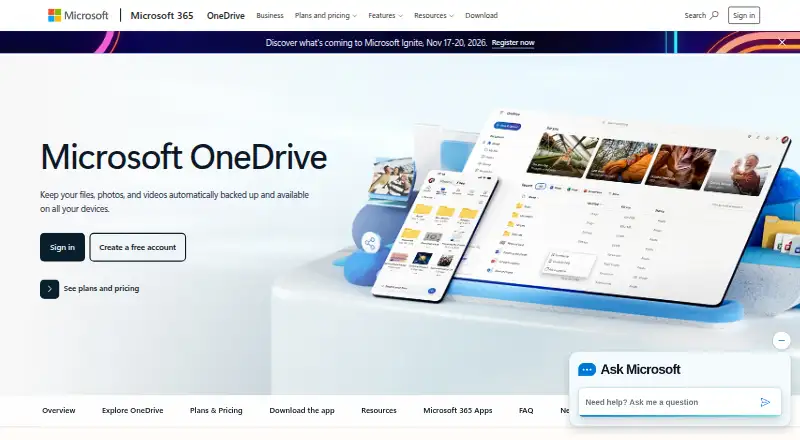
Microsoft OneDrive is a cloud storage service for individuals, families, and organizations that need to back up, access, edit, share, and synchronize files across devices. It supports web, Windows, macOS, iOS, and Android, with real-time collaboration on Microsoft 365 documents. Its audience ranges from individuals using the free 5 GB plan to businesses that need 1 TB per user and administrator-configurable policies.
Pricing covers several usage levels. The Free plan includes 5 GB of storage and photo and file backup. Microsoft 365 Basic costs $1.99 per month for 100 GB, secure storage, and ransomware protection. Microsoft 365 Personal costs $9.99 per month for 1 TB for one person, while Family costs $12.99 per month for up to 6 TB across up to six people. Business Basic is billed annually at $5.40 per user per month and adds 1 TB per user, identity and access management for up to 300 users, and web and mobile Microsoft 365 apps. A 30-day free trial is also listed.
OneDrive fits particularly well where Microsoft 365 and SharePoint are already part of the working environment. File sharing, document collaboration, Personal Vault with multifactor authentication, version history, restoration, and individual uploads up to 250 GB cover a broad set of storage and recovery needs. Business administrators can configure sync policies through Group Policy and Intune. Choose OneDrive for Microsoft-centered workflows, multi-device synchronization, and tiered storage plans. Consider an alternative if zero-knowledge encryption is required or if 5 GB is insufficient for a free account.
Your product? Our editors can test Microsoft OneDrive in depth and publish a review, labelled as paid · from $149/mo →
Microsoft OneDrive pricing
All 6 Microsoft OneDrive plans and prices →
Microsoft OneDrive fact sheet
| Free plan | Yes |
|---|---|
| Paid from | Not verified |
| Storage limit | 100 GB |
| File size limit | 250 GB |
| File versioning | Yes |
| Zero-knowledge encryption | Not verified |
| Device platforms | Windows, macOS, iOS, Android |
| Business admin controls | Yes |
| Deployment | Cloud, Desktop, Mobile |
| Platforms | Web, Windows, macOS, iOS, Android |
| Compliance & security | GDPR, 2FA |
| Support | Community, Tickets, Docs |
| Built for | Solo, Small business, Mid-market, Enterprise (editorial estimate) |
| Integrations | 5 integrations: Microsoft 365, SharePoint, Microsoft Teams, Outlook, Microsoft Graph |
| Pricing | Free plan (source) |
| Website | microsoft.com |
| Facts checked | 22 Sep 2026 |
Microsoft OneDrive integrations
Microsoft OneDrive lists 5 integrations on its own site.
- Microsoft 365
- SharePoint
- Microsoft Teams
- Outlook
- Microsoft Graph
Alternatives to Microsoft OneDrive
- BoxA broad cloud storage platform for businesses that need content controls and workflow tools.9.1
- Google Cloud StorageScalable bucket storage with lifecycle controls, replication, and broad developer access.9.0
- Google DriveA broad team drive with strong collaboration, recovery, and Workspace integration.8.9



See all Microsoft OneDrive alternatives →
Microsoft OneDrive vs the competition
- Microsoft OneDrive vs Box
- Microsoft OneDrive vs Google Cloud Storage
- Microsoft OneDrive vs Google Drive
- Microsoft OneDrive vs Amazon S3
- Microsoft OneDrive vs ownCloud
- Microsoft OneDrive vs Nextcloud Files



Compare Microsoft OneDrive with any tool side by side →
Also Ranked In
Microsoft OneDrive is ranked in 3 of our directories.
Used Microsoft OneDrive? Be the first to review it
The editor score above is our own research. What this page doesn't have yet is a reader's view — what you used Microsoft OneDrive for, what worked and what didn't. No stars are seeded and no review is paid for; an editor reads every one before it appears.
Write a reviewTwo minutes · verified accounts only · read by an editor before it appears
Featured on iTechGuides

Microsoft OneDrive is listed in our Cloud Storage Services directory. Add the badge to your site — it links back to this page.
<a href="https://www.itechguides.com/products/microsoft-onedrive/"><img src="https://www.itechguides.com/best/badge/microsoft-onedrive.svg" alt="Featured on iTechGuides" width="230" height="46"></a>
Reviewed by iTechGuides Editors · Editorial team · Updated Oct 2026
Advertiser disclosure: iTechGuides is reader-supported. Vendors can pay for top positions in our rankings and for a place on other products' pages, and we may earn a commission when you click some links. Bought places stand at the number bought; this page and our disclosure say so. Paying vendors may get a fuller, more detailed review from our editors, and that review can change their score. How we rank.
Last updated · How we research and update