
GPTExcel
GPTExcel: A wide-ranging spreadsheet copilot with a free tier and paid usage limits. Ranked #2 of 31 in AI Spreadsheet Tools by our editors (9.2/10); pricing: Free plan; best for power users across Excel and Sheets.
At a glance
- Editor score9.2 / 10
- PricingFree plan
- Best forPower users across Excel and Sheets
- Free planYes
- Paid from$19.90/mo
- Primary platformMultiple
- Facts checked20 Sep 2026
Where it wins
- Generates, explains, and fixes Excel and Google Sheets formulas
- Cleans, reshapes, analyzes, and visualizes spreadsheet data
- Supports PDF conversion, code generation, workflows, and database queries
Where it doesn't
- Paid subscriptions start at $19.90 per month
- Free access is limited to up to 90 credits per month
- Some advanced capabilities, including collaboration and API access, are on Max
Our verdict on GPTExcel
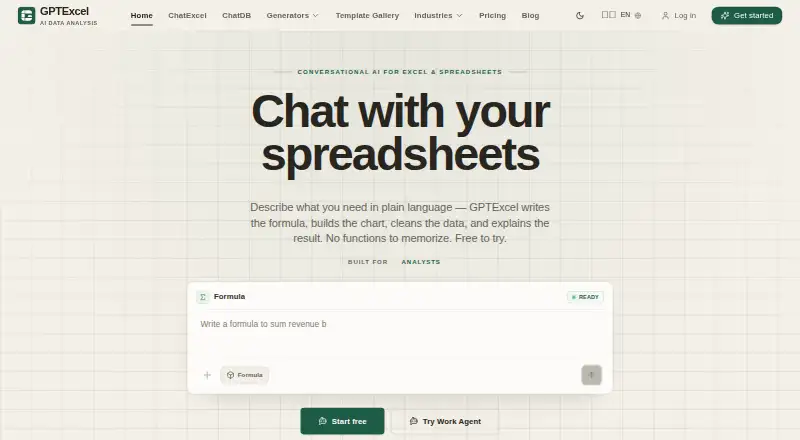
GPTExcel is a web-based AI spreadsheet tool for analysts, operations teams, finance teams, founders, and other spreadsheet-heavy businesses. It works across Microsoft Excel and Google Sheets, using natural-language prompts to generate, explain, and fix formulas, analyze and summarize data, clean and reshape tables, and create charts, pivot tables, dashboards, reports, templates, and financial-model scaffolds. It also converts PDF and image tables into editable Excel data and generates VBA, SQL, regex, and Google Apps Script code.
Its main strength is breadth. Beyond standard formula assistance, GPTExcel supports multi-step spreadsheet workflows through Work Agent, read-only natural-language database queries, and connections for MySQL, PostgreSQL, Supabase, and SQL Server. The web and API platforms make it relevant for both individual spreadsheet work and broader process automation. Buyers focused on Excel or Sheets but also handling data preparation, reporting, code generation, or database-driven analysis get a wide set of related tools in one product.
The published plans begin with Free, which includes AI data analysis and up to 90 credits per month through daily check-in. Pro costs $19.90 per month and includes 300 credits, approximately 150 formulas, and approximately 75 charts and analyses. Max costs $29.90 per month and adds unlimited usage, unlimited formula generation, unlimited chart analysis, collaboration, and API access. A $599 Lifetime plan and credit packs from $14.99 for 650 credits are also available. GPTExcel suits power users who need varied spreadsheet capabilities; users seeking only occasional formula help may prefer the Free plan, while teams needing the listed collaboration and API features should choose Max.
Your product? Our editors can test GPTExcel in depth and publish a review, labelled as paid · from $149/mo →
GPTExcel pricing
All 8 GPTExcel plans and prices →
GPTExcel fact sheet
| Free plan | Yes |
|---|---|
| Paid from | $19.90/mo |
| Primary platform | Multiple |
| Formula generation | Yes |
| Table transformation | Yes |
| Spreadsheet analysis | Yes |
| Workflow automation | Yes |
| Custom functions | Yes |
| API access | Yes |
| Deployment | Cloud |
| Platforms | Web |
| Support | Docs |
| Built for | Solo, Small business, Mid-market, Enterprise (editorial estimate) |
| Integrations | 7 integrations: Microsoft Excel, Google Sheets, CSV, MySQL, PostgreSQL, Supabase … |
| Pricing | Free plan (source) |
| Website | gptexcel.app |
| Facts checked | 20 Sep 2026 |
GPTExcel integrations
GPTExcel lists 7 integrations on its own site.
- Microsoft Excel
- Google Sheets
- CSV
- MySQL
- PostgreSQL
- Supabase
- SQL Server
Alternatives to GPTExcel
- RowsRows suits teams that need AI analysis, connected data, automation, and collaboration in one spreadsheet.9.4
- QuadraticA collaborative spreadsheet that combines AI, code, databases, and familiar exports.9.1
- ChatGPT for ExcelAn Excel add-in for creating, analyzing, and updating workbooks with natural-language instructions.9.0


See all GPTExcel alternatives →
GPTExcel vs the competition
- GPTExcel vs Rows
- GPTExcel vs Quadratic
- GPTExcel vs ChatGPT for Excel
- GPTExcel vs Formula Bot (now Better Analyst)
- GPTExcel vs Pelayar AI Spreadsheet Agent
- GPTExcel vs Bricks



Compare GPTExcel with any tool side by side →
Used GPTExcel? Be the first to review it
The editor score above is our own research. What this page doesn't have yet is a reader's view — what you used GPTExcel for, what worked and what didn't. No stars are seeded and no review is paid for; an editor reads every one before it appears.
Write a reviewTwo minutes · verified accounts only · read by an editor before it appears
Featured on iTechGuides

GPTExcel is listed in our AI Spreadsheet Tools directory. Add the badge to your site — it links back to this page.
<a href="https://www.itechguides.com/products/gptexcel/"><img src="https://www.itechguides.com/best/badge/gptexcel.svg" alt="Featured on iTechGuides" width="230" height="46"></a>
Reviewed by iTechGuides Editors · Editorial team · Updated Oct 2026
Advertiser disclosure: iTechGuides is reader-supported. Vendors can pay for top positions in our rankings and for a place on other products' pages, and we may earn a commission when you click some links. Bought places stand at the number bought; this page and our disclosure say so. Paying vendors may get a fuller, more detailed review from our editors, and that review can change their score. How we rank.
Last updated · How we research and update