ChatGPT for Excel
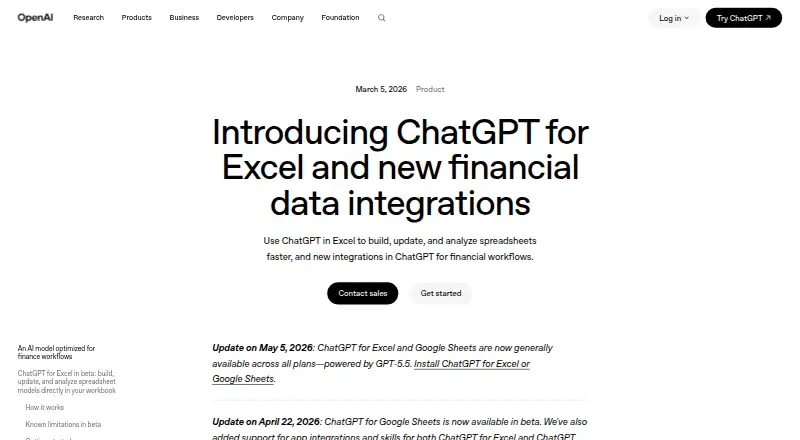
ChatGPT for Excel: An Excel add-in for creating, analyzing, and updating workbooks with natural-language instructions. Ranked #4 of 31 in AI Spreadsheet Tools by our editors (9.0/10); pricing: Free plan; best for excel users wanting an AI agent.
At a glance
- Editor score9.0 / 10
- PricingFree plan
- Best forExcel users wanting an AI agent
- Free planYes
- Primary platformMicrosoft_excel
- Founded2015 · San Francisco, California, United States
- Facts checked20 Sep 2026
Where it wins
- Creates and updates workbooks from natural-language instructions
- Analyzes large, multi-tab files and runs scenarios
- Handles formulas, formatting, charts, and planning tasks
Where it doesn't
- Excel extension access varies by ChatGPT plan
- It is tied to ChatGPT plans, not separately priced
- The primary platform is web-based Excel
Our verdict on ChatGPT for Excel
ChatGPT for Excel is an OpenAI add-in that places ChatGPT in a sidebar inside Microsoft Excel. It is designed for analysts, accountants, strategists, researchers, and other spreadsheet-heavy users who want to create or revise workbooks with natural-language instructions. It can work with existing multi-tab files, including formulas, references, assumptions, formatting, and charts, while users review proposed changes before saving.
The published plans show a freemium structure tied to ChatGPT access. Free and Go provide limited Excel extension access, while Plus provides expanded access. Pro offers maximum access to ChatGPT features. Business Standard includes ChatGPT and Codex with included usage limits, and Business Premium provides higher usage limits for ChatGPT and Codex. Business workspace usage may use shared credits or token-based pricing depending on the billing model, and Go pricing is localized in some markets.
Its main distinction is breadth inside the workbook: ChatGPT for Excel can generate and explain formulas, clean labels and duplicates, repair broken formulas, transform tables, inspect values and formatting, create charts, and build trackers, budgets, plans, and templates. It also supports spreadsheet analysis, reporting, KPI review, planning, forecasting, scenarios, and sensitivity tables. Choose it if your work centers on Microsoft Excel and you want an AI agent that can modify as well as explain workbook content. Choose an alternative if you need a standalone spreadsheet product, a non-web platform, or Excel extension access beyond the limits of your ChatGPT plan.
Questions about ChatGPT for Excel
Does ChatGPT for Excel have a free plan? Yes, there is a free plan.
What does ChatGPT for Excel run on? Web. It runs in the cloud.
Who is ChatGPT for Excel built for? Solo users, small businesses, mid-market companies and enterprises (our editorial estimate).
Your product? Our editors can test ChatGPT for Excel in depth and publish a review, labelled as paid · from $149/mo →
ChatGPT for Excel pricing
All 7 ChatGPT for Excel plans and prices →
ChatGPT for Excel fact sheet
| Free plan | Yes |
|---|---|
| Paid from | Not verified |
| Primary platform | Microsoft_excel |
| Formula generation | Yes |
| Table transformation | Yes |
| Spreadsheet analysis | Yes |
| Workflow automation | Yes |
| Custom functions | Not verified |
| API access | Not verified |
| Deployment | Cloud |
| Platforms | Web |
| Support | Live chat, Docs |
| Built for | Solo, Small business, Mid-market, Enterprise (editorial estimate) |
| Pricing | Free plan (source) |
| Website | openai.com |
| Facts checked | 20 Sep 2026 |
Alternatives to ChatGPT for Excel
- RowsRows suits teams that need AI analysis, connected data, automation, and collaboration in one spreadsheet.9.4
- GPTExcelA wide-ranging spreadsheet copilot with a free tier and paid usage limits.9.2
- QuadraticA collaborative spreadsheet that combines AI, code, databases, and familiar exports.9.1



See all ChatGPT for Excel alternatives →
ChatGPT for Excel vs the competition
- ChatGPT for Excel vs Rows
- ChatGPT for Excel vs GPTExcel
- ChatGPT for Excel vs Quadratic
- ChatGPT for Excel vs Formula Bot (now Better Analyst)
- ChatGPT for Excel vs Pelayar AI Spreadsheet Agent
- ChatGPT for Excel vs Bricks



Compare ChatGPT for Excel with any tool side by side →
Used ChatGPT for Excel? Be the first to review it
The editor score above is our own research. What this page doesn't have yet is a reader's view — what you used ChatGPT for Excel for, what worked and what didn't. No stars are seeded and no review is paid for; an editor reads every one before it appears.
Write a reviewTwo minutes · verified accounts only · read by an editor before it appears
Featured on iTechGuides

ChatGPT for Excel is listed in our AI Spreadsheet Tools directory. Add the badge to your site — it links back to this page.
<a href="https://www.itechguides.com/products/chatgpt-for-excel/"><img src="https://www.itechguides.com/best/badge/chatgpt-for-excel.svg" alt="Featured on iTechGuides" width="230" height="46"></a>
Reviewed by iTechGuides Editors · Editorial team · Updated Nov 2026
Advertiser disclosure: iTechGuides is reader-supported. Vendors can pay for top positions in our rankings and for a place on other products' pages, and we may earn a commission when you click some links. Bought places stand at the number bought; this page and our disclosure say so. Paying vendors may get a fuller, more detailed review from our editors, and that review can change their score. How we rank.
Last updated · How we research and update