

Quick wins for a faster PC:
Repair Windows errors before they cause bigger problemsFix Now →Scan for outdated or missing drivers - takes under a minuteDriver Scan →iTechGuides is reader-supported. When you buy through links on our site, we may earn an affiliate commission. As an Amazon Associate I earn from qualifying purchases. Learn more
Lenovo P50s: At First Glance
We all know how inconvenient it is to lug around heavy workstation laptops. This is why there is a demand for light workstations in the laptop world.
Thankfully, Lenovo has made efforts to combine mobility and performance in some of its product lineups. One of such product, which also happens to be a workstation laptop, is the Lenovo P50s.
Not only does this laptop combine mobility and performance, but it is also rugged and a good choice for frequent travelers. Similar workstations from Lenovo, like the ThinkPad P70 and ThinkPad P50, concentrated more on performance, but the Lenovo P50s prioritized portability.
Wondering if the Lenovo P50s really strike a balance between portability and performance? Read on to satisfy your curiosity.
Popular on Amazon
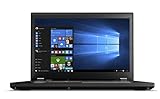
- Do more with the Windows 10 Pro Operating system and Intel's premium Core i7 processor at 2.70 GHz
- Memory: 16GB Ram and up to 256GB SSD of data.
- Display: 15.6" screen with 1920 x 1080 resolution.
Lenovo P50s: Design, Display, Ports, and Connectivity
If you have seen or are familiar with the ThinkPad W500s, then you already know what the Lenovo P50s look like. This is because Lenovo used the same design as the ThinkPad W500s for the P50s, excluding the ports (I’ll discuss that later).
Specifically, the Lenovo P50s has the same black and boxlike design that most ThinkPads have. Also, the chassis is made of plastic and glass fiber which gives the laptop a solid build.
However, you cannot afford to be careless with the laptop when sliding it into or out of a briefcase. That said, the lid of the Lenovo P50s has a smooth surface.
Do these 3 things before closing this tab:
1Repair Windows errors before they cause bigger problems2Fix the driver behind crashes, sound loss and screen glitches3Clear out junk files and repair common Windows errorsMoreover, “ThinkPad” and “Lenovo” inscriptions are both imprinted on the lid, thereby adding more style to the laptop’s overall design. Besides, opening this lid exposes the laptop’s 15.6-inch display screen.
As with previous ThinkPads, the screen is surrounded by thick bezels, but the bottom bezel is thicker than the top and side bezels. Also, the bottom bezel has a silver Lenovo imprint at the left edge.
Additionally, the laptop features a 720p HD resolution camera positioned in the middle of the top bezel. This camera is adequate for friendly video chats with friends and family via Skype but is a bit blurry for taking pictures.
Moving to the display features, the Lenovo P50s offers two resolutions for its 15.6-inch display screen. Basically, the laptop is available with two different display resolutions.
Hence, you can purchase the Lenovo P50s with either an FHD (1920 x 1080) resolution or a 3K QHD (2880 x 1620) resolution. The 3K QHD (2880 x 1620) resolution allows the display to offer sharper images than the FHD resolution.
However, the 3K QHD resolution is more power-consuming than the FHD resolution. Furthermore, FHD resolution is available with a touchscreen option.
This means that, with the FHD resolution, you can either get a touchscreen display or a non-touchscreen display. However, with the 3K QHD resolution, the display is non-touchscreen.
Nevertheless, with either resolution, the Lenovo P50s’ 15.6-inch display has an IPS panel. An IPS (In-Plane-Switching) panel enables users to get a pleasurable viewing experience no matter the angle they are watching the display.
Free tools Windows power users keep installed
One-click scans. No signup required.
In other words, an IPS panel makes a display offers wide viewing angles. However, despite both the FHD and 3K QHD resolution display options having IPS panels, they have different maximum screen brightness.
Specifically, the FHD resolution non-touchscreen display has a maximum brightness of 300 nits. Meanwhile, the FHD resolution touchscreen display has a maximum brightness of 270 nits.
Hence, the FHD resolution non-touchscreen display will be better to use while working outdoors or under direct sunlight. That aside, the 3K QHD resolution display offers the best brightness level – it has a maximum brightness of 350 nits.
Thus, it should be very good for outdoor usage. Overall, although all the display options are good, the 3K QHD resolution display option is the best.
Enough talk about the Lenovo P50s’ display; let us move to the base of the laptop. The first thing you will notice on the laptop’s base is the keyboard – the Lenovo P50s features a standard chiclet-style keyboard.
Although this keyboard lacks a dedicated number pad, it doesn’t flex when pressed. Also, it features well-spaced keys and has a decent key travel of 2.2 millimeters.
If you are wondering, key travel is the distance between a key’s rest position to its fully pressed position. Hence, due to its decent key travel and well-spaced keys, the keyboard should offer a comfortable and pleasurable typing experience.
Unfortunately, the Lenovo P50s keyboard isn’t backlit.
Proceeding to the touchpad, it is not exactly at the center, below the keyboard. Precisely, it is shifted more to the left side, below the keyboard.
Impressively, this 99.06 x 55.88 mm touchpad is accurate and responds quickly to inputs and navigation. In fact, it supports Windows 10 multitouch gestures such as three-finger swipes and two-finger scrolling.
Also popular on Amazon

- Processor: Intel Core i7-1165G7 (4C / 8T, 2.8 / 4.7GHz, 12MB)
- Memory: 32GB(2 x 16GB) DDR4 RAM; Storage: 1TB PCIe OPAL2
- Display: 15.6" FHD (1920 x 1080) IPS, anti-glare, 300 nits; Graphics: NVIDIA Quadro T500 4GB
- Dimensions: (H x W x D) 19.1mm x 365.8mm x 248mm / 0.75" x 14.4" x 9.76" Weight: Starting at 1.76kg / 3.87lbs
- [Upgrade] will open to upgrade to 1TB PCIe-NVMe Solid State Drive. The hard drive upgrade won't affect Lenovo manufacture warranty.
Also, the touchpad’s dedicated click buttons are noiseless and offer adequate feedback. Like other ThinkPads, the Lenovo P50s has a red TrackPoint in the middle of its keyboard.
This TrackPoint works as an alternative to the touchpad. It also has its own set of dedicated click buttons underneath the keyboard’s space bar key.
PC Slower Than It Used to Be?
A free scan shows the junk files, broken settings and background clutter dragging Windows down - then fixes them in one click.Free scan · Windows 10 & 11Crashes, No Sound, or Screen Glitches?
Random freezes, missing sound and display glitches usually trace back to one bad driver. Find and replace yours safely.Free scan · under a minuteMoving on, the Lenovo P50s offers a good port selection to keep you connected at all times. Specifically, on the laptop’s left side, there is a power jack, a headphone jack, a USB 3.0 port, an Ethernet port, and an SD card reader.
Meanwhile, on the right side, you’ll find two more USB 3.0 ports, a lock slot, and a Mini DisplayPort. For wireless connectivity, the Lenovo P50s offers BlueTooth 4.1, and it also supports WiFi 802.11ac.
Having said all that, let us now discuss the weight and dimensions of the Lenovo P50s. In terms of weight, the laptop weighs 2200 g, which I consider fair enough for a 15-inch laptop.
Additionally, it has a dimension of 380.6 x 258.2 x 22.4 – 23.3 mm (W x D x H). Although this Lenovo laptop is quite portable and a bit lightweight, the Dell Latitude 5590 is lighter and more compact.
What’s actually slowing this PC down?
Pick the symptom - the matching free tool is one click away.
To be precise, the Dell Latitude 5590 weighs 1880 g and measures 376 x 250.7 x 20.6 mm (W x D x H).
All things considered, I rate the Lenovo P50s an eight out of ten in this design review section.
Lenovo P50s: Processor (CPU) Performance
For processing tasks, the Lenovo P50s features various processors up to the Intel Core i7-6600U processor. This review focuses on the laptop with the Intel Core i7-6600U processor.
This Intel Core i7-6600U processor is a dual-core processor with a cache memory of 4 MB. Also, the processor has a base frequency of 2.60 GHz and a maximum frequency of 3.40 GHz.
Performance-wise, this processor is a powerful processor that can handle most tasks thrown at it. Hence, the Lenovo P50s should be able to perform heavy-duty workloads like video editing and multitasking.
Let us now discuss the Geekbench 3 benchmark test result of the Lenovo P50s to further prove its processor’s performance. In brief, Geekbench 3 is an app-based cross-platform benchmark test that determines the ability of a computer to handle demanding operations.
Moreover, on the Geekbench 3 benchmark test, a high score means a good processor performance. Thus, based on the Geekbench 3 test result, the Lenovo P50s scored 7,213 points.
This score is quite impressive and means the laptop should be able to smoothly handle demanding tasks. However, compared with the HP ZBook 15u G3, which uses an Intel Xeon E3-1505M processor, the laptop’s performance is poor.
The Tool Desk
Outbyte Driver Updater FREEScan for outdated or missing drivers - takes under a minuteDriver Scan →Outbyte PC Repair FREERepair Windows errors before they cause bigger problemsFix Now →Specifically, on the GeekBench 3 test, the HP ZBook 15u G3 scored 14,316 points.
Nonetheless, I will be rating the Lenovo P50s an eight out of ten in this processor review section.
Lenovo P50s: Memory (RAM) Performance
The Lenovo P50s features a standard 8 GB DDR3L 1600 MHz RAM divided between its two memory slots. Furthermore, this laptop supports a maximum memory of 32 GB.
Thus, with the available slots, you can upgrade the laptop’s memory up to 32 GB. However, upgrading the laptop’s memory might not be particularly necessary.
Recommended Free Tools
This is because the standard 8 GB RAM is just enough for the laptop to carry out most computing tasks. In actual fact, with this amount of memory, the Lenovo P50s will be able to multitask smoothly.
Talking of multitasking, with 8 GB RAM, the laptop has the ability to perform smoothly when running 15 Chrome tabs simultaneously. Moreover, when these tabs are running, you can decide to stream a video on YouTube, and the laptop won’t lag.
To emphasize more on the laptop’s performance with 8 GB RAM, let us discuss its result in a PCMark 8 test. PCMark 8 is a benchmark tool that estimates the memory performance and ability of a computer by simulating office-related workloads.
Also popular on Amazon
- Lenovo ThinkPad L15 Gen 2 with Ryzen PRO 5650U for Business includes 10-Key Numpad! | Amazon Renewed, Certified Refurbished
Additionally, a high score on this app-based memory benchmark test represents good performance. In other words, the higher the score or points, the better the memory performance of the computer.
So, according to the benchmark test results, the Lenovo P50s scored 2,790 points. While this score is very impressive, it is less than the score achieved by the Acer Switch 5.
Specifically, the Acer Switch 5 was able to score a massive 3,556 points on the PCMark 8 benchmark test.
All in all, I will be rating the Lenovo P50s an eight out of ten in this memory review section.
Lenovo P50s: Storage Options and Performance
In the aspect of storage, the Lenovo P50s is available with three storage options. These storage options include 5400 RPM SATA HDD, 7200 RPM 2.5″ SATA HDD, or SATA HDD.
Recommended Free Tools
For storage capacities, the 5400 RPM SATA HDD supports 1 TB of maximum storage capacity. Meanwhile, the 7200 RPM 2.5″ SATA HDD and SATA HDD support 500 GB and 512 GB maximum storage capacity, respectively.
Impressively, even though all the storage options support sufficient storage capacities, the Lenovo P50s features a 4-in-one card reader. This card reader allows for storage expansion.
At this point, it is important to note that this review is based on the Lenovo P50s with a 512 GB SATA HDD. So, to know the laptop’s performance with this storage option, let us consider its result on the CrystalDiskMark benchmark test.
If you’re wondering, CrystalDiskMark is a test for calculating how fast a computer’s storage drive can save and open files. Basically, the test estimates the read and write speed of a computer’s storage drive.
What’s actually slowing this PC down?
Pick the symptom - the matching free tool is one click away.
For more understanding, “read speed” means how fast a storage drive opens files. Meanwhile, “write speed” means how fast the storage saves files.
That aside, according to the CrystalDiskMark test, the higher the MB/s value, the faster the read and write speed. On that note, the Lenovo P50s delivered a sequential read speed of 475.5 MB/s on the test.
In addition to that, it also delivered a sequential write speed of 304.7 MB/s. In comparison, this Lenovo laptop has a faster read and write speed than the ASUS FX504GD, which also uses SATA HDD.
Specifically, on the CrystalDiskMark test, this ASUS laptop offered a read speed of 113.2 MB/s, and 86.3 MB/s write speed.
In conclusion, the Lenovo P50s offers three impressive storage options with sufficient maximum storage capacities. Moreover, the laptop outperformed one of its competitors on a storage benchmark test.
Thus, there is nothing stopping me from rating the Lenovo P50s a nine out of ten in this storage review section.
Lenovo P50s: Graphics Card Performance
The Lenovo P50s is available with an integrated graphics card or a dedicated graphics card. The integrated graphics card is an Intel HD Graphics 520 with a 300 MHz base frequency and 1050 MHz boost frequency.
Also, as an integrated graphics card, this Intel graphics card is built into the laptop’s processor. Hence, it lacks a dedicated VRAM and shares the system memory with the CPU to perform graphics-related tasks.
Quick wins for a faster PC:
Repair Windows errors before they cause bigger problemsFix Now →Scan for outdated or missing drivers - takes under a minuteDriver Scan →Clear out junk files and repair common Windows errorsFree Scan →Due to this, with the Intel HD Graphics 520, the Lenovo P50s will not be able to effectively handle graphics-demanding apps and games. However, with the dedicated graphics card option (NVIDIA Quadro M500M), the case is the opposite.
This is because, as a dedicated graphics card, the NVIDIA Quadro M500M features a dedicated VRAM of 2 GB DDR3. Also, it has a base frequency of 1029 MHz, and its boost frequency is 1124 MHz.
Hence, with this dedicated graphics card option, the Lenovo P50s should be able to smoothly handle graphics-demanding apps like AutoCAD. Also, the laptop will be able to smoothly run some high-end games.
For example, while playing Tomb Raider, the laptop should deliver an impressive frame rate of 62.7 fps. That said, for a better understanding of the Lenovo P50s’ performance with the dedicated GPU option, let us discuss its 3DMark Ice storm test result.
Do these 3 things before closing this tab:
1Scan for outdated or missing drivers - takes under a minute2Repair Windows errors before they cause bigger problems3Fix the driver behind crashes, sound loss and screen glitchesAlso popular on Amazon

- Intel 10th Generation Core i7-10750H Hexa-Core (6 Cores, up to 4.8 GHz with Intel Turbo, 12 MB Cache)
- 15.6" FHD (1920x1080) IPS HDR Screen
- 32GB DDR4 Memory
- 512GB PCIe NVMe M.2 Solid State Drive
- Windows 11 Professional
This test is an app-based benchmark test used to estimate the gaming and graphics rendering ability of a computer’s graphics card. Also, a high score or point on this test means a good graphics performance.
Speaking of scores, the Lenovo P50s scored 90,874 points on the test. Sadly, this score isn’t enough to surpass the category average of 130,600 points.
Also, compared with the HP ZBook 15u G3, which uses the same graphics card, the Lenovo P50s performed poorly. Specifically, on the 3DMark Ice storm test, this HP laptop delivered a score of 117,745 points.
Due to the fact that it offers multiple graphics card options, I will rate the Lenovo P50s an eight out of ten in this GPU review section.
The Tool Desk
Outbyte PC Repair FREERepair Windows errors before they cause bigger problemsFix Now →Outbyte Driver Updater FREEFix the driver behind crashes, sound loss and screen glitchesFind Drivers →Lenovo P50s Battery Life and Performance
When it comes to the battery, a 3-cell 44 WHr Li-Polymer 4870 battery powers the Lenovo P50s. However, Lenovo does not state the battery life of the laptop.
Hence, to confirm the laptop’s battery life, I will consider a battery rundown test. This battery rundown test involves using the laptop to continuously surf the web via a WiFi network until the laptop dies.
Therefore, at the end of the test, the Lenovo P50s delivered a battery life of 7 hours and 49 minutes. Thus, the laptop should be able to last almost a full day on a single charge.
In comparison with the HP ZBook 15u G3, the Lenovo P50s has longer battery life. To be more specific, on the same battery rundown test, the HP ZBook 15u G3 delivered a battery life of 5 hours and 8 minutes.
Free tools Windows power users keep installed
One-click scans. No signup required.
In conclusion, the Lenovo P50s offer a decent battery life. Also, this laptop has a longer battery life when compared with one of its closest rivals.
Thus, to conclude this battery review section, I will rate the Lenovo P50s a nine out of ten.
Frequently Asked Questions
Yes, however, it is an optional feature.
If you purchase the Lenovo P50s with the dedicated graphics card option, it should be able to play most high-end games smoothly. For example, while playing Tomb Raider, the laptop delivered a smooth frame rate of 62.7 fps.
Lenovo never mentioned the actual battery life of the Lenovo P50s. However, after a battery rundown test, we discovered that the laptop could last up to 7 hours and 49 minutes on a single charge.
Yes, the Lenovo P50s comes with Bluetooth 4.1 for wireless connectivity.
The Lenovo P50s isn’t too big. In fact, the laptop is quite portable for a 15.6-inch laptop.
Specifically, it measures 380.6 x 258.2 x 22.4 – 23.3 mm (W x D x H) and weighs 2200 g.
Conclusion
The Lenovo P50s is a 15.6-inch workstation laptop that has a compact and lightweight build. Also, this laptop offers multiple resolution options and an optional touchscreen display.
Additionally, the Lenovo P50s features a powerful processor and multiple storage options. That’s not all; the laptop comes with two memory slots and supports an impressive 32 GB maximum memory.
Moreover, this laptop offers an adequate battery life that can last almost a full day on a single charge. Honestly, apart from its poor webcam, there is nothing serious to hate about this laptop.
Hence, if you need a decent workstation laptop, you need to consider the Lenovo P50s.
I hope you found this Lenovo P50s review helpful. If you found the review helpful, click on “Yes” beside the “Was this page helpful” question below.
You may also express your thoughts and opinions by using the “Leave a Comment” form at the bottom of this page.
Finally, for more laptop reviews, visit our Laptop Reviews page. You may also find our Laptop Specs page very helpful.
Quick Recap
Product prices and availability are accurate as of the date/time indicated and are subject to change. Any price and availability information displayed on Amazon at the time of purchase will apply.


