

What’s actually slowing this PC down?
Pick the symptom - the matching free tool is one click away.
iTechGuides is reader-supported. When you buy through links on our site, we may earn an affiliate commission. As an Amazon Associate I earn from qualifying purchases. Learn more
This Itechguide teaches you how to turn off safe search on Google. The guide covers steps to turn off safe search on Google from a PC, iPhone or Android.
Option 1: Turn Off Safe Search from a PC (Google.com)
- Open Google.com from a browser on your PC. Then, at the bottom right of the page, click Settings. A set of options will be displayed.
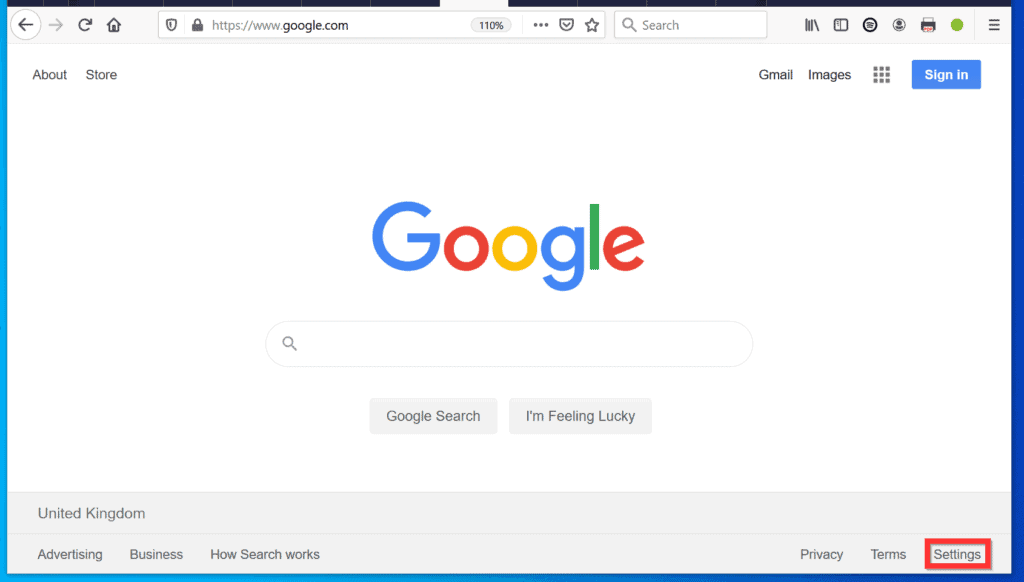
- From the displayed options, click Search settings. Google Search settings page will open.

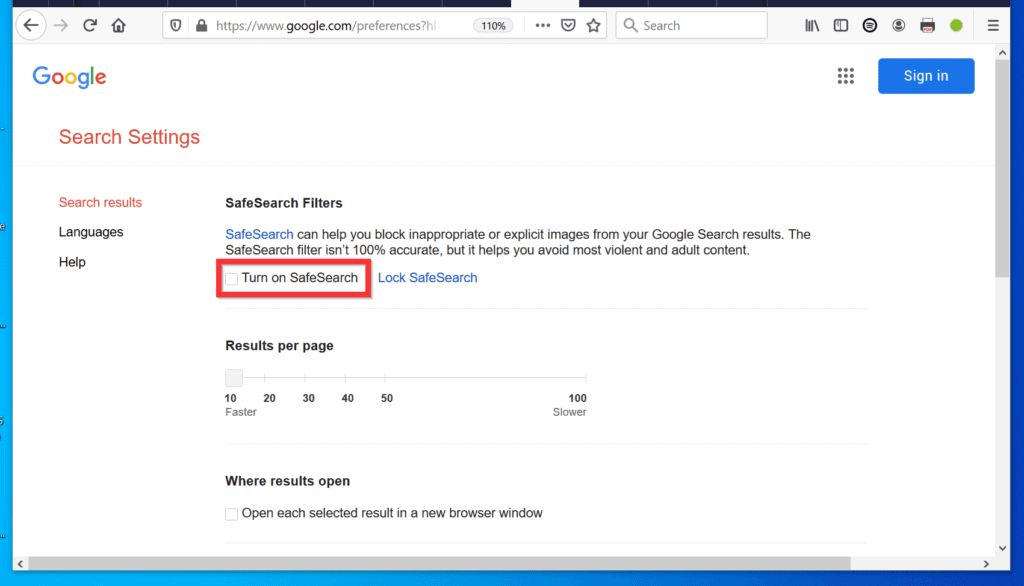
- On the SafeSearch Filters section (top of the page), uncheck the box beside Turn on SafeSearch. Then, scroll down to the bottom of the page and click Save.


- You will receive a confirmation that Your preferences have been saved. To return to Google search, click OK.

- To confirm that Safe Search is turned off, return to Google search settings. The checkbox beside Turn on SafeSearch will be unchecked.
Option 2: Turn Off Safe Search from a Smartphone
There are 2 subsections in this section. The first covers steps to turn off SafeSearch from Google App. The second covers steps for a mobile phone’s browser.


Method 1: Disable Safe Search from Google App
- Open Google App from your phone.

- Then, at the bottom right of the App, tap …More tab.

- When More tab opens, tap Settings.
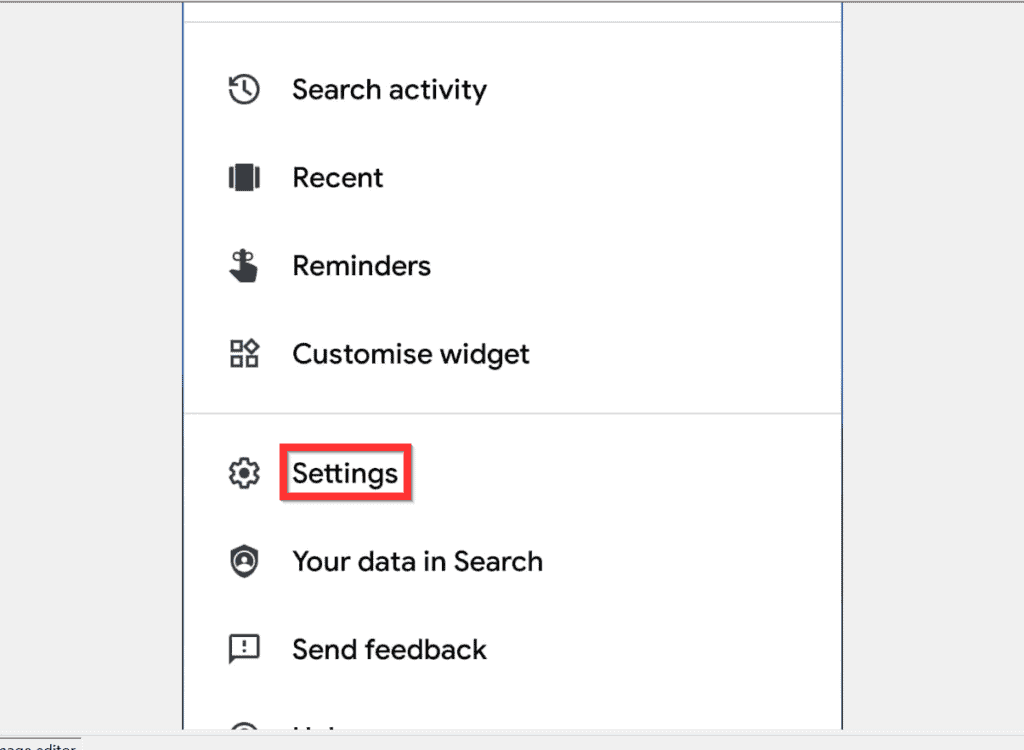
- On the Settings screen, tap General. The next steps are different for Android and iPhone.

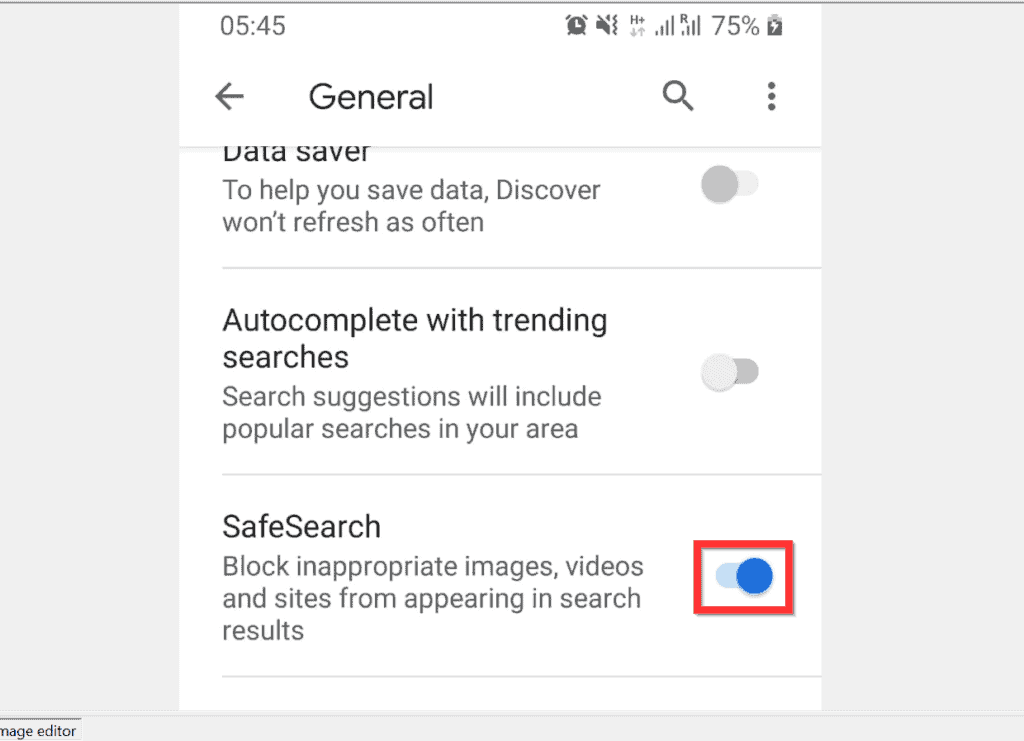
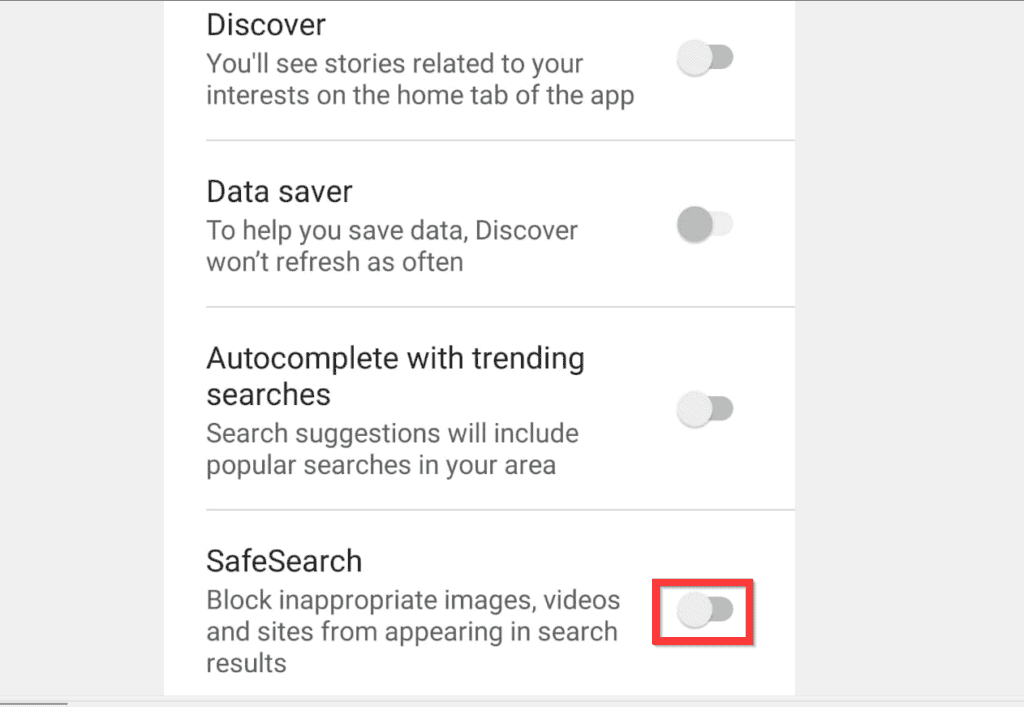
- If you use an Android phone, on the General screen, scroll down to SafeSearch and turn off the button beside it. When you turn it off, the button will change to gray.
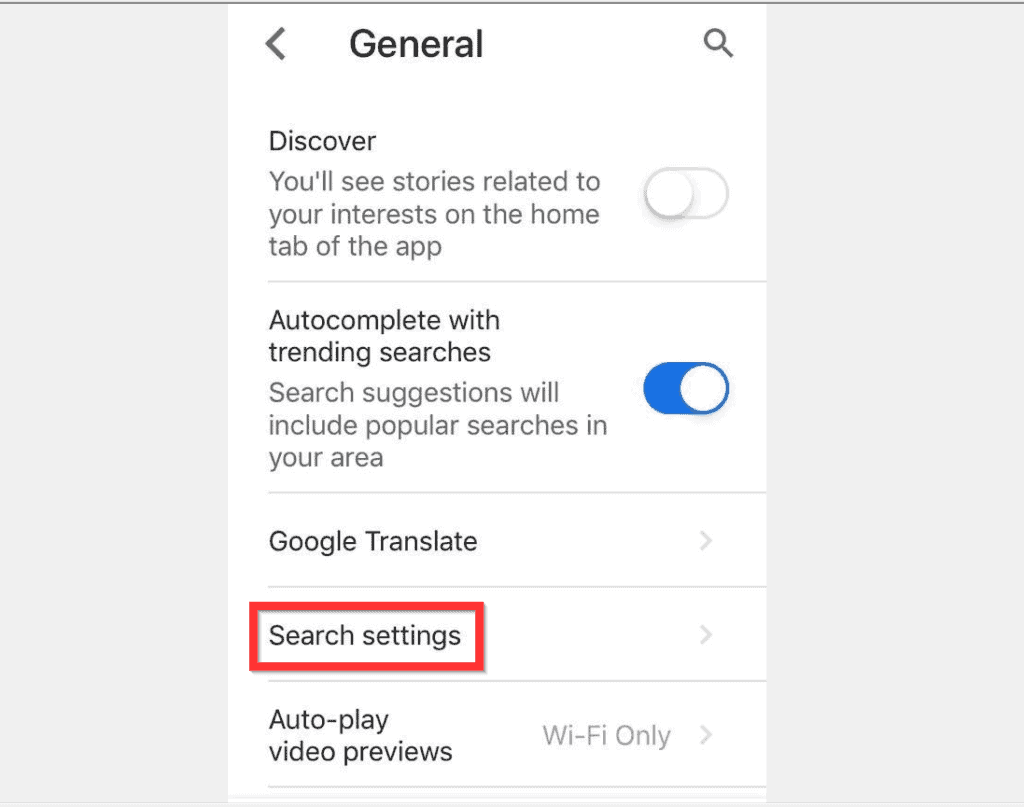
- Alternatively, if you use an iPhone, on the General screen, tap Search settings.
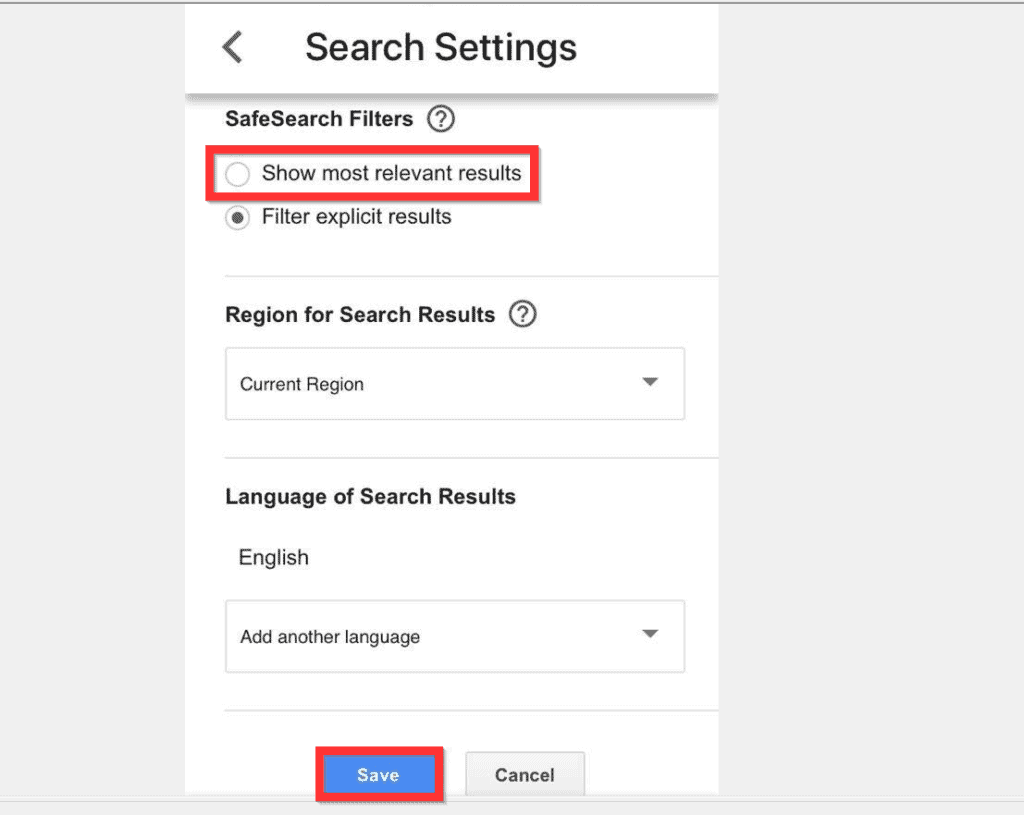
- When Search Settings screen opens, beneath SafeSearch Filters select Show most relevant results. Then, at the bottom left of the screen, tap Save.

Method 2: Turn off Safe Search from a Browser
If you do not use Google App for search, here is how you can turn off SafeSearch from your mobile phone’s browser.
- Open a browser on your smartphone and open Google.com.

- Then, on the top left of Google.com page, tap the menu icon. A set of menu options will be displayed.

- From the displayed menu options, tap Settings.

- At the Settings screen, locate SafeSearch Filters and confirm that Show most relevant results is selected. Then, at the bottom left of the screen, tap Save.


It is this easy to turn off safe search on Google! I hope you found this guide helpful. If you found the guide helpful, click on “Yes” beside the “Was this page helpful” question below.
Popular on Amazon
You may also express your thoughts and opinions by using the “Leave a Comment” form at the bottom of this page.
Our team and other community members will respond to your questions, comments, or feedback as soon as possible.
Also popular on Amazon
Finally, for more Google Itechguides, visit our Google How To page.
Free tools Windows power users keep installed
One-click scans. No signup required.
Quick Recap
Also popular on Amazon
Also popular on Amazon
Also popular on Amazon
Product prices and availability are accurate as of the date/time indicated and are subject to change. Any price and availability information displayed on Amazon at the time of purchase will apply.
Independent reader supportYour contribution helps us test, update, and keep practical guides available for everyone.


