

Special offer. See more information about Outbyte and uninstall instructions. Please review EULA and Privacy policy.
iTechGuides is reader-supported. When you buy through links on our site, we may earn an affiliate commission. As an Amazon Associate I earn from qualifying purchases. Learn more
This Itechguide teaches you how to see friendship on Facebook. The guide covers steps to see friendship on Facebook from a PC or the Facebook Apps.
Option 1: See Friendship Using a PC
- Open Facebook.com from your PC or Mac. Then, if you have not yet signed in, sign in with your Facebook account.
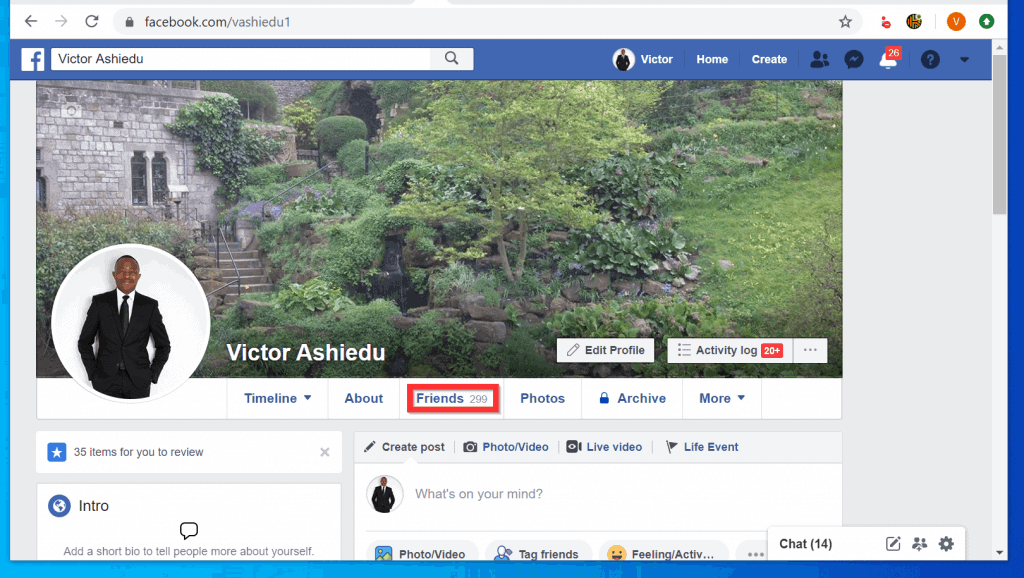
- Open the Friend’s Facebook Profile. You can open a Friend’s profile by searching for the person’s name. You can also open your profile (click on your profile picture). Then click Friends.
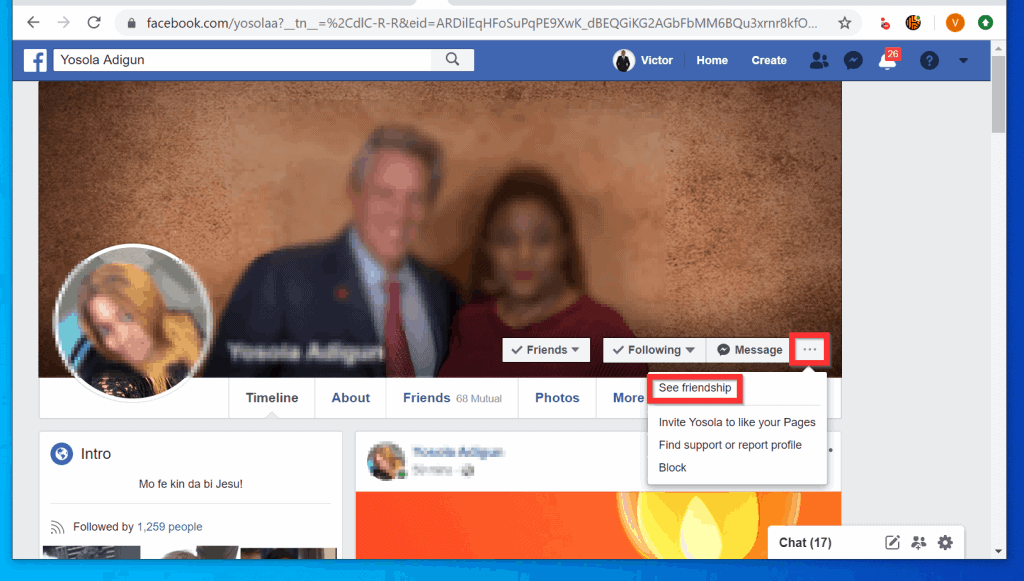
- Then, on the bottom right of the Friend’s profile picture, click the 3 dots and click See Friendship.
Option 2: See Friendship via the Android App
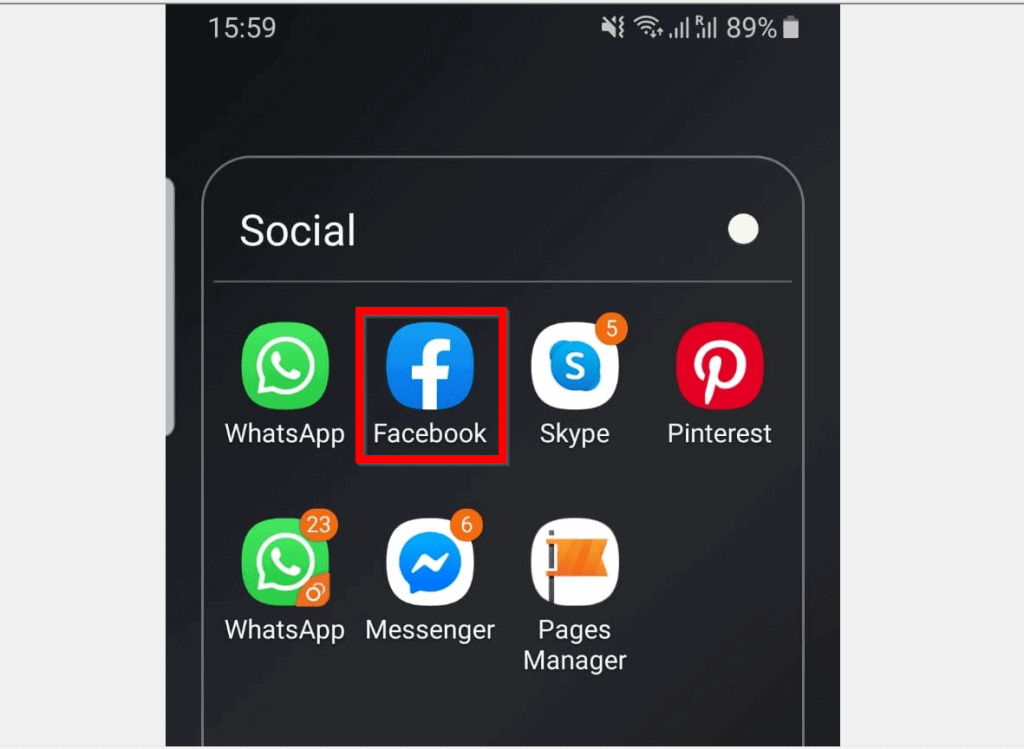
- Open the Facebook App on your Android phone. Then, if this is the first time you are opening the App on your phone, sign in with your Facebook account.
- Open the Friend’s profile. Use search or open your Friends list.
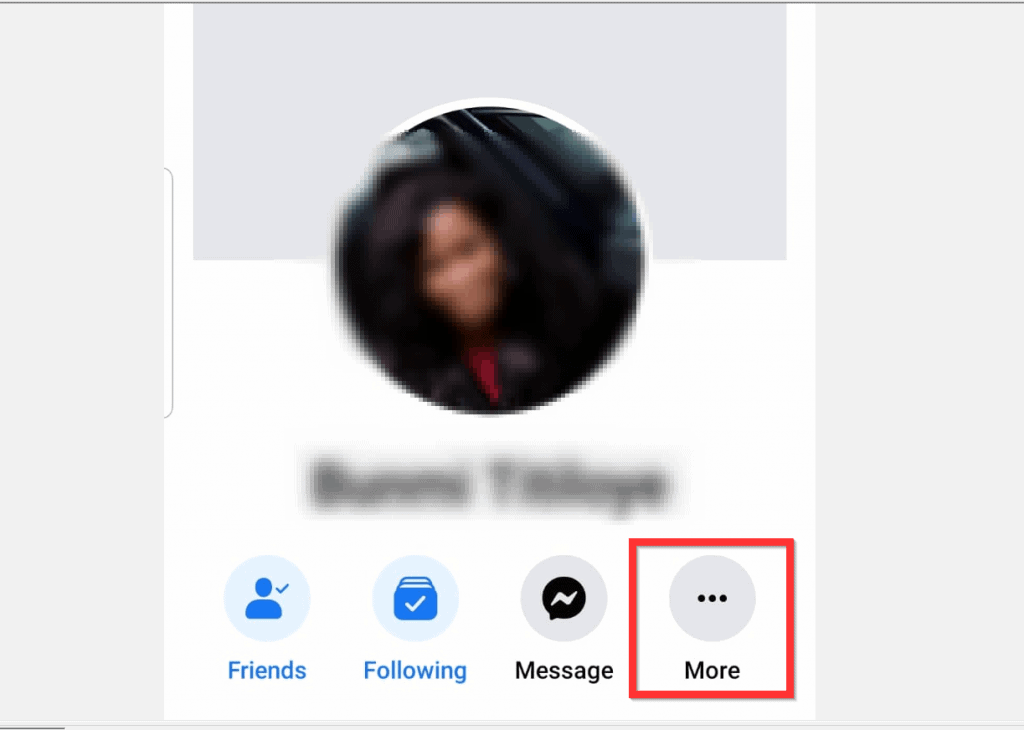
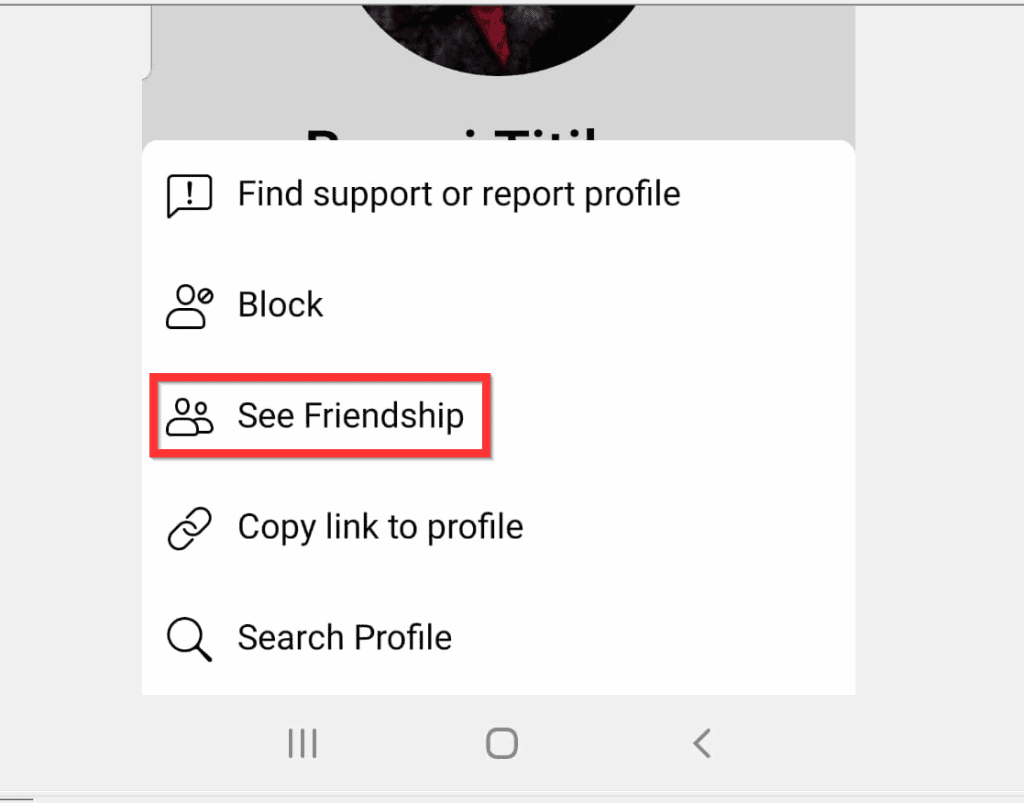
- Then, at the bottom right of the person’s profile picture, tap the More button.
- From the list of displayed options, tap See Friendship.
Option 3: See Friendship via the iPhone App
- Open the Facebook App on your iPhone. Then, if you have not yet signed in to the App, sign in with your Facebook account.
- Open the Friend’s Facebook profile. You can use Facebook search to find the friend. Or, open your profile and tap Friends to open your Friends list.
To open your Facebook profile, tap your profile picture. Then, to see your Friend’s list, scroll down to Friends and tap it.

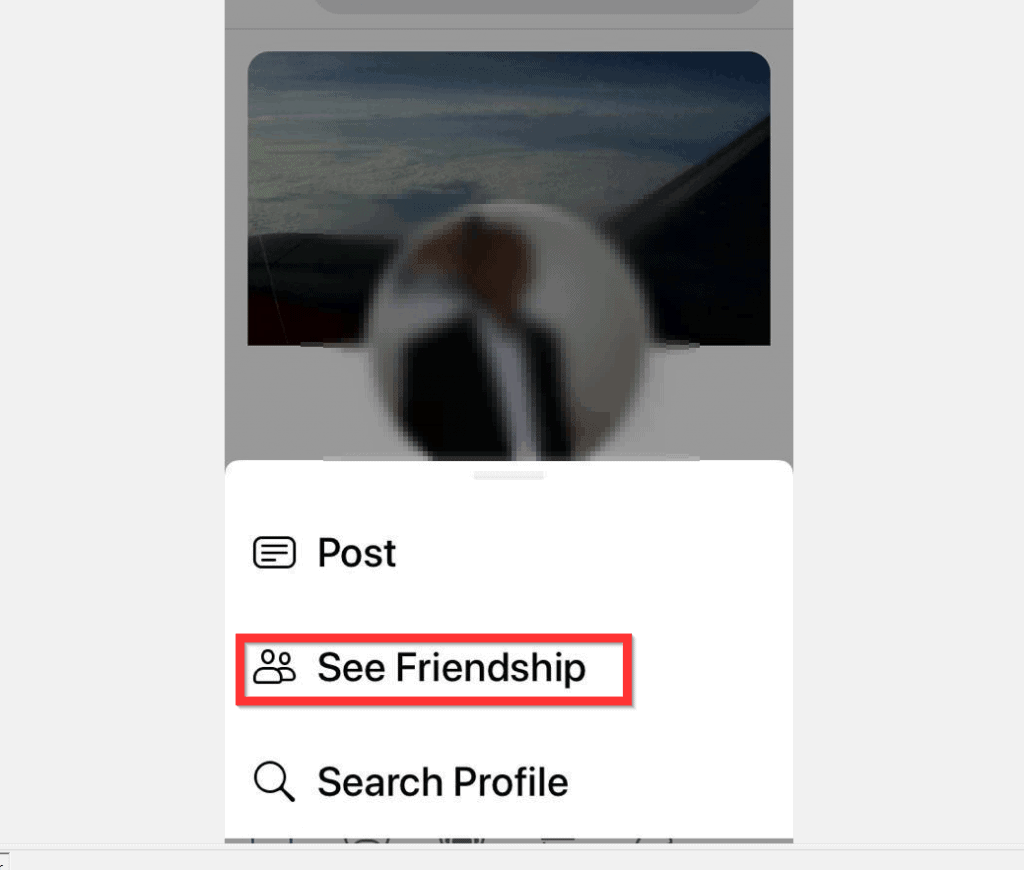
- When you open the Friend’s profile, at the bottom right of the Friend’s profile picture, tap the More button (3 dots).

- Finally, to see your Friendship with this person, from the list of displayed options, tap See Friendship.
I hope that you found it helpful. If you did, click on “Yes” beside the “Was this page helpful” question below.


You may also express your thoughts and opinions by using the “Leave a Comment” form at the bottom of this page.
What’s actually slowing this PC down?
Pick the symptom - the matching free tool is one click away.
Special offer. See more information about Outbyte and uninstall instructions. Please review EULA and Privacy policy.
Finally, for more Social media Itechguides, visit our Social Media how-to page.
Quick Recap
Bestseller No. 1
Also popular on Amazon
Also popular on Amazon
Also popular on Amazon
Also popular on Amazon
Popular on Amazon
Product prices and availability are accurate as of the date/time indicated and are subject to change. Any price and availability information displayed on Amazon at the time of purchase will apply. Prices as of November 5, 2026 2:13 pm GMT.
Independent reader supportYour contribution helps us test, update, and keep practical guides available for everyone. 


