

Recommended Free Tools
iTechGuides is reader-supported. When you buy through links on our site, we may earn an affiliate commission. As an Amazon Associate I earn from qualifying purchases. Learn more
This Itechguide teaches you how to invite people to like your Facebook page. The guide covers steps to invite people to like your Facebook page from a PC, or the Facebook Apps.
Option 1: Invite People to Like Your Page from a PC (Facebook.com)
- Open Facebook.com from your PC. Then, if you have not yet signed in, sign in with your Facebook account.
- On the top right of your Facebook News Feed page, click the arrow pointing downwards.
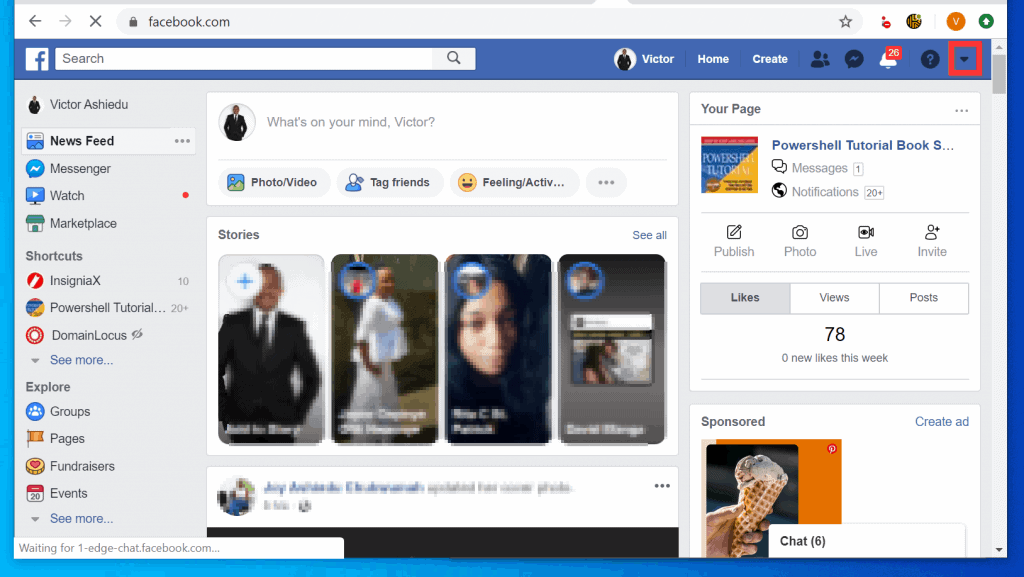
- Then, from the list of displayed options, click Manage Pages.
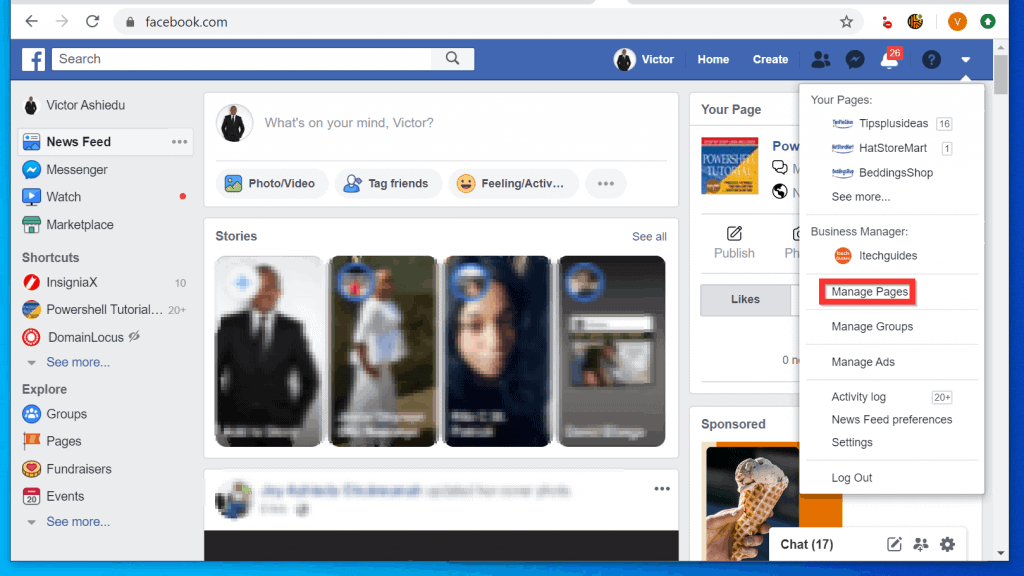
- From the list of your Facebook Pages, click the Page you want to invite Friends to Like.

- On the left pane of the Facebook Page, scroll down and click the Community tab. If the Community tab is taking too long to load (it will display the highlighted circle beside it – second image below), press F5 on your keyboard to refresh the page.

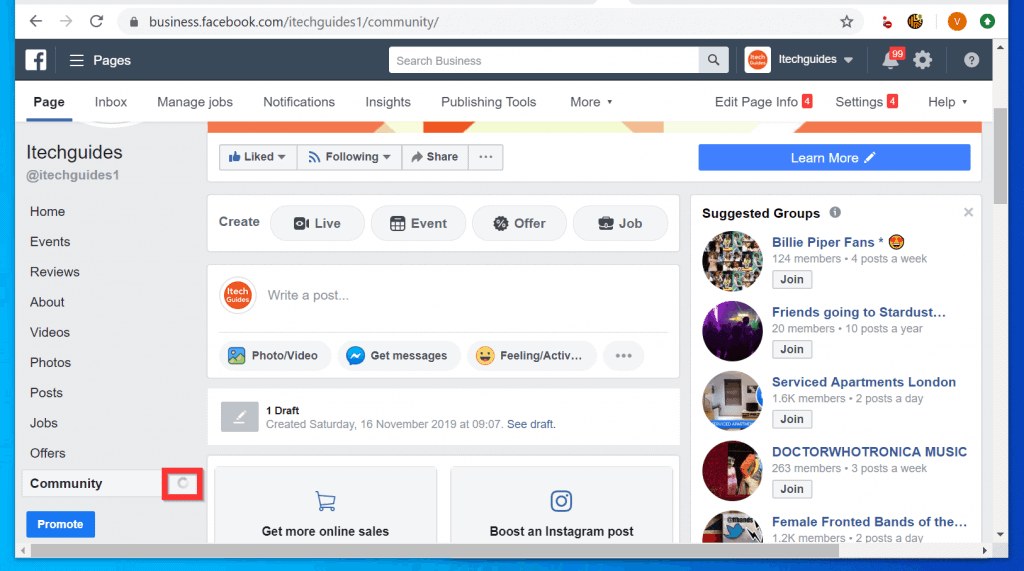
- Finally, on the right pane of the Community tab, you can type the name of the friend you want to invite. You could also select from the suggested list or click See all friends.

Option 2: Invite People to Like Your Page Using the Android App
- Open the Facebook App on your Android phone. Then, if you are opening the App for the first time, sign in with your Facebook Account.
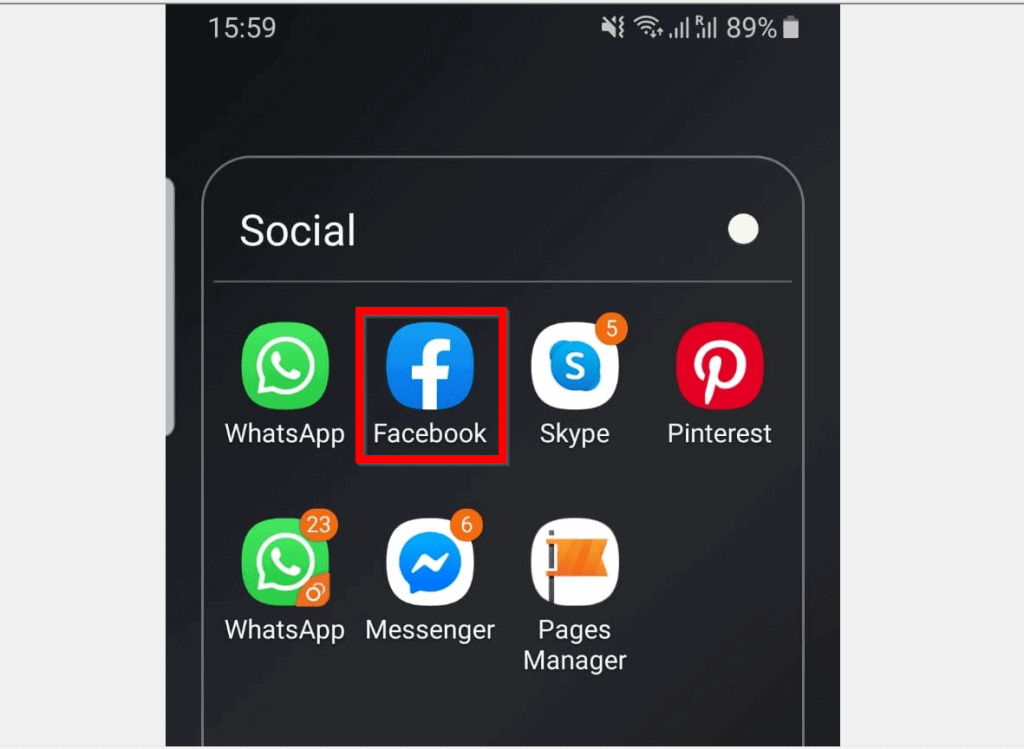
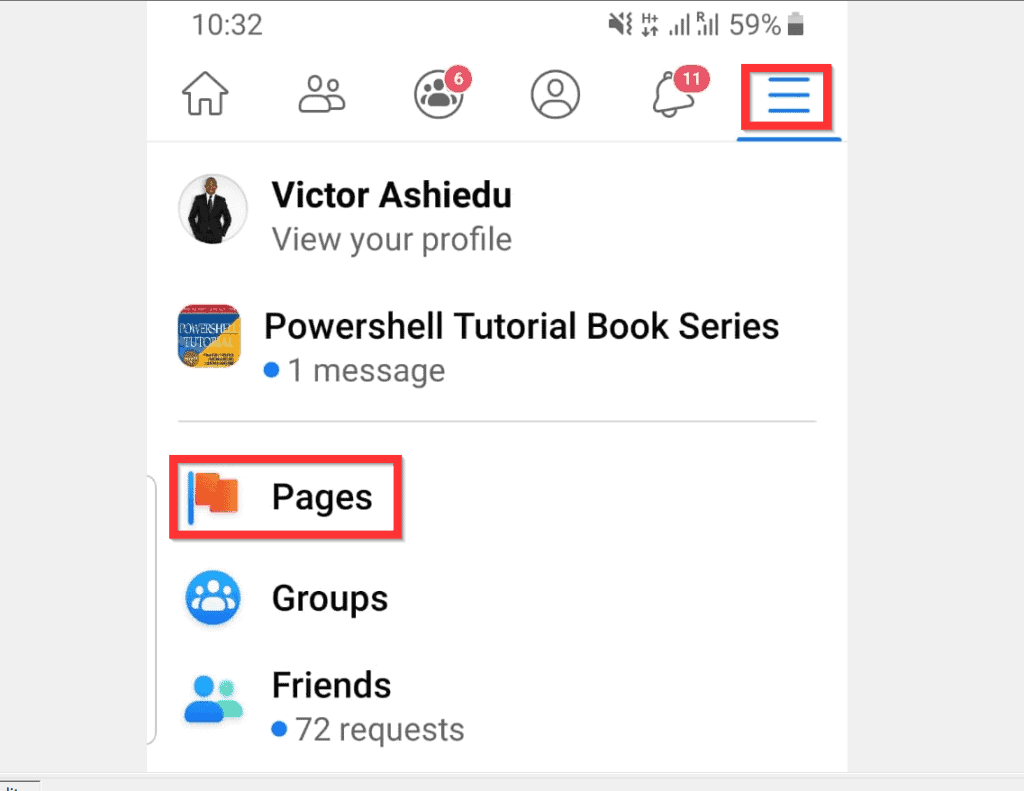
- On the top right of the App, tap the 3 lines. Then, from the list of options, tap Pages.
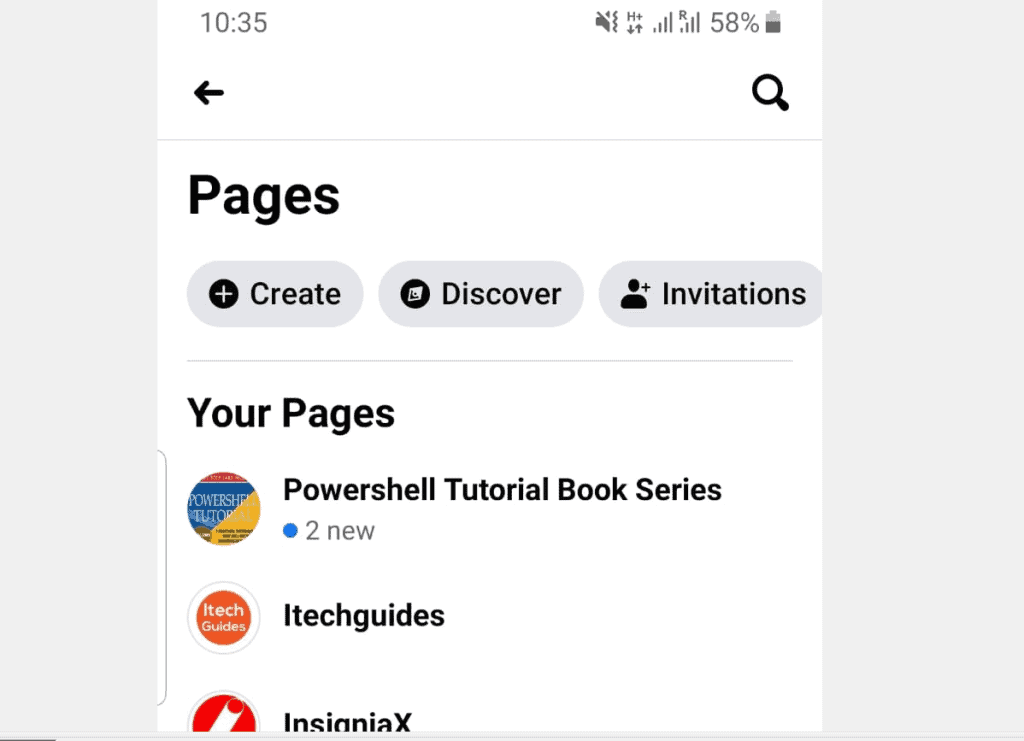
- When the list of Your Facebook Pages opens, tap to open the Page you want to invite Friends to Like.
- When the Page opens, scroll to the Page tabs (starting with Home). Then swipe left until you get to the Community tab, tap it.

- When the Community tab opens, scroll down and tap Invite Friends.

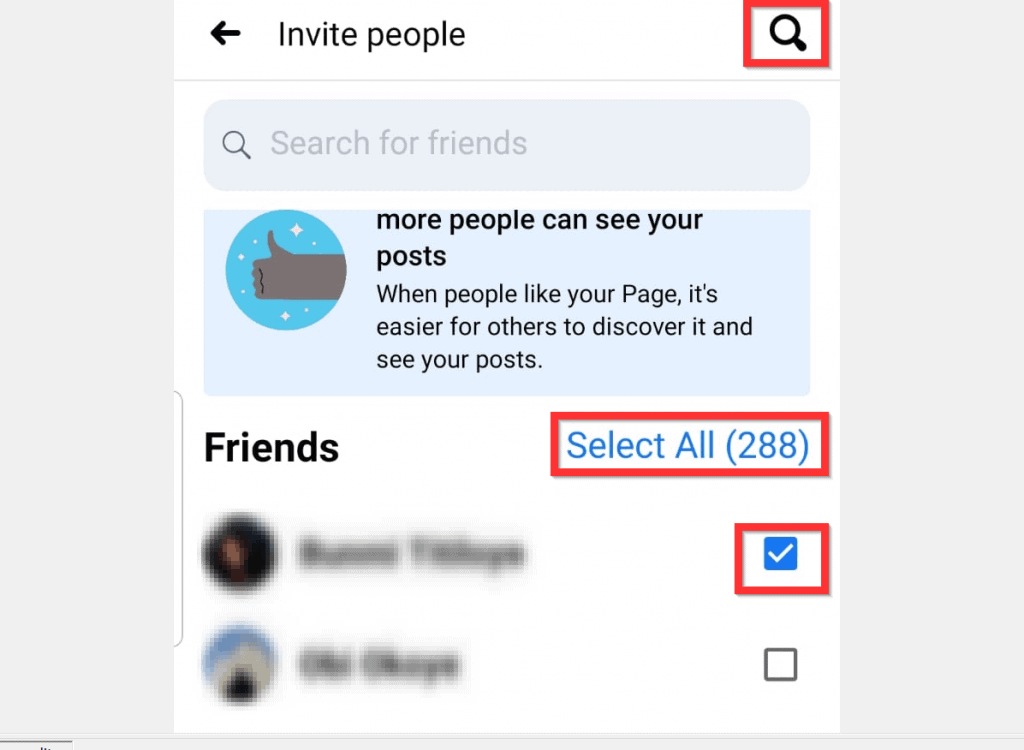
- Finally, the Invite people screen offers 3 options to invite friends to Like your Page. 1, tap the search icon on the top right of the page. Then search for the friend you want to invite. 2, to invite all your friends, tap Select All. 3, check the box beside each friend listed beneath Friends.
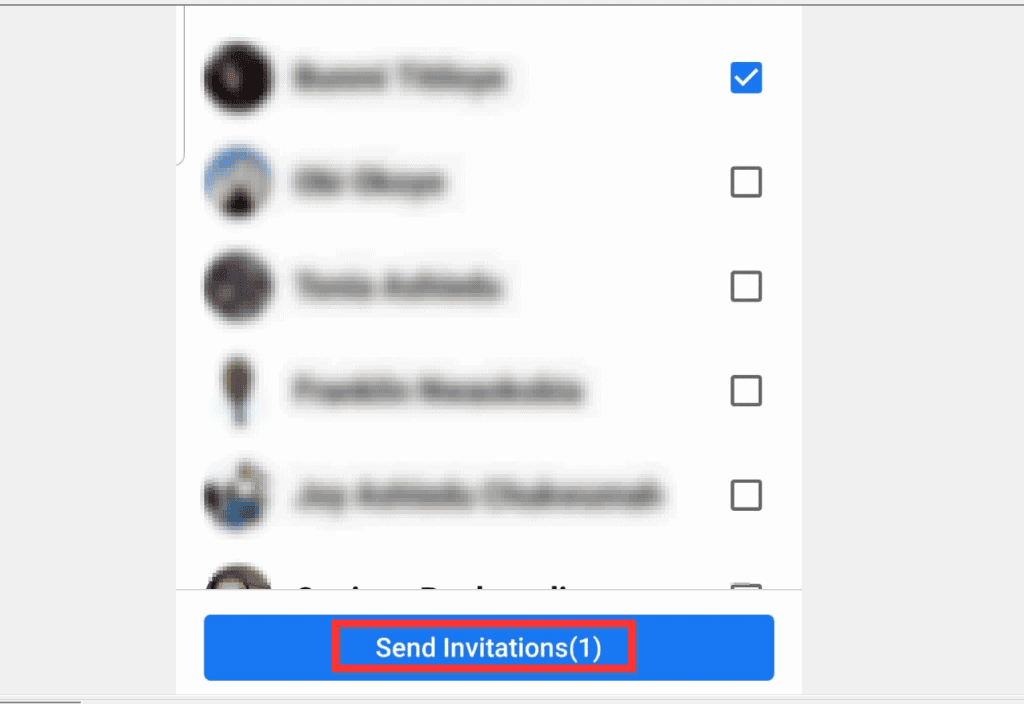
- When you finish selecting the Friend(s) you want to invite to Like your Facebook Page, scroll down. Then tap Send Invitation(s).
Option 3: Invite People to Like Your Page via the iPhone App
- Open the Facebook App on your iPhone. Then, sign in to the App (if this is the first time you are opening the App).
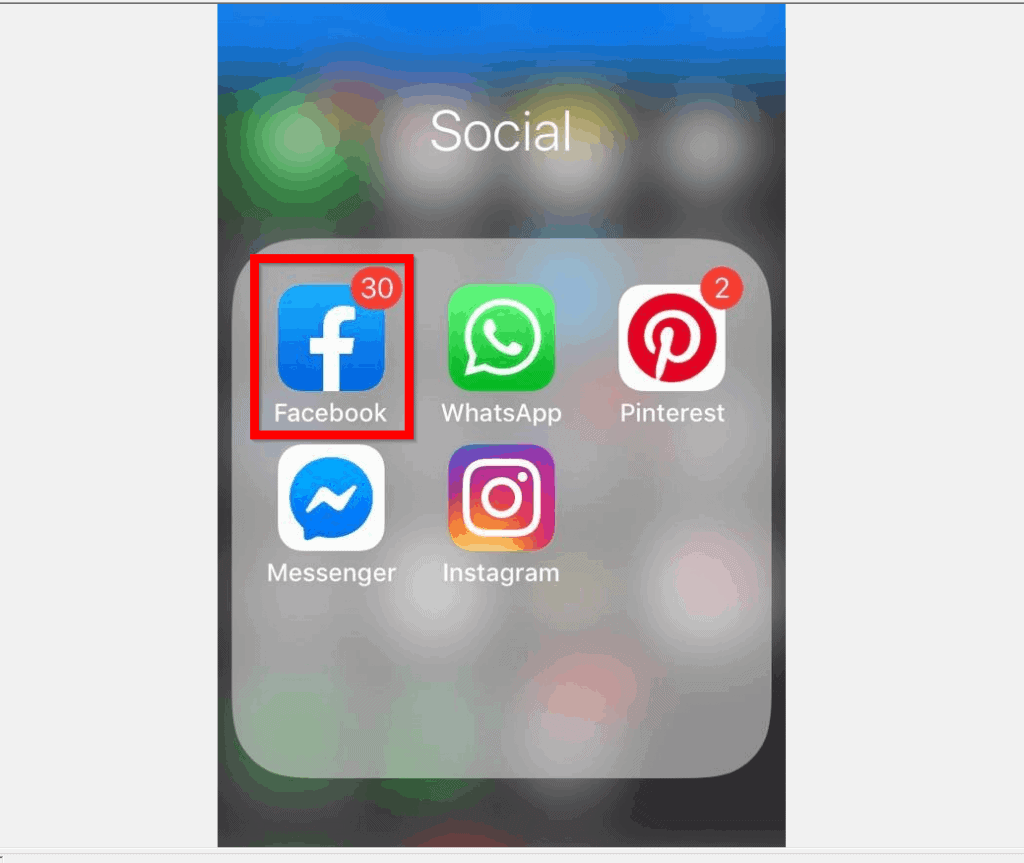
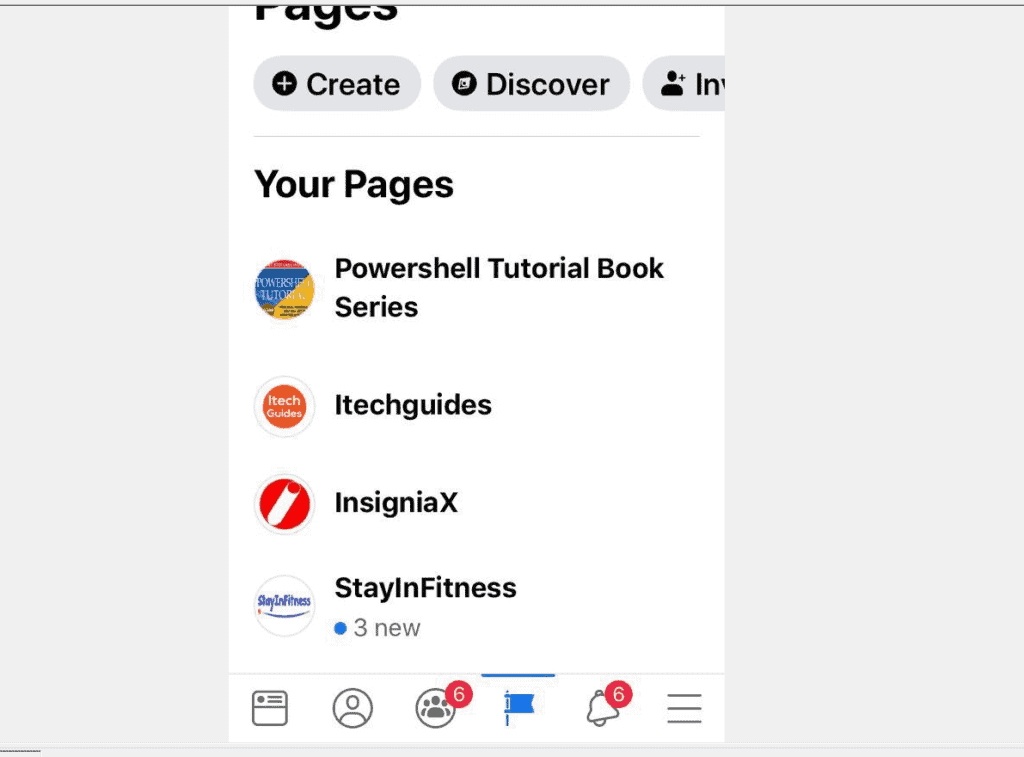
- At the bottom right of the App, tap the 3 lines. Then, tap Pages.

- From your Facebook Pages, tap the Page you want to invite Friends to Like.
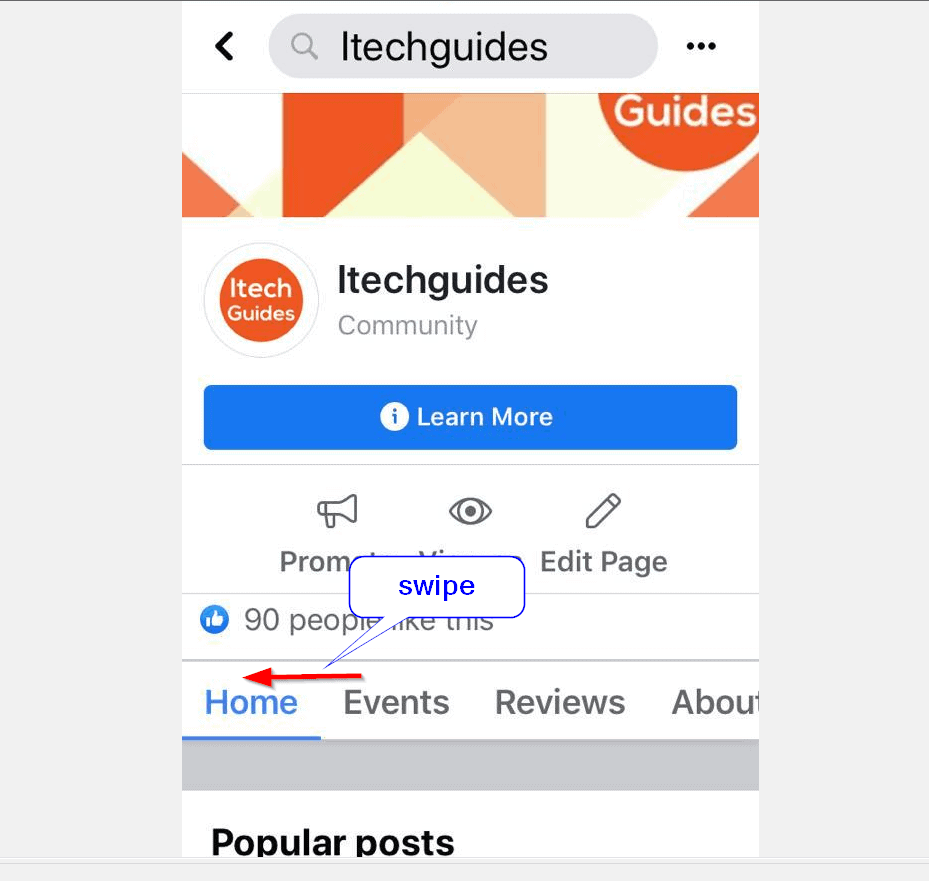
- When the Page opens, swipe the Page tabs (starting with Home), left until you see Community tab. Tap the Community tab.
- Then, at the Community tab, tap Invite Friends.
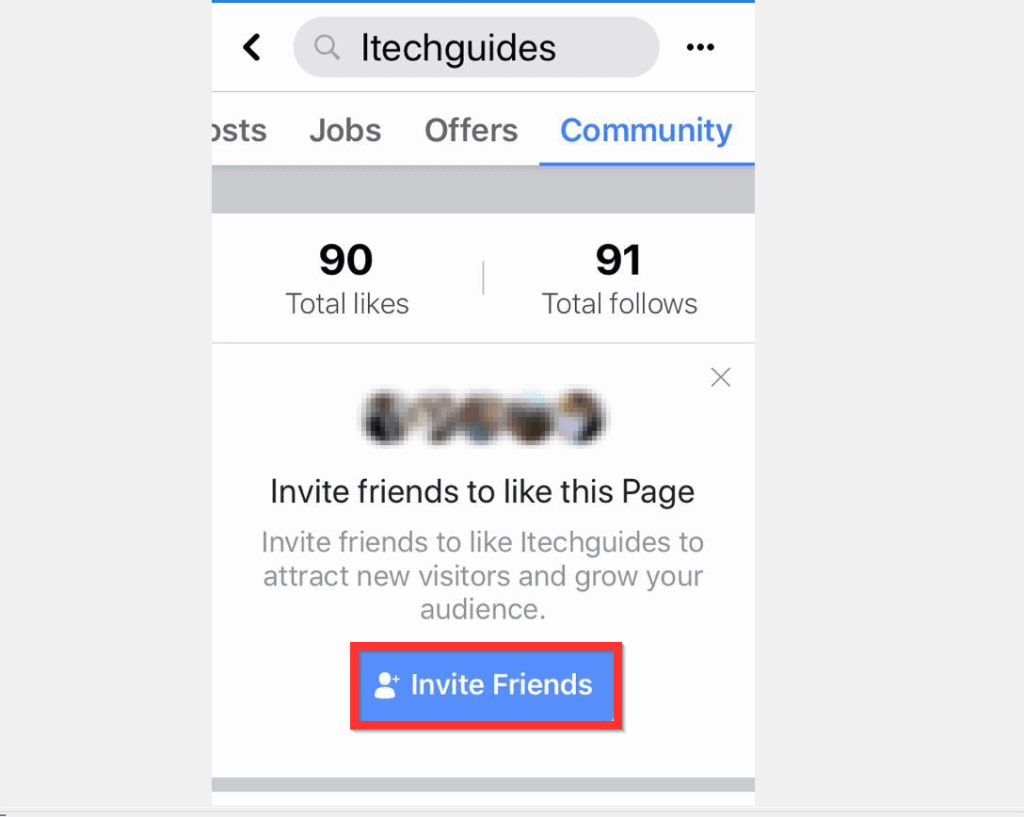
- The final screen offers 3 options to Invite Friends to Like your Page. 1, you could use the Search for friends field. 2, to invite all your Friends, tap Select All. 3, finally, you could check the box beside each friend you want to invite.
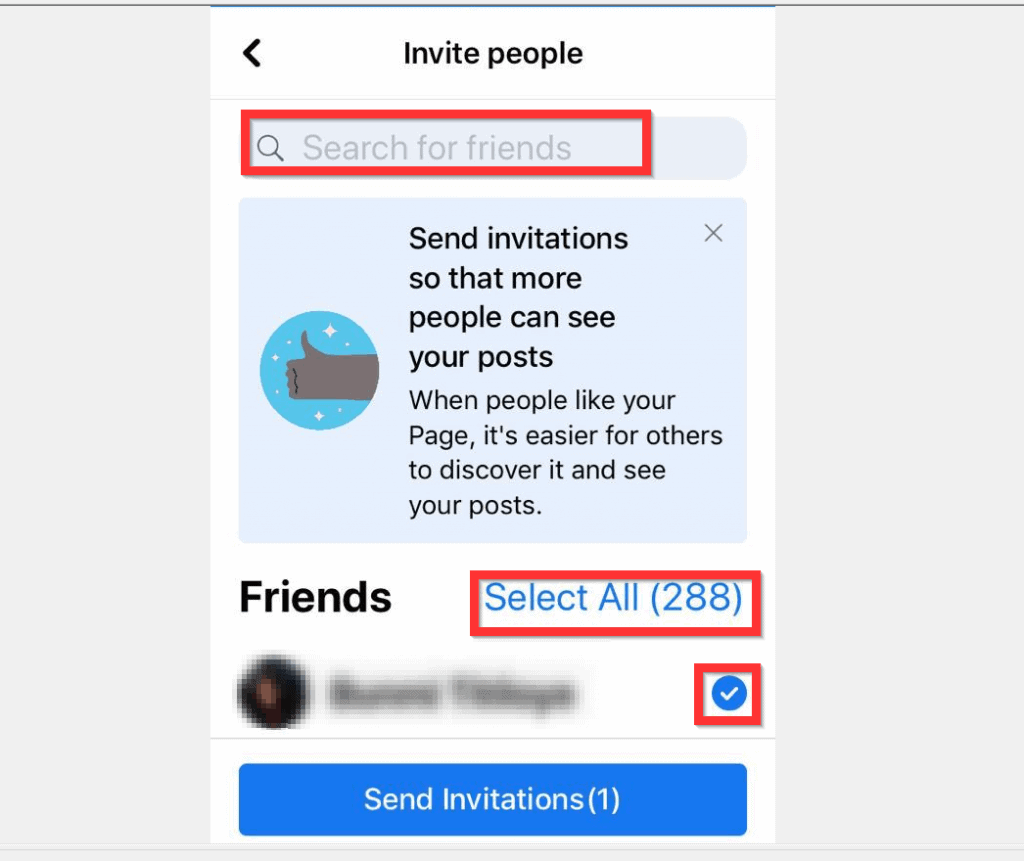
- When you finish making your selections, tap Send Invitation(s).
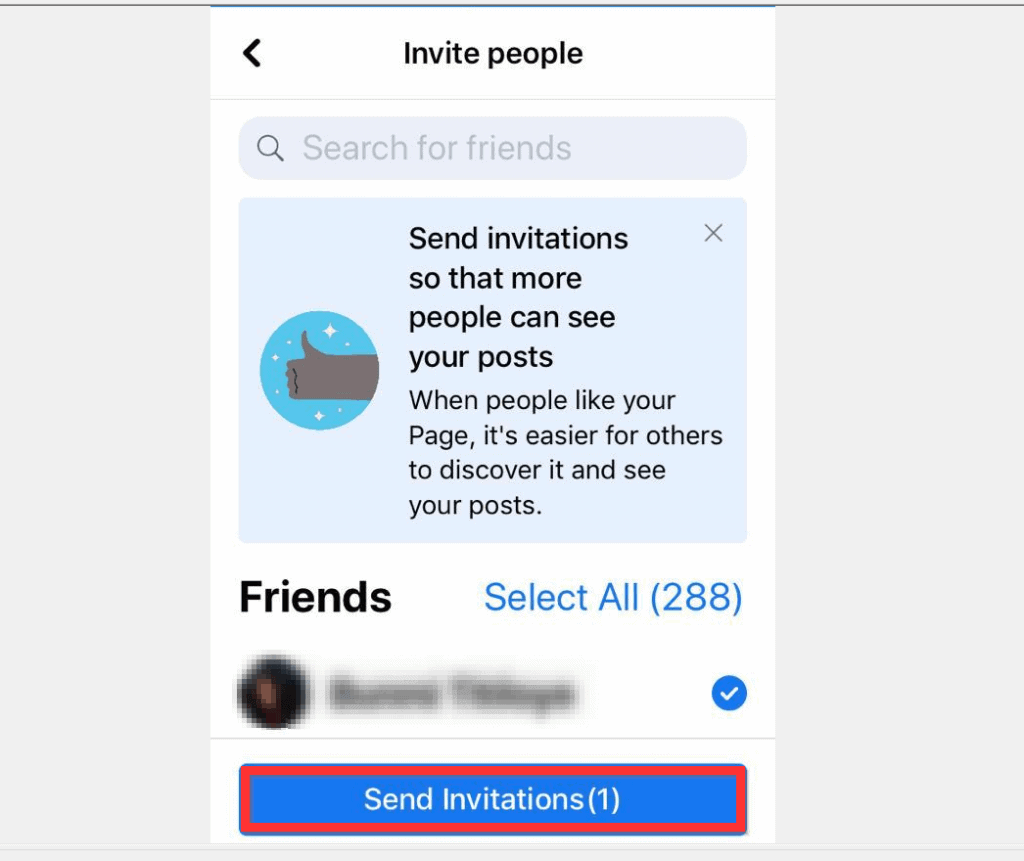
I hope that you found it helpful. If you did, click on “Yes” beside the “Was this page helpful” question below.


You may also express your thoughts and opinions by using the “Leave a Comment” form at the bottom of this page.
What’s actually slowing this PC down?
Pick the symptom - the matching free tool is one click away.
Finally, for more Social media Itechguides, visit our Social Media how-to page.
Quick Recap
Also popular on Amazon
Also popular on Amazon
Also popular on Amazon

- Unleash Your Productivity Potential - Our weekly to do list notepad provides a complete system for managing your tasks. It includes a checklist, a top priority section, a low priority section, and a follow-up section, allowing you to categorize and prioritize your tasks effectively.
- Undated Weekly Planner - Embrace the freedom of an Undated Weekly Planner with 52 weeks of undated planning pages. No more wasted spaces or skipped dates – start your planning journey exactly where you left off, any time you want. This versatile planner empowers you to master your schedule for the entire year.
- Functional Design - Our notepad features premium quality covers and twin-wire binding, providing durability and flexibility for smooth page-turning. The sturdy cardboard backing ensures stability on any surface, making it a reliable companion for your daily tasks.
- High-Quality Design - Our weekly desk planner is crafted with attention to detail, using premium quality 60-pound smooth white paper and a sturdy chipboard backing. Measuring at a convenient size of 11 X 8.5 inches, it offers ample space for writing and planning your tasks. The clean and elegant design adds a touch of sophistication to your workspace.
- Versatile and Long-Lasting - Our desk planner is suitable for various uses, including office, home, school, or personal organization. It is made with high-quality paper to ensure durability throughout the year, making it a reliable companion for all your planning needs.
Also popular on Amazon

- BOOST YOUR PRODUCTIVITY - This undated weekly productivity planner notepad focus on the important work and get organized. Weekly to do list notepad allowing you to categorize and prioritize your tasks effectively. Whether you're a small business owner, project manager, freelancer, academicians or master multitasker, the weekly to do list pad will be your new favorite daily office productivity tool.
- UNDATED WEEKLY PLANNER - This weekly planner start any time with 54 weeks, Weekly planner notebook has plenty of space to write your goal plan, work plan, student plan or personal schedule, keep track of priorities, and write notes on the back. This versatile planner allows you to stay organized in 2026, 2027, or even as far ahead as 2028!
- FEATURES - Weekly Theme and Highlights for at-a-glance planning Top 3 Priorities for the week 6 Focus Areas to segment and list tasks for goals, projects, or clients Daily Tracker for healthy habit-tracking and routine-tracking.
- HIGH QUALITY - This weekly desk planner size of 8.5" x 11", it offers ample space for writing and planning your tasks, just the perfectly size to fit in your backpack. Is used to high quality 100gsm pure white paper, elastic band and a back pocket for extra space.
- FUNDTIONAL DESIGN - This weekly deskpad planner will completely change how you structure your work: by segmenting your tasks by area and tracking the most important details, you'll feel less scattered and more organized.We believe in helping you be fulfilled with your life and productive at the same time by using a weekly to do list notepad.



