
Recommended Free Tools
iTechGuides is reader-supported. When you buy through links on our site, we may earn an affiliate commission. As an Amazon Associate I earn from qualifying purchases. Learn more
This guide demonstrates how to make a Facebook post shareable. You can make a new or an existing post sharable.
Option 1: Make a New Post Shareable
As I mentioned earlier, you can make a new post sharable. You can also make an exiting post “more” sharable.
| # | Preview | Product | Price | |
|---|---|---|---|---|
| 1 |

|
Facebook For Dummies | $18.00 | Buy on Amazon |
| 2 |

|
Facebook, Twitter, & Instagram For Seniors For Dummies | $18.00 | Buy on Amazon |
| 3 |

|
Smiirl Facebook Follower Counter, Live Split-Flap Display, Wi-Fi, 7 Digits | Mechanical split-flap... | $579.00 | Buy on Amazon |
Here are the steps to make a new Facebook post sharable:
Quick wins for a faster PC:
Fix the driver behind crashes, sound loss and screen glitchesFind Drivers →Clear out junk files and repair common Windows errorsFree Scan →- Open Facebook App on your Mobile phone.
- To make a new sharable post, on the top of the app, click on What is on your mind.

- This will open a new Facebook post form.
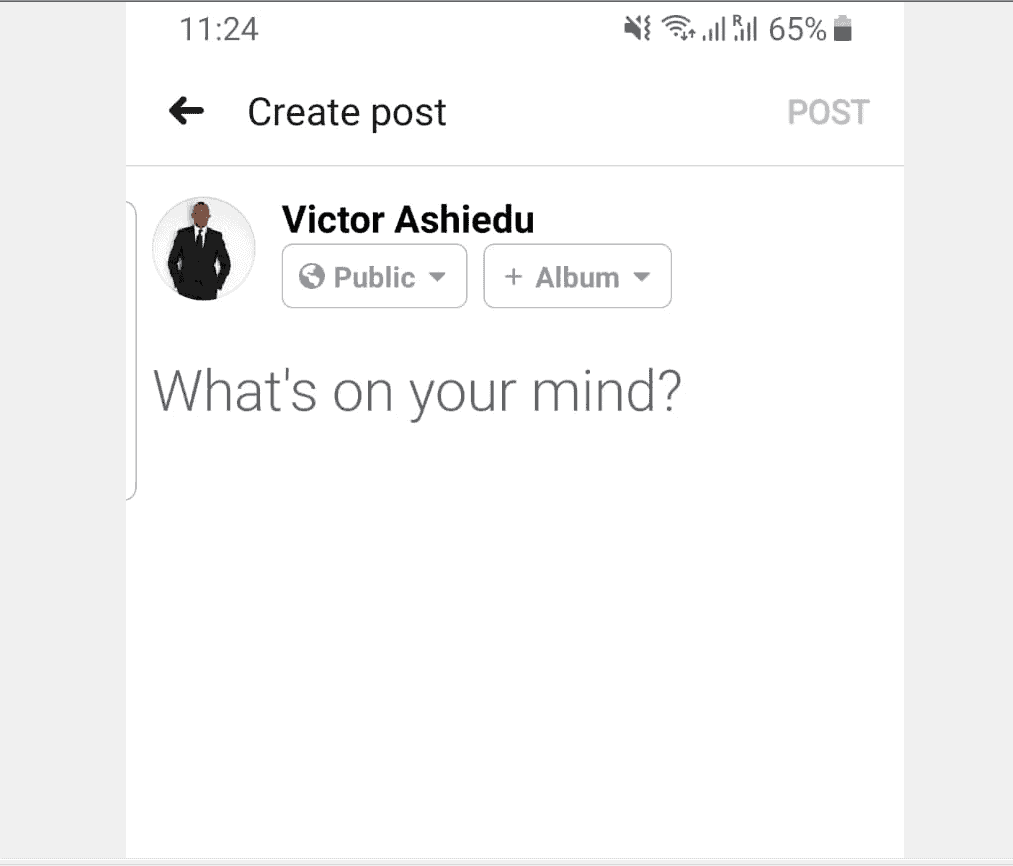
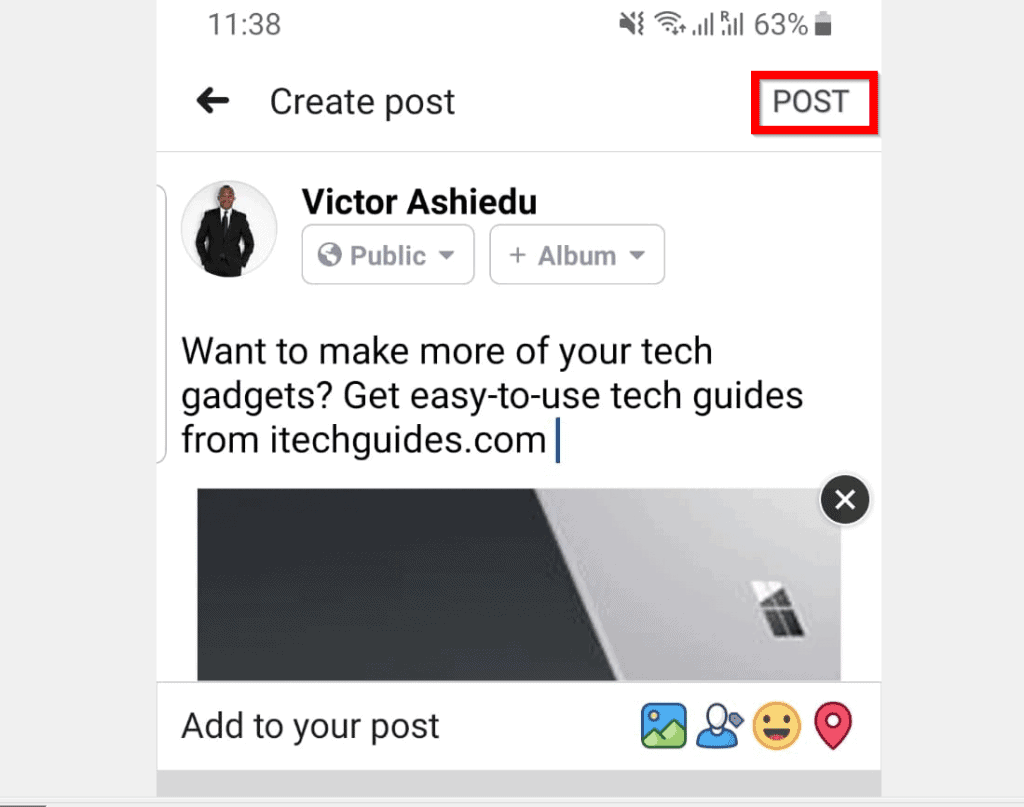
- Type what you wish to share. Then to make the post sharable, the highlighted part of the image should be Public.

- If the part highlighted in the previous image is not Public, click on it to display your privacy options. Then select Public from the list.

- When you finish making your selection, click the back arrow beside Select privacy.

- Finally, to share your post, click POST.
Option 2: Make an Existing Post Shareable
If you have a Facebook post that is not publicly sharable, you can edit the post to make it “more” sharable.
Popular on Amazon
Here are the steps to make an existing Facebook post sharable.
- Locate the old post on your News feed. Then click the 3 dots (…) on the top right of the post and select Edit post.
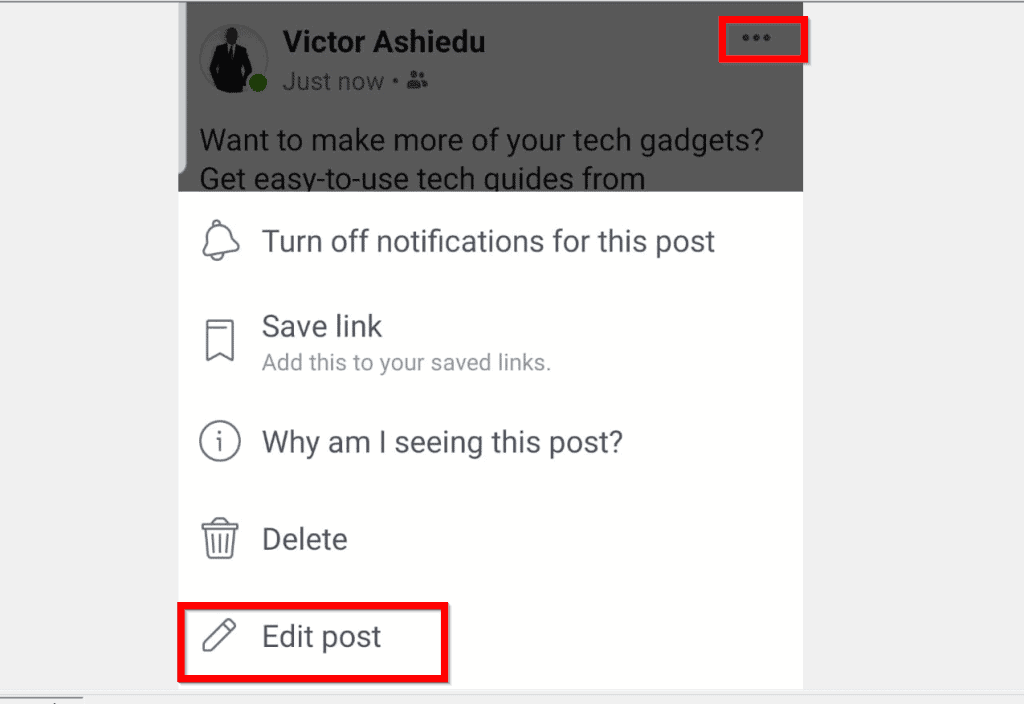
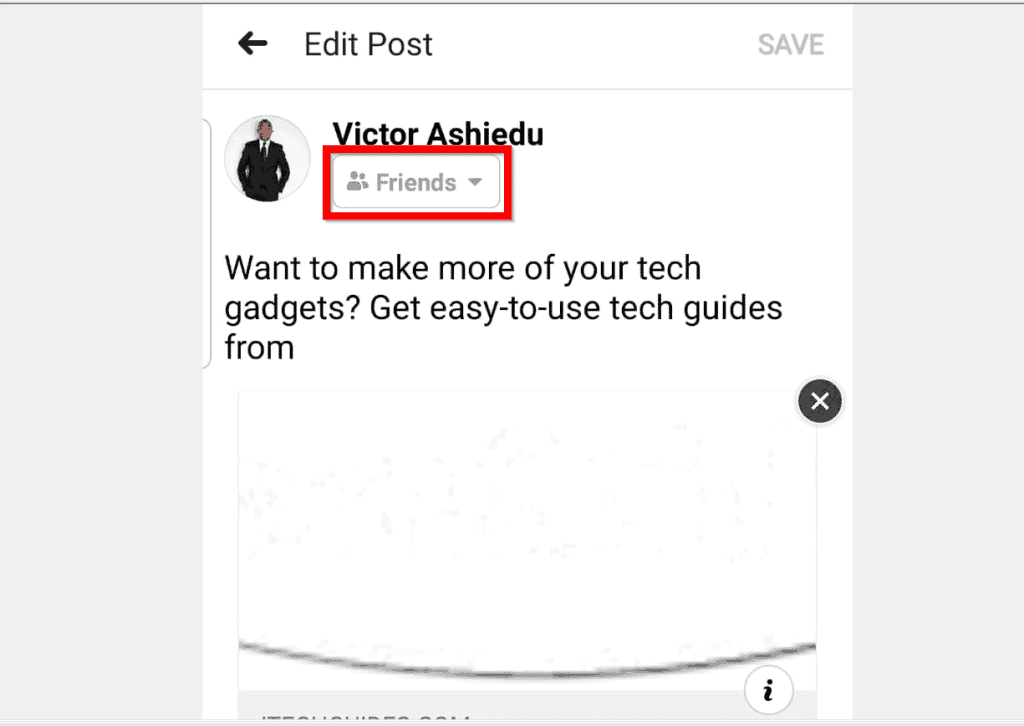
- When the post opens for editing, if the highlight part of the image shows Public, then the post is publicly sharable. But if it shows something else – say Friends as shown below, click on it to open the post’s Privacy setting.
- Then, on the Select privacy setting, select Public.

- To return to your post, click the back arrow beside Select privacy.

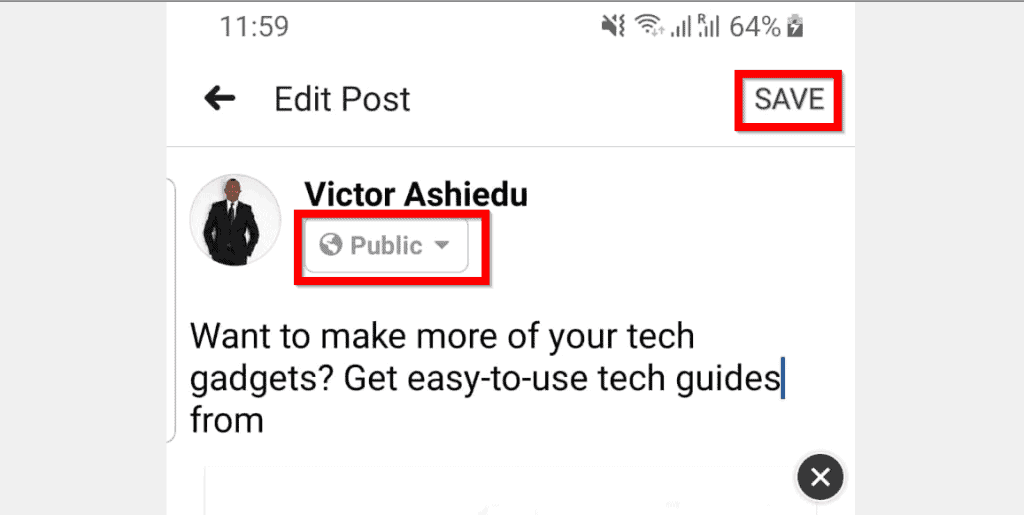
- Finally, to confirm that your Facebook post is now sharable, the privacy setting will show Public. To save your changes click SAVE.
Option 3: Modify Privacy Settings to Make All Future Posts Shareable
Your Facebook privacy settings determines how sharable your Facebook posts are.
Also popular on Amazon
To make sure that all your future Facebook posts are sharable by default, follow the steps below to modify your privacy settings.
What’s actually slowing this PC down?
Pick the symptom - the matching free tool is one click away.
- Open Facebook.com from a browser on your phone and login to your Facebook account.
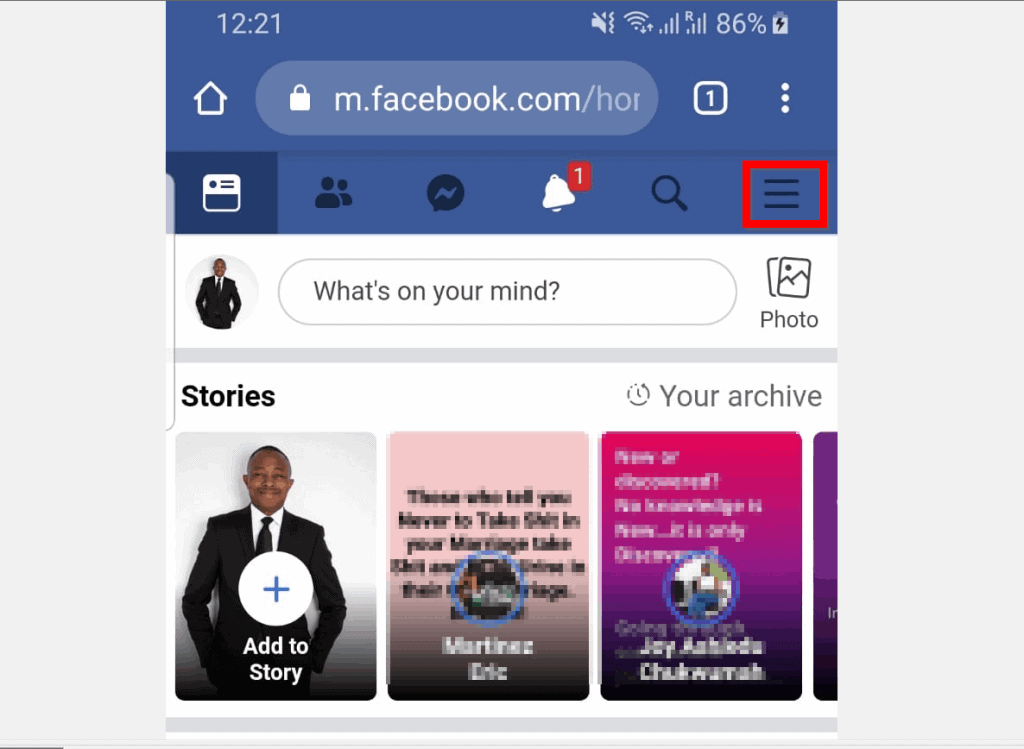
- Click the 3 lines on the top right of the Facebook page.
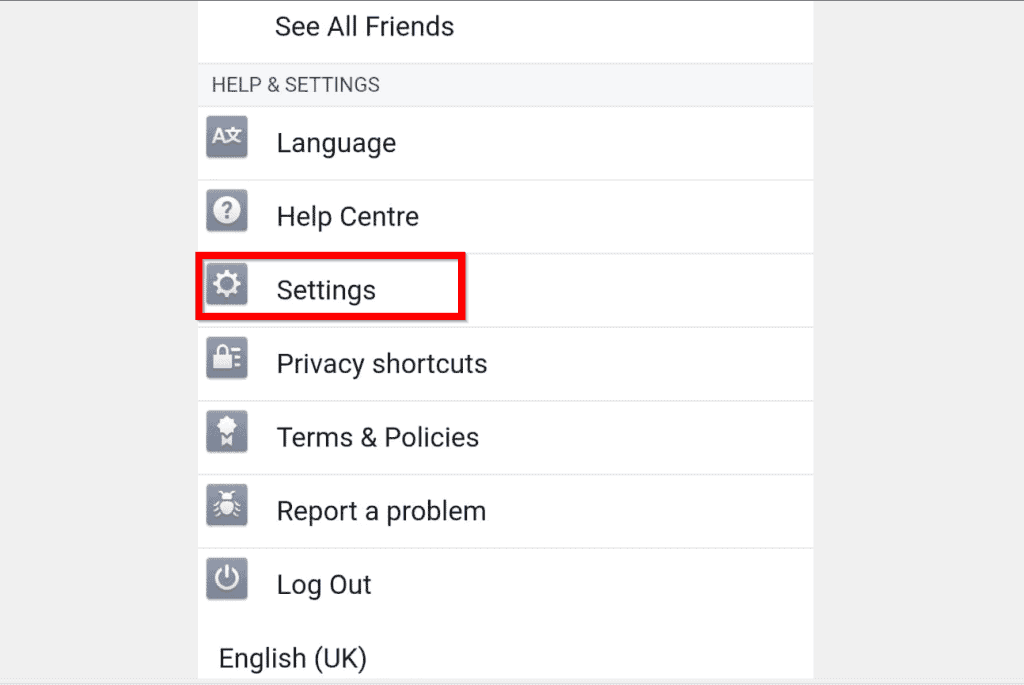
- Then scroll down to HELP & SETTINGS section and click Settings.
- When your Facebook account Settings opens, scroll down to Privacy section. Then click Privacy settings.
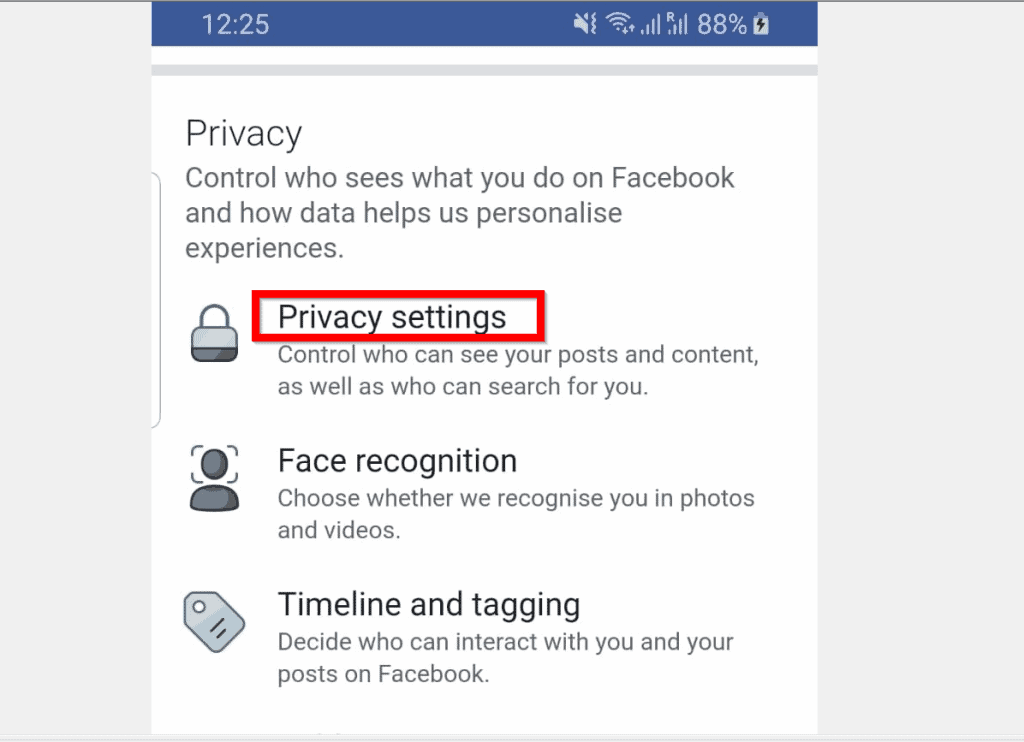
- On your Privacy settings, scroll down to Your activity section. If Who can see your future posts is NOT set to Public, click it.

- When Who can see your future posts settings opens, beneath Choose a different audience, select Public.

- Who can see your future posts will now show Public.

This is how easy it is to make a Facebook post shareable! Have a question, comment or feedback? Use the “Leave a Comment” form found at the end of this page.
Also popular on Amazon
- Connected to your Social Networks: Showcase your social media success in-store. The follower counter sparks curiosity, highlights your brand’s credibility, and engages your audience.
- Increase visibility: Attract new customers and boost your presence. Place the counter in windows or interior spaces to display your growth in a modern, eye-catching way.
- Build loyalty: Encourage repeat visits by engaging your community. Every like represents a returning customer, making this counter an effective tool for loyalty and sales growth.
- Easy setup: Install in minutes via Wi-Fi or Ethernet, link your Facebook account, and display live follower counts instantly. No subscription required.
- Shipping note: As of 2025, reciprocal import tariffs may apply. When applicable, an import duty of up to 19% may be charged on products assembled abroad. This fee is not collected by Amazon. It is invoiced directly by FedEx upon import. You’ll receive the invoice by email or mail after shipment. Thousands of businesses choose Smiirl every year for one simple reason: nothing beats seeing your numbers come to life, in real time. Once it’s on your wall, you’ll quickly forget about the paperwork 🙂
Want more posts like this one? Visit our Social Media page.



