
iTechGuides is reader-supported. When you buy through links on our site, we may earn an affiliate commission. As an Amazon Associate I earn from qualifying purchases. Learn more
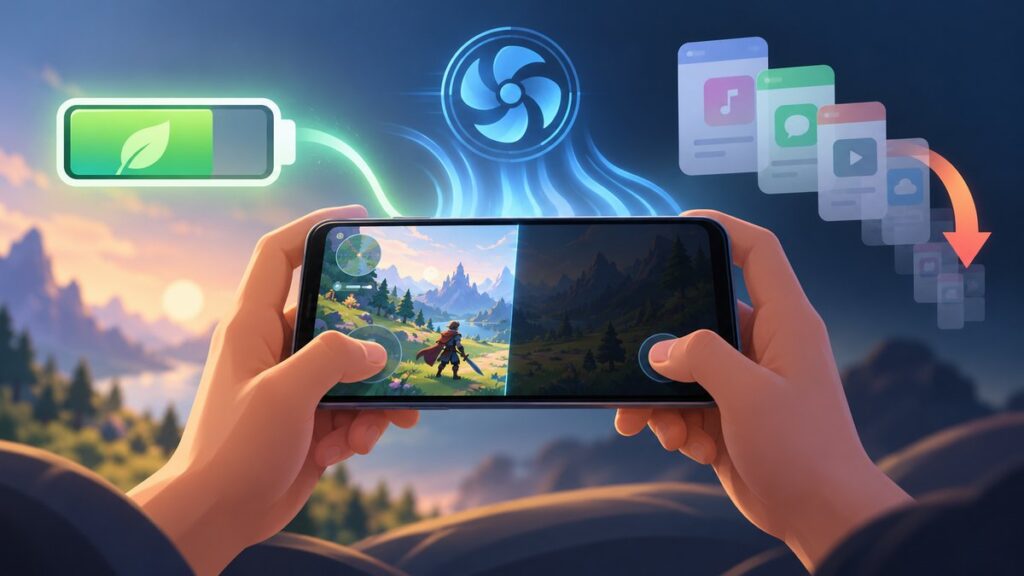
The most effective no-cost changes are to lower the game’s graphics or frame rate when the game allows it, dim the display, stop resource-heavy background activity, use your phone’s battery-saving mode when its trade-offs are acceptable, and keep the device cool. A demanding game still uses substantial CPU, graphics, display and network power, so no setting guarantees a fixed number of extra minutes. The result depends on the game, phone model, software version, temperature, signal and the settings you choose.
Why gaming drains a phone battery so quickly
Gaming combines several high-demand activities at once. The processor and graphics hardware continually calculate game logic, draw images and respond to touch input. The display stays active and may be bright for an entire session. Online games keep network connections busy, while downloads, chat, synchronisation or other apps can add work in the background.
Google Pixel Help includes “Play graphics-heavy games” and “highly interactive games” among activities to avoid when trying to stretch a low battery. That guidance identifies the type of workload, but it does not state how many minutes any particular setting change will add. Treat every adjustment below as a way to reduce avoidable demand, not as a guaranteed battery-life multiplier.
Quick wins for a faster PC:
Fix the driver behind crashes, sound loss and screen glitchesFind Drivers →Repair Windows errors before they cause bigger problemsFix Now →Lower the game’s own graphics workload first
Use the quality and frame-rate controls the game provides
Open the game’s Settings, Graphics, Video or Performance screen and look for controls such as graphics quality, resolution, effects, shadows or frame rate. Choose a lower quality preset or a lower frame-rate option if the game exposes one. Some games offer only a general performance setting; others let you change individual effects.
Popular on Amazon

- 40% Smaller & Lighter Portable Charger: Powered by the industry’s first TinyCell high-density battery technology, this ultra-compact 10,000mAh portable charger power bank is 40% smaller and 36% lighter than conventional chargers. Whether you are an office user slipping a mini small portable battery into a purse for commuting, or a student looking for lightweight college essentials, you get powerful daily carry convenience without the extra bulk to keep you powered on the go.
- 45W Pro Speed Portable Phone Charger: This 45W fast charger boosts an iPhone 17 Pro Max to 76%, a Galaxy S25 Ultra to 84%, or an iPad Pro to 60% in just 30 minutes (charging from 20%). Whether you are a driver needing a quick portable charger for car, a commuter relying on a desk phone charger, or a gamer wanting a seamless Switch battery pack and Steam deck charger portable, you will spend less time tethered to a wall and more time enjoying your day.
- Detachable Cable for Multiple Devices: Unlike a standard portable charger with built in cable that becomes useless if the cord breaks, INIU's 0.4ft detachable braided USB-C cable can be swapped anytime to save your investment. It effortlessly transforms into a versatile travel charger for multiple devices, ensuring your family or group travelers always have a reliable portable charger for all cell phones to keep everyone connected without carrying messy cords.
- Airline-Safe Travel Essentials: This TSA-compliant, flight safe power bank provides nearly 2 full charges for your smartphone, making it the perfect battery pack flight safe for business trips, cruise vacations, and airplane travel essentials. Beyond flights, it empowers campers, hikers, and outdoor users with ultimate camping essentials and road trip essentials—so you can explore freely without battery anxiety, making it ideal gifts for travelers women and men.
- Trusted Emergency Backup: As the SAFE Fast Charge Pro trusted by over 38 million users, we ensure the safest charging with the highest-grade materials. When unexpected storms or hurricanes strike, it acts as a lifeline—providing a dependable power outage battery backup and emergency phone charger for emergency users.
Lower settings reduce visual detail or the number of frames the phone must render. The trade-off is visible: textures may look softer, lighting may be simpler and movement may feel less fluid. Make one change at a time, play for several minutes, and keep the lowest setting that still feels comfortable and responsive. The cited manufacturer pages do not provide controlled measurements for the battery effect of a particular graphics or frame-rate change, so this is a practical setting to test rather than a promised percentage saving.
Choose consistency over a peak frame rate
If a game offers several frame-rate targets, a stable lower target can be preferable to a high target that causes heat and rapid drain. Watch for stutter, input delay and touch responsiveness after changing it. Competitive players may reasonably keep a higher setting, while a long single-player session may be more comfortable at a lower one. There is no universal best choice because the game engine, phone hardware and screen differ.
Dim the display without making it hard to read
Brightness is one of the quickest settings to adjust during a session. Reduce it to the lowest level that remains clear in your room or outdoors. Google recommends reducing brightness both to help reduce battery use and to help prevent overheating. A very dim screen that makes you squint is not a useful optimisation: raise it slightly rather than playing unsafely or missing controls.
Brightness needs can change during a session. Lower it indoors, increase it only when sunlight or glare requires it, and lower it again after moving inside. The sources do not establish a universal brightness percentage or a measured number of minutes saved, so use comfort and visibility as the decision rule.
Stop avoidable background and connection activity
Close or stop resource-heavy apps you are not using
Before launching a demanding game, stop downloads, video playback, navigation, camera processing and other resource-heavy apps that are not needed. Google’s heat guidance specifically recommends stopping resource-heavy apps when heat is a concern. You do not need to force-close every app routinely; concentrate on work that is actively using the processor, network or location services.
Prevent background work from competing with the game
Pause large app or system downloads, cloud uploads and media synchronisation until the session ends when practical. Turn off an in-game voice, streaming or recording feature if you do not need it. These changes reduce competing activity, but the exact controls and their names vary by operating system and app.
Also popular on Amazon

- 87W Power to Share: Distribute 87W across three devices, with a single device receiving up to 65W, to rapidly charge iPhones, Samsung phones. Quickly charge a 14" MacBook Pro to 50% in under 40 minutes.
- Speedy Cable Charging: Utilize the built-in cable to elevate your iPhone 15 Pro to 58% or a MacBook Air to 52% in 30 minutes. You can also fully recharge this power bank in 1.5 hours with a 65W charger.
- 20,000mAh for Extended Use: Eliminate concerns about battery depletion with a 20,000mAh power bank that ensures consistent, reliable charging for all your devices, also approved for airline travel.
- Lasts Longer, Charges Faster: The integrated USB-C cable is designed to endure, withstanding over 10,000 bends for dependable charging and convenient storage.
- What You Get: Anker Power Bank (20K, 87W, Built-In USB-C Cable), 6.2 × 2.9 × 1.0 in (15.5 oz), welcome guide, 18-month warranty, and friendly customer service.
Choose the cooler connection available
Google’s low-battery guidance identifies constant connections as a possible drain, and its heat guidance suggests Wi-Fi instead of mobile data where possible to help prevent heat. This is not a claim that Wi-Fi always uses less power: a weak Wi-Fi signal, a congested network or a strong cellular connection can change the result. Use a stable connection, avoid repeatedly switching between networks, and do not keep radios or services active solely out of habit.
What’s actually slowing this PC down?
Pick the symptom - the matching free tool is one click away.
Use the built-in battery modes with their trade-offs in mind
Battery-saving modes change more than the game. They may restrict background work, reduce visual effects or alter how the phone handles network activity. Compare the three things that matter during play: how much power the mode appears to conserve, whether smoothness or responsiveness changes, and whether the phone stays cooler. No cited manufacturer source supplies a controlled cross-brand measurement, so the table shows what is documented rather than ranking one mode as universally best.
| Phone and mode | Where to look | Battery result stated by the manufacturer | Possible game or feature trade-off | What is documented about heat |
|---|---|---|---|---|
| iPhone Low Power Mode | Settings > Battery > Low Power Mode | Apple gives no universal minutes or percentage. | Apple says it reduces or disables selected features, including Mail fetch, Hey Siri, Background App Refresh and some visual effects. Game behaviour depends on the title and iOS version. | Less background activity can reduce total work, but Apple does not publish a gaming-temperature result for the mode. |
| Pixel Battery Saver | Settings > Battery > Battery Saver | Google identifies it as a way to extend remaining power; no universal gain is stated. | Background and system behaviour can vary by Pixel model and Android version. Check that notifications or online features you need still work. | Google presents conserving remaining power and avoiding high-drain activity as separate parts of its guidance; it does not quantify a cooling effect. |
| Pixel Extreme Battery Saver | Settings > Battery > Battery Saver, then the Extreme Battery Saver option when available | Google offers it as an additional conservation option; no minutes or percentage are stated. | Exact app and game behaviour is version-dependent. Test it before relying on an online match or a required notification. | No independent temperature or gaming measurement is provided. |
| Samsung Galaxy Power saving | Usually under Settings > Device care > Battery; labels and placement vary by model and software | Samsung does not state a universal gaming gain. | Samsung documents limits on selected functions and background network use, which can affect connectivity or background features. | Samsung identifies gaming as a high-power task that can generate heat; it does not publish a cross-model reduction from this mode. |
| Samsung Galaxy Light mode or Light performance mode | Often under Settings > Device care > Performance profile; availability and wording vary | Samsung describes it as prioritising battery life over processing speed, without a stated gaming percentage. | Samsung’s US support page says this profile does not affect game performance. The page’s statement applies to the documented Galaxy configuration, not every model or region. | No comparable temperature figure is supplied. |
iPhone: Low Power Mode and Adaptive Power
On iPhone, open Settings > Battery and turn on Low Power Mode. Apple Support explains: “Low Power Mode reduces the amount of power your device uses by reducing or disabling certain settings and features.” Apple specifically lists Mail fetch, Hey Siri, Background App Refresh and some visual effects among the features it may reduce or disable. That can extend standby or general use, but it can also change behaviour around the game, notifications or visual polish.
Apple also documents Adaptive Power for specified newer iPhone models and iOS versions. Compatibility is not universal; check the current Apple support guidance on your model before looking for the control. Do not assume that an option shown on one iPhone appears on another.
Pixel: Battery Saver and Extreme Battery Saver
On a Pixel, open Settings > Battery > Battery Saver. Google also identifies Extreme Battery Saver as an option on supported software. The available controls and the applications affected can change with Android and Pixel updates. Enable the standard mode first if you need the game’s online features and notifications, then test the more restrictive option only when preserving remaining power matters more than uninterrupted background activity.
Do these 3 things before closing this tab:
1Repair Windows errors before they cause bigger problems2Scan for outdated or missing drivers - takes under a minute3Clear out junk files and repair common Windows errorsGoogle’s low-battery advice is unusually direct about the workload: graphics-heavy and highly interactive games are activities to avoid when trying to stretch a low charge. If the battery warning is already showing, lowering the game’s own settings or ending the session may have a larger practical effect than expecting Battery Saver to make a demanding game efficient.
Also popular on Amazon

- Speedy 30W Charging: Experience cutting-edge 30W fast charging technology—twice as fast as 5V/3A chargers. Boost an iPhone 16 Pro Max to 50% in just 27 minutes, compared to an hour with traditional power banks.
- Ready for Endless Use: Crafted for durability, the 5.4-inch built-in USB-C cable is tested to endure over 10,000 bends, ensuring it stands up to the rigors of everyday use.
- Mighty Compact Power: This powerful 10,000mAh power bank is only 4.32 × 2.58 × 0.98". It delivers up to 2 full charges for an iPhone 15, 1.94 charges for a Samsung S24, 2 charges for an iPhone 14 Pro, and 10 charges for AirPods Pro 2, making it perfect for travel. (Note: For iPhone 14 series and earlier, please use your own Lightning cable and connect it via the USB-A or USB-C port.)
- 30W Bi-Directional Charging: Enjoy two-way fast charging, a feature found in many Anker power banks, with up to 30W output and 20W input. (Note: Compatible with iPhone 15 Series, MacBook, Galaxy, iPad, Nintendo Switch, Steam Deck, and more.)
- What You Get: Anker Zolo Power Bank (10K, 30W), 5.4-inch (13.7 cm) built-in USB-C cable, 18-month warranty, and our friendly customer service.
Samsung Galaxy: Power saving and Light mode
Samsung menus differ across Galaxy models, carriers, regions and One UI versions. Look in Settings > Device care > Battery for Power saving, then read the feature list before enabling it. Samsung documents limits on selected functions and background network use; those limits can affect synchronisation or connectivity while you play.
Some Galaxy phones also offer a Light or Light performance mode under a Performance profile section in Device care. Samsung US describes it as “Light mode, which prioritizes battery life over processing speed,” and says the profile does not affect game performance on the configurations covered by that page. That statement should not be extended automatically to every Galaxy model. If the menu or wording is absent, your device or software may not support it.
Manage heat before it becomes a performance problem
Why a hot phone may slow down or charge differently
Heat is not just uncomfortable; it can change the session. Google says a Pixel may reduce CPU performance, reduce charging speed, limit connectivity or enter a low-power mode while protecting itself from heat. Samsung likewise identifies gaming as a high-power activity that can generate heat. A sudden frame-rate drop, slower charging or a warning can therefore be a thermal response rather than a graphics-setting bug.
Outdated Drivers Are Slowing You Down
One free scan finds every outdated or missing driver and matches the right update for your exact hardware.Free scan · exact hardware matchPC Slower Than It Used to Be?
A free scan shows the junk files, broken settings and background clutter dragging Windows down - then fixes them in one click.Free scan · Windows 10 & 11Set up a cooler playing environment
- Keep the phone out of direct sun and away from hot surfaces.
- Do not cover the phone’s vents or trap it under bedding, clothing or a case arrangement that prevents heat from escaping.
- Avoid poorly ventilated locations, especially during long sessions.
- When heat is already rising, stop resource-heavy background apps and avoid continuing a demanding game while charging.
What to do when the phone is too hot
- Stop the game and any other resource-heavy activity.
- Disconnect the phone from power.
- Move it to a cooler, shaded and ventilated place.
- Let it cool before using it again.
These steps follow Google’s guidance. Do not place a hot phone in a freezer or use another extreme cooling method that could create condensation or thermal shock.
Temperature guidance is brand-specific
Apple Support’s “Charge and maintain your iPhone battery,” published April 8, 2025, says iPhone is designed to perform well at an ambient temperature of 62° to 72° F (16° to 22° C). Apple advises avoiding use or charging above 95° F (35° C) because that can permanently reduce battery lifespan. This is Apple’s guidance for iPhone, not a universal gaming threshold for every phone.
Samsung UK lists 0°–35° C as the optimal usage range for Galaxy and warns that extended use or storage above 35° C or below 0° C may worsen battery performance or lead to unexpected shutdowns. That guidance is for Galaxy in the UK support context. Use your own manufacturer’s temperature instructions where they differ.
Also popular on Amazon

- Huge Capacity 50000mAh Portable Charger - The 50000mAh power bank ultra-high massive capacity will keep your phone and other device running for many days!Without extra worry about low phone battery. Ideal for traveling, camping and hiking.
- Latest PD 22.5W High-Speed Charging - OHOVIV 50000mAh Portable phone charger adopts the latest Super Charger Protocol and Fast Charger Protocol with 22.5W output USB-C port.Support QC4.0 QC3.0 huge capacity power bank with fast charging, it only takes 30 minutes to charge your iPhone 14 from 0% to 55%.(NOTE: The 50000mAh PORTABLE CHARGER ARE NOT ALLOWED ON AIRPLANE!!)
- Power 3 Devices at Once - Cell phone external battery pack is equipped with 2 USB-A (22.5W output) ports, 1 USB-C (18W input/22W output) port and 1, and it can charge three devices at the same time. The portable power bank is universally compatible with all products via USB charging cable, including all iOS and Android smartphones, watch, bluetooth headsets and so on.
- LED Digital Display & Compact Design - OHOVIV 50000mAh Cell phone portable charger comes with smart LED digital display, accurately keep track of remaining juice, allowing you to easily operate your power.Our battery pack charger portable is 13.4*7*3.4cm(5.27*2.75*1.33in), and weigh 613g (21.6oz), which is easy to carry.
- Safe Powerful Phone Charger - OHOVIV 50000mAh portable charger power bank with premium Li-polymer battery, this portable battery charger can charge your devices multiple times.Battery bank adopt smart chips to prevent overcharge, overvoltage, overcurrent, and short circuit to ensure customer safety.
Check battery condition when the drain is abnormal
Settings cannot restore capacity lost through battery ageing. On iPhone, open Settings > Battery and look for Battery Health. Apple says a Service indication is a reason to consider battery replacement. Treat this as a device-health issue rather than a routine gaming tweak: replacement is relevant when the phone reports that service is needed, not as a universal solution for a normal gaming session.
The Tool Desk
Outbyte Driver Updater FREEFix the driver behind crashes, sound loss and screen glitchesFind Drivers →Outbyte PC Repair FREERepair Windows errors before they cause bigger problemsFix Now →The cited guidance does not establish one equivalent battery-health threshold for every Android phone. If your Pixel or Galaxy shows a manufacturer service warning, follow that model’s current support instructions rather than applying the iPhone wording to it.
Independent reader supportYour contribution helps us test, update, and keep practical guides available for everyone.Using a portable charger without adding a heat problem
A USB-C power bank or portable phone charger can let you recharge between sessions when no outlet is available, but it does not make the game more efficient while it is running. Charging during a demanding game can add heat. If the phone becomes too hot, disconnect it and let it cool before reconnecting power. Choose a charger that matches the phone’s supported charging requirements, but do not treat a higher-wattage accessory as a battery-life optimisation.
How to find the best compromise for your particular game
Because there is no independently established number of extra minutes for these settings, use a simple repeatable comparison instead of relying on a universal ranking.
- Start with the same battery percentage, game mode and network connection for each trial.
- Play the same mode or level for a similar length of time.
- Record whether the phone feels hot, whether the frame rate or touch response changes, and whether essential notifications or online features still work.
- Change one variable, such as the game’s graphics quality, display brightness or a battery mode, and repeat.
- Keep the combination that gives acceptable smoothness and visibility while producing less heat or slower battery decline for your own device.
This approach cannot produce a laboratory result, but it separates a useful change on your phone from a setting that merely sounds economical. Avoid comparing sessions played outdoors, on different networks or at different brightness levels and then attributing the entire difference to one switch.
Troubleshooting common problems
The phone gets hot even after lowering graphics
End background downloads and other resource-heavy apps, reduce brightness, move out of direct sun and stop charging while playing. If the phone remains too hot, stop using it, unplug it and let it cool. Continuing to play through a thermal warning can trigger the performance and charging protections described by Google.
Also popular on Amazon

- Triple 100W USB-C Ports for Multi-Device Charging: Ideal for laptop users, this 25,000mAh power bank features three 100W USB-C ports for simultaneous charging—perfect for remote work, home offices, or powering up multiple devices on the go.
- 25,000mAh for Long-Haul Power: Tackle week-long trips or extended camping with 25,000mAh capacity and ultra-fast recharge speeds for the power bank when used with a 100W or higher charger. (Note: Complies with 100Wh airline restrictions and is airline carry-on friendly.)
- Dual Built-In Cables for Travel: Features two USB-C cables, one extendable up to 2.3 ft with 20,000 retractions, and another at 0.98 ft cable that doubles as a durable carrying strap capable of enduring more than 20,000 bends. Built to handle family travel, outdoor activities, and emergency backup needs.
- Charge 4 Devices at Once: Power up smartphones, tablets, or other USB-enabled devices thanks to dual USB-C cables, a USB-A port, and a USB-C port.
- What You Get: Anker Power Bank (25K, 165W, Built-In and Retractable Cables), protective pouch, user manual, 18-month warranty, and our friendly customer service. (Note: Charger shown in the video is not included.)
The game becomes less responsive after enabling a battery mode
Turn the mode off briefly and compare the same game scene. If responsiveness returns, decide whether the additional battery time is worth the change. You can instead keep the mode off and lower the game’s graphics or frame-rate setting, which puts the performance decision inside the game rather than changing system-wide features.
Notifications or online features stop working
Review the battery mode’s restrictions. Apple’s Low Power Mode can disable or reduce Background App Refresh and Mail fetch; Samsung Power saving can limit selected background network activity; Pixel behaviour varies by version and by the Extreme Battery Saver configuration. Use the least restrictive mode that meets your priority, and test it before an important online session.
The phone shuts down unexpectedly in a cold or hot place
Move it toward the manufacturer’s stated operating range and allow it to return to a normal temperature. Samsung warns that extended use or storage above 35° C or below 0° C may worsen performance or cause unexpected shutdowns. Apple’s higher-temperature warning concerns possible permanent battery-lifespan reduction, so avoid charging or using an iPhone above the stated 35° C threshold.
Recommended Free Tools
The battery still falls quickly at moderate brightness
Check whether the game is graphics-heavy or highly interactive, whether a download or upload is running, and whether the phone is maintaining a weak connection. Those workloads can remain substantial even with a dim screen. On iPhone, inspect Battery Health and act on a Service indication; on any phone, follow the model-specific support guidance if the device reports a battery fault.
What these settings cannot promise
The official Google, Apple and Samsung pages cited here do not provide a controlled, independently comparable statistic for minutes gained, percentage saved or one universally best mode. Their advice is useful for identifying high-drain activity, changing documented controls and preventing heat, but phone model, software version, game engine, brightness, signal and room temperature all change the outcome. The practical target is a cooler, comfortable session with acceptable responsiveness—not a guaranteed battery-life number.
Quick Recap
Product prices and availability are accurate as of the date/time indicated and are subject to change. Any price and availability information displayed on Amazon at the time of purchase will apply.

