iTechGuides is reader-supported. When you buy through links on our site, we may earn an affiliate commission. As an Amazon Associate I earn from qualifying purchases. Learn more
If you need to check DCs that hold Flexible Single Master Operations (FSMO) roles, use one of the methods discussed below.
Option 1: Check FSMO Roles Holders with GUI Tools
1. Check RID, PDC, and Infrastructure Master Role Holders
Here are the steps to check the Domain Controller holding RID, PDC, and Infrastructure Master Roles:



- Login to a Domain Controller and open Server Manager.
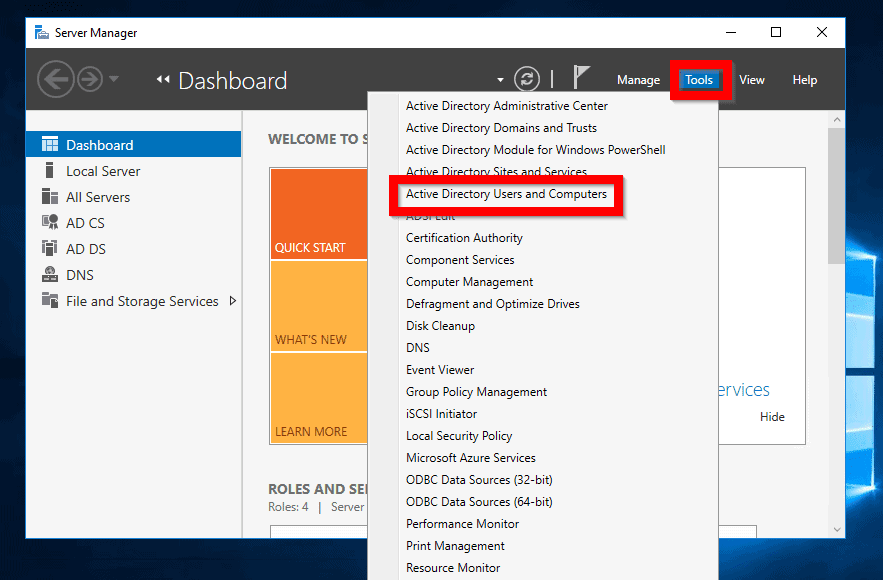
- From Server Manager, click Tools. Then select Active Directory Users and Computers.
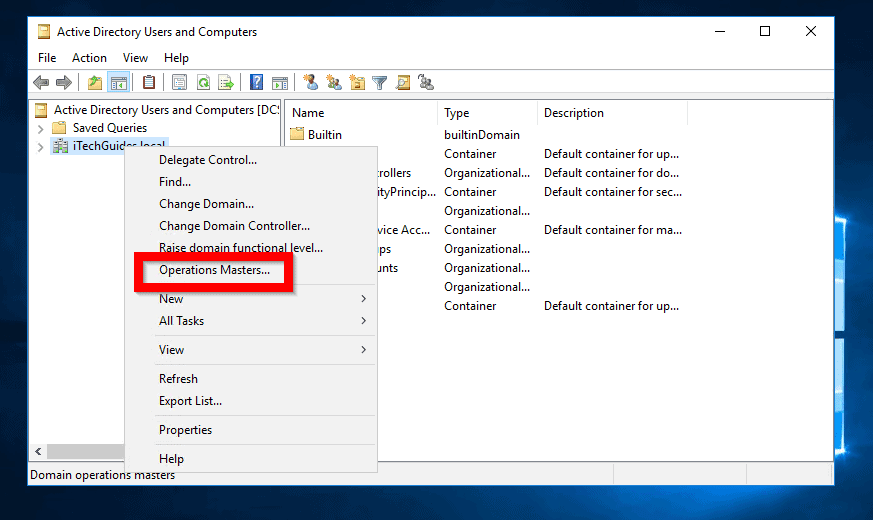
- When Active Directory Users and Computers opens, right-click your AD domain name. Then click Operations Masters…
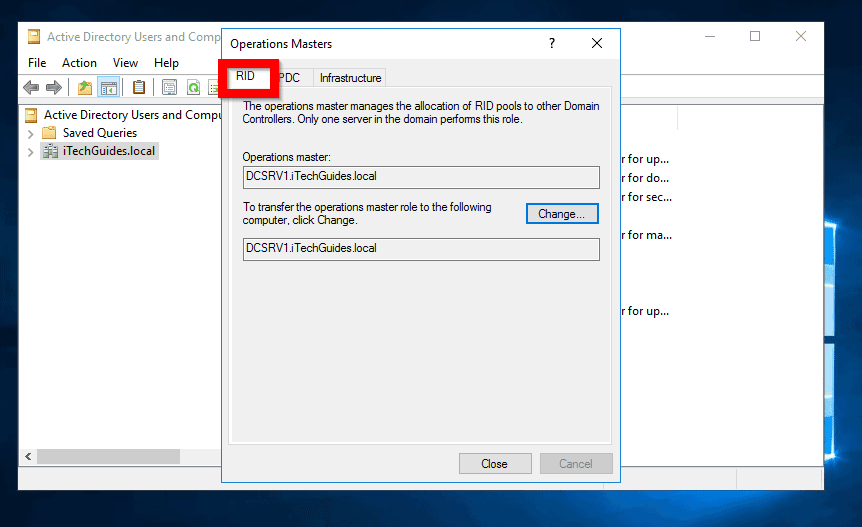
- Operations Masters has 3 tabs. The first is RID. In this tab you will see the DC that holds this FSMO role. In my example, it is DCSRV1. To check the DC holding PDC and Infrastructure roles, click the tabs.
2. Check the Domain Naming Master Role Holder
To check the Domain Controller that holds the Domain Naming Master FSMO role:
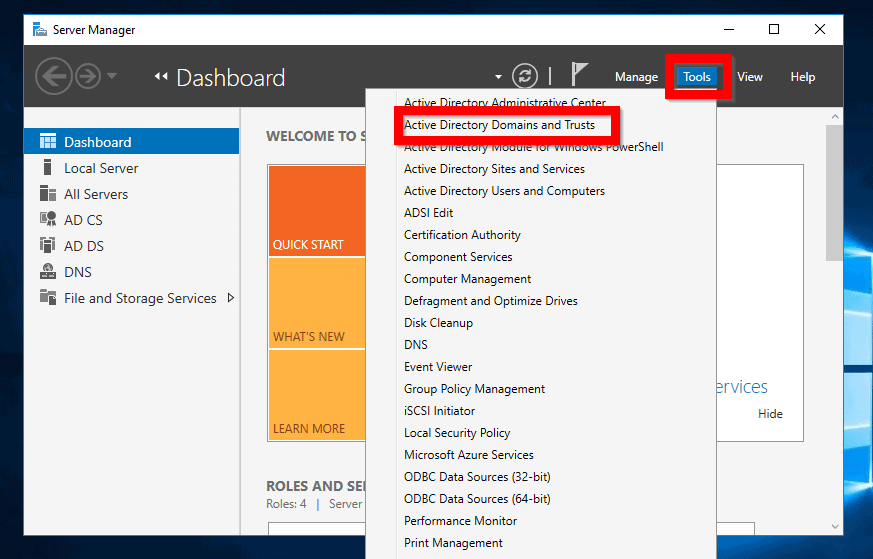
- From Server Manager, click Tools. Then select Active Directory Domains and Trusts.
- When AD Domains and Trusts opens, right-click Active Directory Domains and Trusts for your domain. Then click Operations Master…
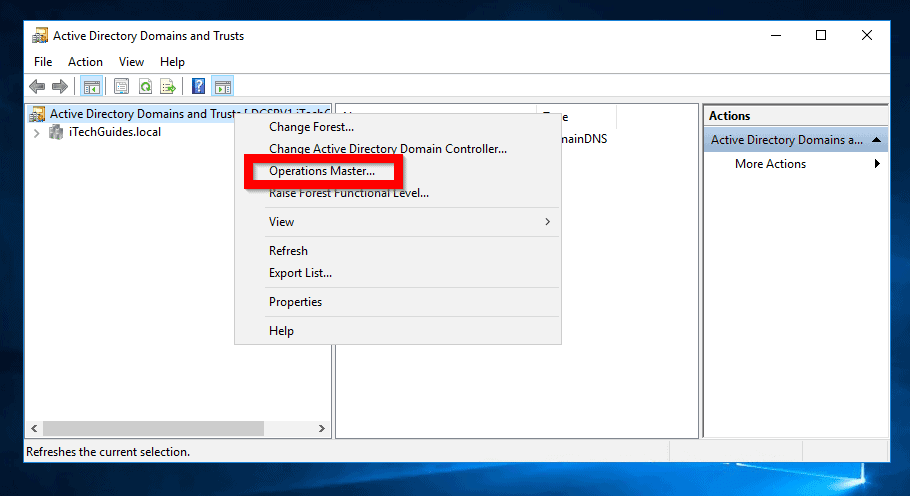
- The DC holding this role is displayed
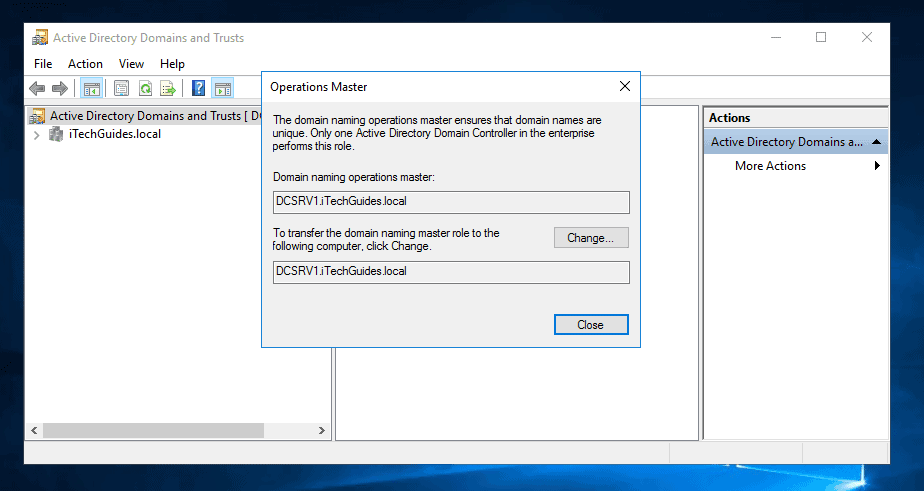
3. Check Schema Master Role Holder
Checking the DC holding the Schema Master role is not as straightforward. Here are the steps (Perform the tasks from a DC):
#1 Best Overall
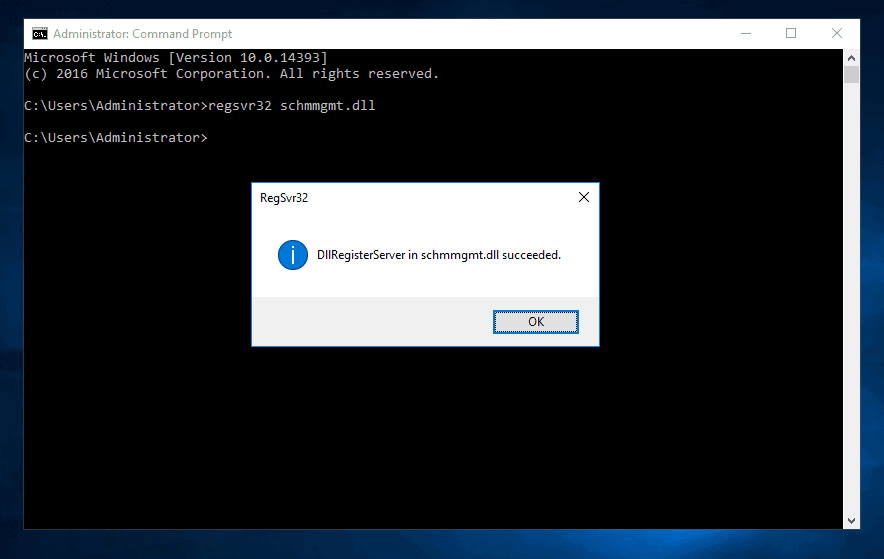
- From a command prompt type the command below. Then press enter
regsvr32 schmmgmt.dll
The command registers the AD Schema snap-in. In the next steps, you will open AD schema in a MMC then view the DC that holds the Schema master role.
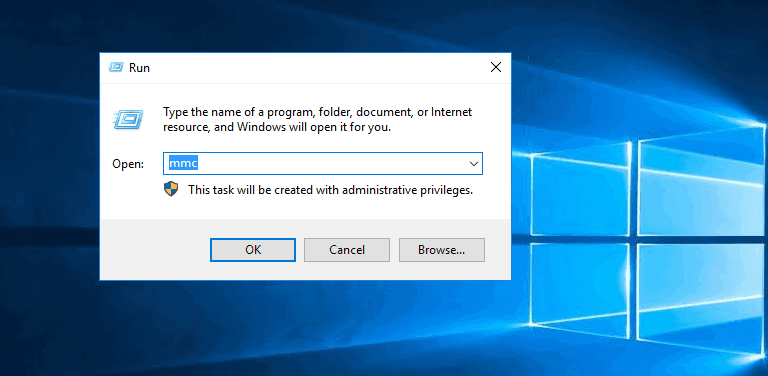
- To open a MMC, type Windows logo + R keys together. This will open Run command.
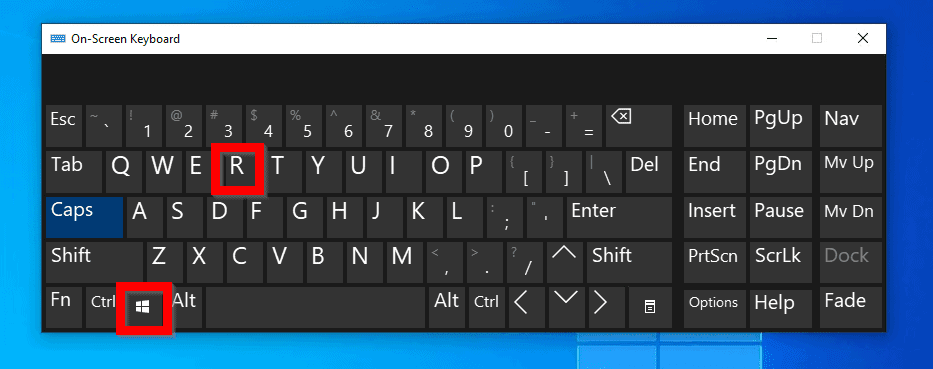
- At Run command type MMC. Then click OK.
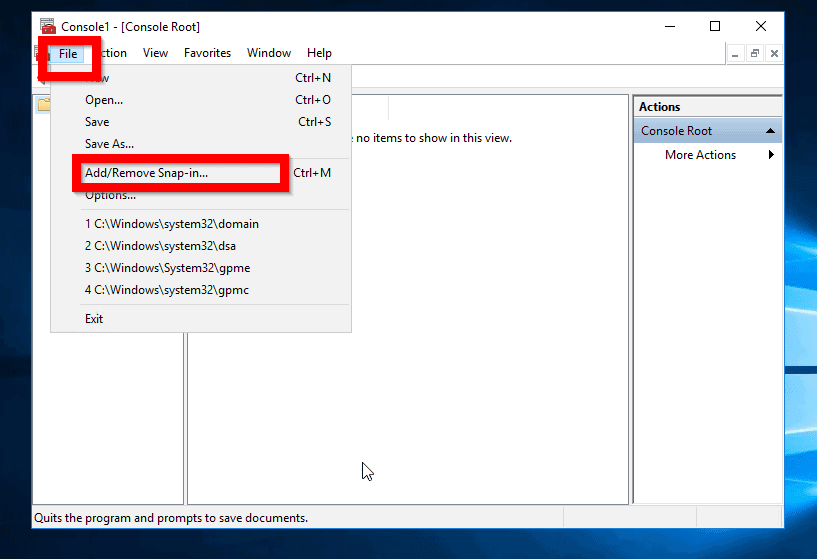
- At MMC, click File and click Add/Remove Snap-in…
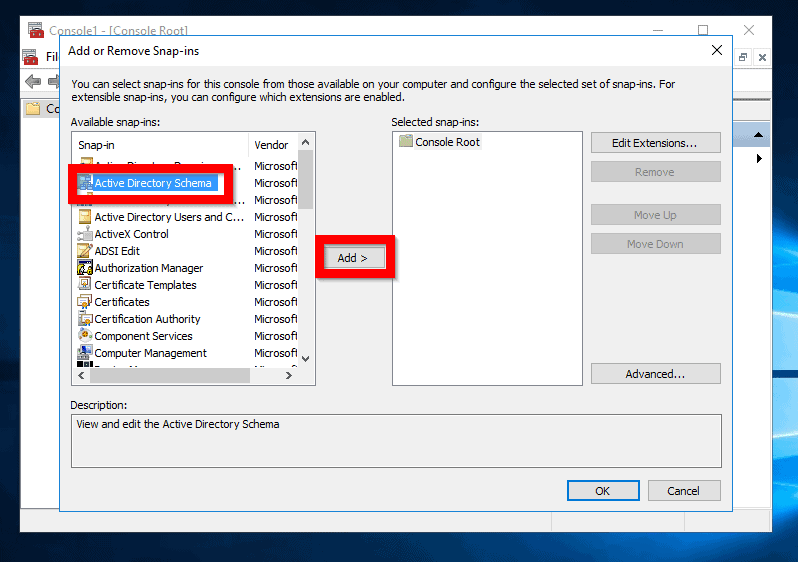
- Locate and highlight Active Directory Schema. Then click Add. Finally, click OK (See the second image below).
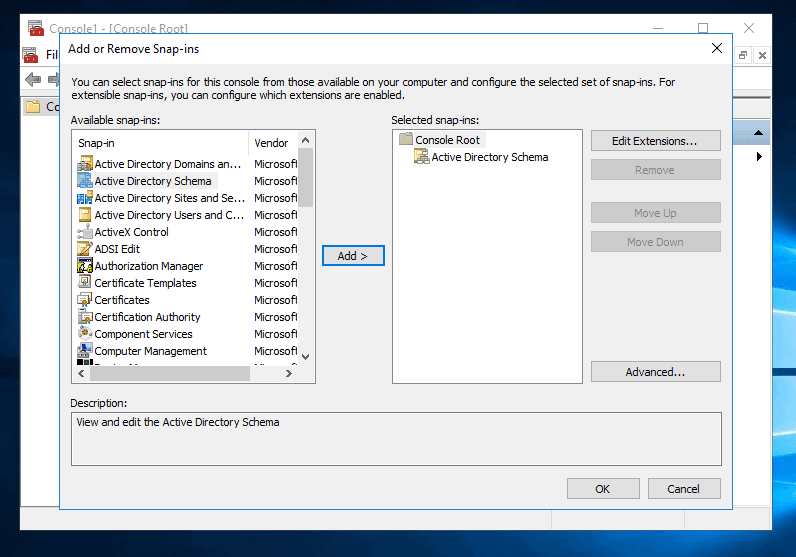
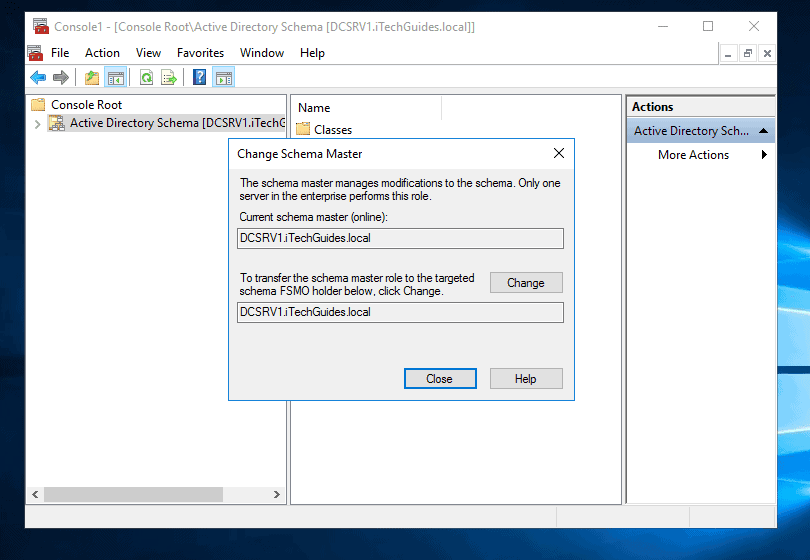
- Beneath Console Root, click on Active Directory Schema [<your-dmain-name>]. Then right-click it and select Operations Master...
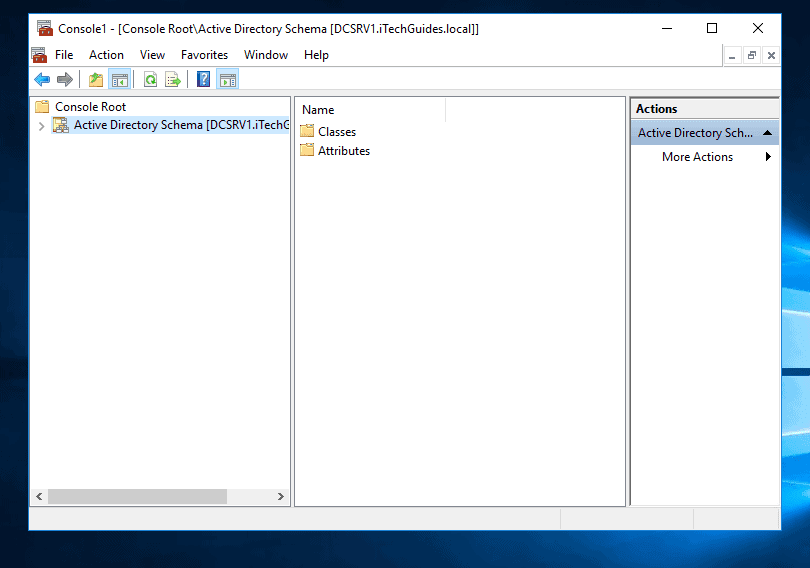
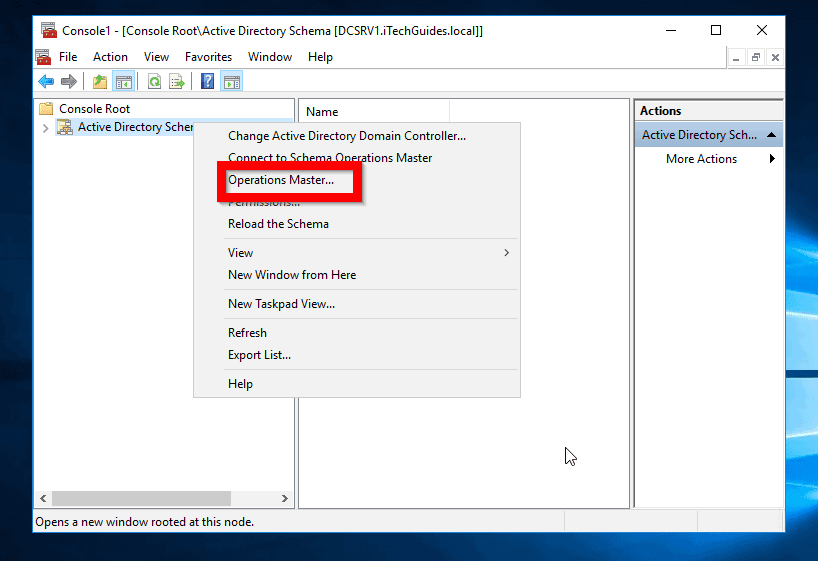
- There is the DC holding the Schema Master FSMO role!
Option 2: Check FSMO Roles Holders with NTDSUtil Command
You can also check the DCs holding FSMO roles using NTDSUtil command line tool.
Rank #2

- Mastering Active Directory: Design, deploy, and protect Active Directory Domain Services for Windows Server 2022, 3rd Edition
- ABIS BOOK
- Packt Publishing
Here are the steps:
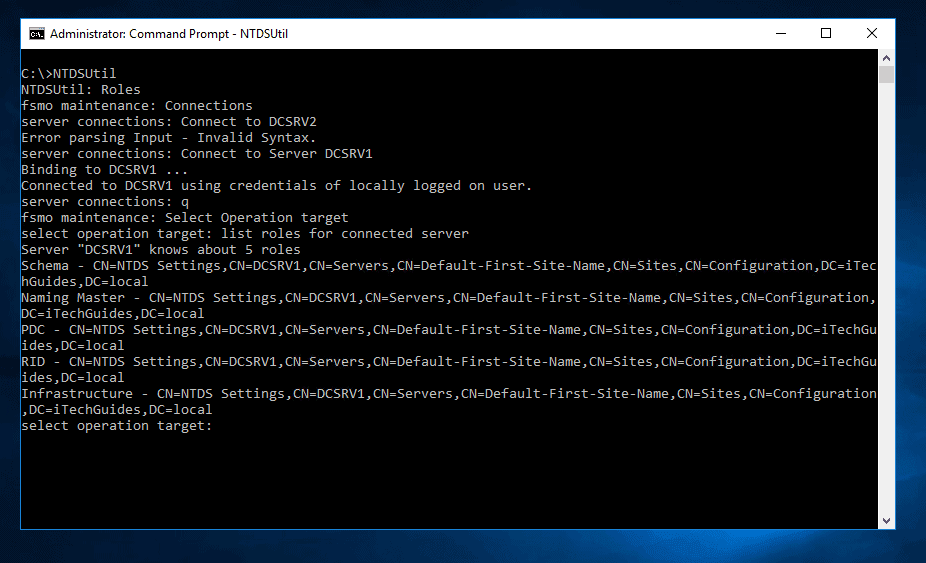
- Login to a DC in your domain. Then open Command Prompt.
- At command prompt, type the following commands in order. Press enter to execute each command.
NTDSUtil
Roles
Connections
Connect to Server <DC-Name>
Replace <DC-Name> with the name of the Domain Controller you wish to list its FSMO roles.
Do these 3 things before closing this tab:
1Fix the driver behind crashes, sound loss and screen glitches2Clear out junk files and repair common Windows errors3Scan for outdated or missing drivers - takes under a minuteq
Select Operation target
list roles for connected server
The last command will list all the roles held by the server you connected to using the “Connect to Server <DC-Name>” command.
Rank #3

- Used Book in Good Condition
Conclusion
No matter your reason for wanting to determine which domain controller holds the FSMO roles in your network, this guide will help you get the information.
If you found this article helpful, kindly spare 2 minutes to let us know by responding to the “Was this page helpful?” question below.
For more Windows Server guides, visit our Windows Server How-To page.
Crashes, No Sound, or Screen Glitches?
Random freezes, missing sound and display glitches usually trace back to one bad driver. Find and replace yours safely.Free scan · under a minutePC Slower Than It Used to Be?
A free scan shows the junk files, broken settings and background clutter dragging Windows down - then fixes them in one click.Free scan · Windows 10 & 11Quick Recap
Best Value
Product prices and availability are accurate as of the date/time indicated and are subject to change. Any price and availability information displayed on Amazon at the time of purchase will apply.