iTechGuides is reader-supported. When you buy through links on our site, we may earn an affiliate commission. As an Amazon Associate I earn from qualifying purchases. Learn more
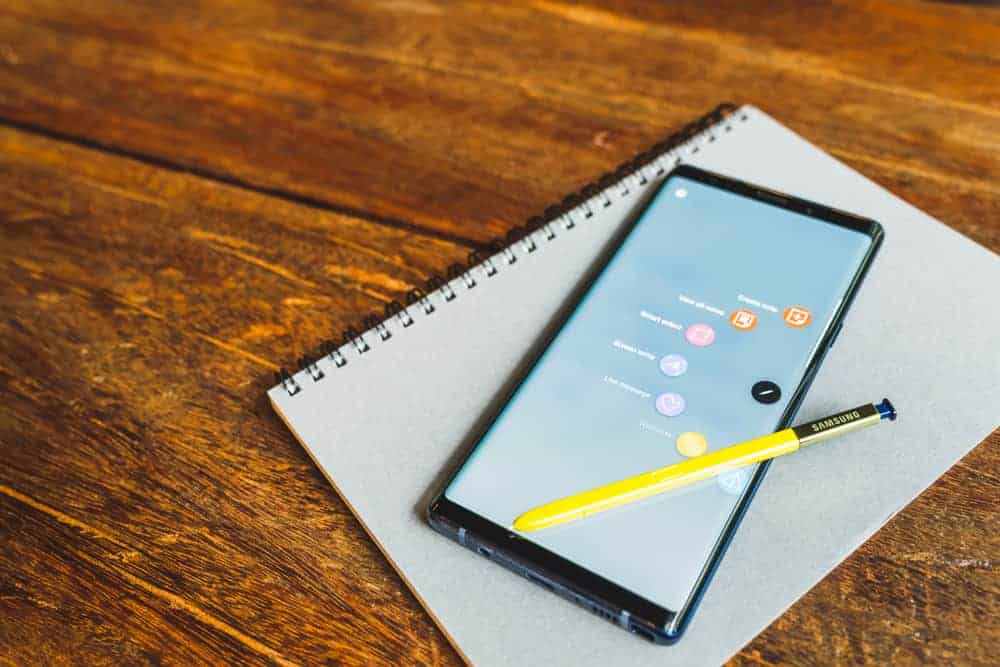
This Itechguide reviews the 5 best drawing app for android. The best app is reviewed last – starting with the 5th on top of the list.
PaperColor: Paint Draw Sketchbook

Starting my review of the best drawing app for android, at no 5 is “PaperColor: Paint Draw Sketchbook”.
This app has some exciting features. Firstly, the app offers a signature function. This allows you to put a handwriting signature on your drawing – making it unique and having your stamp.
Secondly, the app offers library tools – these include colors and different paintbrush styles. Perfecting your art becomes easy with these features.
Popular on Amazon
- 【All-in-One Standalone Drawing Tablet】No computer needed. Ready right out of the box. 12" screen, 4096 stylus, 16GB RAM, 256GB storage, Android 15. Runs all your favorite drawing apps smoothly. Perfect for beginners, students, and hobbyists. Create anywhere – from home to coffee shop.
- 【Natural Drawing Feel】4096 pressure levels capture every stroke from delicate lines to bold marks. 60° tilt support lets you shade naturally, just like a real pencil. USI 2.0 ensures compatibility across devices. Magnetic attachment keeps the stylus secure on your portable drawing tablet – no fumbling, no losing.
- 【True Color Canvas】12-inch IPS display with 2000x1200 resolution brings every detail to life. 100% sRGB color gamut ensures vibrant, accurate hues from first sketch to final render. Full-lamination eliminates parallax – your pen tip meets the cursor exactly where you expect. More room to create on this drawing tablet with screen – zero distraction.
- 【Anti-Glare & Eye Comfort】Pre-applied anti-glare screen protector cuts harsh reflections and fingerprints, so you can draw under any light – studio, cafe, or sunlight. Reduced glare means less eye strain, even during marathon sessions. This drawing tablet no computer needed keeps your focus on art, not on squinting.
- 【Open. Smooth. Limitless.】Powered by Android 15 and 16GB RAM (8+8 virtual) – layers pile up, apps multiply, yet zero lag. 256GB storage onboard, expandable to 2TB – room for thousands of artworks, tutorials, and everything you love. Download any creative app from Google Play: ibis Paint, CSP, Krita, you name it. A true art tablet for drawing that adapts to you.
Finally, the app offers picture editing – you can draw on your pictures, mark in the picture, add text and more.
“PaperColor: Paint Draw Sketchbook” offers in-app-purchases. It has a 4.2 rating from over 100 thousand reviews – with more than 10 million installations.
MediBang Paint – Make Art!
Coming 4th in my review of the best drawing app for android is “MediBang Paint – Make Art!”.
Free tools Windows power users keep installed
One-click scans. No signup required.
This drawing app has a lot of cool features. The first feature that caught my attention is the cloud storage – you can register on the MediBang site to have access to the cloud storage. With this you can save your artworks on the cloud and share them across various platforms.
It also offers comic creation and digital painting. The app has 850 tones, different backgrounds, and more than 100 brushes for free.
Finally, the app has a friendly user interface. It is well optimized to make your drawing easy and efficient. With the free comic book fonts, it adds a professional style to your comic creation.
Also popular on Amazon

- ALL-IN-ONE DESIGN: 11.45" Android 14 tablet, 8 GB memory/128 GB storage, battery-free, slim barrel Pro Pen 3, no computer needed; comes with Wacom Canvas app, 2 years of CLIP STUDIO PAINT DEBUT & trials of Ibis Paint, Magma blaze & Artwod training
- QUICK DRAW READY: Tap and hold the pen on screen to instantly launch Wacom Canvas and start sketching or taking notes the moment an idea hits, just like opening a sketchbook or notebook
- BEST-IN-CLASS PEN PERFORMANCE: Designed for MovinkPad, this slim version of Wacom Pro Pen 3, delivers 8,192 pressure levels, has three buttons, and comes with replacement nibs stored in the pen's back end
- PAPER-LIKE DRAWING EXPERIENCE: bright, sharp display with matte etched glass surface that feels like paper with subtle texture - reduces glare and fingerprints so you can focus on creating without distractions
- THIN, LIGHT, PORTABLE: Weighs just 1.3lbs, lighter than most laptops and easily fits in a bag or backpack, supports popular digital pens (Dr. Grip, LAMY, STAEDTLER); goes wherever a sketchbook can go
In addition, the app offers photo tracing – you can trace out a photo and create its layer. This is one of the many cool features this app has to offer.
Do these 3 things before closing this tab:
1Clear out junk files and repair common Windows errors2Scan for outdated or missing drivers - takes under a minute3Repair Windows errors before they cause bigger problems“MediBang Paint – Make Art!” contains Ads and offers in-app-purchases. It has a 4.1 rating from more than 190 thousand reviews – with over 10 million installations.
Autodesk SketchBook
At no 3 in my review of the best drawing app for android is “Autodesk SketchBook”.
This drawing app offers great tools for its users. It has various tools available to perfect your drawings – you won’t need to worry about missing any tools or features.
It also offers good quality and efficiency – it is very easy to start your drawing on this app with different layers to improve your work.
Finally, this app is quite good for art animation and 3D drawing. It is well trusted by many artists for these features – providing accurate drawing patterns and good stroke styles.
Also popular on Amazon

- All-in-One Drawing Tablet: This standalone tablet requires no computer connection—start drawing right out of the box. Perfect for artists on the go, its sleek aluminum back provides a comfortable feel and makes the writing tablet an ideal choice for note-taking and capturing ideas.
- 10.95-inch Full HD Graphic Tablet: The combination of a 10.95-inch screen and FHD+ (1920*1200) resolution ensures a high pixel density of 207 PPI, delivering a sharp visual experience. With a 99% sRGB color gamut, every stroke of your artwork is precisely represented.
- Smooth 90Hz Refresh Rate: The digital drawing tablet features a 90Hz refresh rate, ensuring smooth visuals with no lag. This makes images more vivid, allowing you to immerse yourself in a seamless creation experience. The digital drawing pad also enhances your viewing experience, whether you're watching films or playing games.
- Full-Laminated Anti-Glare Screen: The digital art pad features a nano-etched, anti-fingerprint matte surface that significantly reduces glare and provides a natural paper-like texture for a comfortable drawing feel. The full-lamination technology minimizes parallax, enhancing stroke precision and clarity, while also helping to reduce eye strain during prolonged use.
- High-Precision H-Pencil: The drawing pen features Huion's years of experience in line-drawing algorithms, offering better accuracy and preventing line offset while drawing. With 4096 levels of pressure sensitivity and 60° tilt recognition, it brings you a writing experience that feels just like using a real pencil.
Furthermore, Autodesk often adds more tools after certain updates. The beauty of this is, you have free access to all these tools. This is great!
“Autodesk SketchBook” is free from ads and in-app purchases. It has 4.1 rating from over 300 thousand reviews – with more than 10 million installations.
Adobe Illustrator Draw
Taking the 2nd spot in my review of the best drawing app for android is “Adobe Illustrator Draw”.
The Tool Desk
Outbyte Driver Updater FREEScan for outdated or missing drivers - takes under a minuteDriver Scan →Outbyte PC Repair FREEClear out junk files and repair common Windows errorsFree Scan →The first most tantalizing feature of this app is the Adobe stock. You can get good quality images from the draw library. This will spice up your drawing!
Next important feature of this app is the diverse services it offers. You can send your drawing project to other Adobe apps for more editing. This includes Photoshop, Illustrator, Capture, and Photoshop Sketch.
The final feature of this app that I want to mention is the creative community. This allows you to share your work in the community via the app and get instant feedback. This will help improve your drawing.
Also popular on Amazon

- 16K Pressure Sensitive Stylus: XPPen magic drawing pad introducing X3 Pro slim stylus is a breakthrough innovation boasting industry-first 16K pressure levels, 100%* higher than that of its peers. Free of charging and pairing, 60° tilt recognition, pick up to draw. It delivers much more precise and smoother lines than ever before, excelling at hyper-nuanced creation
- Natural pen-on-screen experience: The 12.2-inch standalone drawing tablet is crafted with AG-etched technology, 2160*1440 screen resolution, a 3:2 aspect ratio, pairs with 97% sRGB and an incredible 16.77 million colors, offers you a paper-like drawing experience in full color
- Easy on eyes: Thoughtfully designed with eye comfort in mind, the screen is TÜV Rheinland certified, and enhanced with ten steps of soft light treatment, so you can create without worrying about straining your eyes even when racing against deadlines
- Android Ecosystem: The standalone drawing tablet operates on the Android 14 system, allowing you to download various apps from Google Play. A 3-month membership of both Clip Studio Paint & ibis Paint X upon activating the account, along with the purchase of the Magic Drawing Pad
- Excellent Performance: The no computer needed drawing tablet adopts 8 GB running memory, 256 GB storage memory (expandable up to 1TB with a micro SD card), thirteen MP rear camera & eight MP front camera allowing you to capture any worthy memory moments
In addition, this app offers a lot of great tools to draw and it is an award-winning app – making it popular for some designers as the best drawing app for android.
Crashes, No Sound, or Screen Glitches?
Random freezes, missing sound and display glitches usually trace back to one bad driver. Find and replace yours safely.Free scan · under a minutePC Slower Than It Used to Be?
A free scan shows the junk files, broken settings and background clutter dragging Windows down - then fixes them in one click.Free scan · Windows 10 & 11“Adobe illustrator Draw” rates 4.3 in Google Play store from over 90 thousand reviews – with more than 10 million installations
Independent reader supportYour contribution helps us test, update, and keep practical guides available for everyone.ibis Paint X
“ibis Paint X” is no 1 in my review of the best drawing app for android.
This drawing app offers loads of amazing features. Firstly, the app offers up to 60 FPS (frame-per-second) smooth drawing. This gives your drawing a fine picture quality.
Secondly, the app offers a recording function – you can record your whole drawing process and have it as a video file.
What’s actually slowing this PC down?
Pick the symptom - the matching free tool is one click away.
Finally, the app is a versatile tool – having 325 brushes, 27 blending modes, 63 filters, over 800 fonts, and more. These tools will greatly help your drawing.
Also popular on Amazon

- Tablet, Drawing Pad, and Digital Notebook – All in One: Whether you’re an artist, student, professional, or entertainment fan, the TCL NXTPAPER 11 Gen 2 fits seamlessly into your lifestyle. Equipped with a crystal-clear 11-inch 2K display that renders rich, lifelike colors and a 4096-pressure-level T-PEN stylus for smooth, precise input, it easily adapts to all your needs — from digital drawing and note-taking to reading and multimedia entertainment
- NXTPAPER 4.0 Display for Enhanced Eye Comfort: Featuring upgraded NXTPAPER 4.0 display technology, it offers an even more paper-like experience with TÜV-certified low blue light, anti-glare coating, and DC dimming, ensuring a flicker-free screen that reduces eye strain and enhances comfort during extended use. The Eye Care Assistant can automatically adjust brightness and color temperature based on your environment and remind you to take breaks
- AI-Powered Productivity & Communication: The TCL NXTPAPER 11 Gen 2 is equipped with a smart voice memo, real-time bilingual subtitles, writing and text assistants, and a smart translator — easily converting speech to text, polishing your writing, and translating conversations and images to break down language barriers. Plus, “Circle to Search with Google” lets you quickly look up information with a single tap, boosting productivity for both work and study
- 3-in-1 VersaView Modes for Every Need: The TCL NXTPAPER 11 Gen 2 tablet lets you switch between three display modes directly in Settings. Regular Mode offers crisp, vibrant visuals for streaming, video calls, and daily tasks. Ink Paper Mode transforms the screen into an e-reader-like display for extended reading and note-taking. Color Paper Mode delivers soft, low-saturation colors ideal for digital art, comics, and creative work
- Massive Storage & Powerful Performance: Capture memories, download videos, and save large files—TCL electronics tablets with 128GB built-in storage (expandable up to 1TB) make it all possible. Enjoy smooth performance for daily use and demanding tasks with the MediaTek Helio G80 processor and 8GB + 8GB RAM. Powered by Android 15 and TCL’s custom UI, it enhances productivity with features like screen mirroring, extended display, floating windows, and split-screen
In addition, the app offers prime features. If you are a prime member, you have access to certain unique features at a cost.
“ibis Paint X” has a 4.5 rating from over 600 thousand reviews – with 10 million installations on Play store.
I hope you found this Itechguide review helpful. If yes, kindly vote Yes to “Was this post helpful” question below.
If you like to leave a comment, ask a question or give feedback, kindly use the “Leave a Comment” form found towards the end of this page.
Finally, to read more app reviews, visit our Apps & Software review page.
Quick Recap
Product prices and availability are accurate as of the date/time indicated and are subject to change. Any price and availability information displayed on Amazon at the time of purchase will apply.