
What’s actually slowing this PC down?
Pick the symptom - the matching free tool is one click away.
iTechGuides is reader-supported. When you buy through links on our site, we may earn an affiliate commission. As an Amazon Associate I earn from qualifying purchases. Learn more
OpenProject is the best overall open-source project management platform in 2026 because it combines Gantt planning, agile boards, time and cost tracking, documents, budgets, roadmaps, and multi-project management in one self-hosted suite. It is not automatically the best fit for everyone: choose Plane for a modern software-product workflow, Redmine for maturity and plugins, Taiga for focused Scrum and Kanban, Tuleap for software lifecycle traceability, Leantime for approachable small-business planning, Vikunja for lightweight tasks, and ProjectLibre Desktop for traditional Microsoft Project-style scheduling.
Every product here is different from a free SaaS plan. Open-source software gives you source access and, in most cases, the ability to run the application yourself; it does not remove the cost of a server, backups, upgrades, TLS, monitoring, identity management, or recovery testing.
Quick verdict
| Best for | Recommended tool | Why |
|---|---|---|
| Best overall | OpenProject | The deepest general-purpose suite for traditional, agile, and hybrid projects. |
| Modern software and product teams | Plane | A contemporary Jira- and Linear-style experience with work items, cycles, modules, APIs, and webhooks. |
| Maturity and customization | Redmine | A proven GPL-licensed platform with a large plugin ecosystem and highly configurable workflows. |
| Scrum and Kanban | Taiga | A focused agile tool without the breadth and administrative weight of a large PM suite. |
| Software ALM and traceability | Tuleap | Connects requirements, tasks, defects, tests, source code, releases, and documentation. |
| Small teams and non-project managers | Leantime | Goal-oriented planning with an approachable interface and several project views. |
| Lightweight task management | Vikunja | Simple projects, subtasks, filters, reminders, Kanban, table, list, and Gantt views. |
| Traditional scheduling | ProjectLibre Desktop | Offline Gantt, critical path, resources, baselines, earned value, and Microsoft Project file support. |
This is an editorial ranking, not a universal performance league table. The right choice depends on whether your real problem is team collaboration, software delivery, formal scheduling, resource control, or simply keeping tasks organized.
Comparison table
| Tool | License or open-source position | Deployment | Gantt | Kanban/Scrum | Time tracking | Resource or cost planning | Main limitation |
|---|---|---|---|---|---|---|---|
| OpenProject | GPLv3 Community Edition; separate paid Enterprise offerings | Self-managed web application; Docker or packages | Strong | Strong | Yes | Strong | Heavier to operate and some advanced functions are edition-gated |
| Plane | AGPLv3 Community Edition; separate Commercial and Air-gapped editions | Docker Compose, Kubernetes, and other self-hosting methods | Available but lighter | Strong for product work | Not its main strength | Limited compared with traditional PM suites | You must check Community versus Commercial feature boundaries |
| Redmine | GPLv2 | Self-hosted Ruby on Rails application | Yes | Agile workflows through configuration and plugins | Yes | More limited without plugins | Older interface and plugin maintenance burden |
| Taiga | MPL-2 | Self-hosted web application; Docker production installation available | Not its center | Excellent for Scrum and Kanban | Not its core strength | Limited | Not designed for deep budgets, resource planning, or portfolio control |
| Tuleap | Free/open-source Community Edition plus enterprise offerings; verify edition boundaries | Docker Compose and other installation paths | Planning available, but ALM is the focus | Strong for software teams | Workflow-dependent | More about traceability than conventional PM finance | Complex for teams that only need a task board |
| Leantime | AGPLv3 self-hosted edition with a plugin-related exception; hosted service separate | Docker with MySQL | Available; check exact edition and version | Available | Yes, through timesheet features | Moderate | Less suited to enterprise governance and complex ALM |
| Vikunja | AGPLv3 core; optional Pro features and separate desktop component terms | Docker, packages, Kubernetes, Ansible, or a single binary | Yes | Kanban; not a Scrum suite | Selected features require Pro | Light | Not a portfolio, budget, or compliance platform |
| ProjectLibre Desktop | Officially presented as free and open-source desktop software | Local Windows, macOS, or Linux application | Strong | No collaborative agile workspace | Schedule-oriented rather than team timesheets | Strong | Desktop-only collaboration; Cloud is a separate subscription product |
Feature availability can change with the version, deployment method, and edition. Treat the table as a shortlist, then verify the linked official documentation before committing production data.
Popular on Amazon

- DRY ERASE PROJECT MANAGEMENT PLANNER: Be made of 250 gsm construction paper, laminated by special formula film that is erasable, make the surface resistant to ghosting or staining. We can erase easily even months later and use this work schedule board over and over again
- PRODUCTIVE PROJECT MANAGEMENT TOOLS: This project management board is a game changer and something physical for managing personal or team projects efficiently. It allows you or members to quickly view and share the status of up to 12 projects at the same time, a very good practical kit of team building
- SCRUM WHITEBOARD FOR OFFICE ESSENTIALS: This project organizer worth the investment for business use. It's easy to use for products development, marketing strategic projects or as a sales goal tracking whiteboard. You can easily measure budget, milestones, resources, inventory and timeline at a glance. It helps you plan, execute, assign tasks efficiently
- MOUNTING IS A BREEZE: This vision board is lightweight and comes with removable mounting stickers. You can mount this program Management Board easily without tools. On the other hand, you can take it down easily too if you need to remount your project board to other place later
- COMPLETE ACCESSORIES INCLUDED: Our huge project manager planner for wall is cost-efficient for daily use in office, home office or family. It comes rolled in a study tube with, premium dry erase eraser, reusable fluorescent colored tabs for entrepreneurs, managers or person working at home
How these tools were selected
A project-management comparison becomes misleading when it treats every board application as equivalent. These recommendations weigh the following factors instead of relying on star counts, download totals, or vendor rankings.
1. Genuine open-source status
The important question is not whether a company has a GitHub repository or a free cloud plan. Check the license for the actual self-hosted edition, whether major functions are closed or license-gated, whether the hosted service is a different product, and whether the so-called Community version is usable beyond a trial.
That distinction matters throughout this list. OpenProject Community is GPLv3 and free to self-manage, but Enterprise services add paid capabilities. Plane Community is AGPLv3, while its Commercial and Air-gapped editions are separate. Vikunja has a free AGPL core alongside optional Pro features. ProjectLibre Desktop is presented as open source, while ProjectLibre Cloud is a subscription product. Tuleap’s own documentation describes its Community and Enterprise boundaries inconsistently, so its edition claims need especially careful verification.
Recommended Free Tools
2. Project-management depth
The products were compared across tasks and subtasks, dependencies, milestones, Gantt charts, Kanban boards, Scrum backlogs, roadmaps, resource planning, time tracking, budgets, cost tracking, baselines, multi-project reporting, documents, meetings, forums, and project knowledge. A tool can be excellent without supporting all of these; it should simply be chosen for the capabilities it actually provides.
3. Deployment and operational burden
Self-hosting was evaluated by looking at Docker and Docker Compose support, Kubernetes or Helm availability, native packages, database requirements, approximate CPU and RAM needs, ARM support, reverse-proxy and TLS requirements, backup and restore documentation, and upgrade complexity. A small container is not automatically a production-ready architecture.
4. Access, integration, and portability
Role-based and project-level permissions, guest access, LDAP or Active Directory, OAuth or OIDC, SSO, audit logs, SMTP, responsive web access, APIs, webhooks, calendar support, importers, and exports all affect whether a platform can replace an existing service. A product that stores data locally but makes migration difficult can still create lock-in.
5. Project health
Release cadence, security fixes, documentation freshness, maintainer activity, issue and pull-request activity, community support, and public roadmap were considered. GitHub stars alone are not evidence of production maturity, and a long feature list does not prove that upgrades, security, support, and recovery are suitable for an enterprise.
1. OpenProject: best overall
Choose OpenProject when you need one system for serious planning, agile delivery, time, costs, documents, and multiple projects. It is the broadest general-purpose option in this group and the safest default for organizations that have not yet narrowed their requirements to a single methodology.
The OpenProject user guide documents work packages, multiple projects, Gantt charts, agile boards, Scrum backlogs, roadmaps, calendars, documents, wikis, meetings, budgets, time and cost tracking, team planning, and reporting. That combination makes it useful for software teams as well as construction, engineering, government, education, and other non-software work.
License and editions
The Community Edition is GPLv3-licensed, free to self-manage, and supports unlimited users and projects. Paid Enterprise editions add hosting, support, and additional features. Do not assume that a feature visible in OpenProject’s cloud or Enterprise documentation is included in Community.
Depending on the edition, advanced baseline, external-sharing, security, and enterprise functions may be paid add-ons. Review the Community Edition page, edition and pricing information, and the license and FAQ documentation before designing around a specific capability.
Quick wins for a faster PC:
Repair Windows errors before they cause bigger problemsFix Now →Fix the driver behind crashes, sound loss and screen glitchesFind Drivers →Infrastructure and deployment
For a small installation, the documented minimum is approximately a quad-core CPU at 2 GHz or better, 4 GB of RAM, 20 GB of free disk space, and PostgreSQL 16 or newer. Consult the official system requirements for sizing beyond a small installation.
Docker is often the most approachable installation route, but production operation still requires a hostname, HTTPS, persistent database and attachment storage, backups, and a reverse proxy. OpenProject’s documentation says the all-in-one Docker image is useful for testing but is not recommended for production because a one-container deployment makes component upgrades and operations less flexible. Repository integration is also more limited in that Docker setup than in package-based installation. See the official Docker guidance before choosing the architecture.
What OpenProject does better
- Combines traditional Gantt planning with agile boards and Scrum capabilities.
- Handles budgets, time, cost, team planning, documents, meetings, and project knowledge in one application.
- Works for organizations running software and non-software projects together.
- Provides a more complete path from a small project to a multi-project organization than lightweight task tools.
What it does worse
- It is substantially heavier to administer than Vikunja, Taiga, Leantime, or a minimalist Kanban tool.
- The breadth can overwhelm a small team that only needs tasks and a board.
- Some important advanced features are tied to paid Enterprise editions.
- PostgreSQL, backups, server updates, SMTP, and security maintenance remain your responsibility when self-hosted.
Current release snapshot: OpenProject 17.6.0 was released on July 8, 2026, according to the official release notes. Check that page again before installation because upgrade requirements can change.
Verdict: OpenProject is the best overall recommendation for a serious self-hosted project-management environment, especially when you need both Gantt and agile work in the same system.
Outdated Drivers Are Slowing You Down
One free scan finds every outdated or missing driver and matches the right update for your exact hardware.Free scan · exact hardware matchPC Slower Than It Used to Be?
A free scan shows the junk files, broken settings and background clutter dragging Windows down - then fixes them in one click.Free scan · Windows 10 & 112. Plane: best modern option for software and product teams
Choose Plane if your team wants a contemporary Jira- or Linear-style workflow centered on product development. It is a particularly strong fit for work items, cycles, modules, product views, intake, dashboards, estimates, and engineering collaboration.
Plane positions itself as an open-source alternative to Jira, Linear, Monday, and ClickUp. Its official open-source page describes a Community Edition with projects, work items, cycles, modules, pages, multiple layout views, intake, dashboards, estimates, REST API access, and webhooks. The page also states that Community has no user limit.
License, editions, and identity features
Plane Community is AGPLv3-licensed. It is separate from the Commercial Edition, which provides paid enterprise features, and from the Air-gapped Edition. Read the edition and version documentation rather than assuming every self-hosted Plane screenshot represents Community functionality.
Authentication and integration availability can vary by version and edition. For example, a Plane community forum report described limitations involving GitHub, GitLab, and Google OAuth login in self-hosted Community Edition 1.3.0. That does not prove that the same restriction applies to every later release, but it is a reason to test your intended identity provider before migration.
Infrastructure and integrations
Plane supports Docker Compose, Kubernetes, and other self-hosting methods. Its Docker documentation lists 2 vCPUs and 4 GB of RAM as a minimum, with 8 GB recommended, and documents x86-64 and ARM64 support. The application is more operationally involved than a single-container task manager, so budget for several services, persistent storage, reverse-proxy configuration, backups, and upgrades.
Self-hosted GitHub and GitLab integrations are not simply enabled by clicking a switch. Administrators must create and configure the appropriate GitHub App or GitLab Application, including callback URLs, permissions, environment variables, and webhooks. Plane also provides REST API documentation and webhook documentation for projects, work items, cycles, modules, and comments.
Air-gapped use
Plane documents a fully air-gapped architecture with internal integrations and no required external network connection after images are imported. This is associated with its air-gapped deployment offering; do not automatically attribute those enterprise deployment properties to the free Community Edition. See the air-gapped requirements.
Trade-offs
- The interface and terminology are attractive to modern product and engineering teams.
- Cycles and modules are a natural fit for product roadmaps and iterative software delivery.
- The project is younger and less proven than Redmine or OpenProject.
- Self-hosting has a larger operational footprint than Taiga, Leantime, or Vikunja.
- Commercial and Community boundaries must be checked before you depend on SSO, governance, or enterprise collaboration features.
Current release snapshot: The Plane GitHub repository lists v1.3.1 as released on May 14, 2026. Verify the repository and release list for the exact current tag before deploying.
Verdict: Plane is the best modern choice for software and product teams that want a polished, open-source Jira alternative and are prepared to operate a multi-service application.
3. Redmine: best for maturity, plugins, and customization
Choose Redmine when long-term stability and extensibility matter more than visual polish. Redmine is one of the most established open-source project and issue-tracking platforms, and it remains compelling for organizations that already understand its model or need a configurable foundation for custom workflows.
Also popular on Amazon

- MAGNETIC DRY-ERASE SURFACE — Designs are directly printed onto a durable vinyl layer that is resistant to stains and ghosting, ensuring long-lasting visibility and a smooth writing surface. The surface is also magnetic, giving you freedom to accessorize your whiteboard however you like or attach any number of documents
- EASY INSTALLATION — Includes mounting brackets and hardware for secure and hassle-free wall mounting. For a quick tutorial on how to properly install your whiteboard, please watch our video located in this product page
- SPACIOUS WRITING AREA – Large enough to capture a wide range of information without running out of space, encouraging collaboration and communication between departments. Writing area measures 2" less than the board's total dimensions
- DURABLE ALUMINUM FRAME – 1" aluminum border paired with a 2.5" deep aluminum tray for convenient accessory storage
- QUALITY ASSURANCE— Please inspect your whiteboard upon arrival to ensure it meets your expectations. If you encounter any issues, contact us through Amazon’s Buyer-Seller Messaging system for support.
The official Redmine feature list includes multiple projects, role-based permissions, issue tracking, custom fields, roadmaps, calendars, Gantt charts, time tracking, wikis, forums, repositories, notifications, and plugins. Its multiple-project structure is useful for organizations that need separate workspaces with shared administration.
License and release line
Redmine is distributed under GPLv2. The official download page lists version 7.0.0 as released June 30, 2026. It identifies 7.0.x as the latest stable line, 6.1.x as receiving bug fixes and security updates, and older branches as having more limited support.
Why administrators still choose it
- Its long history makes it easier to find deployment knowledge, integrations, and community discussion.
- Plugins and custom fields can adapt it to specialized issue, approval, and reporting workflows.
- It naturally combines issue tracking with roadmaps, repositories, time, wiki pages, forums, and calendars.
- It is a good long-term home for organizations that want to own their data and tailor the application.
Trade-offs
Redmine looks and feels older than Plane, Taiga, Vikunja, or Leantime. Many advanced expectations depend on third-party plugins, and plugin compatibility must be checked against the exact Redmine and Ruby versions. A plugin-rich installation can become a maintenance project of its own.
Redmine is also more naturally an issue tracker and project platform than a polished all-in-one collaboration workspace. It can support agile workflows, but teams seeking a ready-made Scrum experience may have a better first fit with Taiga or Plane.
Verdict: Redmine is the best choice for technically capable teams that value a proven GPL platform, customization, and longevity over a modern interface.
4. Taiga: best focused agile project management
Choose Taiga when Scrum or Kanban is the center of your work and traditional portfolio planning would be unnecessary overhead. Taiga is built for agile developers, designers, and cross-functional teams rather than for complex financial or resource-control scenarios.
The Tool Desk
Outbyte PC Repair FREEClear out junk files and repair common Windows errorsFree Scan →Outbyte Driver Updater FREEScan for outdated or missing drivers - takes under a minuteDriver Scan →Taiga’s official documentation covers Docker production installation, REST API access, importers for GitHub, Jira, and Trello, webhooks, integrations, backup and restore, and self-hosting. Its code patches are accepted under the MPL-2 license. This makes it a practical migration candidate for teams leaving a board or issue tracker without needing a large enterprise suite.
Best use cases
- Scrum teams managing backlogs, user stories, sprints, and deliverables.
- Kanban teams that want a focused workflow rather than a broad PM system.
- Product and design teams working across disciplines.
- Teams migrating from GitHub Issues, Jira, or Trello using the documented importers.
Limits
Taiga is not the first choice for detailed resource management, cost control, earned-value analysis, complex baselines, or large portfolio reporting. Its self-hosted deployment is also more involved than a single-container application. Documentation freshness can vary by page, so use the current installation and release documentation rather than an old tutorial.
The platform has gone through hosted-service and platform changes over time. Verify hosted pricing, limits, and the exact self-hosting process immediately before publication or deployment.
Current release snapshot: Taiga’s backend changelog lists 6.10.2 on July 2, 2026, with 6.10.3 marked unreleased at the time of the supplied research. Check the current changelog.
Do these 3 things before closing this tab:
1Repair Windows errors before they cause bigger problems2Scan for outdated or missing drivers - takes under a minute3Clear out junk files and repair common Windows errorsVerdict: Taiga is the strongest focused agile choice for teams that want Scrum and Kanban without OpenProject’s broader planning and administrative surface.
5. Tuleap: best for software ALM, requirements, and traceability
Choose Tuleap when project management is part of a larger software lifecycle, quality, or compliance process. Tuleap is better understood as an application lifecycle management suite than as a generic task board.
The Tuleap user documentation covers project planning, tasks, defects, requirements, documents, version control, continuous integration, releases, and collaboration. Its key advantage is traceability: teams can connect requirements to tasks, tests, source code, releases, and documentation rather than managing each artifact in isolation.
Deployment and edition qualification
Tuleap Community Edition can be installed with Docker Compose. The installation documentation identifies MySQL 8.0 or 8.4 and persistent storage as dependencies, and warns that the simple bundled-database setup is intended for testing rather than recommended production use. Production deployment therefore needs deliberate database, storage, TLS, backup, and upgrade planning.
Free tools Windows power users keep installed
One-click scans. No signup required.
There is an important documentation inconsistency. Tuleap’s introductory documentation says it does not distinguish between an Enterprise and Community version, while its installation documentation describes Community Edition as appropriate for non-critical needs and recommends Enterprise for production-class scalability and security. Do not summarize this as everything being free or everything being identical. Compare the exact functions, support terms, and edition requirements in the installation guide and current release documentation.
Who should not choose Tuleap
A small business that only needs shared tasks, a board, and due dates will probably find Tuleap excessive. It is more software-development-centric than OpenProject or Leantime and requires more deployment planning. Its complexity is justified when requirements, quality processes, version control, testing, releases, and traceability are first-class needs.
Current release snapshot: Public release documentation was verified through Tuleap 17.5 in April 2026. Tuleap follows a monthly release cadence, so check the current release page before installation.
Verdict: Tuleap is the best candidate for engineering organizations that need software ALM and traceability, particularly where a simple project board would leave important compliance or quality links disconnected.
Free tools Windows power users keep installed
One-click scans. No signup required.
6. Leantime: best for small teams and non-project managers
Choose Leantime when you need structure but do not want every user to become a project-management specialist. Leantime focuses on goals and approachable planning for small businesses, agencies, consultants, and mixed-discipline teams.
Its repository describes project, calendar, Kanban, Scrum, Gantt, timesheet, wiki, and planning-related functionality. Leantime also emphasizes accessibility and neurodivergent-friendly design. That combination makes it a better fit for a small creative or business team than a highly technical ALM suite.
License and deployment
Leantime is licensed under AGPLv3, with an exception concerning plugins in its /app/Plugins directory. It provides a free self-hosted open-source version, while the hosted offering is separate; consult the official pricing page for the current service distinction.
The official Docker deployment uses Leantime with MySQL. Mount database, user-file, plugin, and log volumes. A database container without persistent storage can lose content when the container is replaced, and plugin storage also needs to survive container updates.
What’s actually slowing this PC down?
Pick the symptom - the matching free tool is one click away.
Trade-offs
- The interface is approachable for people who do not live in issue trackers.
- Goal-oriented planning and project canvases can be more comfortable for agencies and small businesses.
- It is less mature for enterprise-scale governance, complex ALM traceability, and highly formal portfolio control.
- PHP, MySQL, plugins, backups, and upgrades still require technical ownership when self-hosted.
Current release snapshot: The GitHub repository lists v3.8.0 from May 27, 2026, while the release feed also showed a later July entry without enough indexed detail to identify its version. Check the release feed immediately before publishing or upgrading.
Verdict: Leantime is the best fit for a small, mixed-discipline team that wants project planning without the intimidating administration and terminology of Jira-style systems.
7. Vikunja: best lightweight task-centric option
Choose Vikunja when you want clean task management with several views, but do not need enterprise resource, portfolio, budget, or compliance functions. Vikunja sits between a personal task manager and a full project-management suite.
Also popular on Amazon

- Complete Project Kit – Board, 6 markers, eraser, wall hardware, tray, and 4 rolls of color-coded tape to plan timelines and track task status.
- Instant Project Visibility – Use tape for timelines and status, so teams see progress, deadlines, and delays at a glance.
- Built for Business Use – Magnetic backing, aluminum frame, and smooth dry erase surface designed for daily office use.
- Large Format for Teams – 40"x24" size gives clear visibility in meetings, offices, and project rooms.
- Professional Management Tool – Ideal for business planning, team collaboration, and project management professionals.
Vikunja supports projects and subprojects, subtasks, labels, priorities, assignees, attachments, task relations, reminders, saved filters, share links, and CalDAV. Its available views include list, table, Kanban, and Gantt. The feature list and view documentation are useful for confirming the current boundaries.
License and free edition
The core application is AGPLv3-licensed. The GitHub repository lists v2.3.0 as released April 9, 2026. The free core is functional by itself, but optional self-hosted Pro features add an administration panel, time tracking, and audit logs. Do not advertise those organization features as universally included in the free edition. The Pro documentation explains the boundary.
Why it is easier to self-host
Compared with larger suites, Vikunja has a small deployment footprint: the API and frontend can be bundled into one deployable binary or Docker container. Official installation methods include Docker, packages, Kubernetes, Ansible, FreeBSD, and manual installation.
The following basic Docker deployment is documented for testing:
mkdir $PWD/files $PWD/db
chown 1000 $PWD/files $PWD/db

docker run -p 3456:3456
  -v $PWD/files:/app/vikunja/files
  -v $PWD/db:/db
  vikunja/vikunja
This uses SQLite by default. For a public deployment, configure the public URL or the CORS setting as documented, and permanently mount the files volume. Otherwise uploaded attachments can disappear when the container is replaced. The official installation guide should be treated as the source of truth for a production setup.
Trade-offs
- It is simpler to understand than OpenProject, Tuleap, or Redmine.
- Kanban, Gantt, reminders, and task relations cover many small-team workflows.
- It is not a substitute for budgets, advanced resource management, portfolio reporting, or formal governance.
- Time tracking, audit logs, and instance administration may require Pro.
- Its simplicity is the reason to choose it, but also the reason not to use it for a large program-management office.
Verdict: Vikunja is the best lightweight self-hosted option for individuals and small teams that want more than a checklist but less than an enterprise PM suite.
8. ProjectLibre Desktop: best traditional single-project scheduler
Choose ProjectLibre Desktop when your actual requirement is schedule planning, not a shared web workspace. It serves a different use case from the other seven products and deserves inclusion because many people searching for project-management software need a Microsoft Project alternative.
The official ProjectLibre Desktop page lists Gantt charts, work breakdown structures, network diagrams, critical-path analysis, resource management, cost management, baselines, earned-value management, and Microsoft Project file support. It runs locally on Linux, macOS, and Windows, which is useful for offline planning, consultants, construction and engineering schedules, students, and project managers who work on individual plans.
Desktop is not Cloud
ProjectLibre Desktop is presented as free and open-source desktop software. ProjectLibre Cloud is a separate subscription service with collaboration and enterprise features. The existence of the Cloud product does not make it open source, and the desktop application does not automatically provide shared Kanban, team inboxes, live discussions, or organization-wide governance.
Desktop 1.9.8 was announced on April 28, 2025. No newer desktop release was established in the supplied public sources, so check the current download page before making a deployment decision rather than implying that the desktop product has a 2026 release.
Trade-offs
- It is strong for critical-path scheduling, resources, costs, baselines, and earned value.
- It is weak as a collaborative web application.
- It does not replace a shared wiki, Kanban workspace, project discussion area, or live team feed.
- Multi-project governance and organization-wide collaboration require another product or the separate Cloud service.
- Its desktop release cadence appears slower than the leading web platforms.
Verdict: ProjectLibre Desktop is the best choice here for a traditional planner who needs Microsoft Project compatibility and offline schedule control, but it is not a direct Asana or Jira replacement.
Choose by use case
Need Gantt charts, budgets, time, and broad project management?
Start with OpenProject. It offers the best balance of traditional scheduling, agile work, documents, costs, budgets, and multiple projects. Choose ProjectLibre Desktop instead if you do not need a shared web application and your priority is advanced single-project scheduling.
Need a Jira- or Linear-style product workflow?
Choose Plane for a modern interface built around work items, cycles, modules, views, estimates, API access, and webhooks. Choose Redmine if a mature issue tracker and plugin ecosystem matter more than contemporary design.
Need Scrum and Kanban?
Taiga is the most focused agile choice. Plane is a strong option for product and engineering teams. OpenProject, Redmine, and Tuleap can support agile work within broader systems. Vikunja is suitable for Kanban-style task execution, but it is not a Scrum or ALM suite. ProjectLibre is primarily a traditional scheduler, not an agile collaboration platform.
Need approachable software for a nontechnical office or agency?
Prioritize Leantime, then consider OpenProject if you need more depth or Vikunja if you need less. Taiga can work well when the team is comfortable with agile terminology. Tuleap and Redmine are powerful, but they are not the easiest first choice for a nontechnical office team.
Need requirements traceability or regulated software development?
Investigate Tuleap first for links between requirements, defects, tests, code, releases, and documentation. Also evaluate OpenProject for broader project planning and Plane’s Air-gapped Edition if an isolated deployment is a specific requirement. Verify support, audit, identity, backup, update, and edition terms rather than inferring compliance from a feature list.
Need the simplest self-hosted web application?
Among the main eight, Vikunja generally has the smallest operational footprint because it can run as a single binary or container, although production still requires HTTPS, persistent storage, backups, and updates. Leantime is approachable for users but requires MySQL and persistent application volumes. A simple installation is not the same as a secure production service.
Quick wins for a faster PC:
Clear out junk files and repair common Windows errorsFree Scan →Scan for outdated or missing drivers - takes under a minuteDriver Scan →Repair Windows errors before they cause bigger problemsFix Now →Need a Microsoft Project alternative?
Choose ProjectLibre Desktop for local scheduling and Microsoft Project file support. OpenProject is the better web-based alternative when multiple people need to collaborate on schedules, tasks, documents, time, and costs.
Which tools are genuinely open source?
Use the following distinctions before approving a migration:
- OpenProject: GPLv3 Community Edition; Enterprise services and features are separate.
- Plane: AGPLv3 Community Edition; Commercial and Air-gapped editions are separate products or offerings.
- Redmine: GPLv2.
- Taiga: MPL-2.
- Tuleap: officially described as free and open source, but Community and Enterprise boundaries should be checked feature by feature because its public documentation is not fully consistent.
- Leantime: AGPLv3 with a plugin-related exception for the
/app/Pluginsdirectory; hosted service is separate. - Vikunja: AGPLv3-or-later for most of the repository, with separate GPL terms for desktop components and optional Pro features.
- ProjectLibre Desktop: officially presented as free and open-source desktop software; verify the repository license and attribution obligations for the exact distribution you use.
Free cloud plans, publicly visible source code, and self-hosting availability are not interchangeable with open-source licensing.
Independent reader supportYour contribution helps us test, update, and keep practical guides available for everyone.Self-hosting reality check
Self-hosting can improve control, privacy, and data sovereignty, but it transfers operational responsibility from a vendor to you. The software license may cost nothing while the service still requires money and staff time.
Recommended Free Tools
Costs you still own
- A VPS, dedicated server, or on-premises hardware.
- Operating-system and database updates.
- Backups and off-site backup storage.
- TLS certificates, DNS, and reverse-proxy configuration.
- SMTP delivery for invitations and notifications.
- Monitoring, alerting, and log retention.
- Security patching and vulnerability response.
- Migration testing and upgrade rehearsals.
- Staff time for troubleshooting and incident recovery.
- Storage for attachments, exports, database growth, and backup copies.
- Identity-provider configuration and account recovery.
Production checklist
- Pin a version. Do not build a production service around an unqualified
latestimage. - Use HTTPS. Put a public deployment behind a correctly configured reverse proxy and TLS termination.
- Persist data. Mount the database, uploaded files, attachments, logs, and plugin directories required by the specific application.
- Back up before upgrades. Back up both the database and file storage, not just the container configuration.
- Test restores. A backup that has never been restored is an assumption, not a recovery plan.
- Restrict exposure. Expose only the required ports and keep administrative interfaces off the public internet where practical.
- Protect secrets. Use strong administrator credentials and manage database, SMTP, OAuth, and application secrets outside public repositories.
- Configure SMTP. Notifications, invitations, password resets, and alerts are unreliable until mail delivery is tested.
- Review release notes. Check security fixes, database migrations, supported runtimes, and rollback guidance for every upgrade.
- Document the installation. Keep the Compose file, environment variables, database version, storage paths, proxy configuration, and restore procedure together.
OpenProject explicitly warns that public Docker deployments need proper TLS termination, persistent storage, and a correctly configured hostname. Leantime’s Docker documentation warns about lost MySQL content and plugin data when volumes are not mounted. Vikunja similarly warns that uploaded files can be lost without a persistent files volume. Those are not minor implementation details; they are the difference between owning your data and accidentally deleting it.
SSO, integrations, exports, and migration
Authentication and portability deserve a separate evaluation because they often determine whether a self-hosted platform is viable in an existing organization.
Identity and access
All eight products should be evaluated for role-based permissions, project-level permissions, guest or external access, LDAP or Active Directory, OAuth or OIDC, SSO, audit logs, and public-project support. Availability can vary by version, edition, and deployment method. In particular, test the exact free edition you plan to run instead of assuming that a cloud-only SSO feature is included in Community.
Integrations
- Plane: GitHub and GitLab integrations require administrator-created applications and documented callback, permission, environment-variable, and webhook configuration. REST APIs and webhooks cover core product objects.
- Taiga: Documentation covers importers for GitHub, Jira, and Trello, as well as REST APIs and webhooks.
- Tuleap: Its strength is internal software lifecycle integration across requirements, code, tests, releases, and documentation.
- Redmine: Repository integration, plugins, and its mature extension model are useful, but compatibility must be checked before upgrades.
- Vikunja: CalDAV provides calendar interoperability, while its core value is task and project organization.
- ProjectLibre Desktop: Microsoft Project file support is central to its migration value.
- OpenProject and Leantime: Evaluate the current edition and documentation for the particular Git, identity, calendar, and export paths you need; do not infer feature parity from another product’s comparison table.
Before migrating, ask whether exports include attachments, comments, history, relationships, custom fields, and user identity—not just task titles and due dates. A CSV export may preserve a list while losing the context that makes the project useful.
Do these 3 things before closing this tab:
1Scan for outdated or missing drivers - takes under a minute2Repair Windows errors before they cause bigger problems3Fix the driver behind crashes, sound loss and screen glitchesAlso popular on Amazon
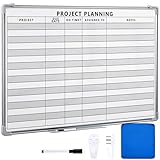
- Functional: the project planning dry erase whiteboard with lines is preprinted with common project planning templates, namely project name, due time, on time, assigned to, notes, to help you plan your project clearly and never miss the detail progress, keeping your business in order
- Easy to Write and Clean: this project planning whiteboard has a smooth and scratch resistant writing surface, allowing you to write smoothly and resist ghosting, it's easy to wipe without leaving stains
- Detail Specifications: our make ready white board with lines is made of quality materials, with aluminum frame, which is durable and sturdy; And it measures about 36x 24 inches in size, provide ample space to fully display project details
- Easy and Convenient to Apply: the large whiteboard planner for wall is equipped with sliding tray, convenient for you to store marker pens and more writing tools or magnetic accessories, keeping your room tidy; And its magnetic surface supports to apply magnetic pins or strips, making it easier to organize and update information
- Clear and Long Lasting Printing: this ruled dry erase white board adopts erasable design, vinyl printed decals, that is clear printing, not easy to fall off and fade, providing you with a long term application
Alternatives worth considering
Huly: promising all-in-one workspace, but operationally heavy
Huly combines project management with chat, documents, team planning, virtual-office features, and GitHub synchronization. Its platform repository is licensed under EPL-2.0, and the latest indexed release in the supplied research was v0.7.423 on May 10, 2026.
It is not in the main eight because its self-hosting footprint is relatively large. The official self-hosting repository recommends at least 2 vCPUs and 8 GB of RAM, with 4 vCPUs and 16 GB recommended, and warns that smaller servers may become unresponsive. Huly also documents that there is no GUI migration path from a self-hosted instance to its cloud version. Consider it when a combined project, chat, documents, and planning workspace is more valuable than low resource usage.
Kanboard: excellent minimalist Kanban
Kanboard is MIT-licensed and deliberately focused on Kanban. It supports features such as swimlanes and plugins, and its release page lists version 1.2.52 from April 4, 2026. It is a good alternative when you want a fast, simple board and do not need Gantt, portfolio reporting, extensive documentation, or enterprise planning. It is not a broad replacement for OpenProject or Tuleap.
Worklenz: monitor before adopting
Worklenz is AGPLv3-licensed and offers task management, time tracking, resource management, scheduling, and reporting. Its release page lists v2.1.7 from February 9, 2026 and describes it as a critical security release addressing multiple SQL-injection vulnerabilities. That does not make the project unusable, but it does mean you should check for newer releases, advisories, and maintenance activity before recommending it for production. It is worth monitoring rather than treating as a carefree default.
PC Slower Than It Used to Be?
A free scan shows the junk files, broken settings and background clutter dragging Windows down - then fixes them in one click.Free scan · Windows 10 & 11Outdated Drivers Are Slowing You Down
One free scan finds every outdated or missing driver and matches the right update for your exact hardware.Free scan · exact hardware matchCommon mistakes in open-source project-management comparisons
They treat all open-source products as equivalent
A comparison that puts a free cloud plan, an open-core application, a self-hosted community edition, and a fully open desktop program in one undifferentiated column is hiding the most important buying information. Start with the license and edition, then discuss features.
They confuse task management with project management
Vikunja and Kanboard can be excellent at task execution while remaining narrower than OpenProject or Tuleap. A Kanban board does not automatically provide resource planning, budgets, baselines, portfolio reporting, traceability, audit controls, or compliance support.
They ignore desktop software
ProjectLibre matters because critical-path scheduling, resource loading, baselines, earned value, Microsoft Project compatibility, and offline work are still real requirements. A browser-based task feed is not automatically a substitute for a schedule planner.
They hide operational burden
Every self-hosting recommendation should disclose approximate hardware requirements, database dependencies, container count, ARM support, backup complexity, reverse-proxy needs, and whether production deployment is officially supported. Otherwise the reader sees only the license cost and not the ownership cost.
The Tool Desk
Outbyte PC Repair FREERepair Windows errors before they cause bigger problemsFix Now →Outbyte Driver Updater FREEScan for outdated or missing drivers - takes under a minuteDriver Scan →They publish stale versions
Release information changes quickly. Use the official release page for the version, date, stability status, security fixes, and upgrade notes. The version numbers in this guide are a dated 2026 snapshot, not a promise that the same tag will remain current.
They mistake vendor claims for independent testing
Download totals, customer logos, GitHub stars, and claims such as number one are not independent usability tests, performance benchmarks, security guarantees, or proof of production maturity. Attribute vendor claims or leave them out.
Final buying framework
- Write down the non-negotiable workflow: traditional schedule, Scrum, Kanban, ALM, agency delivery, or simple tasks.
- Separate must-have features from nice-to-have features: Gantt, dependencies, budgets, time, resources, SSO, Git integration, imports, audit logs, and mobile access.
- Choose the smallest suitable platform: do not operate Tuleap or OpenProject for a checklist, and do not force Vikunja to perform portfolio governance.
- Confirm the exact license and edition: especially for Plane, OpenProject, Tuleap, Vikunja, Leantime, and ProjectLibre Cloud versus Desktop.
- Run a realistic pilot: import representative projects, attachments, comments, custom fields, permissions, and integrations.
- Test administration: perform a backup, restore it on a separate instance, upgrade a copy, and verify email and identity integration.
- Calculate total ownership cost: include hosting, storage, monitoring, support, maintenance time, and recovery expertise.
Frequently Asked Questions
What is the best open-source project-management tool overall?
OpenProject is the strongest overall choice for most organizations because it combines Gantt planning, agile boards, time and cost tracking, budgets, documents, roadmaps, and multi-project management. Plane, Redmine, Taiga, Tuleap, Leantime, Vikunja, and ProjectLibre are better for specific workflows.
Is OpenProject really free?
Its GPLv3 Community Edition is free to self-manage and supports unlimited users and projects. Hosting, backups, maintenance, and security work still cost money or staff time, and some advanced capabilities are available only in paid Enterprise editions.
Is Plane fully open source?
Plane Community is AGPLv3-licensed, but Plane also offers separate Commercial and Air-gapped editions. Do not assume that every enterprise, identity, governance, or deployment feature is included in Community.
Which open-source tool is closest to Jira?
Plane is the closest modern product-oriented option in this list, with work items, cycles, modules, views, estimates, APIs, and webhooks. Redmine is a more mature issue-tracking alternative, while Tuleap is better when Jira-like work must connect to requirements, testing, code, and releases.
Which tools support Gantt charts?
OpenProject, Redmine, Vikunja, Leantime, and ProjectLibre Desktop support Gantt-style planning to varying degrees. Plane has lighter scheduling capabilities, while Taiga focuses on agile boards. ProjectLibre is the strongest traditional scheduler; OpenProject is the strongest collaborative web option.
Which tool is best for Scrum?
Taiga is the most focused Scrum choice. Plane is strong for modern product and engineering teams, and OpenProject, Redmine, Tuleap, and Leantime can support agile workflows within broader platforms.
Which open-source project-management tool is easiest to self-host?
Vikunja usually has the smallest deployment footprint among the main eight because it can run as a single binary or container. That does not eliminate HTTPS, persistent storage, backups, updates, or security responsibilities. Kanboard is another lightweight alternative if you only need minimalist Kanban.
Which tool supports Microsoft Project files?
ProjectLibre Desktop is the clearest choice because Microsoft Project file support is one of its stated features. It also includes Gantt, critical-path, resource, cost, baseline, and earned-value capabilities.
Can open-source project-management software replace Asana?
Often, but not with a universal one-to-one replacement. Leantime, OpenProject, Plane, and Vikunja can cover different Asana-like task and project workflows. Pilot your real projects, permissions, comments, attachments, integrations, and exports before migrating.
Is self-hosting cheaper than SaaS?
It can be cheaper at scale or valuable for privacy and data sovereignty, but it is not automatically cheaper. Include the server, storage, backups, monitoring, email, TLS, upgrades, security response, support, and administrator time in the comparison.
The Tool Desk
Outbyte PC Repair FREEClear out junk files and repair common Windows errorsFree Scan →Outbyte Driver Updater FREEScan for outdated or missing drivers - takes under a minuteDriver Scan →What should I back up?
Back up the application database and all persistent file storage, including attachments, uploaded files, user data, and plugins where applicable. Also preserve the deployment configuration, secrets-management procedure, application version, database version, and restore instructions. Test the restore on a separate instance.
Which tools are suitable for regulated or air-gapped environments?
Tuleap is worth evaluating for software traceability, requirements, testing, releases, and documentation. OpenProject can support controlled self-managed deployment, and Plane documents an Air-gapped Edition. Verify edition terms, support, audit capabilities, identity integration, backup procedures, patching, and security requirements rather than assuming a product is compliant from its feature list.
Which tools are not full project-management suites?
Vikunja is primarily task-centric, Kanboard is focused on minimalist Kanban, and ProjectLibre Desktop is a traditional single-project scheduler rather than a collaborative web platform. They can be excellent products, but they should not be presented as equivalent to OpenProject or Tuleap for portfolios, budgets, ALM, or formal governance.
The Bottom Line
For most organizations, start with OpenProject. Pick Plane instead for modern software-product work, Redmine for a mature customizable platform, Taiga for focused agile delivery, Tuleap for traceable software ALM, Leantime for approachable small-team planning, Vikunja for lightweight tasks, and ProjectLibre Desktop for offline Microsoft Project-style scheduling. Before putting real data into any self-hosted system, verify the exact edition, test integrations, and prove that your backups can be restored.
Do these 3 things before closing this tab:
1Scan for outdated or missing drivers - takes under a minute2Repair Windows errors before they cause bigger problems3Fix the driver behind crashes, sound loss and screen glitchesQuick Recap
Product prices and availability are accurate as of the date/time indicated and are subject to change. Any price and availability information displayed on Amazon at the time of purchase will apply.

