
What’s actually slowing this PC down?
Pick the symptom - the matching free tool is one click away.
iTechGuides is reader-supported. When you buy through links on our site, we may earn an affiliate commission. As an Amazon Associate I earn from qualifying purchases. Learn more
For most new gaming PCs in 2026, buy the AMD Ryzen 7 9800X3D. It delivers the gaming-focused advantage of AMD’s 3D V-Cache without the much higher price of the faster Ryzen 7 9850X3D. Choose the 9850X3D if you are chasing the highest conventional gaming frame rates, the Ryzen 9 9950X3D2 Dual Edition if you also compile, render, simulate, or run virtual machines, and Intel’s Core Ultra 7 270K Plus if productivity and total platform cost matter as much as gaming.
This is a use-case ranking, not a universal one-to-15 FPS chart. Game engines, resolution, graphics card, memory settings, firmware, Windows updates, cooling, and street prices can change the result. At 1440p and 4K, the GPU is commonly the main limit; the largest processor differences appear in CPU-limited 1080p and high-refresh gaming.
Quick recommendations
| Best for | Processor | Why it belongs on the list |
|---|---|---|
| Most gaming PCs | AMD Ryzen 7 9800X3D | Excellent gaming performance, modern Zen 5 architecture, and a more sensible price-to-performance balance than the 9850X3D. |
| Maximum gaming performance | AMD Ryzen 7 9850X3D | The fastest pure gaming choice in the supplied independent comparison, although its average lead over the 9800X3D is only about 3%. |
| Gaming plus serious creation | AMD Ryzen 9 9950X3D2 Dual Edition | Sixteen cores, 32 threads, large cache capacity, and strong positioning for compiling, rendering, simulation, and virtual machines. |
| Balanced Intel system | Intel Core Ultra 7 270K Plus | A 24-core desktop processor that is competitive when productivity, multitasking, and motherboard pricing are weighted heavily. |
| Mid-range Intel value | Intel Core Ultra 5 250K Plus | Tom’s Hardware’s mid-range gaming pick when a complete Intel platform costs less than an equivalent AMD build. |
| Existing AM4 or DDR4 PC | AMD Ryzen 7 5800X3D | The best drop-in gaming upgrade for a compatible AM4 system, without replacing the motherboard and memory. |
For the primary recommendation, compare the complete cost of the AMD Ryzen 7 9800X3D desktop processor, a compatible AM5 motherboard, DDR5 memory, and an appropriate cooler. A slightly cheaper CPU can become the more expensive choice once the entire platform is included.
Recommended Free Tools
How this 2026 ranking works
The list combines independent comparative testing with manufacturer specifications and practical build considerations. Tom’s Hardware’s August 2026 guide evaluates 17 demanding games and bases its recommendations on a larger benchmark hierarchy. Its testing methodology reports more than 200 individual tests per CPU across gaming, single-threaded, and multithreaded workloads.
That evidence supports AMD’s dominance in the gaming recommendations, particularly among X3D models, while also showing Intel’s refreshed Arrow Lake products improving the value proposition below $300. AMD’s own performance statements use specified test systems and should be treated as vendor lab results, not as a replacement for independent testing.
Popular on Amazon

- AMD Ryzen 5 5500 Desktop Processor, 6 Cores, 12 Threads, 4.2 GHz Max Boost, Unlocked Memory Overclocking. L2+L3 Cache 19 MB, 65W TDP, DDR4 Supported, PCIe 3.0 Support. For the Advanced Socket AM4 Platform
- Can Deliver Fast 100 Plus FPS Performance in the World's Most Popular Games; AMD Wraith Stealth Cooler Included; Discrete Graphics Card Required; No ECC Support; Supports Windows 10 and Windows 11 64-Bit Editions
- ASUS TUF Gaming A520M-PLUS WIFI Motherboard, mATX Form Factor, AMD AM4 socket, Support Dual Channel Memory DDR4 up to 128GB, 1 x M.2 Socket 3 with M Key, 4 x SATA 6Gb/s ports, USB 3.2 Gen 2 port(s)(1 x Type A), Windows 10 64-bit Support, Ready for AMD Ryzen 5000 Series/ 5000 G-Series/ 4000 G-Series/ 3000 Series/ 3000 G-Series Desktop
- Comprehensive cooling: PCH heatsink and Fan Xpert 2+;/ Ultrafast connectivity: M.2 support, 1 Gb Ethernet, USB 3.2 Gen 1 Type-A;/ 5X Protection III: Multiple hardware safeguards for all-around system protection
- Made for online gaming: 802.11ac Wi-Fi, TUF LANGuard and TurboLAN technology;/ Gaming Connectivity: BIOS FlashBack button, USB 3.2 Gen 1 Type-A, 32Gb/s M.2 onboard, SATA 6Gb/s, 802.11ac Wi-Fi, DisplayPort/HDMI/D-Sub;/ Gaming Look and Feel: ASUS-exclusive Aura Sync RGB lighting, including RGB headers and a Gen 2 addressable RGB header for greater customization
The order below reflects the situation each processor serves. It does not mean the processor at number one wins every game, every resolution, or every productivity test.
The 15 best processors for gaming PCs in 2026
1. AMD Ryzen 7 9800X3D — best overall gaming CPU
Best for: New mid-range to high-end gaming PCs where gaming is the main priority.
The Ryzen 7 9800X3D is the most broadly sensible gaming choice in 2026. It combines AMD’s Zen 5 architecture with the company’s second-generation 3D V-Cache approach, giving it the large-cache design that helps many game engines while avoiding the premium attached to the fastest model.
Tom’s Hardware keeps it as the primary gaming recommendation because the newer Ryzen 7 9850X3D is only about 3% faster on average in its testing. That is a real lead, but not usually a large enough difference to justify paying substantially more—particularly when the saved money can move the build to a faster graphics card.
- Platform: AM5 motherboard and DDR5 memory.
- Choose it when: You want a high-end gaming CPU without paying for a tiny benchmark advantage.
- Pair it with: A strong discrete GPU and a motherboard with a confirmed CPU-supporting BIOS.
- Think twice when: Your workload includes heavy rendering, code compilation, or simulation that can use many more than eight cores.
2. AMD Ryzen 7 9850X3D — fastest pure gaming choice
Best for: Competitive 1080p gaming, high-refresh monitors, CPU-limited simulation games, and buyers who want the highest conventional gaming performance.
AMD lists eight Zen 5 cores, 16 threads, a 4.7 GHz base clock, up to a 5.6 GHz boost clock, 96 MB of L3 cache, and a 120 W default TDP. Those specifications make it a purpose-built gaming specialist rather than a many-core workstation processor.
Crashes, No Sound, or Screen Glitches?
Random freezes, missing sound and display glitches usually trace back to one bad driver. Find and replace yours safely.Free scan · under a minutePC Slower Than It Used to Be?
A free scan shows the junk files, broken settings and background clutter dragging Windows down - then fixes them in one click.Free scan · Windows 10 & 11It is the pick for buyers who are comfortable paying for the last few percentage points. The benefit is easiest to see when the graphics card is not the bottleneck—for example, at 1080p with a powerful GPU, a high refresh-rate display, or a game with unusually heavy simulation work. At 4K, the difference from the 9800X3D can become difficult to notice because the graphics card usually determines the frame rate.
Plan for a separate cooler: AMD identifies this enthusiast processor as not including a boxed thermal solution. Verify the cooler’s AM5 mounting hardware and sustained-load capability before ordering.
3. AMD Ryzen 9 9950X3D2 Dual Edition — highest total performance
Best for: Enthusiasts who game and also compile code, render video or 3D scenes, run simulations, edit media, or operate virtual machines.
This is the most complete high-end choice in the guide. AMD lists 16 cores, 32 threads, up to a 5.6 GHz boost clock, 208 MB of total cache, and a 200 W TDP. AMD positions the processor for gaming, development, compiling, simulation, and creator workloads rather than treating it as a gaming-only part.
Free tools Windows power users keep installed
One-click scans. No signup required.
The extra cores are the reason to choose it over an eight-core X3D processor. They can keep a heavily threaded task moving while the system remains useful for other work. The trade-off is its $899 U.S. suggested price, plus the cost of a capable cooler, motherboard, and DDR5 memory. That makes it excessive for a gaming-only build, especially if the same budget could buy a better GPU.
Its specifications and positioning are AMD claims; evaluate independent application benchmarks for the specific creation software you use before treating it as the best workstation processor for that application.
4. AMD Ryzen 9 9950X3D — premium gaming and creator alternative
Best for: Buyers who want 16 cores and 32 threads with 3D V-Cache but do not need the newer Dual Edition model.
AMD’s current desktop lineup lists the Ryzen 9 9950X3D at up to a 5.7 GHz boost clock, with 16 cores, 32 threads, and a 170 W TDP. It occupies the same broad gaming-plus-creation category as the 9950X3D2, but it becomes more attractive when discounts make it materially cheaper.
The Tool Desk
Outbyte Driver Updater FREEScan for outdated or missing drivers - takes under a minuteDriver Scan →Outbyte PC Repair FREEClear out junk files and repair common Windows errorsFree Scan →Do not buy it merely because it is a Ryzen 9. For a gaming-only computer, an eight-core X3D model can be the more rational purchase. Choose the 9950X3D when your applications can use its additional cores and the price difference versus the Dual Edition is large enough to matter.
5. Intel Core Ultra 7 270K Plus — best Intel all-rounder
Best for: Gaming-plus-productivity systems where compiling, encoding, multitasking, or other CPU-heavy work matters.
Intel identifies the Core Ultra 7 270K Plus as a 24-core desktop processor with up to a 5.5 GHz frequency and 36 MB of cache. Intel’s own gaming claim uses a 37-game 1080p geometric mean under specified test conditions, so it should be read as a controlled vendor comparison rather than a guarantee for every game.
Independent testing still places AMD’s X3D processors ahead for gaming leadership. The 270K Plus is nevertheless a strong option when productivity performance and the total price of the Intel CPU-and-motherboard combination carry significant weight. Tom’s Hardware found it competitive against AMD below $300 and particularly strong in productivity-oriented testing.
- Choose it when: You want Intel, regularly perform non-gaming CPU work, or find a substantially cheaper complete platform.
- Do not choose it as: The automatic fastest gaming CPU; AMD X3D remains the safer gaming-first recommendation.
- Check first: Exact motherboard compatibility, BIOS support, DDR5 requirements, cooler capacity, and the price of the complete platform.
6. AMD Ryzen 7 9700X — efficient non-X3D gaming option
Best for: Quiet, efficient gaming PCs and buyers who want Zen 5 without paying for 3D V-Cache.
The Ryzen 7 9700X has eight cores and 16 threads, reaches up to 5.5 GHz, and carries a 65 W TDP according to Tom’s Hardware’s specifications. It is a useful alternative when lower heat, easier cooling, and lower power draw are more important than winning every CPU-limited gaming test.
Its gaming position improved materially after firmware and operating-system improvements. That is an important buying caution: update the motherboard BIOS and Windows before judging a new AM5 processor against older reviews. Results from launch-period testing may not represent the current platform.
Choose the 9700X over an X3D model when its lower operating demands or lower total cost are more valuable than maximum gaming performance. Put the savings toward the GPU if you primarily play at 1440p or 4K.
Do these 3 things before closing this tab:
1Clear out junk files and repair common Windows errors2Fix the driver behind crashes, sound loss and screen glitches3Repair Windows errors before they cause bigger problems7. Intel Core Ultra 5 250K Plus — strong mid-range Intel pick
Best for: Value-oriented new builds, especially when the Intel processor and compatible motherboard bundle costs less than an AMD X3D platform.
Tom’s Hardware names the Core Ultra 5 250K Plus its mid-range gaming recommendation. It is one of the most practical Intel choices for a budget-conscious new PC because it can leave more of the budget for the graphics card while retaining a modern platform.
Also popular on Amazon
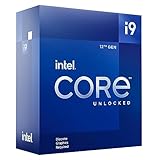
- Built for the Next Generation of Gaming. Game and multitask without compromise powered by Intel’s performance hybrid architecture on an unlocked processor.
- Discrete graphics required
- Compatible with Intel 600 series and 700 series chipset-based motherboards
- The processor features Socket LGA-1700 socket for installation on the PCB
- 30 MB of L3 cache memory provides excellent hit rate in short access time enabling improved system performance
Intel’s Series 2 desktop platform supports DDR5 and PCIe 5.0. Compare the board, memory, cooler, and BIOS requirements as a package rather than comparing processor prices alone. If the complete Intel build is only slightly cheaper than an AM5 X3D build, the AMD option may provide the stronger gaming-oriented purchase.
8. AMD Ryzen 7 7700X3D — upper-midrange X3D gaming choice
Best for: Buyers who want an eight-core X3D processor below the newest flagship tier.
Tom’s Hardware’s August 2026 update specifically reviews the Ryzen 7 7700X3D as a newer gaming-oriented release competing in the upper-midrange segment. Its appeal is straightforward: it aims to deliver the cache-assisted gaming behavior of an X3D chip without requiring the buyer to move to the highest-priced Ryzen 9 class.
It is a good fit for a gaming-first AM5 build when the price sits comfortably below the 9800X3D. If the two are close in price, choose the newer 9800X3D instead. If the 7700X3D discount is substantial, use the savings for the GPU, a larger SSD, or a better monitor.
9. AMD Ryzen 7 7800X3D — discounted last-generation gaming favorite
Best for: Buyers who find an unusually good deal on a mature AM5 gaming platform.
The Ryzen 7 7800X3D remains relevant because its eight-core X3D design is strongly focused on gaming. It can make excellent sense during clearance sales or when upgrading an existing AM5 system that already has a suitable motherboard and DDR5 memory.
It is not the default choice for a new 2026 build when the 9800X3D or 9850X3D is close in price. Older-generation performance, current BIOS support, warranty terms, and the cost of the entire platform should all be considered. A discount large enough to fund a better graphics card can change that calculation.
10. AMD Ryzen 7 7600X3D — value gaming processor
Best for: 1440p gaming builds where six cores are sufficient and the buyer wants X3D cache at a lower cost.
AMD lists six cores, 12 threads, up to a 4.7 GHz boost clock, 96 MB of L3 cache, a 65 W TDP, AM5 compatibility, and DDR5 support. Those characteristics make the 7600X3D attractive when gaming is the priority but the budget cannot stretch to an eight-core flagship.
Six cores are adequate for many gaming systems, especially when the graphics card is the limiting component. The compromise appears sooner in heavy multitasking, streaming workflows that rely on local CPU encoding, compiling, and creator applications. If you game while running demanding background workloads, move up to an eight-core model.
AMD lists no boxed thermal solution for this model, so include an AM5-compatible cooler in the budget.
11. AMD Ryzen 5 9600X — efficient mainstream Zen 5 choice
Best for: Mainstream gaming PCs with a discrete graphics card, particularly quiet or easy-to-cool systems.
The Ryzen 5 9600X has six cores, 12 threads, up to a 5.4 GHz boost clock, and a 65 W default TDP in AMD’s current desktop lineup. It is a sensible non-X3D processor for buyers who would rather spend more on the graphics card than on cache-focused CPU performance.
At 1440p and 4K, the practical difference between this type of processor and a much more expensive gaming CPU is often smaller than benchmark charts suggest. At 1080p with a high-end GPU, an X3D model can pull farther ahead. Make the decision based on your monitor, games, and GPU rather than the CPU name alone.
Quick wins for a faster PC:
Scan for outdated or missing drivers - takes under a minuteDriver Scan →Repair Windows errors before they cause bigger problemsFix Now →12. AMD Ryzen 5 7600X — budget AM5 gaming pick
Best for: Lower-cost new AM5 builds that need a capable six-core processor while preserving money for the graphics card.
Tom’s Hardware lists the Ryzen 5 7600X as its $100-to-$150 budget gaming pick. That price label is a buying tier, not a permanent worldwide price; retailer pricing and availability change quickly.
The 7600X is most compelling when it makes the complete AM5 platform affordable. It gives a new build a current socket and DDR5 memory rather than spending heavily on an older platform. Compare it with the Ryzen 5 9600X and discounted 7600X3D: the 7600X wins when its lower total cost leaves enough money for a meaningfully better GPU.
13. AMD Ryzen 5 9600 — economical non-X Zen 5 option
Best for: Budget systems where a boxed cooler and lower power are useful.
Recommended Free Tools
AMD’s current desktop table lists six cores, 12 threads, up to a 5.2 GHz boost clock, a 65 W TDP, and an included Wraith Stealth thermal solution. That included cooler can reduce the entry cost, although buyers should still check case airflow and expected noise.
The Ryzen 5 9600 is not intended to beat the highest-end X3D processors in CPU-limited gaming. Its strength is balance: six modern cores, a current AM5 platform, modest power requirements, and one less essential component to purchase. It is a good starting point for a mainstream discrete-GPU system.
14. Intel Core Ultra 9 285K — productivity-heavy Intel flagship
Best for: Buyers who want Intel’s top Series 2 desktop tier for mixed gaming, creation, and multitasking, particularly when a sale makes the complete platform attractive.
The Core Ultra 9 285K belongs on this list for its high-end mixed-use role, not because it is the gaming leader. Current independent recommendations favor AMD X3D processors for gaming, while Intel’s advantage depends more heavily on the workload, software, and total platform price.
Consider it when your applications benefit from Intel’s platform and you also need a powerful general-purpose desktop. For a gaming-only build, compare it against the Ryzen 7 9800X3D or Ryzen 9 alternatives before spending flagship money. The GPU, cooler, motherboard, and memory may provide a larger real-world improvement than moving from one premium CPU to another.
15. AMD Ryzen 7 5800X3D — best drop-in AM4 and DDR4 upgrade
Best for: Existing AM4 owners who want a substantial gaming upgrade without replacing the motherboard and memory.
Also popular on Amazon

- AMD Ryzen 7 7800X3D Desktop Processor, 8 Cores, 16 Threads, 5.0 GHz Max Boost, Unlocked Memory Overclocking, L2+L3 Cache 104 MB, 120W TDP, DDR5 Supported, PCIe 5.0 Support. For the state-of-the-art Socket AM5 platform
- AMD 3D V-Cache Technology: Delivers Exceptional Gaming Performance for Enthusiasts and Creators; Integrated AMD Radeon Graphics Included; Cooler Not Included; Liquid Cooling Recommended; Supports Windows 10 and Windows 11 64-Bit Editions
- MSI B850 GAMING PLUS WIFI Motherboard: ATX Form Factor, Dual-Channel DDR5 Support up to 256GB, PCIe 5.0 x16 Support, 3 M.2 Slots, 4 SATA 6GB/s, Wi-Fi 7, Bluetooth 5.4, Support for Windows 11 64-bit
- AMD Socket AM5: Supports AMD Ryzen 9000, 8000, and 7000 Series Processors; Supports DDR5 Memory, Dual Channel DDR5 8200+ MT/s (OC); Ultra Performance: 12+2+1 Duet Rail Power System, dual 8-pin CPU power connectors, Core Boost, Memory Boost, 6-layer PCB made by 2oz thickened copper and server-grade level material
- Frozr Guard: Extended Heatsink, MOSFET thermal pads rated for 7W/mK, additional choke thermal pads and EZ M.2 Shield Frozr II are built for high performance system and non-stop experience
Tom’s Hardware retains the Ryzen 7 5800X3D as its best DDR4 gaming CPU. Its value comes from avoiding a new board and DDR5 kit, not from being the best processor architecture for a new 2026 build.
It is particularly attractive if you already own a compatible AM4 motherboard, DDR4 memory, and a cooler that can handle the chip. Confirm motherboard BIOS support before buying. For a new system, compare the total price against AM5 options: current memory pricing can make older platforms appealing for budget builds, but a new AM5 build offers a more current upgrade path.
Quick wins for a faster PC:
Fix the driver behind crashes, sound loss and screen glitchesFind Drivers →Clear out junk files and repair common Windows errorsFree Scan →Scan for outdated or missing drivers - takes under a minuteDriver Scan →Choose according to your actual gaming system
For 1080p and high-refresh gaming
Start with the Ryzen 7 9850X3D if you want the highest conventional gaming performance and have a graphics card fast enough to expose CPU limits. The Ryzen 7 9800X3D is the better value-oriented answer for most buyers. Competitive players should compare average frame rate and frame-time consistency in their own games, not just a single benchmark.
For 1440p gaming
At 1440p, the GPU commonly becomes the main limit. A Ryzen 5 7600X, Ryzen 5 9600, Ryzen 5 9600X, or Ryzen 7 9700X can be a better allocation of money if it allows a faster graphics card. Choose the Ryzen 5 7600X3D when your games are CPU-sensitive or you want additional CPU headroom without moving to flagship pricing.
For 4K gaming
At 4K, prioritize the graphics card, cooling, power supply, and storage before paying for the final CPU percentage points. A high-end CPU still helps minimum frame rates in some games and supports future GPU upgrades, but the 9850X3D is difficult to justify solely for 4K gaming if it forces a weaker GPU.
For gaming and content creation
Move to the Ryzen 9 9950X3D2 Dual Edition or Ryzen 9 9950X3D when your workload includes sustained rendering, compiling, simulation, encoding, or virtual machines. An eight-core X3D part remains the better choice when those tasks are occasional and gaming dominates your time.
Do these 3 things before closing this tab:
1Fix the driver behind crashes, sound loss and screen glitches2Clear out junk files and repair common Windows errors3Scan for outdated or missing drivers - takes under a minuteFor a quiet and efficient PC
The 65 W Ryzen 7 9700X, Ryzen 5 9600X, and Ryzen 5 9600 are the natural starting points. Lower default power does not eliminate the need for a good case and cooler, but it makes a quiet build easier. The 9600 is especially useful when the included Wraith Stealth solution prevents the need for a separate cooler.
For an Intel-first build
Choose the Core Ultra 7 270K Plus for a balanced gaming and productivity machine, or the Core Ultra 5 250K Plus when value is the priority. Consider the Core Ultra 9 285K when the workload justifies a flagship platform. In each case, compare the complete Intel board-and-memory package against the AMD alternatives.
Independent reader supportYour contribution helps us test, update, and keep practical guides available for everyone.Platform compatibility checklist
Do not order a processor until these parts have been checked together:
- Socket and motherboard: The Ryzen models from the 7600X3D through the 9950X3D2 use AMD’s AM5 platform. The Ryzen 7 5800X3D is the AM4 and DDR4 exception. Intel Core Ultra Series 2 processors require a compatible Intel desktop motherboard. Never assume that a board supports a processor simply because the brand name matches.
- Memory type: AM5 requires DDR5. AMD identifies DDR5 and EXPO support as central parts of its current Ryzen desktop platform. Intel’s Series 2 desktop platform also supports DDR5 and PCIe 5.0. Confirm the exact memory standard and supported speeds in the motherboard manual.
- BIOS version: A board may require a newer BIOS for a newer CPU. Check the manufacturer’s CPU support list, BIOS revision, and whether the board can update without an installed processor.
- Cooler mounting: Most of the enthusiast processors listed here do not include a boxed cooler. Confirm AM5 mounting hardware for Ryzen, the cooler’s rated capacity, case clearance, and whether the cooler includes the needed bracket.
- Power and airflow: Match the cooler, case airflow, and power supply to the complete system. A CPU’s default TDP is not a complete description of every sustained motherboard power setting.
- Graphics card balance: If the CPU upgrade reduces the graphics-card budget, check whether your target resolution will actually benefit. A faster GPU is usually the more visible upgrade at 1440p and 4K.
Useful build items include an AM5 motherboard, a compatible DDR5-6000 gaming RAM kit where supported by the selected board and CPU, an AM5 CPU cooler, and thermal paste for CPU installation when the cooler does not include suitable compound. These are not universal parts: Intel systems need the appropriate Intel motherboard and mounting hardware, while the 5800X3D requires AM4 support and DDR4 memory.
Free tools Windows power users keep installed
One-click scans. No signup required.
What X3D cache does—and does not—mean
3D V-Cache can improve gaming because many game workloads benefit from keeping more frequently accessed data close to the CPU. That does not make every X3D processor the fastest choice for every task. Rendering, compiling, encoding, and simulation can respond more strongly to core count, clock behavior, scheduling, memory, and application-specific optimization.
That is why the eight-core Ryzen 7 9800X3D leads the gaming recommendation, while the 16-core Ryzen 9 9950X3D2 Dual Edition leads the gaming-plus-creation category. Select the processor for the workload you will run most often rather than treating the X3D label as a universal performance guarantee.
After installing the CPU: BIOS, drivers, and troubleshooting
After a platform change, update the motherboard BIOS when the manufacturer recommends it, install the current chipset and graphics drivers from the relevant hardware vendors, enable the memory profile only after confirming system stability, and monitor temperatures under both gaming and sustained workloads. If the system fails to boot, return memory settings to default, reseat the memory and cooler, check power connections, and use the motherboard’s documented BIOS recovery procedure.
Streaming and creator workflow note
If you stream live gameplay through OBS or use local CPU encoding, choose the CPU based on the encoder, game, and simultaneous workload; a cloud service does not automatically increase local gaming FPS. A different workflow applies to creators who want recorded gaming footage or video to play continuously on YouTube. StreamNeo describes a service that uploads recorded video to the cloud, loops it continuously, and provides automatic recovery without requiring the local PC or an active OBS session. That makes cloud streaming for recorded gameplay a potentially useful workflow option, but it is not evidence that one processor is faster for live encoding.
Keep Recorded Gaming Video Live on YouTube Without Running Your PC
StreamNeo lets you upload a prerecorded gaming video and paste a YouTube stream key so the video can run continuously from the cloud.
Because the stream runs in the cloud, your PC can stay off instead of remaining powered with OBS or an encoder. This separates an always-on recorded-video broadcast from live gameplay encoding, which still depends on the local gaming and streaming workload.
The Tool Desk
Outbyte Driver Updater FREEFix the driver behind crashes, sound loss and screen glitchesFind Drivers →Outbyte PC Repair FREEClear out junk files and repair common Windows errorsFree Scan →Stream health is checked every 30 seconds, and dropped streams restart automatically to support a reliable continuous YouTube broadcast.
You can begin with a free 24-hour 720p/30fps trial, and no card is required at signup. Use that trial to verify the recorded-video workflow before committing to ongoing broadcasting.
Common buying mistakes
- Buying the fastest CPU and weakening the GPU: This is especially wasteful for 1440p and 4K systems.
- Comparing CPU prices only: Include the motherboard, DDR5 or DDR4 memory, cooler, BIOS needs, and installation supplies.
- Assuming X3D wins every workload: Cache helps many games, but heavily threaded applications may favor a higher-core processor.
- Ignoring firmware and Windows updates: The Ryzen 7 9700X is an example of a processor whose gaming position improved after platform updates.
- Assuming every Ryzen uses the same memory: AM5 and AM4 are different platforms. AM5 requires DDR5; the 5800X3D is the DDR4-preserving option.
- Forgetting the cooler: Many enthusiast CPUs do not include one. The Ryzen 5 9600 is a notable listed exception with its Wraith Stealth solution.
- Using vendor gaming claims as universal results: AMD and Intel test under defined conditions. Independent reviews and benchmarks of your games remain more useful for final decisions.
Source and testing note
The comparative recommendations in this guide are based primarily on Tom’s Hardware’s August 2026 gaming CPU guide and its stated testing methodology. Manufacturer specifications and platform details are attributed to AMD and Intel. Prices, availability, BIOS support, and retailer stock vary by country and date, so verify them before purchase.
Frequently Asked Questions
Is the Ryzen 7 9850X3D worth buying over the Ryzen 7 9800X3D?
Only if you specifically want the highest conventional gaming performance and the price premium is acceptable. Tom’s Hardware’s testing places the 9850X3D about 3% ahead on average, so the Ryzen 7 9800X3D is usually the better value and may leave more money for the graphics card.
What’s actually slowing this PC down?
Pick the symptom - the matching free tool is one click away.
Is an X3D processor always best for gaming and work?
No. X3D cache can improve many games, but core count, clocks, scheduling, and application behavior matter in compiling, rendering, encoding, and simulation. The 16-core Ryzen 9 9950X3D2 Dual Edition is a better fit than an eight-core gaming specialist for sustained heavily threaded work.
Can I use DDR4 memory with these processors?
AM5 Ryzen processors require DDR5. The Ryzen 7 5800X3D is the listed AM4 and DDR4-preserving choice, provided your existing motherboard BIOS supports it. Intel Series 2 systems should also be planned around a compatible DDR5 motherboard and memory configuration.
Do I need a separate CPU cooler?
Usually, yes for the enthusiast models in this list. AMD identifies processors such as the Ryzen 7 9850X3D and Ryzen 5 7600X3D as not including a boxed thermal solution. The Ryzen 5 9600 is a listed exception with an included Wraith Stealth cooler. Confirm the exact retail package before ordering.
Which CPU should I buy for a 4K gaming PC?
Prioritize the graphics card because 4K gaming is commonly GPU-limited. The Ryzen 7 9800X3D is a strong high-end choice, but a Ryzen 5 9600, Ryzen 5 9600X, Ryzen 5 7600X, or Ryzen 7 9700X may be the better overall purchase if the savings fund a substantially faster GPU.
The Bottom Line
Buy the Ryzen 7 9800X3D for the best overall gaming balance. Choose the Ryzen 7 9850X3D for maximum CPU-limited gaming speed, the Ryzen 9 9950X3D2 Dual Edition for gaming plus serious multicore work, Intel’s Core Ultra 7 270K Plus for a balanced Intel productivity build, and the Ryzen 7 5800X3D only when preserving an existing AM4 and DDR4 system is the main goal.

