
iTechGuides is reader-supported. When you buy through links on our site, we may earn an affiliate commission. As an Amazon Associate I earn from qualifying purchases. Learn more
ClickUp is the best all-purpose free project-management suite in this group, Trello is the easiest visual board, Asana is the best fit for an individual or two-person team, and Jira is the strongest choice for software and agile work. The right choice depends less on a universal ranking than on how your team plans, documents, tracks, and delivers work.
Every tool below has an ongoing $0 plan rather than only a time-limited trial. However, free plans differ sharply in seats, storage, automation, views, permissions, and project limits. A tool that works well for a freelancer may be a poor choice for a ten-person development team, while a developer-focused platform may be unnecessarily complicated for a simple editorial calendar.
Plan-check note: Pricing and free-plan limits change frequently. Confirm the current vendor pricing or plan documentation before signing up, especially for Zoho Projects and MeisterTask.
The Tool Desk
Outbyte PC Repair FREERepair Windows errors before they cause bigger problemsFix Now →Outbyte Driver Updater FREEScan for outdated or missing drivers - takes under a minuteDriver Scan →Free project-management software at a glance
The list is organized by practical fit, not by a hands-on performance benchmark. The first five cover the most common use cases; the remaining tools are particularly useful for solo professionals, client-service teams, or narrowly defined workflows.
Popular on Amazon

- MAGNETIC DRY-ERASE SURFACE — Designs are directly printed onto a durable vinyl layer that is resistant to stains and ghosting, ensuring long-lasting visibility and a smooth writing surface. The surface is also magnetic, giving you freedom to accessorize your whiteboard however you like or attach any number of documents
- EASY INSTALLATION — Includes mounting brackets and hardware for secure and hassle-free wall mounting. For a quick tutorial on how to properly install your whiteboard, please watch our video located in this product page
- SPACIOUS WRITING AREA – Large enough to capture a wide range of information without running out of space, encouraging collaboration and communication between departments. Writing area measures 2" less than the board's total dimensions
- DURABLE ALUMINUM FRAME – 1" aluminum border paired with a 2.5" deep aluminum tray for convenient accessory storage
- QUALITY ASSURANCE— Please inspect your whiteboard upon arrival to ensure it meets your expectations. If you encounter any issues, contact us through Amazon’s Buyer-Seller Messaging system for support.
| Tool | Best fit | Free-tier differentiator | Main limitation |
|---|---|---|---|
| ClickUp | Broad all-purpose work management | Unlimited tasks and members, plus Docs and Kanban | 60 MB of storage and limits on advanced features |
| Trello | Simple visual workflows | Unlimited cards, up to 10 boards per Workspace, and unlimited Power-Ups | 10 MB per-file limit and fewer advanced views |
| Asana | Individuals and two-person teams | Unlimited tasks and projects with List, Board, and Calendar views | New Personal accounts are limited to two users |
| Jira | Software and agile teams | Backlogs, forms, reports, dashboards, and a free plan for up to 10 users | Specialized interface and 2 GB of storage |
| Notion | Documentation-plus-database workflows | Flexible pages, notes, databases, checklists, and project boards | 5 MB file limit, guest limits, and workspace restrictions |
| monday.com | Solo visual work management | Templates, boards, Docs, eight column types, and mobile apps | Two seats and three boards |
| Zoho Projects | Small structured teams | A free Zoho Projects tier for basic project management | Zoho’s own documentation lists conflicting limits |
| Teamwork.com | Client-service teams | Gantt, time logging, client organization, and five projects | Five-user and five-project ceiling |
| Wrike | One contained structured workflow | Board and table views with web, desktop, and mobile apps | One shared space and 200 active tasks |
| MeisterTask | Focused task boards | Lightweight Kanban-style workflow | Current free-plan limits need verification |
1. ClickUp: best overall free project-management suite
ClickUp is the strongest general-purpose choice when you want tasks, documentation, collaboration, and lightweight agile planning in one application. Its Free Forever plan includes unlimited tasks and members, collaborative Docs, Kanban boards, Sprint Management, Calendar view, basic Custom Fields, in-app video recording, two-factor authentication, 60 MB of storage, and 24/7 support.
That combination gives a small team more room to grow than a free plan that is limited to only a few users or boards. You can use ClickUp for a marketing calendar, an internal operations backlog, a product roadmap, or a sprint-based development workflow without immediately adding another application for documentation.
Choose ClickUp if: You want the most capability at $0 and are willing to spend time configuring the workspace.
Watch out for: ClickUp’s breadth can make setup more complicated than Trello or a simpler task list. The free tier also has a small storage allowance, and advanced dashboards, automations, storage, and reporting capabilities may require an upgrade. Confirm the limits for the specific features your team expects to use rather than assuming every ClickUp feature is included.
2. Trello: best simple visual Kanban tool
Trello is the clearest choice when the team wants to see work move from one stage to another. Its boards, lists, and cards require very little explanation, making it useful for editorial calendars, personal projects, lightweight marketing workflows, event planning, and small teams that prefer a visual flow over a detailed project hierarchy.
The Free plan costs $0 for up to 10 collaborators per Workspace. It includes unlimited cards, up to 10 boards per Workspace, unlimited Power-Ups per board, 250 Workspace command runs per month, assignees, due dates, mobile apps, and 10 MB per-file storage.
Choose Trello if: You need a board that a new user can understand almost immediately.
Do these 3 things before closing this tab:
1Scan for outdated or missing drivers - takes under a minute2Clear out junk files and repair common Windows errors3Fix the driver behind crashes, sound loss and screen glitchesWatch out for: Trello’s free plan is less suitable when you need broad reporting, advanced planning views, or extensive administration. Each attachment is limited to 10 MB, and the Workspace-level collaborator limit matters if a board is shared with a large group. Trello is intentionally focused; do not select it expecting the project hierarchy, issue tracking, or reporting depth of Jira or ClickUp.
3. Asana: best for individuals and two-person teams
Asana Personal is a polished choice for personal productivity, freelancing, and projects shared by two people. The free plan includes unlimited tasks and projects, List, Board, and Calendar views, unlimited storage with a 100 MB maximum per file, status updates, time-tracking integrations, and more than 100 integrations.
There is an important date-specific seat distinction. Asana’s help documentation says users who sign up after November 12, 2025 receive a two-seat limit. Older accounts may retain a legacy allowance of up to 10 seats. This is why older articles may describe Asana’s free plan as suitable for a larger team. New users should plan around the current two-user limit unless Asana shows something different during signup.
Also popular on Amazon

- DRY ERASE PROJECT MANAGEMENT PLANNER: Be made of 250 gsm construction paper, laminated by special formula film that is erasable, make the surface resistant to ghosting or staining. We can erase easily even months later and use this work schedule board over and over again
- PRODUCTIVE PROJECT MANAGEMENT TOOLS: This project management board is a game changer and something physical for managing personal or team projects efficiently. It allows you or members to quickly view and share the status of up to 12 projects at the same time, a very good practical kit of team building
- SCRUM WHITEBOARD FOR OFFICE ESSENTIALS: This project organizer worth the investment for business use. It's easy to use for products development, marketing strategic projects or as a sales goal tracking whiteboard. You can easily measure budget, milestones, resources, inventory and timeline at a glance. It helps you plan, execute, assign tasks efficiently
- MOUNTING IS A BREEZE: This vision board is lightweight and comes with removable mounting stickers. You can mount this program Management Board easily without tools. On the other hand, you can take it down easily too if you need to remount your project board to other place later
- COMPLETE ACCESSORIES INCLUDED: Our huge project manager planner for wall is cost-efficient for daily use in office, home office or family. It comes rolled in a study tube with, premium dry erase eraser, reusable fluorescent colored tabs for entrepreneurs, managers or person working at home
Choose Asana if: You are working alone or with one other person and want a clean task-management experience with List, Board, and Calendar views.
Outdated Drivers Are Slowing You Down
One free scan finds every outdated or missing driver and matches the right update for your exact hardware.Free scan · exact hardware matchWindows Errors? Fix Them Before They Spread
Repair common Windows errors and clear accumulated junk for a smoother, more stable PC - no reinstall needed.Free scan · no reinstallWatch out for: A team larger than two users needs a paid plan under the current Personal rules. Timeline or Gantt-style planning, forms, custom fields, and workflow automation are paid-tier features. Asana is excellent for organizing tasks, but a software team needing a backlog, sprint workflow, and issue-oriented terminology may be better served by Jira.
4. Jira: best free option for software and agile teams
Jira is the most specialized recommendation in this roundup. Its free plan is designed around issue tracking, backlogs, sprints, configurable workflows, and software or product-development work. It can manage nontechnical projects, but its terminology and configuration are more involved than Trello or Asana.
The Free plan supports up to 10 users and includes unlimited goals, projects, tasks, and forms; backlog, list, board, timeline, calendar, and summary views; reports and dashboards; 100 automation rule runs per month; 2 GB of storage; and Atlassian Community support.
Choose Jira if: Your work revolves around bugs, user stories, backlogs, releases, sprints, or agile development.
What’s actually slowing this PC down?
Pick the symptom - the matching free tool is one click away.
Watch out for: The free plan is capped at 10 users and 2 GB of storage. Advanced permissions and some higher-end planning and administration features are not included. Jira can be excessive for a simple content calendar, but its specialized workflow is a major advantage for development teams that would otherwise have to recreate issue tracking in a generic board tool.
5. Notion: best flexible workspace for documents, databases, and projects
Notion is a good fit when project management includes as much writing and reference material as task tracking. A single workspace can contain meeting notes, requirements, checklists, editorial calendars, project databases, documentation, and linked task views. Its flexibility makes it especially useful for knowledge-heavy projects, content planning, personal systems, and teams that want the project plan and the supporting information in the same place.
Notion’s Free Plan is primarily positioned for individuals organizing personal projects and tasks, with access across the web, mobile devices, Mac, and Windows. The free experience combines pages, notes, databases, and project boards rather than forcing every workflow into a dedicated task-management screen.
Choose Notion if: The project’s documentation, decisions, research, and reference material are as important as its deadlines.
Free tools Windows power users keep installed
One-click scans. No signup required.
Watch out for: The standard free experience has a 5 MB file limit and allows up to five guests. Multi-member workspaces can also encounter block-content limits. Notion is highly adaptable, but that flexibility means you may need to design conventions for statuses, ownership, due dates, and recurring work yourself.
Also popular on Amazon
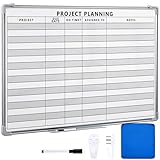
- Functional: the project planning dry erase whiteboard with lines is preprinted with common project planning templates, namely project name, due time, on time, assigned to, notes, to help you plan your project clearly and never miss the detail progress, keeping your business in order
- Easy to Write and Clean: this project planning whiteboard has a smooth and scratch resistant writing surface, allowing you to write smoothly and resist ghosting, it's easy to wipe without leaving stains
- Detail Specifications: our make ready white board with lines is made of quality materials, with aluminum frame, which is durable and sturdy; And it measures about 36x 24 inches in size, provide ample space to fully display project details
- Easy and Convenient to Apply: the large whiteboard planner for wall is equipped with sliding tray, convenient for you to store marker pens and more writing tools or magnetic accessories, keeping your room tidy; And its magnetic surface supports to apply magnetic pins or strips, making it easier to organize and update information
- Clear and Long Lasting Printing: this ruled dry erase white board adopts erasable design, vinyl printed decals, that is clear printing, not easy to fall off and fade, providing you with a long term application
6. monday.com: best polished visual workspace for solo users
monday.com’s free monday work management plan is aimed at freelancers and individual professionals. It provides a polished, spreadsheet-like visual workspace with up to two seats, up to three boards, up to three Docs, more than 200 templates, eight column types, and iOS and Android apps.
The interface is attractive for users who want structured rows, visual status fields, and ready-made templates without building a system from scratch. It can work well for a solo consultant managing leads, deliverables, and personal project stages.
Choose monday.com if: You work alone or with one collaborator and presentation, visual organization, and templates matter more than scale.
Watch out for: Two seats and three boards are substantial restrictions for an expanding team. The free plan is not a strong long-term foundation for a multi-person organization unless you are comfortable upgrading. Compare the seat and board limits with your expected growth before migrating active work.
7. Zoho Projects: best compact structured option
Zoho Projects is worth considering for small teams that already use Zoho applications or want a more structured project environment than a basic Kanban board. It offers a free tier, but the vendor’s own help material presents conflicting limits.
One Zoho help page states that the free plan includes three users, one project, and up to 5 GB of attached files. Another overview states five users and three projects. Because those figures do not agree, this article does not silently choose one as definitive. Check the current comparison page or the limits shown during signup before committing project data to the free tier.
Choose Zoho Projects if: You are already invested in the Zoho ecosystem or want a compact, structured project-management environment.
Recommended Free Tools
Watch out for: The free tier excludes major features, and its exact user, project, and storage limits require verification. Treat it as a small-scale entry point rather than assuming it will support a growing portfolio.
8. Teamwork.com: best for small client-service teams
Teamwork.com is particularly relevant to agencies, consultants, freelancers, and professional-services teams. Its Free plan supports up to five users and five projects, with task, list, board, Gantt, and table views, time logging, client organization, chat-tool connections, and 100 automations.
Those features make Teamwork.com more suitable for client delivery than many generic free task boards. A small agency can organize deliverables, track time, separate client organizations, and give each engagement a project structure without immediately building a system from several unrelated tools.
Also popular on Amazon
- MAGNETIC DRY-ERASE SURFACE — Designs are directly printed onto a durable vinyl layer that is resistant to stains and ghosting, ensuring long-lasting visibility and a smooth writing surface. The surface is also magnetic, giving you freedom to accessorize your whiteboard however you like or attach any number of documents
- EASY INSTALLATION — Includes mounting brackets and hardware for secure and hassle-free wall mounting. For a quick tutorial on how to properly install your whiteboard, please watch our video located in this product page
- SPACIOUS WRITING AREA – Large enough to capture a wide range of information without running out of space, encouraging collaboration and communication between departments. Writing area measures 2" less than the board's total dimensions
- DURABLE ALUMINUM FRAME – 1" aluminum border paired with a 2.5" deep aluminum tray for convenient accessory storage
- QUALITY ASSURANCE— Please inspect your whiteboard upon arrival to ensure it meets your expectations. If you encounter any issues, contact us through Amazon’s Buyer-Seller Messaging system for support.
Choose Teamwork.com if: You manage client work and need time logging, project delivery views, or client organization in the same platform.
Watch out for: Five users and five projects can be reached quickly by an active agency. Advanced capacity planning, financial controls, and profitability features are paid-tier capabilities. Also, distinguish the ongoing $0 plan from any paid-plan free trial: a trial expiring does not make the paid plan a permanently free option.
9. Wrike: best free structured task manager for one contained workflow
Wrike’s Free plan is a legitimate $0 tier with web, desktop, and mobile apps, project and task management, Board view, and Table view. It is a reasonable option when you want more structure than a basic board but are managing a bounded workflow rather than a large, multi-department portfolio.
The important constraints are one shared space and 200 active tasks, including subtasks. Those limits may be perfectly manageable for a small personal workflow, a single campaign, or a compact team, but they become restrictive when an organization needs separate spaces or retains a large backlog.
Choose Wrike if: You want board and table organization for one modest workflow and do not need an unrestricted workspace.
Quick wins for a faster PC:
Repair Windows errors before they cause bigger problemsFix Now →Fix the driver behind crashes, sound loss and screen glitchesFind Drivers →Watch out for: One shared space can make separation difficult for multiple departments or clients, while 200 active tasks can force regular archiving and cleanup. Estimate both current tasks and expected backlog before choosing Wrike.
10. MeisterTask: best straightforward alternative for task boards
MeisterTask is a lightweight Kanban-style alternative for users who prefer a focused task-board experience over a broad work-management suite. It is best considered when the essential workflow is simple: create tasks, place them in stages, assign responsibility, and move them toward completion.
Choose MeisterTask if: You want a low-overhead board-based tool and do not need the broader planning, documentation, or software-development features found in ClickUp, Notion, or Jira.
Watch out for: The exact current Free-plan limits, integrations, and automation allowances should be checked directly before publication or signup. The available research did not expose sufficiently reliable, date-specific details to state those limits without risking an outdated or inaccurate claim. Do not treat MeisterTask as a like-for-like replacement for Jira’s backlog features or Teamwork.com’s client-service features.
Which free project-management tool should you choose?
- Choose ClickUp when feature breadth matters more than simplicity and you want tasks, Docs, boards, and lightweight agile functions together.
- Choose Trello when everyone needs to understand the workflow immediately and a visual board is enough.
- Choose Asana for personal productivity, freelance work, or a two-person project. Check the current two-seat rule for new accounts.
- Choose Jira when backlogs, issues, sprints, reports, forms, and software-development workflows are central.
- Choose Notion when project documentation, meeting notes, databases, and knowledge management matter as much as tasks.
- Choose monday.com when a solo professional wants a polished visual workspace with templates and mobile apps.
- Choose Zoho Projects when you already use Zoho or want a compact structured tool, but verify the free-tier limits first.
- Choose Teamwork.com for small agencies, consultants, and other client-facing teams that need time logging and client organization.
- Choose Wrike for one contained workflow with a modest task volume and a preference for board and table views.
- Choose MeisterTask when a focused Kanban board is preferable to a full project-management suite, after checking its current free plan.
How to check whether a free plan will really work
A $0 plan can still become expensive in time if your team reaches a limit unexpectedly. Before importing work, check these items:
Also popular on Amazon

- Project Management Whiteboard: our 24" x18" aluminum-framed whiteboard with a double-sided design features a smooth, easy-to-write surface with clear lines; Nice as a weekly planner whiteboard, it helps track tasks, schedules, and project milestones without smudging or ghosting
- Versatile Schedule Board for Any Space: whether for office projects, home planning, or team coordination, this team task tracker keeps everything visible
- Ideal Dry Erase Board Project Planner: streamline tasks with a dedicated space for notes, deadlines, and reminders; The magnetic-free surface ( compatible with sticky notes) allows quick updates, while the white board layout ensures nothing gets overlooked
- Easy to Wipe Reuse Daily: the dry erase surface wipes clean effortlessly, leaving no residue; Reuse it endlessly for daily agendas, project tracking, or brainstorming—nice for offices, classrooms, or home centers
- Sturdy and Space-saving Design: the lightweight yet durable aluminum frame includes a built-in wall hook for easy hanging; Its compact 24"x18" size fits tight spaces while offering ample room for weekly planner whiteboard layouts, charts, or inspirational quotes
- Seats and guests: Count internal users, external collaborators, and guests separately. A plan may be free for one or two people but charge when the first teammate joins.
- Projects, boards, and spaces: Confirm whether the limit applies per account, Workspace, team, or organization. Three boards, five projects, or one shared space may be enough today but not after expansion.
- Storage and attachment size: Check both total storage and the maximum size of each file. Trello allows 10 MB per file, Notion allows 5 MB, ClickUp lists 60 MB of storage, Jira lists 2 GB, and Wrike’s free plan can be restrictive in other ways. A cloud storage service can be an optional companion when project files outgrow the platform.
- Views and planning features: Make sure the free plan includes the views you actually use. A board may be free while timeline, Gantt, workload, forms, or custom-field functionality is paid.
- Automation quotas: Check whether automations are included and whether the limit is measured by rules, actions, or runs. Trello lists 250 Workspace command runs per month, Jira lists 100 automation rule runs per month, and Teamwork.com lists 100 automations.
- Permissions and administration: A free plan may be adequate for a trusted small group but unsuitable when you need advanced roles, project-level restrictions, audit controls, or centralized administration.
- Integrations and exports: Verify that the applications you already use can connect to the free tier and that you can export your work if the plan changes. A large integration catalog does not guarantee that every connector is available without payment.
- Upgrade trigger: Decide in advance what would justify paying: more seats, additional storage, Gantt planning, reporting, automation, permissions, time tracking, or client profitability.
Useful companion categories when the free plan is the bottleneck
You do not always need to replace your project-management platform when one limit becomes inconvenient. For example, a team that likes Trello’s workflow may use separate project file storage for large attachments, while a freelancer may add project time tracking for freelancers when billable hours and client invoices become important. These are optional supplements, not reasons to assume that a particular vendor is compatible or free.
Automation can also be a separate consideration. Before adding a service, verify the exact integrations, data permissions, and usage quota for your chosen project tool. A service offering workflow automation integrations may help connect project-management apps and reduce repetitive updates, but it should not be treated as a substitute for checking what the native free plan already includes.
For teams coordinating deadlines and conversations, a project calendar integration or team chat for project updates may be useful. Again, compatibility and pricing vary by vendor and plan, so confirm them before building a critical workflow around an external connection.
Recommended Free Tools
Bottom line
Start with ClickUp if you want the broadest free toolkit, Trello if you want the least setup, Asana if you are solo or working with one partner, and Jira if you run software or agile projects. Choose Notion for documentation-heavy work, Teamwork.com for small client-service teams, and the remaining tools when their specific limits and workflow match your needs.
The most important comparison is not the feature count on the signup page. It is whether the free plan’s seats, project limits, storage, views, automations, and permissions will survive the way your team actually works.
Frequently Asked Questions
What is the best free project-management software overall?
ClickUp is the best all-purpose option in this comparison because its free tier combines unlimited tasks and members with Docs, Kanban boards, Sprint Management, Calendar view, and basic Custom Fields. Trello may be better if simplicity matters more than feature breadth.
Is a free plan the same as a free trial?
No. A free plan is an ongoing $0 tier, while a free trial usually provides paid features for a limited period before requiring payment or downgrading. Teamwork.com, for example, has a $0 plan as well as trials associated with paid plans, so the two should not be confused.
Which free project-management tool is best for a software team?
Jira is the strongest fit because its free plan includes backlogs, issue-oriented work, sprint-friendly workflows, reports, dashboards, forms, and several planning views. It supports up to 10 users, but it has a 2 GB storage limit and a more specialized interface.
Can a new Asana account support 10 free users?
Asana’s help documentation says users who sign up after November 12, 2025 receive a two-seat limit on the Personal plan. Older accounts may retain a legacy limit of up to 10 seats, so current signup rules matter more than older articles.
Why do Zoho Projects’ free-plan limits appear inconsistent?
The supplied Zoho documentation gives different figures: one page states three users, one project, and up to 5 GB of attachments, while another states five users and three projects. Verify the current comparison page or signup screen before relying on a specific limit.
The Bottom Line
Best overall: ClickUp. Best simple board: Trello. Best for solo users or two people: Asana. Best for software teams: Jira. Choose based on the free plan’s actual seat, storage, project, view, and automation limits—not just the product’s feature list.
The Tool Desk
Outbyte PC Repair FREERepair Windows errors before they cause bigger problemsFix Now →Outbyte Driver Updater FREEFix the driver behind crashes, sound loss and screen glitchesFind Drivers →Quick Recap
Product prices and availability are accurate as of the date/time indicated and are subject to change. Any price and availability information displayed on Amazon at the time of purchase will apply.

