Quick wins for a faster PC:
Clear out junk files and repair common Windows errorsFree Scan →Scan for outdated or missing drivers - takes under a minuteDriver Scan →Repair Windows errors before they cause bigger problemsFix Now →iTechGuides is reader-supported. When you buy through links on our site, we may earn an affiliate commission. As an Amazon Associate I earn from qualifying purchases. Learn more
Does your Xbox turn on itself, leaving you puzzled as to why? This article delves into the possible reasons behind this phenomenon.
Reasons Your Xbox Power On Independently
If your Xbox is turning on by itself, there can be several potential reasons for this behavior. Here are some common causes for this issue.
1. Power Settings
The Xbox power settings control how the console behaves when it’s not actively in use. There are various options to choose from, including Instant-on and Energy-saving modes.
In Instant-on mode, the console remains partially powered even when it’s “off.” This allows for faster startup times and background tasks.
Popular on Amazon
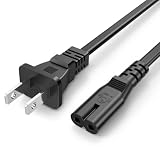
- Compatible with: Sony PS5 / PS5 Slim / PS5 Pro / PS4 / PS4 Slim / PS3 Slim/ PS3 Super Slim ; Xbox Series S, Xbox Series X, Xbox One S, Xbox One X
- Wide Compatibility: compatible with Samsung, LG, TCL, Sony, Insignia, Sharp, Toshiba, JVC, Hisense, Panasonic TV, most Game Console, Printer, Speaker System, Sound Bar and Other Devices that use the same 2-prong figure-8 power connector
- UL Listed / Safety: this power cord are Tested, Approved, and Certified by UL to ensure safety for you and your device. UL testing is authorized by OSHA - US Federal Agency, this certification provides peace of mind that this power cord meets rigorous safety standards for electrical products
- Power Cord Type: Non Polarized 2 Prong C7 Figure 8 Power Cord, 125V 7A, 18 AWG (American wire gauge); Cable Length: 6 Feet
- Durable & Sturdy: built with pure copper wire / heavy-duty flame-retardant cable Jacket, resistant to bending and daily wear for long-lasting use
As a result, your Xbox may be set to automatically turn on to perform these tasks.
2. HDMI Control Issue
Your Xbox turning on by itself due to HDMI control is related to a feature called HDMI-CEC (Consumer Electronics Control). HDMI-CEC is a standard that allows different HDMI-connected devices – your Xbox and your television – to communicate and control each other by sharing certain commands over the HDMI connection.
For example, if you turn on your TV, the TV can send a signal to the Xbox to turn on as well. This is because the television is set to the HDMI input to which your gaming console is connected.
Do these 3 things before closing this tab:
1Clear out junk files and repair common Windows errors2Fix the driver behind crashes, sound loss and screen glitches3Repair Windows errors before they cause bigger problemsIn addition to that, the TV assumes that you want to use the console when you’ve selected its input. This technology enables a more seamless and integrated user experience.
However, it can also occasionally lead to unintended power-on events. Specifically, interference or signal errors can cause unintended commands to be sent, leading to your Xbox powering on without your input.
3. Software Updates
Xbox consoles periodically check for system updates, game patches, and content downloads. This is to ensure they’re up to date and to deliver a seamless gaming experience.
However, these updates and downloads often happen in the background. Due to this, your gaming console may automatically power on to perform these tasks.
You can control when these updates and downloads occur in your power settings. Nevertheless, the default behavior is to accommodate these automatic tasks to maintain the health and performance of your console.
4. Wireless Controller Issue
Wireless controllers, like the ones used with Xbox consoles, communicate with the console through radio frequency signals. However, if there is interference in the vicinity, such as Wi-Fi signals, it can occasionally lead to unintentional signals from the controller.
Also popular on Amazon

- ETL Certified for Peace of Mind: This power cord features a pure copper core for stable power delivery, dependable durability, and safe daily use—ideal for home, office, and outdoor applications
- Wide Compatibility: Compatible with Sony PS5, PS5 Slim, PS4, PS4 Slim, PS3 Slim, and PS3 Super Slim consoles. Also fit for Xbox Original, Xbox One S, Xbox One X, Xbox Series S, Xbox Series X, and other devices with a matching power port, such as TVs, printers, speakers, and monitors
- Please Check Before Purchase: Not compatible with Sony PS1, PS2, original PS3 Fat, PS4 Pro, Xbox One Fat, or Xbox 360 Core/Pro/Elite/Slim/E models
- Power Cord Type: Non-Polarized 2-Prong Figure 8 Power Cord (IEC 60320 C7 to NEMA 1-15P), 18 AWG, rated for 125V AC, 7A Max
- Multiple Length Options: Choose the length that fits your setup. Please check the product images to confirm the connector type before purchase. Contact us with any questions
This, in turn, can power on the gaming console unintentionally. Besides, physical issues with the controller, such as buttons sticking or malfunctioning buttons, can trigger unintended actions.
Specifically, if a button on the controller is stuck in a pressed position when you’re not actively using it, this can lead to the console switching on by itself.
Free tools Windows power users keep installed
One-click scans. No signup required.
5. Faulty Hardware
In some cases, internal hardware issues or malfunctions can lead to spontaneous power-on behavior.
If internal components, such as the power button, circuitry, or sensors, are damaged, they can trigger unintended power cycling.
How To Fix Xbox That Boots Up On its Own
To fix an Xbox that boots up by itself, you can follow a series of troubleshooting steps to identify and resolve the underlying issue. Here’s a step-by-step guide on how to tackle this problem.
1. Check Power Settings
Power settings are a fundamental aspect of your gaming console’s behavior when it’s not actively in use. You can configure these settings to your liking.
In “Power & startup” settings, “Power mode” allows you to choose between “Instant-on” and “Energy-saving” modes. Meanwhile, in “Instant-on” mode, your Xbox remains partially powered for quicker start-ups and background tasks.
In this mode, your console may turn on for activities like updates and downloads. Similarly, the “When Xbox is off, turn off storage” setting determines if your Xbox keeps external storage devices active when it’s off.
Adjusting these settings can help control when your gaming console powers on and off.
Also popular on Amazon
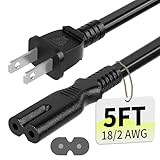
- Specifications: 5 feet tv power cord, non polarized 2 prong figure 8 power Cord (C7 to NEMA 1-15P ), 7A, 18AWG, 125V, NISPT-2, ETL listed
- Compatible: This ac power cable is fit for Sony PS5 / PS4 Slim / PS4/PS3 Slim/ PS3 Super Slim/Microsoft Xbox One S/Xbox One X/ Xbox Series X/Xbox Series S and other electronic devices such as TVs, printers, speakers, monitors, etc
- ETL Listed / Safety: This PS5 power cord is constructed with 100% pure copper and a flexible PVC jacket, providing high conductivity and minimal power loss
- Compatibility Note: To ensure compatibility, please verify that the connector matches your device's power port as illustrated in the product images
- Power Your Devices with the Perfect Reach: Select from multiple lengths to find your ideal match; this cord ensures safe, stable power for your game console, sound bar, speaker system and more
2. Inspect Your Wireless Controller
Your wireless controller is a key input device for your Xbox. It communicates wirelessly with the console, and any issues with the controller can lead to unintended commands, including powering on the console.
The Tool Desk
Outbyte Driver Updater FREEFix the driver behind crashes, sound loss and screen glitchesFind Drivers →Outbyte PC Repair FREEClear out junk files and repair common Windows errorsFree Scan →Hence, look for physical problems such as stuck or damaged buttons that might trigger commands without your input. Also, ensure that the batteries in your controller are in good condition and have sufficient charge.
3. Update Console Software
Keeping your console’s system software up to date is important for stability and performance. Outdated software can sometimes lead to unexpected behavior and glitches, including self-powering.
Check for software updates in the “System” section of your Xbox settings, and make sure your console is running the latest version. After doing that, ensure to disable automatic updates on your console.
4. Factory Reset
Another way to fix this problem is by performing a factory reset on your console. However, keep in mind that this option erases all your data, settings, and games from the Xbox.
Hence, before proceeding, ensure to back up any important data. This step resets the gaming console to its default state, which can help resolve software-related issues.
5. Contact Xbox Support
If you’ve tried all the previous steps and found no success, it may indicate a more complex issue. To be more specific, the issue may be potentially related to more complex hardware or software problems.
In this case, it’s advisable to reach out to Xbox customer support or visit an authorized service center for professional diagnosis and resolution. They can provide more specific guidance based on the details of your issue.
Independent reader supportYour contribution helps us test, update, and keep practical guides available for everyone.Frequently Asked Questions
Your console may randomly turn on due to issues like controller malfunctions, faulty power settings, and HDMI control problems.
What’s actually slowing this PC down?
Pick the symptom - the matching free tool is one click away.
Also popular on Amazon
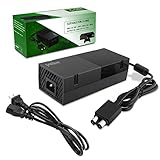
- 【Latest version Power Supply for Xbox One】The cooling fan and the internal design of the xbox one power brick have seen significant upgrades by our engineers. It is quieter and more durable with no noise.Xbox 360 Adapter
- 【Global Power Supply Adapter for Xbox One】The output voltage is DC 220W 12V--17.9A; 5Vsb--1A, with an input AC voltage range of 100-240V 4.91A 50-60Hz. The auto voltage allows the xbox 1 power supply can be used in any country in the globe.
- 【Safe Build】Ponkor's Xbox One power supply brick is made of ABS fireproof material and has a smart chip put in to protect against overheating, overcurrent, overvoltage, and shortcircuiting.
- 【Power supply Compatible with Xbox One】This power brick replacement only works with the Xbox One and cannot be used by others. When you're not using it, please unplug this power supply.
- 【What You Get】The package comes with 1x Xbox One power supply brick, 1x ac power cord and after sales service.
As of the time of publishing this article in 2023, the latest Xbox console is the Xbox Series X.
Microsoft owns Xbox.
The original and first Xbox gaming console was released on November 15, 2001.
When I published this article in October 2023, the CEO of Xbox was Phil Spencer.
Conclusion
Experiencing the issue of your Xbox turning on by itself can be a frustrating situation. While it can be annoying, there are several factors to consider when trying to identify the root cause of this problem.
Fortunately, this article discussed various reasons for this problem. However, addressing the issue may require a multi-faceted approach, considering both hardware and software-related factors.
Thankfully, we also explored tips and troubleshooting steps to address the issue. Thus, by carefully following the provided tips, you can work toward resolving this puzzling problem and enjoy a more seamless gaming experience.
We trust that you have found this article to be a valuable resource. Your feedback is important to us, and we would be grateful if you could take a moment to share your thoughts on our community by heading over to the “Leave a Reply” comments form at the bottom of this page.
You could also use the “Was this page helpful?” buttons below to give us your feedback.
Recommended Free Tools
To discover more articles covering related subjects, we encourage you to explore our Technology Explained page.