
The Tool Desk
Outbyte PC Repair FREEClear out junk files and repair common Windows errorsFree Scan →Outbyte Driver Updater FREEScan for outdated or missing drivers - takes under a minuteDriver Scan →iTechGuides is reader-supported. When you buy through links on our site, we may earn an affiliate commission. As an Amazon Associate I earn from qualifying purchases. Learn more
If you want a Windows video player that feels familiar like VLC but tidier, and more complete than mpv’s minimal approach, MPC-HC is a strong candidate. Media Player Classic Home Cinema (MPC-HC) is a free, open-source video and audio player for Windows. This article covers the maintained clsid2 fork of the project, which is the version to download today. In a September 27, 2026 article, How-To Geek’s Goran Damnjanovic made the same case for it under the headline that the title echoes. The “sweet spot” framing below is my own judgment, not an objective ranking.
Which MPC-HC you should download
“MPC-HC” now refers to a continuing project maintained at the clsid2 GitHub repository. The original project’s status is not the same as this repository’s, so when you follow a link or search for a download, check that the page belongs to the clsid2 fork.
As of October 9, 2026, the project’s releases page lists:
| Build | Version | Date | Who it is for |
|---|---|---|---|
| Stable release | 2.8.2 | September 17, 2026 | Everyday use. Start here. |
| Development build | 2.8.2.50 | October 5, 2026 | Testers and people who want unreleased changes. This is a prerelease. |
The project’s README describes the player as mature and stable, and states: “The player is mature, stable, reliable, and already provides a huge amount of features.” That is the maintainer’s own characterization, not an independent reliability test. The maintainer is not accepting feature requests, though pull requests are welcome, so expect fixes and maintenance rather than new features.
Popular on Amazon
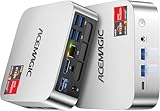
- [AMD Ryzen Pro 7330U Pro which is more powerful than the 5400U/3500U] - ACEMAGIC Mini PC is powered by Latest Processor AMD Ryzen 7330U Pro(4Cores/8Threads, BASE 2.3GHz, MAX TO 4.3GHz) , delivers more than 28% higher performance than N150(Reference from PassMark). Performance at least +40%, GPU at least +23% compared with the previous CPU - N95/N100/3300U. Remarkably power-efficient at 28W, it outperforms its predecessors, even rivaling some mainstream mobile processors from the past
- [K1 Mini Computer - Meet Your Second PC] - Next-Gen Light Office Mini PC comes pre-installed with the Win11 Pro system, which is intelligent, secure, and efficient. Versatile Connectivity: 10M/100M/1000M RJ45 Gigabit Ethernet Port *1, USB3.2 Type-A Port*6, USB3.2 Gen2 Type-C (10Gbps Data Transfer+DP1.4)×1, HDMI 2.0*1, DP 1.4*1, DC IN ×1, 3.5mm Audio Jack*1. All-New Built-in Power Supply devise Only one cable is needed for power supply, no external adapter is required, keep the desktop neat and clean. Whether it’s for business, family entertainment, school, research, or social media, this mini PC has your needs covered!
- [Large Storage Capacity, Easy Expansion] - Mini Computer K1 is equipped with a 16GB LPDDR4X 3200MT/S (non‑expandable memory) and a 256GB M.2 2280 SSD, which allows the small PC to run several high performance operations simultaneously. The LPDDR4 memory delivers faster data transfer speeds for snappier multitasking and responsive performance. The Ryzen micro desktop offers fast data reading, writing, and storage capabilities, ensuring smooth application running. If you want more storage space, you can also add M.2 NVMe PCIe 3.0 SSD or M.2 SATA SSD to expand storage up to 2TB. This means you can easily store and access a large amount of files, media, and data |
- [Sleek Chassis & High efficiency cooling system] - The portable mini pc features a Silver-toned Body and can be stored in a bag and carried with you at any time, ideal for business trips. Save space by super mini size(5x5x1.6 inch) and a VESA mount to install it on wall or monitors. Advanced Axial Fan & Internal Cooling Technology are practically silent at light load and even under load, the fans remain fairly quiet. Minimal or inaudible fan noise is perfect for concentrating on the task at hand!
- [WiFi 5&Bluetooth 4.2-Simply Compatible]- ACE Win11 Small PC have reliable and stable wireless connection, opening websites in seconds, watching movies without buffering and downloading files smoothly. Built-in Bluetooth enables you to connect multiple wireless devices such as mice, keyboard, headset, monitoring equipment, printer, monitor, TV and so on. High-speed wireless connection technology, reliable and efficient transmission speed, providing a faster internet experience for browsing and streaming
Requirements listed in the project documentation are Windows 7, 8, 8.1, 10, and 11. Those are stated requirements. They do not guarantee that every hardware, driver, or future Windows update combination will behave identically.
What MPC-HC does well
The project documents a conventional player interface with the controls most people expect from a desktop video app. The features listed in its documentation include:
- Dark and light themes.
- Thumbnail previews in the seek bar, so you can find a scene without guessing.
- Resume and playback history, so the player remembers where you stopped.
- Subtitle search, performed manually or automatically.
- Adjustable playback speed.
- Next and previous file navigation with PageUp and PageDown.
- A-B repeat for looping a section.
- Customizable keyboard shortcuts.
On the format side, the documentation lists HEVC/H.265, VVC/H.266, and AV1 video, AC-4 audio, and WebVTT subtitles. It also mentions improved subtitle rendering and libass support. Format support in practice still depends on the codecs installed on your system, which is where the optional codec pack below comes in.
How it compares with VLC and mpv
The three players are aimed at different users, so the comparison below is by axis rather than a single winner.
| Factor | MPC-HC (clsid2 fork) | VLC | mpv |
|---|---|---|---|
| Platform reach | Windows 7 through 11, per the project’s stated requirements | Cross-platform, per VideoLAN’s official user documentation | Cross-platform positioning, per mpv’s official project site |
| Interface style | Conventional graphical player with themes and a seek-bar preview | Graphical player with a broad feature set; How-To Geek describes its interface as messy | Command-line-oriented, with a small on-screen controller, according to the mpv project |
| Breadth of built-in functions | Playback history, subtitle search, speed control, A-B repeat, HDR output options | Extensive file, disc, and streaming support, per VideoLAN | Format support, scripting, and hardware decoding, per the mpv project |
| Setup for advanced functions | HDR needs a renderer choice; website playback needs yt-dlp and a redistributable | Not stated in the cited VideoLAN documentation | Scripting and configuration are documented on the mpv project site; the cited sources do not describe the setup steps |
The title’s phrases “too messy” and “too bare” are subjective. They express one reviewer’s reaction, and a user who likes a dense interface or a keyboard-first workflow may reach the opposite conclusion. MPC-HC’s appeal is that it sits between those two styles: it has the menus and controls of a conventional player, without needing command-line configuration.
Setting up HDR playback
MPC-HC’s documentation says HDR requires selecting a supported renderer. The steps are:
Also popular on Amazon
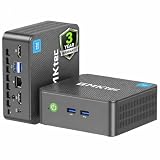
- 12th INTEL ALDER LAKE N95 PROCESSOR - The G3S mini pc uses the 12th Intel N95 CPU 4 Core 4 Threads 6MB cache, burst speed up to 3.4GHz. Compared with (N100/N5105/N5100/N5095), the N95 offers an overall performance improvement of 36%. Ideal for routine tasks, office work and home entertainment,which is more convenient than traditional desktop pc
- 8GB RAM MEMORY & 256GB SSD STORAGE - GMKtec Nucbox G3S mini pc is prebuilt with 8GB DDR4 RAM, you will enjoy a speedier experience with Built-in 256GB M.2 2242 SSD Hard Drive. Our mini desktop pc boots up in seconds, work on multiple browser tabs, software applications and quickly transfers files
- RICH INTERFACE - Nucbox G3 Plus mini computer is equipped with USB 3.2, up to 10Gbps/S, HDMI(4K@60Hz)×2, 3.5mm Audio Jack. Supports WiFi 5, and Gigabit Ethernet RJ45 1000MbE network connectivity, Bluetooth 5.0. This Mini PC supports multiple device connection and can be used with servers, monitoring equipment, office equipment, displays, projectors, televisions, etc
- 4K DUAL SCREEN DISPLAY - Mini desktop computer is equipped with upgraded Intel Graphics(max 1000MHz), supports 4K video playback and AV1 decoding, connect the pc with a projector as a home theatre, enjoy a variety of entertainments. Two HDMI 2.0 ports allows you to multi-task efficiently on two 4K@60Hz displays
- WiFi5 & BT5.0 - Built-in Bluetooth 5.0 enables you to connect multiple wireless devices such as mice, keyboard, monitoring equipment, printer and monitor. High-speed wireless connection technology, reliable and efficient transmission speed, providing a faster internet experience for browsing and streaming. Small pc supports Wake On LAN, PXE Boot, RTC Wake and Auto Power On, ideal to use as a server
- Open MPC-HC’s options and go to the playback output settings.
- Select MPC Video Renderer, which is included with the player. The release page describes it as the recommended default for modern systems, and says it supports Dolby Vision.
- If you prefer madVR, install it separately and select it in the same output settings. madVR is not bundled.
- Avoid other renderers for HDR content. The current release notes warn that they can produce incorrect colors.
Setting up web video playback
MPC-HC can play YouTube and other website video, but this feature is optional and needs configuration. Do not expect it to work immediately after installation.
PC Slower Than It Used to Be?
A free scan shows the junk files, broken settings and background clutter dragging Windows down - then fixes them in one click.Free scan · Windows 10 & 11Crashes, No Sound, or Screen Glitches?
Random freezes, missing sound and display glitches usually trace back to one bad driver. Find and replace yours safely.Free scan · under a minute- Install the Microsoft Visual C++ 2010 SP1 Redistributable (x86), which the project lists as a prerequisite.
- Install yt-dlp and point MPC-HC to it in the player’s settings.
- Optionally install ffmpeg. The project recommends it for best-quality yt-dlp downloads.
Codecs and file associations
The project recommends K-Lite Codec Pack as an all-in-one option, particularly when you want the installer to handle file associations and default configuration. It is separate software and is not required. If you already have a codec setup that works, keep it.
Who should choose MPC-HC
MPC-HC is the better choice if you use Windows, want a familiar desktop interface, and care about practical playback features such as seek previews, resume history, and subtitle search. It is less suited to people who need a single player across macOS and Linux, since its platform support is Windows-only. Users who prefer scripting every behavior, or who want the lightest possible command-line tool, are likely better served by mpv. Users who want the widest possible file and streaming support across platforms will find VLC more useful.
My view is that MPC-HC hits the sweet spot the headline describes for a Windows user who wants a clean, traditional player with the features listed above. The project’s own description of maturity supports that choice, but a few details, especially HDR and web playback, need a few minutes of setup first.
Independent reader supportYour contribution helps us test, update, and keep practical guides available for everyone.Frequently asked questions
The main points are covered above; if you’re deciding quickly, start with the stable release and only add the optional setup you need.
If you need a current release count, note that “140 releases since 2018” comes from How-To Geek’s September 2026 article. It is the publication’s figure, not a count published by the project, so check the releases page for current status.
Also popular on Amazon

- Powerful Performance: Intel Core i5 Hexa Core processor for reliable multitasking and smooth computing.
- Fast & Efficient: 16GB DDR4 RAM and 250GB SSD for quick startup and performance.
- Windows 11 Pro: Modern operating system with professional-grade tools and enhanced security.
- Compact Design: Space-saving mini chassis fits neatly on or under your desk.
- Renewed Quality: Professionally tested and renewed to perform like new; may show minor cosmetic wear.
Source for the title and framing: How-To Geek, syndicated by Yahoo, “VLC is too messy and MPV is too bare, but this open-source video player hits the sweet spot,” September 27, 2026, by Goran Damnjanovic.
Projects and product details cited here come from the project’s README, its releases page, mpv’s official project site, and VideoLAN’s official VLC user documentation, all checked on October 9, 2026.
Any release detail can change, so verify the version number on the releases page before downloading.
Quick wins for a faster PC:
Scan for outdated or missing drivers - takes under a minuteDriver Scan →Clear out junk files and repair common Windows errorsFree Scan →Recommend the stable release for ordinary use.
Check the project’s requirements before installing on older Windows versions.
Use the clsid2 repository to confirm you have the maintained fork.
Quick Recap
“

